Color Space Converter — For Blender® 4.2+
 Danilo Caliro


What it does
Scans every material's image textures (and world HDRIs) and assigns the correct color profile automatically, based on a suffix found in the texture's filename — e.g. _BaseColor → sRGB, _Roughness → Non-Color.
Installation
- Open Blender® (4.2 or newer) → Edit > Preferences > Get Extensions (or the Extensions tab).
- Click the dropdown next to "Install from Disk" and select
color_space_converter_v1.0.0.zip— no need to unzip it first. - Enable the add-on if it isn't active automatically.
- Open the 3D Viewport sidebar (
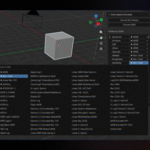
Nkey) → Color Space tab.
Usage
- Convert All Textures — applies the colorspace to every image texture node in every material, based on the suffix list below.
-
Convert HDRI — sets every World environment texture to
Linear Rec.709. - Matching is case-insensitive and checks whether the suffix appears anywhere in the image name.
Default suffixes
| SUFFIX | PROFILE |
|---|---|
| _BaseColor | sRGB |
| _Emission | sRGB |
| _SSS | sRGB |
| _Sheen | sRGB |
| _Specular | sRGB |
| _Metallic | Non-Color |
| _Roughness | Non-Color |
| _MaskMap | Non-Color |
| _MRS | Non-Color |
| _ORM | Non-Color |
| _Height | Non-Color |
| _Bump | Non-Color |
| _Normal | Non-Color |
| _Displacementl | Non-Color |
| _Opacity | Non-Color |
| _Occlusion | Non-Color |
Editing the suffix list
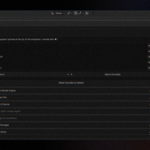
Use Add / Remove below the list to create custom suffix → profile pairs. If you accidentally delete an entry (e.g. _BaseColor), click Reset to Default to restore the original suffix list.
Colorspace dropdown & favorites
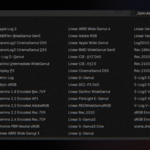
The profile dropdown reads directly from Blender's active OCIO config, so every colorspace installed on your system is available — not just the five built-in defaults. Favorites are shown with a ★ at the top of the dropdown; nothing is added automatically — you choose what gets pinned.
- Manage favorites from Edit > Preferences > Add-ons > Color Space Converter:
- pick any colorspace from the dropdown and click Add to Favorites to pin it;
- click the ✕ next to any favorite to remove just that one;
- Reset Favorites to Default clears the whole list back to the original five.
- Favorites persist across Blender sessions.
- If Blender's OCIO config can't be read for any reason, the dropdown falls back to the original five profiles (
sRGB,Non-Color,Linear Rec.709,ACEScg,ACES2065-1).
Have questions about this product?
Login to message
| Blender Extension Compatible | Yes |
| Dev Fund Contributor | |
| Published | about 2 months ago |
| Blender Version | 4.2 - 5.2 |
| Extension Type | Add-on |
| Render Engine Used | Cycles, Eevee |
| License | GPL |
Discover more products like this
color space converter texture color profiles non-color hdri favorites sRGB