Color Space Converter — For Blender® 4.2+
 Danilo Caliro


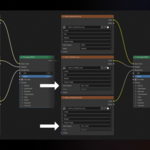
How does the automatic color profile assignment work?
The addon reads the filename of each texture and detects its suffix (e.g. _BaseColor, _Roughness, _Height, _Sheen) to automatically assign the correct color profile — for example sRGB for color textures and Non-Color for maps like normal, roughness, or height.
Can I use custom color spaces, or only the ones built into the addon?
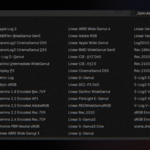
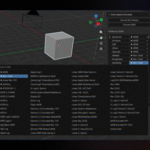
Yes. The dropdown is linked directly to Blender's OCIO configuration, so it shows every color space actually installed on your system, not just hardcoded ones. Frequently used profiles can be saved as favorites to keep them at the top of the list (manageable from the addon's Preferences tab).
What happens if I accidentally delete a suffix from the list?
You can restore the suffix list to its default values with a dedicated button, without having to re-enter everything manually.
What's the minimum required Blender version?
Blender 4.2.
Have questions about this product?
Login to message
| Blender Extension Compatible | Yes |
| Dev Fund Contributor | |
| Published | about 2 months ago |
| Blender Version | 4.2 - 5.2 |
| Extension Type | Add-on |
| Render Engine Used | Cycles, Eevee |
| License | GPL |
Discover more products like this
hdri non-color color space converter texture favorites color profiles sRGB