 Danilo Caliro


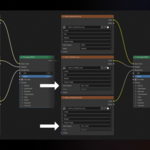
Every texturing artist knows this pain: you export a full PBR texture set from Substance 3D Painter, Substance 3D Designer, or Mari, drop it into Blender®, and forget to set half your maps to Non-Color.
Roughness looks wrong, normals are broken, metallic reads flat — and you don't notice until you're deep into lighting, wondering why nothing looks right.
It's not a skill issue, it's just an easy thing to forget when you're juggling dozens of textures across a scene.
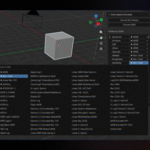
Color Space Converter fixes this automatically. It reads the naming convention your textures already have — the same suffixes that texturing software use by default when exporting (_BaseColor, _Roughness, _Metallic, _Normal, _Height, _Opacity, and more) — and assigns the correct color space to every texture in your scene with a single click. No more hunting through the Shading tab node by node.
It works out of the box with standard PBR export presets, so it drops straight into your existing pipeline — whether you're texturing hard-surface props, organic characters, or full environment sets.
Suffix rules are fully customizable, so if your studio or your own naming convention differs, you can edit, add, or remove them freely.
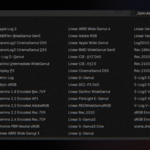
The color space dropdown reads directly from Blender®'s active OCIO config, so every profile installed on your system is available — not just the built-in defaults.
Pin your most-used profiles as favorites for faster access. World HDRI environment textures get their own one-click conversion to Linear Rec.709 too.
Full documentation is included with the download.
No complex configuration, no steep learning curve — install it, and it just works. Built to be fast for solo artists, not just powerful for pipeline engineers.
License:
• Personal License covers one individual, who may install and use Color Space Converter on any number of their own devices, for personal, freelance, and commercial projects — including client work, with no attribution required. If more than one person at your studio will use Color Space Converter, see the Studio License instead.
• Studio License covers a studio or team where more than one person will use Color Space Converter, under a single purchase — for personal, freelance, and commercial projects, including client work, with no attribution required. If you're the only one using it, the Personal License is enough.
Requires Blender® 4.2 or newer.