CoreDeck Pane
 SuKing_1996
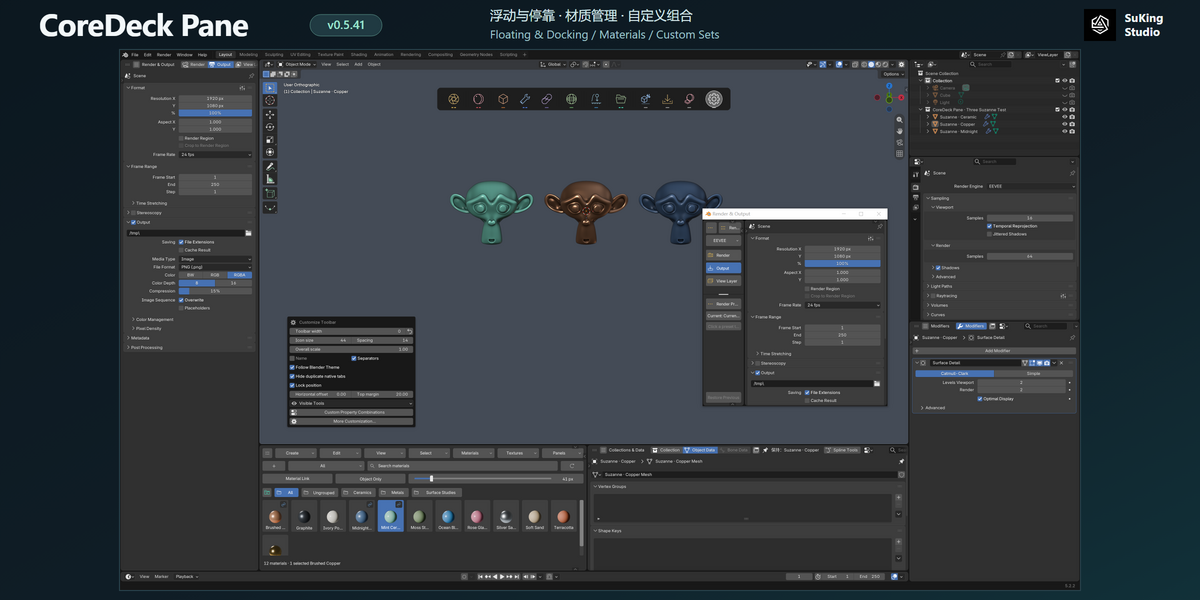
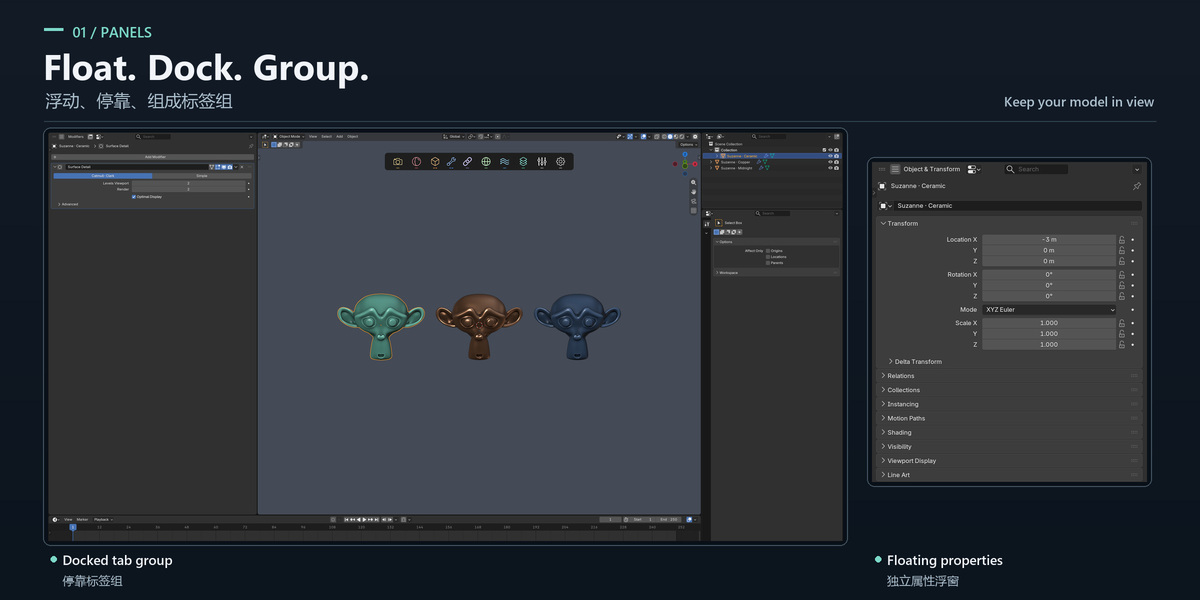
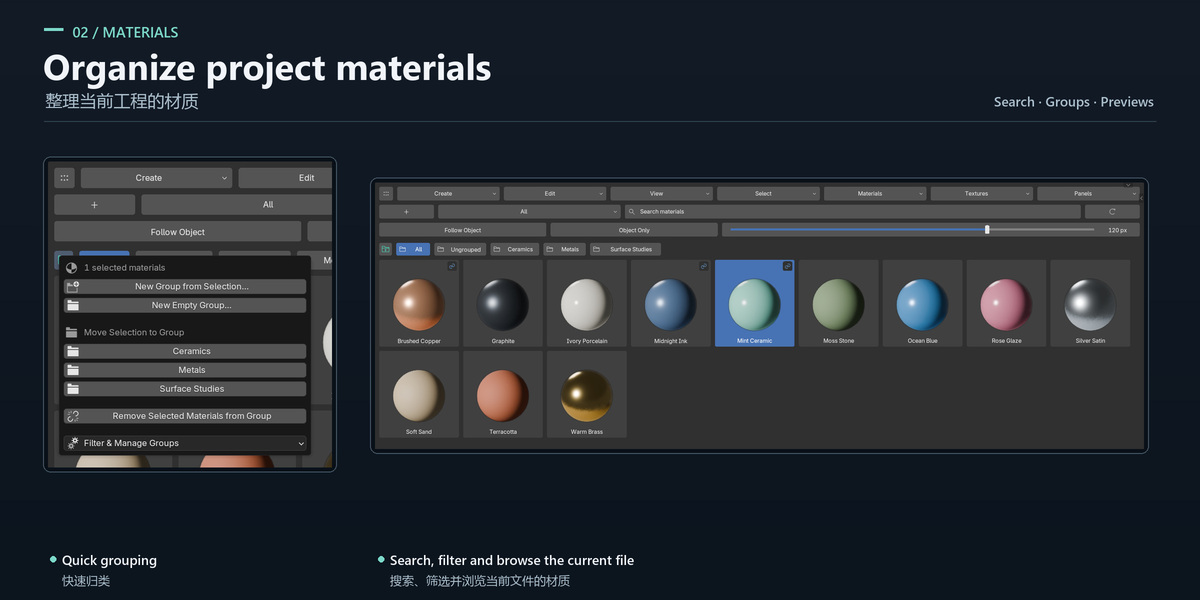
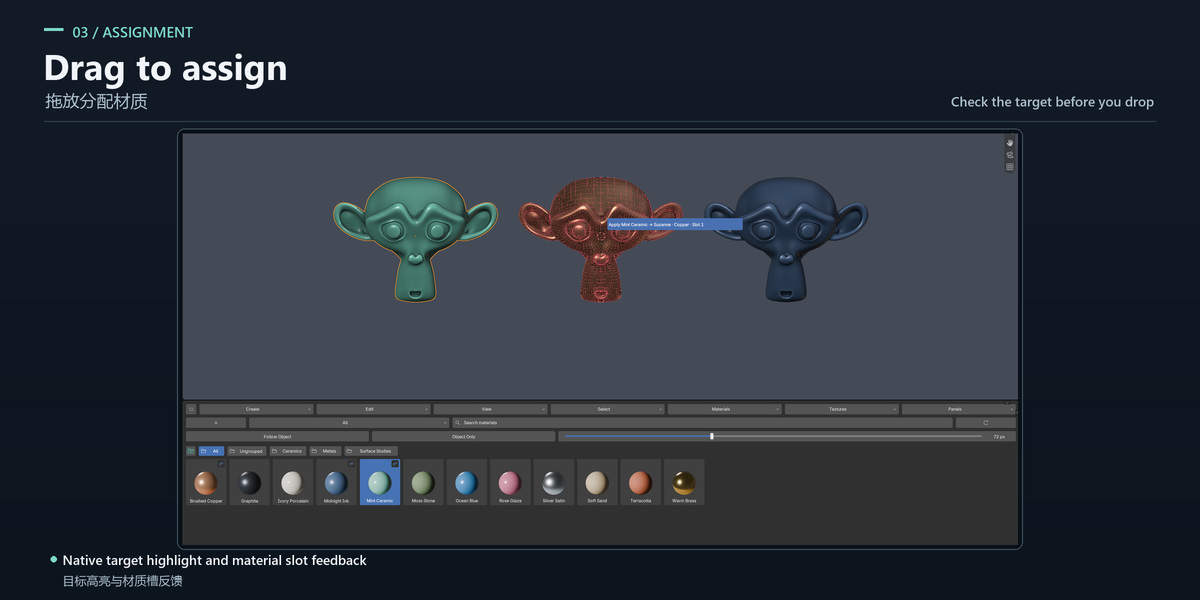
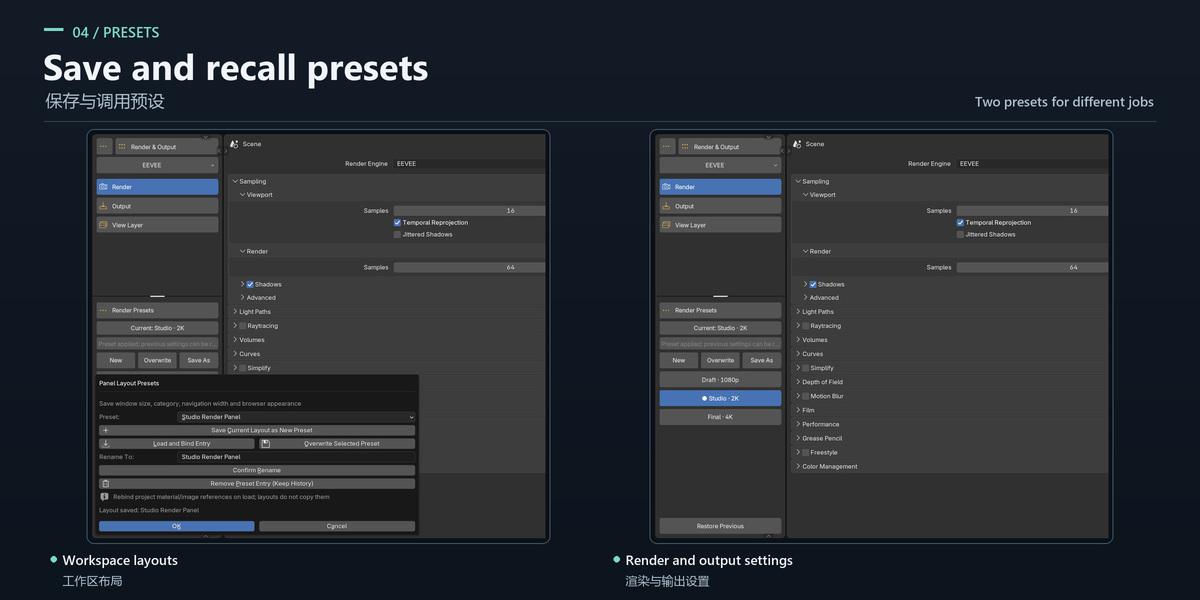
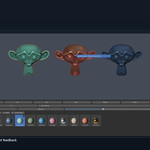
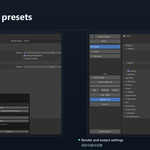
Windows x64 only. The manifest minimum is Blender 5.0. Current 0.5.44 targeted checks used Blender 5.2.2 LTS build d13f752e3b9c and Blender 5.3.0 build 02f0899d78e3; they are not a full retest of every Blender version. CoreDeck Pane works independently of CoreDeck Form and Zen Dock.
仅支持 Windows x64,扩展清单最低 Blender 5.0。本次 0.5.44 针对性验证使用 Blender 5.2.2 LTS 构建 d13f752e3b9c 与 Blender 5.3.0 构建 02f0899d78e3,不代表全部 Blender 版本均已完整重测。CoreDeck Pane 可独立使用,不依赖 CoreDeck Form 或 Zen Dock。
Outliner object-row drops and non-selecting material-user highlights remain limited to those two verified Windows x64 builds in View Layer mode. Other 5.3.x builds require separate verification; unmatched builds do not enable the native bridge, while supported builds retain the core material browser and viewport assignment.
Outliner 对象行拖放与不改变选择的材质使用对象高亮,仍限定于这两个已验证的 Windows x64 构建及 View Layer 显示模式。其他 5.3.x 构建需分别验证;不匹配的构建不启用原生桥接,受支持构建仍保留基础材质浏览与视口分配。
macOS and Linux are not supported.
不支持 macOS 和 Linux。
Save your project first and keep CoreDeck-Pane-0.5.44.zip compressed. Open Preferences → Add-ons → Install from Disk, select the ZIP and enable CoreDeck Pane. Restart Blender normally after upgrading. Find the toolbar in the 3D View; use its gear or CoreDeck → Pane in the sidebar for settings. Back up CONFIG/property_window_dock and externally selected PNG icons before migration.
先保存工程,无需解压 CoreDeck-Pane-0.5.44.zip。在「偏好设置 → 插件 → 从磁盘安装」选择 ZIP 并启用 CoreDeck Pane;升级后正常重启 Blender。入口栏在 3D 视图中,设置可通过齿轮或侧栏「CoreDeck → Pane」打开。迁移前备份 CONFIG/property_window_dock 及外部自选 PNG 图标。
If the project is already saved when copying, external copies that must remain on disk are stored in CoreDeck Material Assets beside it. Copy that folder with the project when moving it. Copies made before the first save use Blender’s user data directory; do not assume the first save automatically moves those earlier copies. Ordinary OSL file-input sockets can use project-relative paths. Texture paths hardcoded inside OSL source or compiled files remain absolute and must be relocated after a move; compiled-only shaders may require the source code or restoration of their original private paths.
只有复制时工程已经保存,需要保留在磁盘上的外部副本才写入工程旁的 CoreDeck Material Assets 文件夹;搬移工程时请一并复制该文件夹。首次保存之前产生的副本使用 Blender 用户数据目录,不能假设首次保存会自动搬移这些旧副本。普通 OSL 文件输入槽可使用工程相对路径;直接写入 OSL 源码或编译文件的纹理绝对路径在搬家后须重新定位。只有编译文件时,可能需要源代码或恢复原来的私有路径。
No. Pane’s panels, material browser and presets work independently; CoreDeck Form is not required or included. Zen Dock is a separately sold third-party add-on and must be purchased and installed through its official distribution channel if wanted. Pane includes neither Zen Dock nor its license. Zen Dock compatibility is off by default, including upgrades, and only a single supported, enabled Zen Dock 1.5.0 installation permits the user to opt in. Missing, disabled, unsupported or multiple active installations do not enable the option. This independent compatibility feature is not endorsed by Zen Dock’s developer.
不需要。Pane 的面板、材质浏览器和预设可独立使用,不要求或附带 CoreDeck Form。Zen Dock 是第三方付费插件,如需其功能需通过官方渠道另购并安装,Pane 不包含它或其授权。兼容默认关闭,升级也不会自动开启;仅单个受支持且已启用的 Zen Dock 1.5.0 才允许用户主动接入。缺失、未启用、不支持或多个活动安装不会开启此选项。这一独立兼容功能没有 Zen Dock 开发者背书。
The creator is a paying Zen Dock user and has not contacted its developer or obtained their endorsement.
作者是 Zen Dock 的付费用户,尚未联系其开发者,也未获得其背书。
No. Gallery models and materials are used to demonstrate the workflow and are not a bundled asset library. The Materials browser organizes materials already present in your current .blend file; an empty file does not automatically create materials. All four purchase tiers currently contain the same complete Pane add-on. Studio-specific features are for future development and are not included in this release; GPL-3.0-or-later rights remain unchanged.
不附带。图库中的模型与材质用于演示,不构成随包素材库。材质浏览器整理当前 .blend 文件已有的材质,不会在空工程中自动创建材质。当前四档购买提供同一套完整 Pane;工作室专项功能留待后续开发,不包含在本版中,各档 GPL-3.0-or-later 权利不变。
No. Octane is optional, separately installed and enabled, and is not included. Cycles and EEVEE use native Blender material nodes. With Octane enabled, new materials can use its configured default nodes; compatible graphs can have native/Octane counterparts. Arbitrary graph conversion or identical final rendering is not guaranteed, and this does not convert worlds or lights. Third-party renderer presets are not supported.
不需要。Octane 为需另行安装启用的可选项,不随包提供。Cycles 与 EEVEE 使用 Blender 原生材质节点;启用 Octane 后,新材质可使用其偏好指定的默认节点,受支持的图可有原生与 Octane 对应项。不保证任意节点图转换或最终渲染外观一致,不转换世界或灯光,也不支持第三方渲染器预设。
The original 0.5.44 ZIP was tested with actual renders on Blender 5.2.2 LTS + Octane 31.13 GPU and Blender 5.3.0 + Mitsuba 3.9.0 CPU (scalar_rgb, adapter revision 4aac7f3ce7b7). Octane tests included two-way material pairing and copied image-sequence results after the source changed; its own OSL node’s unresolved external path produced a specific warning. These isolated tests do not certify Octane on Blender 5.3, Mitsuba GPU, other adapter revisions, production scenes or every third-party node. Renderers and their licenses must be obtained separately and are not bundled.
原始 0.5.44 ZIP 已完成 Blender 5.2.2 LTS + Octane 31.13 GPU 与 Blender 5.3.0 + Mitsuba 3.9.0 CPU 的实际出图(scalar_rgb,适配器修订 4aac7f3ce7b7)。Octane 检查包含材质双向配对及源文件改色后的副本序列出图,其自有 OSL 节点未解析的外部路径会给出具体提示。这些独立配置测试不代表 Octane 在 Blender 5.3、Mitsuba GPU、其他适配器修订、生产工程或全部第三方节点均已验证;渲染器及其许可须另行获取,本产品不包含。
Native Blender OSL and Octane-owned OSL are different cases. See the guide for supported resource copies and unresolved renderer-node file warnings.
Blender 原生 OSL 与 Octane 自有 OSL 分别处理;资源副本支持范围和未解析的渲染器节点路径提示见指南。
Disabling Pane restores the native interface state it manages, closes still-owned floating panels and retains unrelated windows. Material groups and order remain in the .blend file; local settings and recovery records are stored separately from the extension. If Zen Dock compatibility was enabled, queued adapter actions are cancelled and only methods still owned by Pane’s adapter are restored. Pane’s temporary same-thread CBT hook and own-child-window WndProc handling are cleaned up; a callback referenced by a later native procedure remains passive until owned-window destruction. The original 0.5.44 ZIP passed targeted installation, enabling, floating-panel opening, disabling, Reload Scripts, direct uninstall, reinstall and cold-start checks in separate Windows x64 Blender 5.2.2 LTS and 5.3.0 configurations. Resource checks covered source-offline and relocation cases, image/movie frame rendering, independent material pairs, copy failure rollback and save/reopen regressions. These results do not cover every Blender build, production scene or third-party combination.
停用 Pane 会恢复其管理的原生界面状态,关闭仍由其拥有的浮窗并保留无关窗口。材质分组和顺序仍在 .blend 文件中,本机设置与恢复记录独立于安装目录。若已开启 Zen Dock 兼容,排队动作会取消,仅恢复仍由适配器拥有的方法。临时同线程 CBT 和自有子窗口 WndProc 处理会清理;若后接原生过程仍引用回调,回调被动保留至自有窗口销毁。原始 0.5.44 ZIP 已在独立的 Windows x64 Blender 5.2.2 LTS 与 5.3.0 配置中通过针对性的安装、启用、打开浮窗、停用、脚本重载、直接卸载、重装和冷启动检查。资源验证覆盖源离线与工程迁移、图像/影片逐帧出图、独立材质配对、复制失败回滚及保存重开回归;不代表全部 Blender 构建、生产工程或第三方组合均已验证。
Have questions about this product?
Login to message
| Blender Extension Compatible | Yes |
| Published | 1 day ago |
| Blender Version | 5.0 - 5.3 |
| Extension Type | Add-on |
| Render Engine Used | Cycles |
| License | GPL |
Discover more products like this
render presets workspace material manager dockable-panels interface