CoreDeck Pane
 SuKing_1996
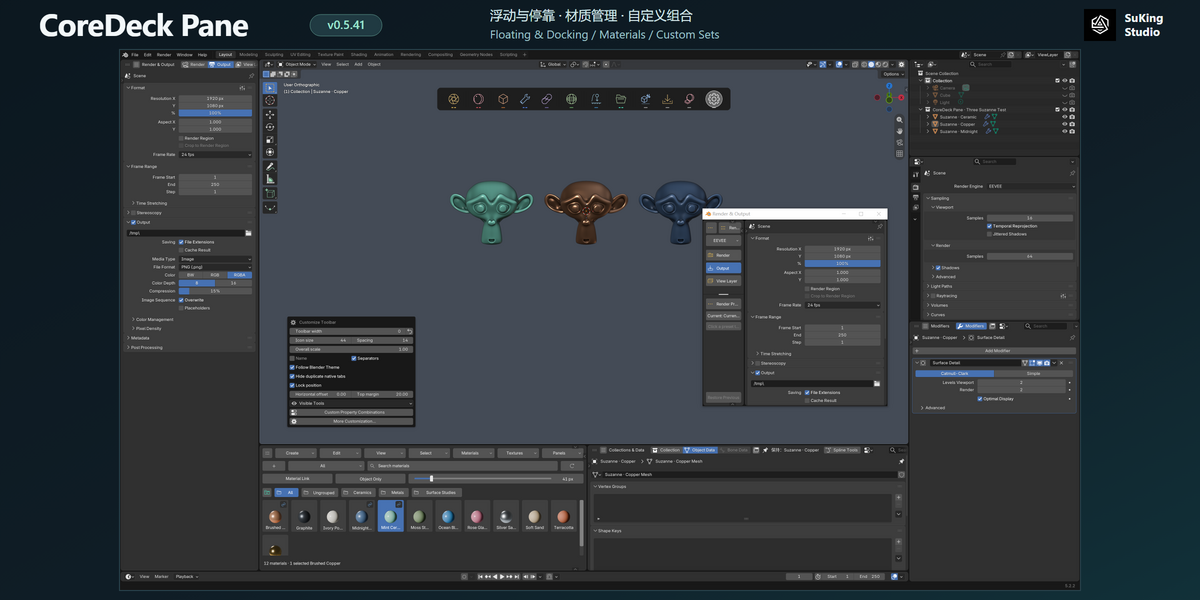
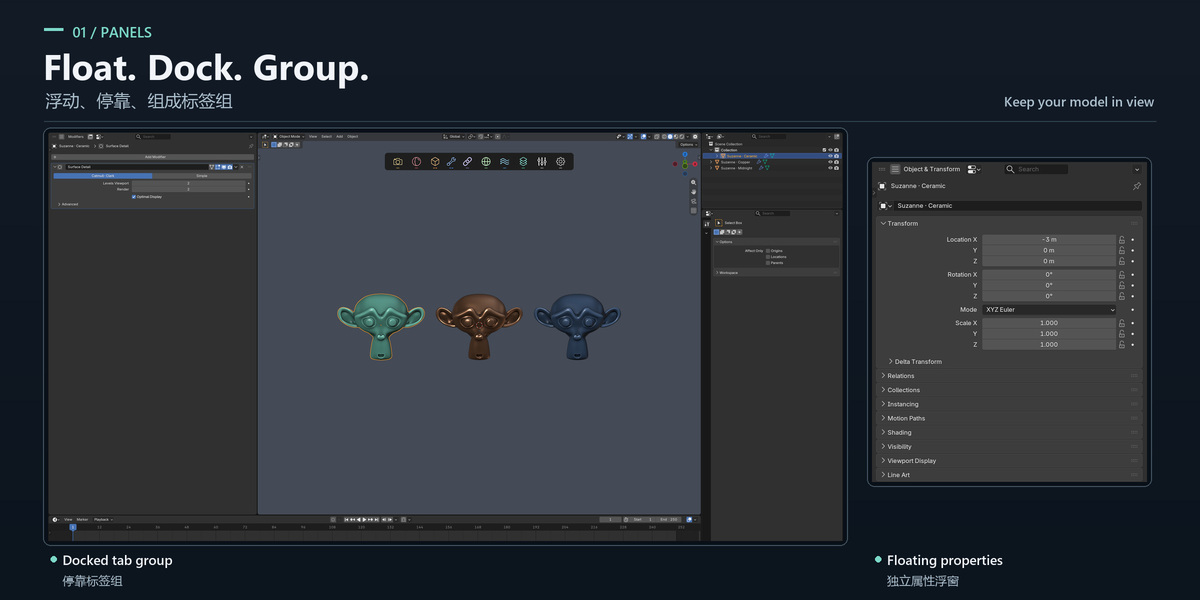
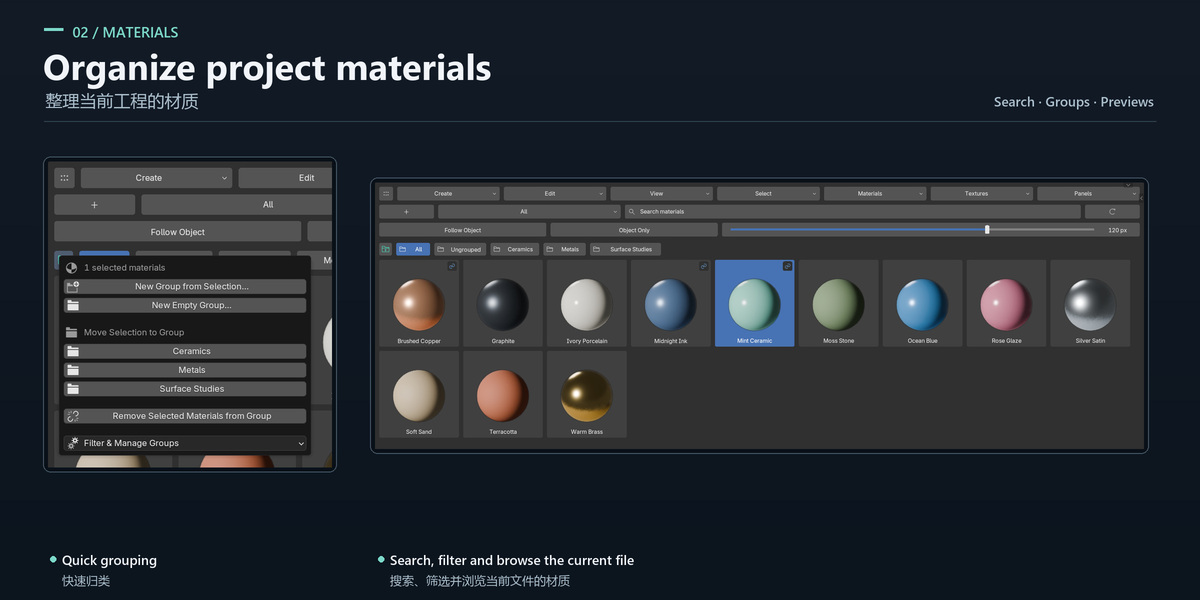
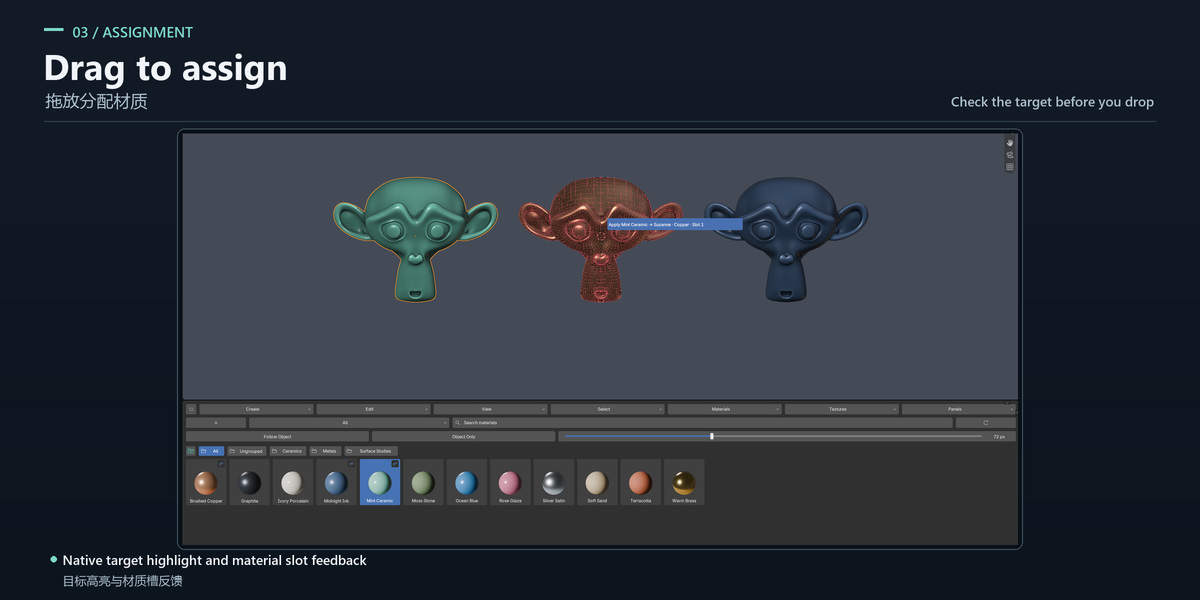
CoreDeck Pane 0.5.44 — 2026-11-26
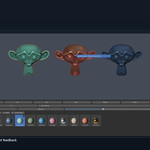
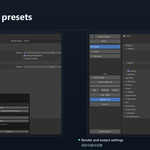
CoreDeck Pane 0.5.44 expands independent material copying to external resources and Pane-managed Octane/Cycles pairs. Ctrl-drag to create a copy in the browser or create and assign it to an object. UDIM tiles, numbered sequences, movies and resolvable native Blender OSL/IES dependencies can now travel with supported copies.
Independent copying supports editable local materials, supported nested node groups, ordinary images, UDIM tiles, numbered image sequences, movies, native Blender IES profiles and native Blender OSL shaders whose dependencies can be resolved. Sequences retain their original frame numbers and playback settings. Image or Text data shared by several nodes uses one corresponding duplicate inside the new material. Copying a Pane-managed Octane/Cycles pair creates a new pair that switches together and can be edited independently of the original.
If the project is already saved when copying, external copies that must remain on disk are stored in CoreDeck Material Assets beside it. Copy that folder with the project when moving it. Copies made before the first save use Blender’s user data directory; do not assume the first save automatically moves those earlier copies. Ordinary OSL file-input sockets can use project-relative paths. Texture paths hardcoded inside OSL source or compiled files remain absolute and must be relocated after a move; compiled-only shaders may require the source code or restoration of their original private paths.
This native Blender OSL support does not imply support for Octane’s own OSL nodes: unresolved external paths in Octane or other renderer-owned nodes are reported with the node and field before assignment. Missing files, unresolved dynamic paths, driver references to scene data, independently stored multiview media and other dependencies that cannot be isolated are reported before commit. Direct copying of unsaved UDIM painting is verified for 8-bit RGBA PNG; save or pack other unsaved edits first. Linked/read-only data and arbitrary third-party resources are not universally covered. Older copy/paste commands retain their own documented behavior.
The original 0.5.44 ZIP passed targeted installation, enabling, floating-panel opening, disabling, Reload Scripts, direct uninstall, reinstall and cold-start checks in separate Windows x64 Blender 5.2.2 LTS and 5.3.0 configurations. Resource checks covered source-offline and relocation cases, image/movie frame rendering, independent material pairs, copy failure rollback and save/reopen regressions. These results do not cover every Blender build, production scene or third-party combination.
The original 0.5.44 ZIP was tested with actual renders on Blender 5.2.2 LTS + Octane 31.13 GPU and Blender 5.3.0 + Mitsuba 3.9.0 CPU ( scalar_rgb , adapter revision 4aac7f3ce7b7 ). Octane tests included two-way material pairing and copied image-sequence results after the source changed; its own OSL node’s unresolved external path produced a specific warning. These isolated tests do not certify Octane on Blender 5.3, Mitsuba GPU, other adapter revisions, production scenes or every third-party node. Renderers and their licenses must be obtained separately and are not bundled.
Windows x64 only; manifest minimum Blender 5.0. Save the project and back up Pane settings before installing CoreDeck-Pane-0.5.44.zip, then restart Blender normally. Zen Dock is a separately sold paid add-on, with optional compatibility off by default. Windows same-thread floating-window handling and static OpenAI-generated toolbar icons remain disclosed in the guide. Prices, purchase terms and GPL rights are unchanged.
中文
CoreDeck Pane 0.5.44 扩展独立材质复制的外部资源与 Pane 管理的 Octane/Cycles 配对支持。按住 Ctrl 拖回浏览器创建副本,或拖到物体创建并分配;支持的副本现在可带上 UDIM、编号序列、影片与可解析的 Blender 原生 OSL/IES 依赖。
独立复制支持可编辑的本地材质、已适配的嵌套节点组、普通图像、UDIM 瓦片、编号图片序列、影片、Blender 原生 IES,以及能够解析依赖的 Blender 原生 OSL。图片序列保留原来的帧号和播放设置。多个节点共享的 Image 或 Text 数据在新材质中复用同一份对应副本;复制 Pane 已配对的 Octane/Cycles 材质,会生成可独立于原材质改色、并随引擎一起切换的新材质对。
只有复制时工程已经保存,需要保留在磁盘上的外部副本才写入工程旁的 CoreDeck Material Assets 文件夹;搬移工程时请一并复制该文件夹。首次保存之前产生的副本使用 Blender 用户数据目录,不能假设首次保存会自动搬移这些旧副本。普通 OSL 文件输入槽可使用工程相对路径;直接写入 OSL 源码或编译文件的纹理绝对路径在搬家后须重新定位。只有编译文件时,可能需要源代码或恢复原来的私有路径。
这里的 Blender 原生 OSL 支持不等于支持 Octane 自有 OSL 节点;Octane 或其他渲染器自有节点中未解析的外部路径,会在分配前指出节点和字段。缺失文件、未解析的动态路径、驱动对场景数据的引用、独立多视图媒体及其他无法分离的依赖,也会在提交前提示具体问题。未保存的 UDIM 绘制直接复制以已验证的 8 位 RGBA PNG 为范围,其他未保存编辑请先保存或打包。链接/只读数据与任意第三方资源不作通用保证;原有复制/粘贴入口保留各自行为。
原始 0.5.44 ZIP 已在独立的 Windows x64 Blender 5.2.2 LTS 与 5.3.0 配置中通过针对性的安装、启用、打开浮窗、停用、脚本重载、直接卸载、重装和冷启动检查。资源验证覆盖源离线与工程迁移、图像/影片逐帧出图、独立材质配对、复制失败回滚及保存重开回归;不代表全部 Blender 构建、生产工程或第三方组合均已验证。
原始 0.5.44 ZIP 已完成 Blender 5.2.2 LTS + Octane 31.13 GPU 与 Blender 5.3.0 + Mitsuba 3.9.0 CPU 的实际出图( scalar_rgb ,适配器修订 4aac7f3ce7b7 )。Octane 检查包含材质双向配对及源文件改色后的副本序列出图,其自有 OSL 节点未解析的外部路径会给出具体提示。这些独立配置测试不代表 Octane 在 Blender 5.3、Mitsuba GPU、其他适配器修订、生产工程或全部第三方节点均已验证;渲染器及其许可须另行获取,本产品不包含。
仅 Windows x64,清单最低 Blender 5.0。升级前保存工程、备份 Pane 设置,安装 CoreDeck-Pane-0.5.44.zip 后正常重启。Zen Dock 为另售付费插件,可选兼容默认关闭。Windows 同线程浮窗处理与 OpenAI 静态图标说明继续保留;价格、购买条款及 GPL 权利不变。
CoreDeck Pane 0.5.43 — 2026-11-26
Delete Property Combinations using the trash button beside the Preferences list, and restore removed built-ins individually. Close the combination’s open floating/docked panels before restructuring or deleting it.
Create materials in the current group even when the browser is full: double-click the empty space after the group tabs or between cards, or right-click either space or any material card → New Material. Both floating and docked browsers support the actions; double-clicking the material sphere still opens its nodes.
The original release ZIP passed targeted lifecycle and combination checks on Windows x64 Blender 5.3.0 build 02f0899d78e3 and Blender 5.2.2 LTS build d13f752e3b9c. Creation gestures were checked with 120 materials in English/Chinese on 5.3.0 and Chinese on 5.2.2. The existing build-specific Outliner features continue in View Layer mode; other 5.3.x builds require separate verification.
Third-party actual-render results remain historical 0.5.42 evidence: Mitsuba 3.9.0 CPU with Blender 5.3.0 (adapter 4aac7f3ce7b7, Dr.Jit 1.4.0), and OctaneRender 2026.6 / 31.13 with Blender 5.2.2 LTS. Version 0.5.43 retains the same engine/material-creation entry points; those renders were not repeated for this patch.
Windows x64 only; manifest minimum Blender 5.0. Save your project and back up Pane settings before installing CoreDeck-Pane-0.5.43.zip, then restart Blender normally. Zen Dock 1.5.0 is separate and paid, with compatibility off by default and enabled only by the user. Temporary same-thread Windows callbacks and static OpenAI-generated toolbar icons remain disclosed in the guide. Existing prices, purchase terms and GPL rights are unchanged.
中文
在偏好设置的属性组合列表旁,用垃圾桶删除选中条目;移除的内置组合可逐项恢复。修改结构或删除前,请先关闭该组合的浮窗与停靠页。
材质管理器铺满后,双击分组标签右侧空白或卡片间隙,在当前分组新建材质;也可在这些空白或任意材质卡片上右键 → 新建材质。浮窗与停靠浏览器均支持,双击材质球仍打开节点。
原始ZIP已在 Windows x64 Blender 5.3.0 构建02f0899d78e3与5.2.2 LTS构建d13f752e3b9c完成针对性生命周期及组合检查。新建手势覆盖5.3中英文、5.2中文的浮窗与停靠管理器,含120材质场景。现有Outliner功能继续限定这两个构建的View Layer模式;其他5.3.x构建需分别验证。
第三方出图仍引用0.5.42历史记录:5.3搭配Mitsuba3.9.0 CPU(适配器4aac7f3ce7b7、Dr.Jit1.4.0)及5.2.2 LTS搭配Octane2026.6/31.13。0.5.43沿用原引擎/材质创建入口,本轮未重做这两类第三方实渲。
仅Windows x64,清单最低Blender5.0。升级前保存工程、备份Pane设置,安装CoreDeck-Pane-0.5.43.zip后正常重启。Zen Dock1.5.0为另售付费插件,兼容默认关闭且须用户主动开启。Windows同线程临时回调及OpenAI静态图标见指南;价格、购买条款及GPL权利不变。
CoreDeck Pane 0.5.42 — 2026-11-26
Adds Blender 5.3.0 support on Windows x64. Outliner object-row material drops and material-user highlights are enabled on verified build 02f0899d78e3 in View Layer mode, alongside Blender 5.2.2 LTS build d13f752e3b9c. Other 5.3.x builds need separate verification. Workbench is listed when available.
The original release ZIP passed installation, enabling, disabling, Reload Scripts, direct uninstall, reinstall and cold start in Blender 5.3.0, including floating panels left open during disable/reload/uninstall. Actual-render tests covered Mitsuba 3.9.0 CPU with Blender 5.3.0 (adapter 4aac7f3ce7b7, Dr.Jit 1.4.0) and OctaneRender 2026.6 / 31.13 with Blender 5.2.2 LTS. Other engines, Mitsuba GPU and arbitrary graph conversion are not universally verified.
Windows x64 only; manifest minimum Blender 5.0. Save your project and back up Pane settings before installing CoreDeck-Pane-0.5.42.zip, then restart Blender. Zen Dock 1.5.0 is separate and paid; compatibility is off by default and must be enabled by the user. Temporary same-thread Windows CBT/window-procedure callbacks and static OpenAI-generated toolbar icons are disclosed in the guide. Existing GPL rights and purchase terms remain unchanged.
中文
新增 Windows x64 的 Blender 5.3.0 支持。Outliner 对象行材质拖放与材质使用对象高亮启用于已验证构建 02f0899d78e3 的 View Layer 模式,同时保留 Blender 5.2.2 LTS 构建 d13f752e3b9c。其他5.3.x构建需分别验证;菜单补全当前可用的Workbench。
正式ZIP已通过5.3.0安装、启用、停用、脚本重载、直接卸载、重装和冷启动,停用/重载/卸载包含浮窗打开情形。第三方实渲覆盖5.3.0搭配Mitsuba3.9.0 CPU(适配器4aac7f3ce7b7、Dr.Jit1.4.0)与5.2.2 LTS搭配Octane2026.6/31.13,不泛化至GPU、其他组合或任意图转换。
仅Windows x64,清单最低Blender5.0。升级前保存工程并备份Pane设置,安装CoreDeck-Pane-0.5.42.zip后正常重启。Zen Dock1.5.0为另售付费插件,兼容默认关闭且须用户主动开启。Windows同线程临时窗口回调及OpenAI静态工具栏图标说明见指南;GPL权利及原购买条款不变。
Have questions about this product?
Login to message
| Blender Extension Compatible | Yes |
| Published | 1 day ago |
| Blender Version | 5.0 - 5.3 |
| Extension Type | Add-on |
| Render Engine Used | Cycles |
| License | GPL |
Discover more products like this
workspace material manager render presets interface dockable-panels