Credit Manager Pro - Track Asset Licenses & Credits In Blender
 Larry3d
Changelog
2.1.1 – Collections
New
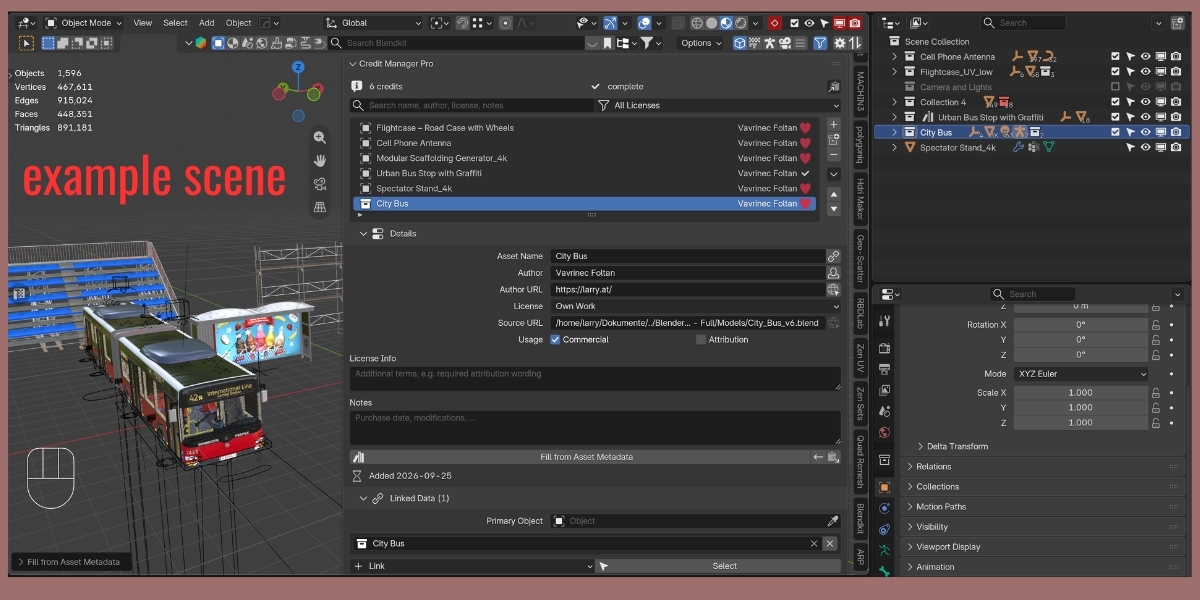
- Add Credit from Collection: one entry for a whole collection, child collections included. Uses the active collection (the one clicked in the Outliner); available as button next to the list, in the ▾ menu, in the empty list and in the Outliner's right-click menu for collections (one entry per selected collection). With the Scene Collection active a dialog lets you pick a collection.
- If the collection has exactly one top-level object (e.g. the empty an asset is parented to), it becomes the Primary Object and its asset metadata (Blendkit, Asset Browser) is used.
- Link ▸ Active Collection in the Linked Data section.
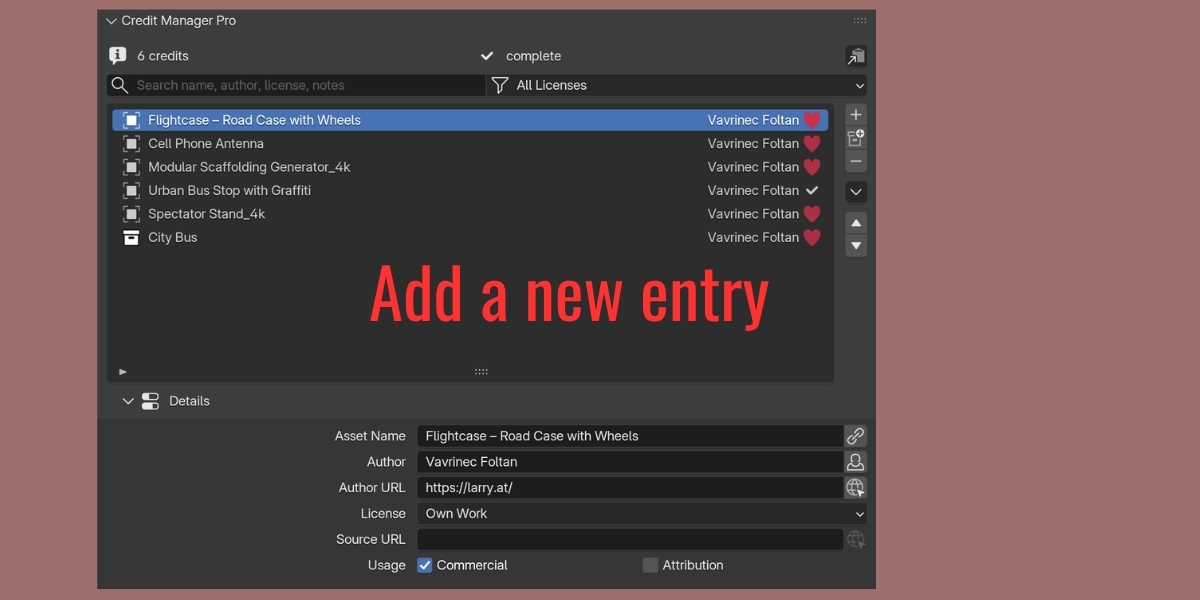
- Entries with a linked collection show the collection icon in the list.
Changed
- Add Credits from Selection skips objects inside a credited collection (child collections included), instances of a credited collection and objects from a credited library – no more duplicate entries for parts of an already credited asset.
2.1.0 – Blender 5.2 update
Compatibility
- Packaged purely as a Blender extension (
blender_manifest.toml), legacybl_inforemoved. Requires Blender 5.0 or newer; developed against Blender 5.2 LTS. - Manifest cleaned up: valid tags (3D View, Import-Export, Pipeline, User Interface),
maintainer, website,
filesandclipboardpermissions. - Uses Blender 5.2's multi-line text boxes (
UILayout.textbox) for Notes and License Info, with automatic fallback on 5.0/5.1. - Details, Linked Data and Export & Import are collapsible sub-panels
(
UILayout.panel), the main panel is no longer collapsed by default. - Native placeholder text in search and input fields, confirmation dialog with title/message for Clear All.
New
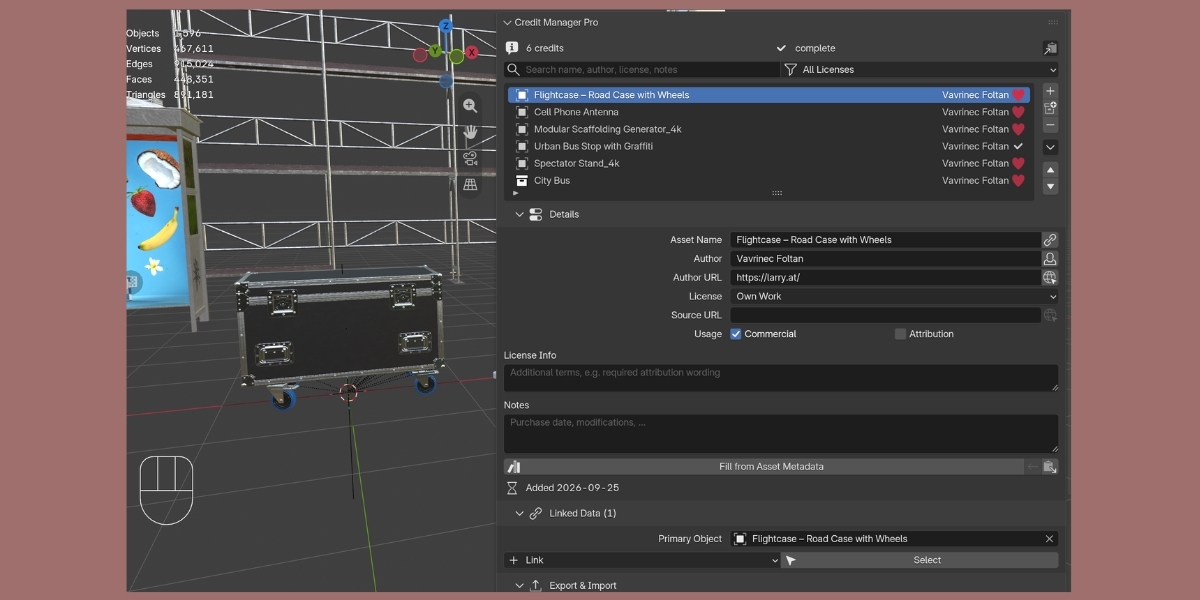
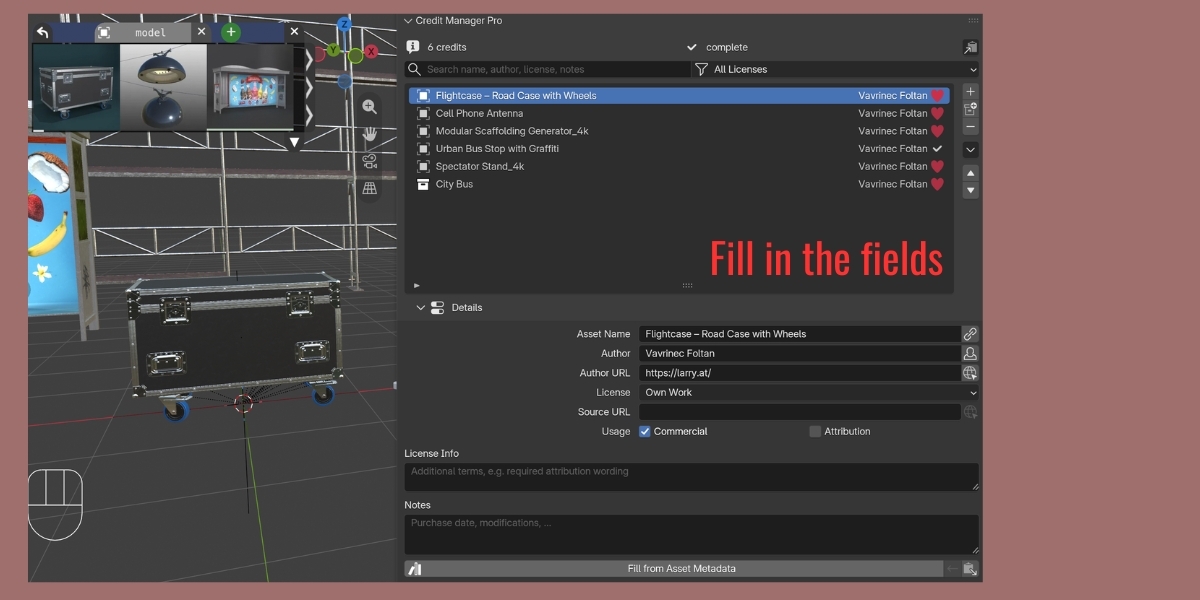
- Linked data: an entry can reference collections, materials, images/HDRIs, worlds, node groups and linked libraries in addition to the primary object.
- Names of linked data are remembered – deleted data-blocks are flagged and can be re-linked with Re-link Missing Data.
- Fill from Asset Metadata (Blender asset metadata, Blendkit/BlenderKit properties, library paths); batch tools apply it automatically.
- Add Credits from Selection groups numbered duplicates and collection instances, skips already credited objects (both optional in the redo panel).
- Add Credits from Linked Libraries and Add Credits from Images.
- Select in Viewport (with framing) for all objects of an entry, including material users and collection instances.
- Compliance check: issues per entry (unknown license, missing author for attribution licenses, custom license without details, missing data), Check Credits popup and Only Issues list filter; the panel header shows the number of open issues.
- Sorting by name, author, license or date (reverse available), manual order kept.
- Editable names directly in the list (double-click).
- Own Work button, Copy from Previous, improved Bulk Apply (1-based range, Only Fill Empty Fields), Move to Top / Bottom, Name from Linked Data.
- Choosing a license now sets the Commercial / Attribution flags automatically.
- New licenses: CC BY-ND 4.0, CC BY-NC-SA 4.0, CC BY-NC-ND 4.0, Own Work, Unknown – to be checked.
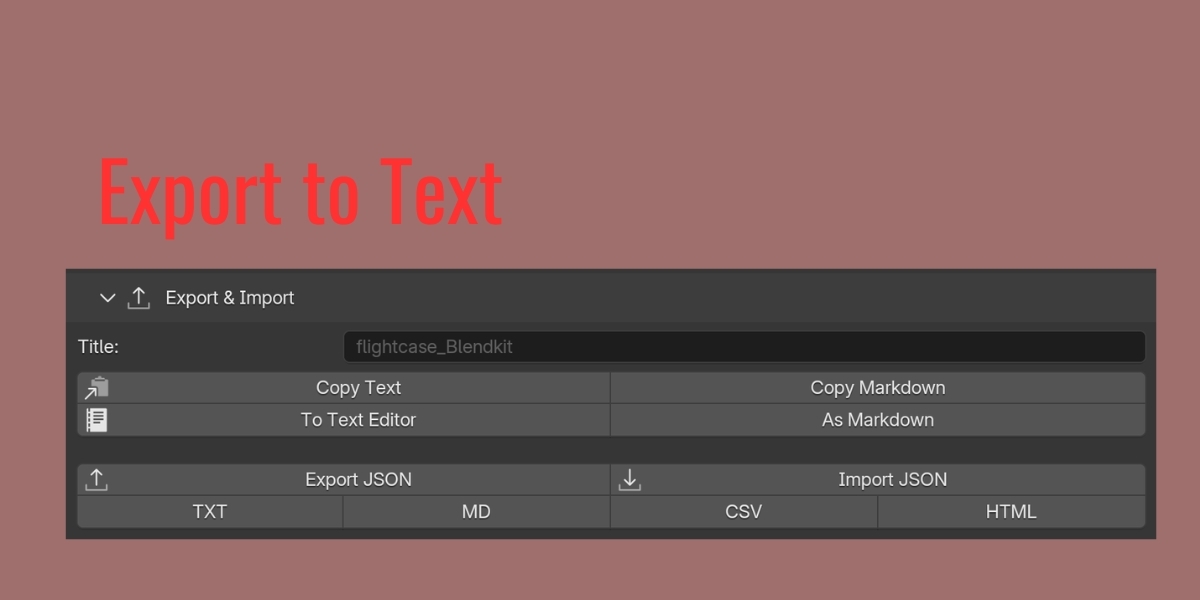
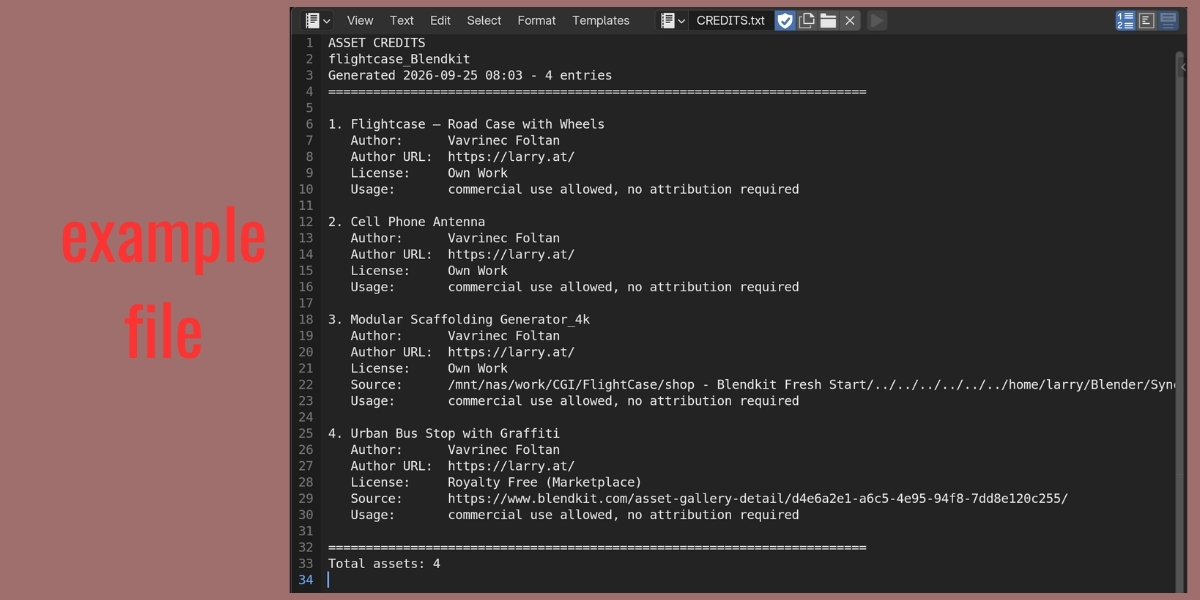
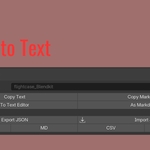
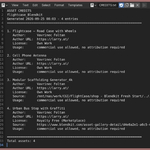
- Exports: Markdown, attribution lines, clipboard (Text / Markdown / Attribution Lines),
text block inside the
.blendfile; grouping by author; optional notes, linked data and dates; project title for the heading. - JSON import with Merge (skips duplicates) or Replace, re-links data by name; files written by 2.0 are accepted.
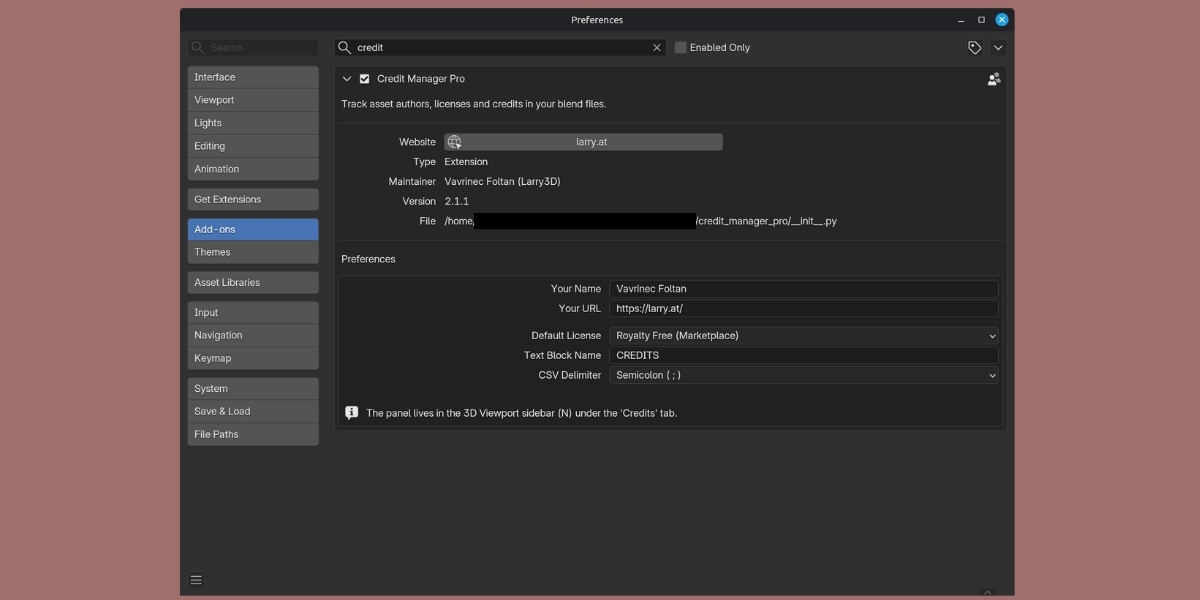
- Add-on preferences: your name/URL, default license, text block name, CSV delimiter.
Fixed
- The search clear button called a non-existent operator.
- TXT, CSV and HTML exports printed license identifiers (
CC_BY_4) instead of names; license URLs are now included. - HTML export did not escape user input and could break the page.
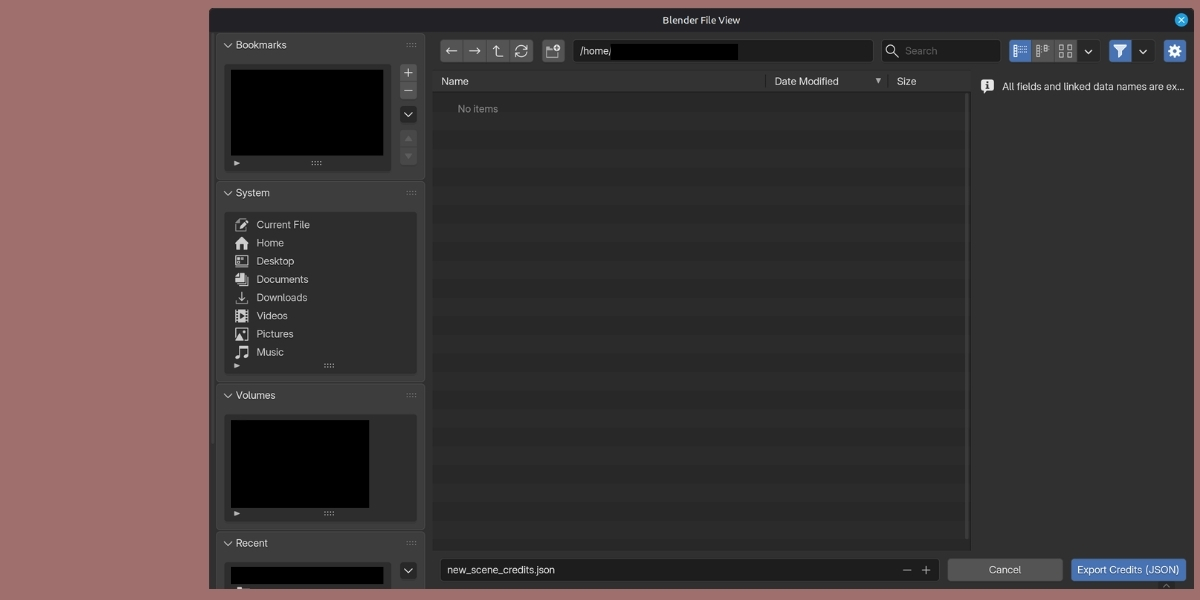
- File dialogs did not propose a file name and did not filter by extension;
proposed name is now
<blend name>_credits.<ext>. - CSV is written as UTF-8 with BOM so Excel shows umlauts correctly.
- Dead code for the removed
GRIDlist layout removed; license table exists only once.
2.0.0
- Blender 5.x compatibility, search & filter, bulk add from selection, extended license list, author/source URLs, duplicate, HTML export, usage rights flags, timestamps.
2.1.0 – Blender 5.2 update
Compatibility
- Packaged purely as a Blender extension (
blender_manifest.toml), legacybl_inforemoved. Requires Blender 5.0 or newer; developed against Blender 5.2 LTS. - Manifest cleaned up: valid tags (3D View, Import-Export, Pipeline, User Interface),
maintainer, website,
filesandclipboardpermissions. - Uses Blender 5.2's multi-line text boxes (
UILayout.textbox) for Notes and License Info, with automatic fallback on 5.0/5.1. - Details, Linked Data and Export & Import are collapsible sub-panels
(
UILayout.panel), the main panel is no longer collapsed by default. - Native placeholder text in search and input fields, confirmation dialog with title/message for Clear All.
New
- Linked data: an entry can reference collections, materials, images/HDRIs, worlds, node groups and linked libraries in addition to the primary object.
- Names of linked data are remembered – deleted data-blocks are flagged and can be re-linked with Re-link Missing Data.
- Fill from Asset Metadata (Blender asset metadata, Blendkit/BlenderKit properties, library paths); batch tools apply it automatically.
- Add Credits from Selection groups numbered duplicates and collection instances, skips already credited objects (both optional in the redo panel).
- Add Credits from Linked Libraries and Add Credits from Images.
- Select in Viewport (with framing) for all objects of an entry, including material users and collection instances.
- Compliance check: issues per entry (unknown license, missing author for attribution licenses, custom license without details, missing data), Check Credits popup and Only Issues list filter; the panel header shows the number of open issues.
- Sorting by name, author, license or date (reverse available), manual order kept.
- Editable names directly in the list (double-click).
- Own Work button, Copy from Previous, improved Bulk Apply (1-based range, Only Fill Empty Fields), Move to Top / Bottom, Name from Linked Data.
- Choosing a license now sets the Commercial / Attribution flags automatically.
- New licenses: CC BY-ND 4.0, CC BY-NC-SA 4.0, CC BY-NC-ND 4.0, Own Work, Unknown – to be checked.
- Exports: Markdown, attribution lines, clipboard (Text / Markdown / Attribution Lines),
text block inside the
.blendfile; grouping by author; optional notes, linked data and dates; project title for the heading. - JSON import with Merge (skips duplicates) or Replace, re-links data by name; files written by 2.0 are accepted.
- Add-on preferences: your name/URL, default license, text block name, CSV delimiter.
Fixed
- The search clear button called a non-existent operator.
- TXT, CSV and HTML exports printed license identifiers (
CC_BY_4) instead of names; license URLs are now included. - HTML export did not escape user input and could break the page.
- File dialogs did not propose a file name and did not filter by extension;
proposed name is now
<blend name>_credits.<ext>. - CSV is written as UTF-8 with BOM so Excel shows umlauts correctly.
- Dead code for the removed
GRIDlist layout removed; license table exists only once.
🎉 Initial Release: Credit Manager
📋 CORE FEATURES
Asset Credit Management
- Add and manage credit entries for your Blender assets
- Track object names and link to Blender objects
- Store author names and notes
- Organize all your asset credits in one place
📄 License Tracking
- Standard Royalty Free license
- Creative Commons CC-BY 4.0
- Editorial Use license
- GPL (GNU General Public License)
- MIT License
- Custom license information field
💾 Import/Export
- JSON Export - Save your credits for backup and sharing
- JSON Import - Load previously saved credits
- CSV Export - Spreadsheet-compatible format (semicolon-separated)
- TXT Export - Plain text format for documentation
✏️ Credit Management
- Add new credit entries
- Remove selected credits
- Edit credit details in the panel
- Link credits to Blender objects
📝 Credit Details
Each credit entry can store:
- Object name
- Author name
- License type
- Additional license information
- Custom notes
- Linked Blender object
🎯 USER INTERFACE
Simple Panel Layout
- Located in 3D View sidebar (N-Panel)
- "Credits" tab for easy access
- List view of all credits
- Detail editor for selected credit
- Quick add/remove buttons
📍 LOCATION
Access via: 3D View → Sidebar (N key) → Credits tab
🔧 TECHNICAL
- Compatible with Blender 2.80+
- Lightweight and fast
- No external dependencies required
- GPL v2 licensed
- Clean Python code
💼 PERFECT FOR
- Tracking marketplace asset licenses
- Managing credits for commercial projects
- Documenting asset sources
- Professional project organization
- Attribution requirements
🚀 GET STARTED
1. Install the addon via Blender Preferences
2. Press N in 3D View to open sidebar
3. Go to "Credits" tab
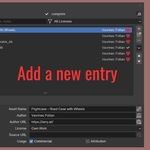
4. Click "Add" to create your first credit
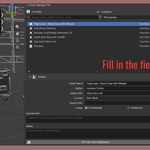
5. Fill in the details and you're done!
Simple, effective asset credit management for Blender artists and studios.
🎉 Major Update: Credit Manager Pro 2.0
✨ NEW FEATURES
🔍 Search & Filter System
- Instantly search credits by object name, author, or license
- Filter credits by license type
- Never lose track of assets in large projects
⚡ Bulk Operations
- "Add Credits from Selection" - Create credits for multiple objects at once
- "Bulk Apply Author Info" - Copy author data to multiple credits with one click
- "Copy from Previous" - Inherit data from previous credit entry
- Perfect for asset packs from the same creator
🌐 Expanded License Support
- Added CC0 (Public Domain)
- Added CC-BY-SA 4.0
- Added CC-BY-NC 4.0
- Added Apache 2.0 License
- Added BSD License
- Now supports 11+ license types
📊 New Export Format
- HTML Export - Beautiful, interactive web pages with clickable links
- Perfect for portfolios and client deliverables
- Color-coded license badges and professional styling
🔗 Enhanced Metadata
- Author URL field (link to creator's website/profile)
- Source URL field (where you obtained the asset)
- Commercial use flag
- Attribution requirements flag
- Automatic date stamps
💼 IMPROVEMENTS
✅ Full Blender 5.x Compatibility
- Complete rewrite for Blender 5.x API
- Updated icons compatible with Blender 5.0+
- Modern UI design
✅ Better User Experience
- Improved panel organization
- More intuitive button placement
- Clearer labels and tooltips
- Better error messages
✅ Quality of Life
- Quick Actions panel (now open by default)
- Copy author info between credits
- Bulk operations save massive time
- Professional HTML output
🔧 TECHNICAL
- Lightweight (~15KB)
- No external dependencies
- Clean, maintainable code
- GPL v3 licensed
📈 UPGRADE PATH
If you're upgrading from v1.0:
- Export your credits as JSON from v1.0
- Install v2.0
- Import the JSON file
- All your data will be preserved!
⚡ Perfect for:
- Freelance artists managing marketplace assets
- Studios tracking licenses across projects
- Architectural visualization with furniture/decor assets
- Game developers managing asset libraries
- Anyone who needs professional credit documentation
💡 Time-Saving Example:
Import 20 assets from same creator → Select all → "Add Credits from Selection" → Fill first credit → "Bulk Apply" to rest → Export HTML → Done in 2 minutes instead of 20!
Have questions about this product?
Login to message
| Blender Extension Compatible | Yes |
| Dev Fund Contributor | |
| Published | over 1 year ago |
| Blender Version | 4.3 - 5.2 |
| Extension Type | Add-on |
| License | GPL |
Discover more products like this
documentation credits Export import asset management metadata authors addon Workflow license