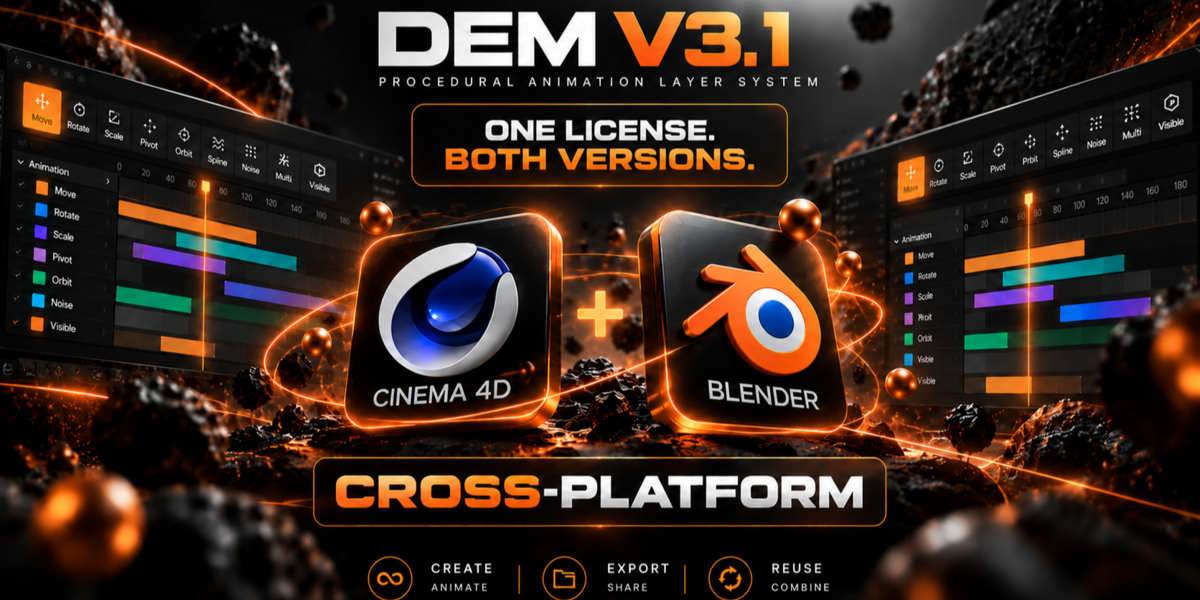
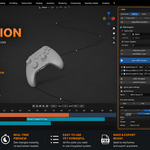
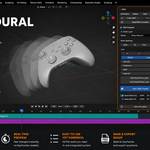
DEM V3.1 — BLENDER + CINEMA 4D
DEM V3.1 Documentation
Install DEM V3.1 for Blender and Cinema 4D, explore the procedural workflow, and find learning resources for both applications.
Start with DEM_V3_1_BUNDLE.zip. Extract it first, then read START_HERE.txt for the appropriate installation instructions.
Getting Started — DEM V3.1 Bundle
Download & Installation
The recommended download is DEM_V3_1_BUNDLE.zip. One license includes the Blender addon and Cinema 4D plugin. Download and extract the bundle before installing either version.
01 — Extract DEM_V3_1_BUNDLE.zip
02 — Open START_HERE.txt
03 — Choose 01_CINEMA_4D or 02_BLENDER
04 — Follow the installation instructions for your application
Do not install the outer bundle ZIP directly as a Blender addon. Use the installation package and instructions provided inside the appropriate application folder.
What's Inside the Bundle
01_CINEMA_4D/ — Cinema 4D plugin package
02_BLENDER/ — Blender addon package
DEM_AI.zip — DEM AI package (beta)
Presets_Starter_Pack_01.zip — 16 editable animation presets
START_HERE.txt — Setup and installation guidance
Previous downloads: Older files remain available for existing workflows. For the latest release, use DEM_V3_1_BUNDLE.zip. Refer to the V3.1 guides included with the current release for up-to-date features.
STEP 01
Select an object in the 3D Viewport.
STEP 02
Open the DEM panel in the Sidebar.
STEP 03
Choose Animation, Spline, Multi or Noise.
STEP 04
Add one or more animation layers.
STEP 05
Set the Start and End frames.
STEP 06
Adjust the layer parameters and Ease.
STEP 07
Open the DEM Timeline to edit timing visually.
STEP 08
Combine additional layers as needed.
STEP 09
Bake only when native Blender keyframes are required.
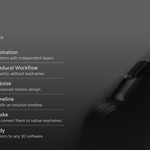
Animation
Create layer-based Move, Rotate, Scale, Pivot and Visible animations for a single object.
Spline
Animate objects, cameras and lights along Blender curves with Follow Tangent, Look At and rotation controls.
Multi
Animate multiple child objects using ordered or random timing offsets from a single procedural setup.
Noise
Add procedural Move and Rotate noise with Intensity, Frequency, Seed, Fade and Smooth controls.
Every layer has its own timing, parameters and Ease settings. Layers can be combined, renamed, duplicated, reordered, enabled or disabled at any time.
Move
Animate position using X, Y or Z in Global or Local Space.
Rotate
Animate rotation in degrees using Global or Local orientation.
Scale
Animate one or multiple scale axes using percentage values.
Pivot
Create a virtual animated pivot without changing the object origin.
Visible
Control visibility using individual frames or multiple frame ranges.
Set Position
Set a target position as part of your procedural animation workflow.
Ease System
Ease controls how each animation progresses between its Start and End frames. Every supported layer can use a preset curve or a fully editable Custom curve.
Linear Sine Quadratic Cubic Circular Back Custom
Click Open DEM Timeline to manage procedural layers visually. Changes are applied immediately and no Blender keyframes are created until the animation is baked.
Select
Click a layer to select it. Use Ctrl or Shift to select multiple layers.
Move
Drag strips horizontally to change their timing.
Resize
Drag the left or right edge to change the Start or End frame.
Reorder
Drag layers vertically to change their evaluation order.
Delete
Press Delete to remove the selected layer or layers.
Fit
Automatically display the complete animation range.
Copy & Paste DEM
Copy the complete DEM setup from one object and apply it to another.
Animation, Spline, Multi and Noise layers are copied together with their timing, settings, Ease options and Custom Ease curves. After pasting, the source and destination objects remain independent.
NATIVE OUTPUT
Bake DEM Animation
Bake converts the complete DEM result into native Blender keyframes.
After baking, DEM data is removed from the object and the animation can be edited using Blender's standard animation tools. Save an unbaked copy of the project when you want to preserve the editable DEM setup.
Rendering: Baking is not required for normal Eevee or Cycles rendering. Bake only when native Blender keyframes are required, when exporting, or when the project must work without DEM installed.
DEM animation must be baked to native Blender keyframes before exporting to FBX.
Recommended FBX Settings
Animation: Enabled
NLA Strips: Disabled
All Actions: Disabled
Force Start/End Keying: Enabled
Visible Layer Note
Visible Layers work correctly inside Blender and are supported during Bake. However, Blender visibility is not exported reliably through the FBX format. Remove or disable Visible Layers before baking when exporting to another application.
Blender ↔ Cinema 4D Bridge
Transfer supported animated objects between Blender and Cinema 4D while preserving editable procedural DEM animation layers — without baking to keyframes.
Animation Presets
Export and import editable .dem animation presets, adapt them to new objects, and get started with 16 included presets.
DEM AI (Beta)
Generate editable .dem animation presets from natural-language prompts using a compatible AI assistant, then refine the resulting animation inside DEM.
Expanded Animation Controls
Explore the Set Position layer, improved procedural Noise with Smooth control, and the latest workflow improvements. Availability and behavior may differ by application.
Learning Resources
Use the full tutorial for a complete visual walkthrough, or consult the included PDF User Guide for detailed parameter descriptions.
Support
For installation help, technical questions or bug reports, contact Dasky Design directly.
When reporting a bug, please include:
Blender version
DEM version and application (Blender or Cinema 4D)
A brief description of the issue
Steps required to reproduce the problem
Screenshots or the Blender project file, when available
 Dasky Design