 Arch on Arch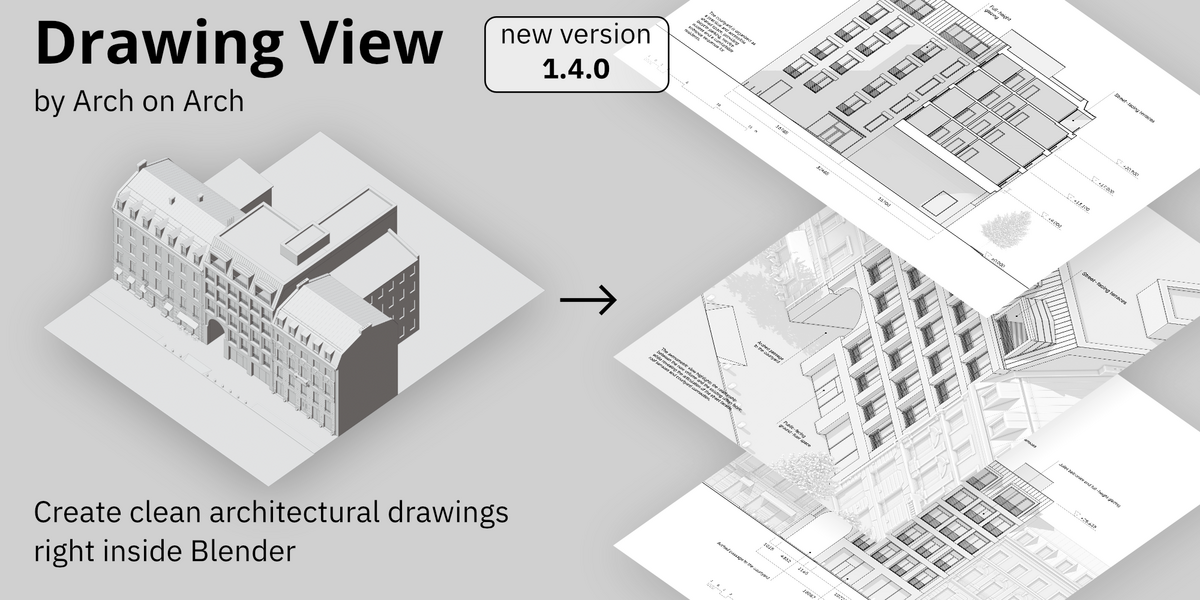
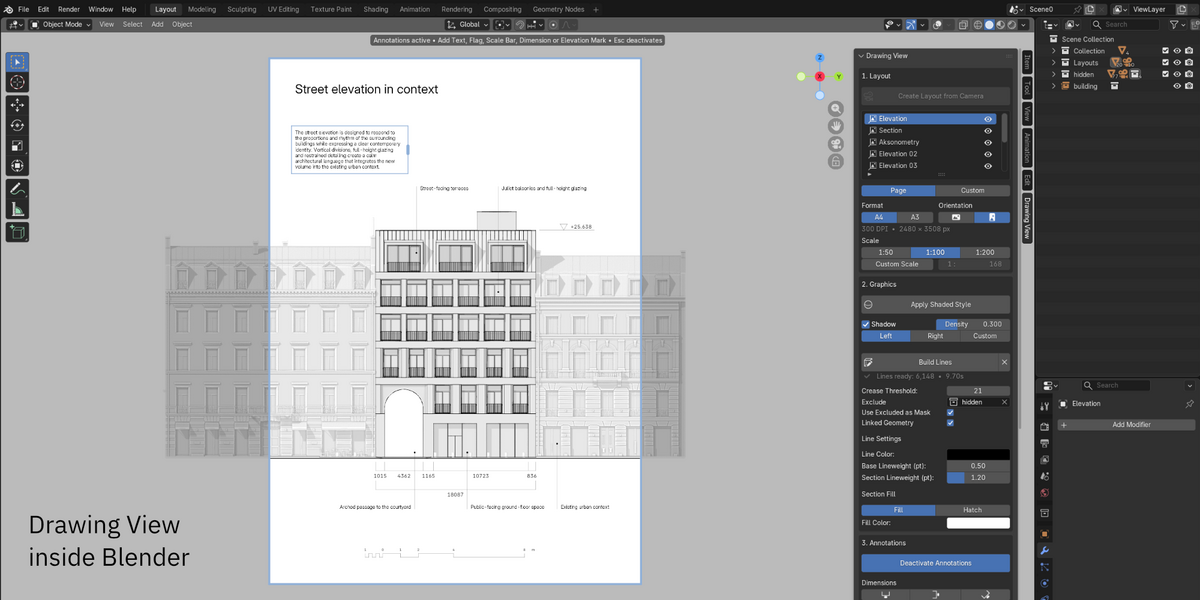
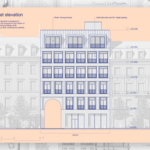
Drawing View is a Blender add-on for creating clean, scaled architectural drawings directly from your Blender model.
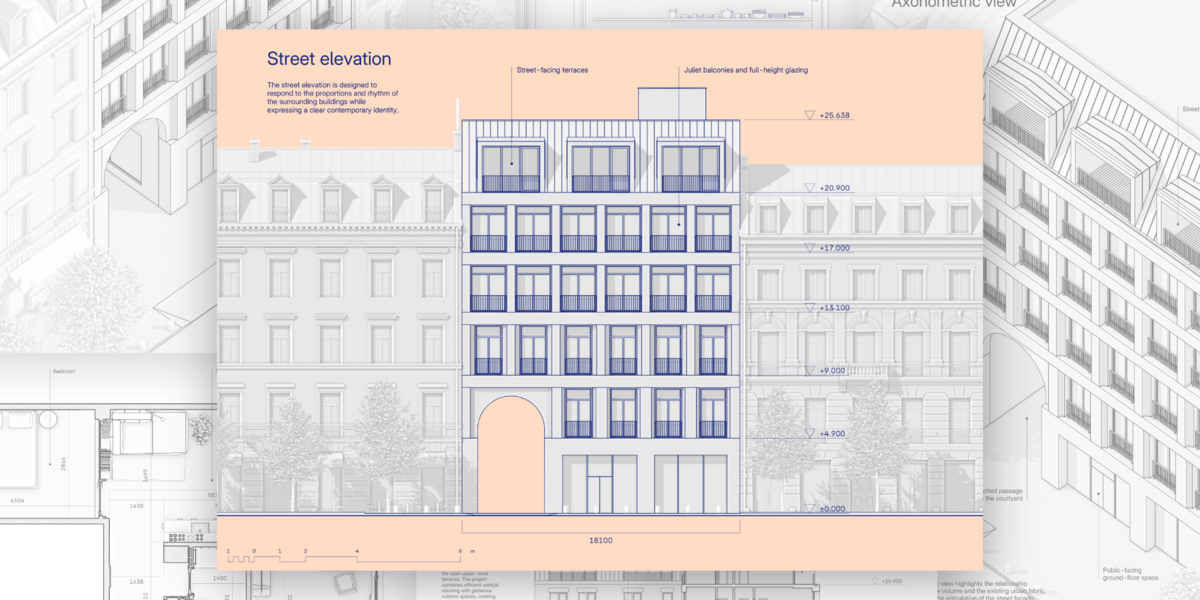
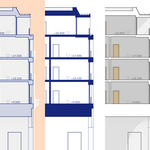
Create elevations, sections, plans and axonometric drawings from the same model — with real drawing scales, geometry-derived linework, built-in annotations and vector PDF output.
Drawing View provides a complete model-to-representation workflow inside Blender, from persistent drawing Layouts and architectural graphics to annotations and final output.
A complete model-to-representation workflow
|
Layout
|
→
|
Graphics
|
→
|
Annotations
|
→
|
Export
|
|
Turn a Blender view into a persistent architectural drawing.
|
Generate architectural linework directly from model geometry.
|
Add architectural information directly on the Layout.
|
Keep architectural graphics editable beyond Blender.
|
|||
|
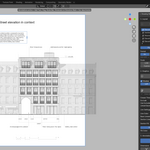
Create a Layout directly in the Blender scene without setting up a camera first,
and use Tab to enter or exit it. Each Layout keeps its own view, page, scale
and presentation settings, so you can prepare elevations, sections, plans and
axonometric drawings independently. Paper and Screen modes provide physical
page sizes and digital output presets, while orthographic Layouts retain real
drawing scales.
|
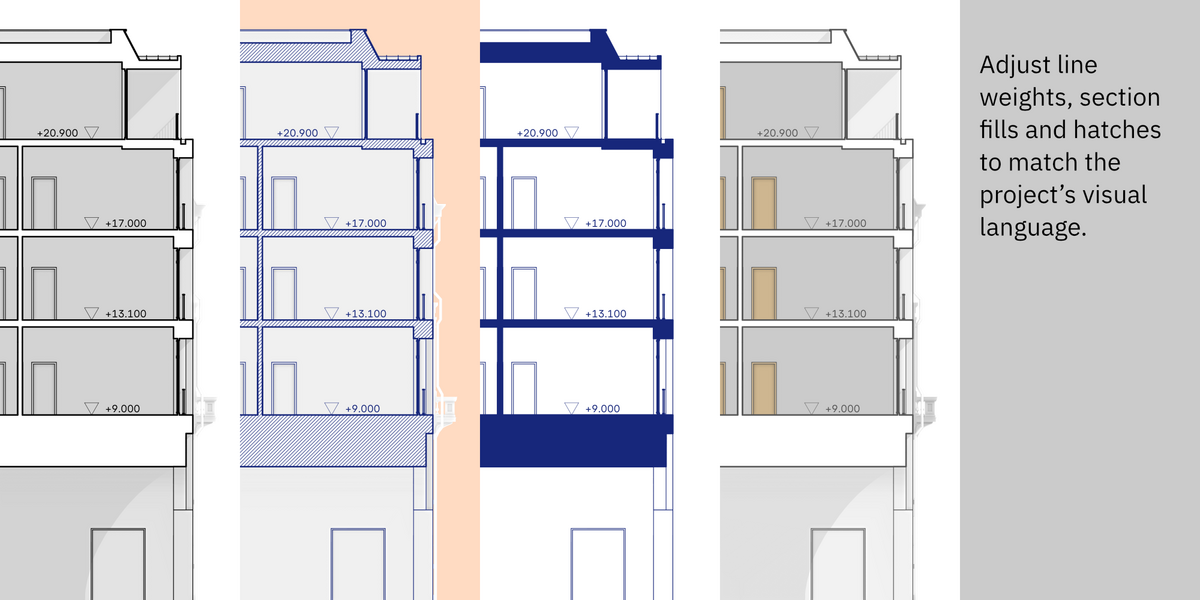
Drawing View uses its own Linework Engine to generate and organize silhouettes,
boundaries, creases, intersections and section graphics. Lineweights, section
graphics, fills and hatches create a controllable architectural hierarchy,
while the optional Shaded Style provides a clean visual base behind the
generated linework. Hide or restore individual generated lines without
changing the model.
|
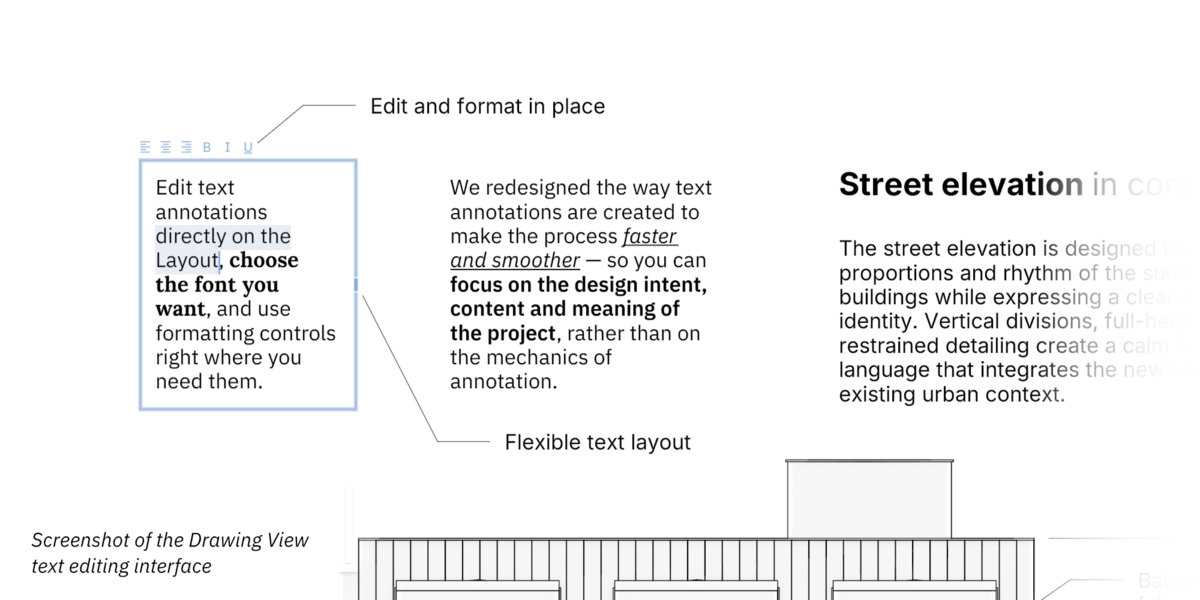
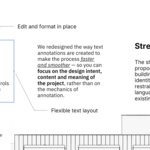
The dedicated 2D Annotation Engine includes Dimensions, Radius / Diameter,
Area measurements, Elevation Marks, Scale Bars, Text, Headers, Flags and
Callouts. Tool Tiles group Measurements and Notes for faster access. Text
can be edited directly on the Layout, with font selection and formatting
available as you work. Dimensions support Orthogonal and Aligned workflows
with continuous placement.
|
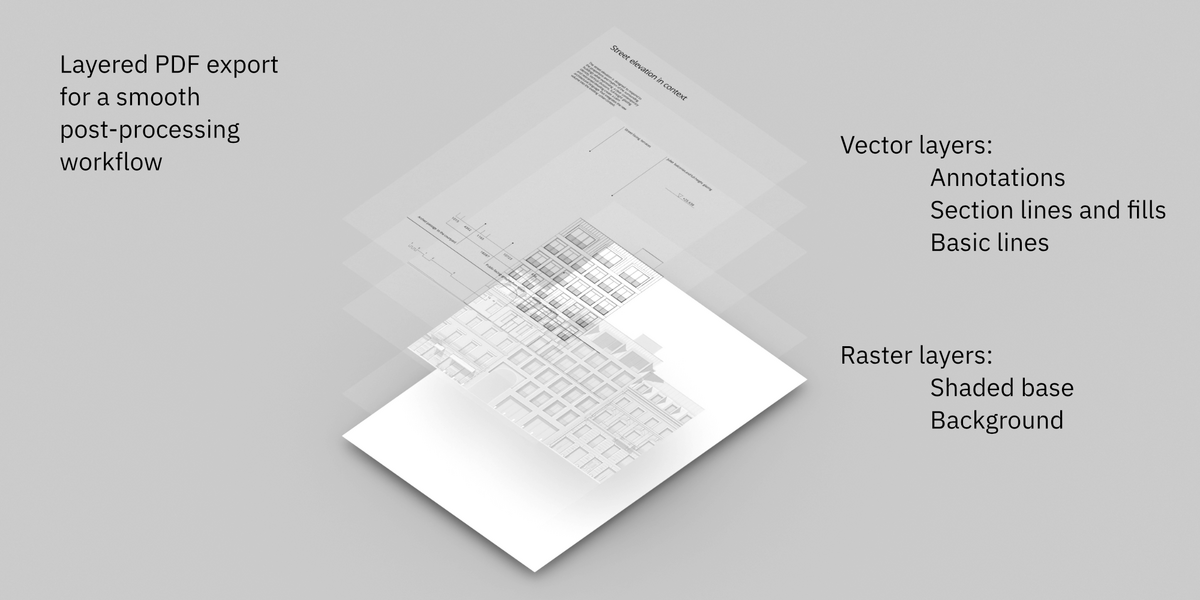
Export finished Layouts as PNG or layered PDF. In PDF, architectural linework,
Section graphics and Annotations remain vector, while the shaded representation
can be preserved as a raster base. Drawing elements are organized into separate
layers for further editing and publication.
|
One model, multiple architectural drawings
Elevations, sections, plans and axonometric drawings — all from the same Blender model.
Drawing View lets you create multiple independent Layouts from the same project, each with its own composition, scale, shading and annotations. This keeps architectural representation close to the model it comes from and reduces the need to rebuild model-derived drawing information in other applications.
Geometry-derived linework. Vector output.
More than a viewport outline — Drawing View generates architectural linework from the model itself.
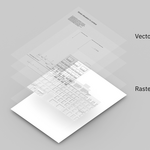
The Linework Engine identifies architectural drawing information such as silhouettes, boundaries, creases, intersections and sections, then preserves that linework as vector graphics in PDF.
This keeps architectural lines sharp at any scale and makes them easier to edit, refine and publish downstream without tracing or reconstructing a rendered image.
Line Engine 2 brings GPU-accelerated line generation, more efficient processing of complex geometry and reuse of prepared data between builds. These improvements help Drawing View generate architectural linework faster while preserving the familiar tools, graphic controls and vector output.
Hide / Show Lines allows you to refine the generated drawing locally without modifying the Blender model.
PDF output separates the drawing into:
- Basic Lines
- Section Lines and Fills
- Annotations
The shaded model and background remain separate where needed, preserving the complete presentation while keeping the main architectural graphics editable.
Designed for architectural representation
Built for fast and clear drawing workflows during the early design stages.
Drawing View is developed for concept design, competitions, schematic design and presentation workflows, where drawings are part of the design process rather than a separate documentation system. The focus is on balancing graphic quality, speed and ease of use — helping architects move from model to architectural representation while staying inside Blender.
Key Features at a Glance
|
|
Latest Updates
Line Engine 2 — a major update to drawing performance.
Drawing View 1.4 introduces a new generation of its linework engine, with GPU-accelerated processing and improved handling of complex scenes. In internal tests, Line Engine 2 delivered approximately 2–10× faster line generation than Line Engine 1, depending on scene characteristics — without changing the existing drawing workflow or output options.
Line Engine 1 remains available as an optional fallback in Preferences.
Drawing View 1.3 improves Layout creation and output formats, expands architectural measurement tools, and introduces more control over generated linework.
- Layout workflow and formats — direct Layout placement, Tab navigation, Paper and Screen modes, expanded page formats and digital resolution presets.
- Expanded measurement tools — new Area measurements with editable contours, optional Fill, Hatch and Text Mask; Radius / Diameter measurements using three snap points; Elevation Marks on plans with an adjustable zero-level reference.
- Linework refinement — Hide / Show Lines to selectively hide or restore generated lines without modifying the model.
- Annotation interface and stability — redesigned Tool Tiles organized into Measurements and Notes, along with general UI and stability improvements.
Drawing View 1.2 introduces a major expansion of the Annotation Engine, with a stronger focus on direct editing, faster annotation workflows and more flexible architectural communication directly on the Layout.
- Text editing and Callouts — direct text editing with font selection and formatting, plus new Callouts with editable leaders, text and endpoint styles.
- Dimensions and annotation editing — unified Orthogonal Dimension tool with continuous placement, improved selection, snapping, editing and Undo/Redo.
- General improvements — refined annotation controls, Shading Tint and Background Color, along with UI, stability and performance improvements.
- Stability update with fixes for Layouts, Undo/Redo and dimension snapping.
- Hotfix for Layout position persistence.
- Introduced Dimension Styles, including Architectural Tick and Open Arrow alongside Minimal.
- Improved Layout visibility behavior.
- Minor UI and stability refinements.
New Drawing View versions are available through Superhive and can be installed from Blender when Superhive is connected as a Remote Repository . Updates can also be downloaded from your Orders page. To receive update emails from Arch on Arch, enable Creator Emails in your Superhive account settings. Release news, feature updates and previews are also shared on Arch on Arch’s Instagram and YouTube channels.
Compatibility
- Blender 4.5–5.2
- Windows — full feature support
- Works entirely inside Blender — no external applications or online services required
Development Direction
Drawing View will continue to evolve around the architectural representation workflow, with development focused on stronger Layout workflows, deeper graphic control, interoperability and new ways to work with architectural drawings inside Blender.
