 Print Connector


Easy Print V2
Cut. Connect. Print bigger.
A Blender add-on for preparing multi-part 3D prints without leaving the Blender workspace. Place a cut on the model, fit a connector, add magnets, then hand the finished parts back to Blender for export.
Explore the workflow
An interactive simulation of the Easy Print panel: choose a planar or curved cut, separate the model, preview a connector, stage magnet pockets, and simulate the export handoff — right here in your browser.
See Easy Print in action
A short walkthrough of the Easy Print workflow on a real model — from placing the cut to exporting the finished parts.
What Easy Print does
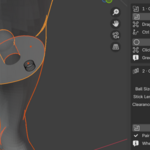
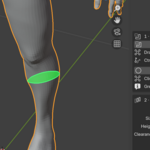
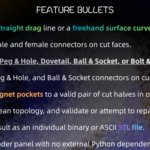
Cut models with a straight drag line or a freehand surface curve.
Generate paired male and female connectors on the cut faces.
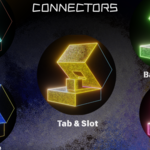
Choose Tab & Slot, Peg & Hole, Dovetail, Ball & Socket, or Bolt & Nut connectors.
Place Tab & Slot, Peg & Hole, and Ball & Socket connectors on curved seams.
Add cylindrical magnet pockets to a valid pair of cut halves in one staged operation.
Apply modifiers, clean topology, and validate or attempt to repair watertightness.
Export every cut result as an individual binary or ASCII STL file.
Work from one Blender panel with no external Python dependencies.
Cut, connect, protect, export
Cut
Place a planar cut line or draw a surface loop to open the mesh.
Connectors & Magnet
Fit the connector family and size, flip it if needed, and stage magnet pockets.
Waterproof
Seal the exposed cut surfaces so every part prints cleanly.
Export
Hand each finished part back to Blender as its own STL file.
Pick the joint that fits
Simple registration tabs for a clean, forgiving fit.
Round alignment pins keep the two parts concentric.
A sliding mechanical joint for planar seams.
A compact spherical snap-fit for articulated pieces.
Visible hardware-style registration for serviceable parts.
Curved seams support Tab & Slot, Peg & Hole, and Ball & Socket. Dovetail and Bolt are planar-only.
The browser shows the idea.
Blender does the work.
The interactive demo above is a visual simulation only. It does not process meshes, run boolean operations, or create files. Easy Print performs the actual cutting, connector geometry, waterproof checks, and per-part STL generation inside Blender 4.2+.
Check your setup
- Blender 4.2 – 5.2
- Windows, Linux and macOS
- Cycles and Eevee
- Closed manifold meshes recommended
The models you print
- Models too large for the print bed
- Multi-part props and figurines
- FDM and resin workflows
- Artists who want editable cuts in Blender
Join the conversation
Questions, feedback, or a model you are stuck on? Reach us on Discord or Telegram.
 Join our Discord
 Telegram