 zomax
zomax




Install
Edgy is one download. Pick the zip for your system:
- Edgy-Blender-X.Y.Z-win.zip for Windows
- Edgy-Blender-X.Y.Z-mac.zip for macOS on Apple Silicon
Each one already contains everything, for Blender 4.2 LTS through Blender 5.x alike. Install the same file in every Blender you have and each will use the part that fits it.
- Drag the zip straight onto the Blender window and confirm the dialog. That installs and enables Edgy. The classic route works just as well: Edit > Preferences > Add-ons > Install from Disk, then tick Edgy.
- Select a mesh object, open Properties > Object > Edgy, click Update.
That is all. There is no second component to install.
Do not unzip it yourself. Hand the zip to Blender exactly as you downloaded it. Unpacking it in Explorer or Finder first and copying the folder over by hand can leave the compute core blocked, on macOS by Gatekeeper in particular. Blender's own installer avoids that entirely.
Getting started
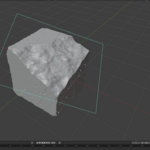
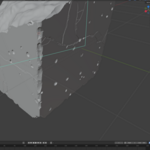
Select a closed mesh object and open Properties > Object > Edgy. Click Update to build the result. Edgy writes the damaged mesh to a second object next to the original; the original is left untouched.
The panels are Global, Chips, Buildup, Fracture, Corners and Breaker. Each one has a checkbox in its header that switches the module on and off. Amount is the value to reach for first in every module.
Three presets are included as starting points. Your own settings can be saved as a named preset and applied to any other Edgy object.
Manual
The built-in manual opens via the question-mark button in any Edgy panel header, or with F1 on any Edgy field. It contains a full parameter reference and works offline.
Update
Install the new zip the same way; it replaces the old one. Then restart Blender. The compute core cannot be replaced while it is loaded, so without the restart Blender keeps running the previous one. Edgy notices this and says so in the panel. Existing .blend files open unchanged.
Uninstall
Disable and remove Edgy in Edit > Preferences > Add-ons. Any result objects stay in the scene as plain meshes; only the panel and the Update button go away.
License
Edgy for Blender is licensed under the GNU GPL v3, the add-on and the compute core alike. That is the licence Blender itself carries, and using it is what lets Edgy work as deeply inside Blender as it does. LICENSE.txt in the download holds the full text, THIRD-PARTY-LICENSES.txt lists the libraries the core is built on. The core's source code is published at github.com/corneliusdammrich/edgy-core.
Have questions about this product?
Login to message
| Sales | 10+ |
| Published | about 2 months ago |
| Blender Version | 4.2 - 5.2 |
| Extension Type | N/A |
| Render Engine Used | Arnold, Blender-Internal, Blender-Game-Engine, Cycles, Eevee, Freestyle, Luxrender, Mental-Ray, Octane, Vray, Yafaray |
| License | GPL |
Discover more products like this
Damage hard surface worn procedural cgi 3d addon edges VFX worn edges blender