EmptyKit - Empty Shapes Colors and Adjustments & Driver Controls
 Paulo Antunes


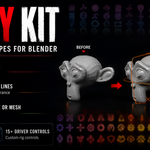

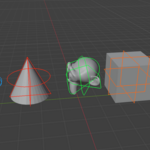
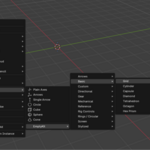
Does EmptyKit affect render output, or only the viewport?
Empty shapes, colors, and Driver Controls are viewport-only and never render — Empties are non-renderable in Blender. To get renderable geometry, use Convert to Curve/Mesh.
What does "Convert to Curve/Mesh" actually produce?
A new Curve or Mesh object matching the Empty's displayed wireframe shape — built-in or custom. Useful when you need the shape as real, renderable geometry outside the viewport.
Can I create my own custom Empty shapes, or only use the built-in library?
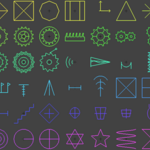
Both. Use any of the 85+ built-in shapes, or generate a new one from a silhouette/outline via New From Silhouette — it's saved to your shape library alongside the built-ins.
If I reopen a Driver Control's panel, will it show or affect drivers I set up manually, or drivers from other controls?
No. Each control only tracks and displays what it created itself. Manual drivers and drivers created by other controls are never listed or modified.
Can I drive properties that aren't in the default list — like a material's node tree?
Yes. Any property with a copyable data path can be added via Copy Full Data Path > Add Copied Property, including properties on embedded data-blocks like a material's node tree. This isn't limited to transforms, shape keys, and custom properties.
How is "Add Driver To…" different from setting up drivers manually in the Drivers Editor?
It skips the manual expression/path setup. You pick a target, pick the property (from a list or via "Copy Full Data Path" for anything not listed), and the widget's real range is auto-mapped to your Min/Max values. No need to open the Drivers Editor or write driver expressions by hand.
Does EmptyKit work with Rigify, Auto-Rig Pro, or other rigging addons?
Yes. EmptyKit doesn't touch your armature or rig setup — it works with Empty objects and drivers, which are independent of whatever rigging system generated your bones. You can point a Driver Control at a bone property, a shape key, or any other drivable attribute regardless of which addon created the rig.
What Blender version does EmptyKit support?
Blender 5.2.0 LTS. This is the version it's built and tested against.
Have questions about this product?
Login to message
| Blender Extension Compatible | Yes |
| Published | 2 months ago |
| Blender Version | 5.2 |
| Extension Type | Add-on |
| Render Engine Used | Cycles, Eevee, Freestyle |
| License | GPL |

Discover more products like this
empty color empty shapes Viewport Controls empty to mesh Rigging Tools shape key driver rig-controls Animation Rig rig widgets facial rig custom empty driver controls