ExplodeFlow - Exploded Views & Assembly Animation
 sharoleslam



Does it change my meshes?
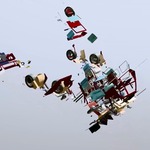
No. Every object a row touches has its rest transform remembered the moment the row claims it, so a value back at zero lands exactly where it started. A shattered mesh is broken inside a Geometry Nodes modifier: set the values to zero or press Reset and the modifier comes off, leaving the original mesh. Nothing is written into your geometry unless you choose to Bake.
Is this a simulation? Do I have to bake anything?
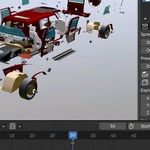
No simulation, no cell fracture, and no cache. Everything is a transform driven by values you set, so it updates as you drag and scrub on the timeline straight away. Bake exists, but only for when you want to commit the result and remove the add-on from the scene.
Can I animate it?
Yes. Every value keys: the explode values, Growth along a curve, Rotation, Scale, Strength, Random, the driver empty, and the Effect region. The viewport updates as the frame changes. There are also six one-click presets that write a whole keyed shot over a Duration you set, with Disassemble and Assemble buttons.
Does it work on rigged characters and armatures?
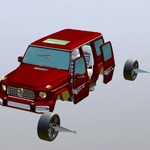
Yes, for rigs where each part is its own mesh bound to one bone, such as vehicles, robots, and machinery. Those come apart bone by bone; the rig keeps playing its own action while the blast rides on top, and single bones can be pinned in Pose Mode. A character whose skin is weighted across many bones will stretch rather than separate if you pull its bones apart, because the skin follows several bones at once. Characters work through the rows that match what they are made of. A character built from several objects: put them in a collection and use a collection row, and the parts come apart whole while the rig keeps posing them. A character that is one skinned mesh: point a mesh row at the mesh, and it shatters into pieces while the rig keeps animating it, since the shatter runs after the Armature modifier. The panel points this out when you add a rig with skinned meshes.
Can I keep some parts from moving?
Yes, at four levels: whole objects with Pin Selected, single faces of a shattered mesh picked in Edit Mode, single control points of a curve, and single bones of a rig in Pose Mode. A pin outranks every other setting on the row, so a pinned piece stays where it rests, however hard the rest explodes.
How is this different from Cell Fracture or a Rigid Body sim?
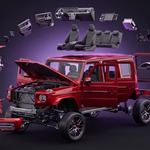
Those blow something apart their way and hand you a simulation to bake and fight. ExplodeFlow gives you a layout you dial in: you choose how the pieces spread, how far they travel and which ones lead, and you can change your mind at any point without re-running anything. It is built for exploded views and assembly shots first, and blasts second.
Does it work on text and curves as well as meshes?
Yes. A text object comes apart letter by letter and stays editable text, so retyping it picks up the new letters. A curve comes apart spline by spline, written onto its control points, so it stays a curve with its bevel and taper.
Can several explosions run in one scene?
Yes. Add as many rows as you like, each driving one object or one collection with its own settings, so a housing lifting straight up while the fasteners fan out sideways is two rows. Each row keeps its keys on its own empty, so the Timeline shows only the row you have selected.
Can I hand the controls to something else?
Add a driver, and the row gets a box empty wrapped around the target. Moving, rotating or scaling that empty drives the explosion, and it reads back both ways, so the empty and the panel never disagree. An animator can direct the whole shot without opening the sidebar.
Which Blender versions does it support?
Blender 4.2 and later, tested up to 5.2. It ships as an extension, so you can drag the zip onto a Blender window to install it. Eevee and Cycles, on Windows, macOS and Linux.
Is there documentation?
This page covers the controls, and an illustrated Quick Start PDF is available for download. If something does not behave the way it says it should, message me through Superhive or email [email protected].

Discover more products like this
disassemble product-visualization geometry nodes shatter mechanical motion graphics armature assembly animation exploded view rigging explode technical animation