 Mars0hod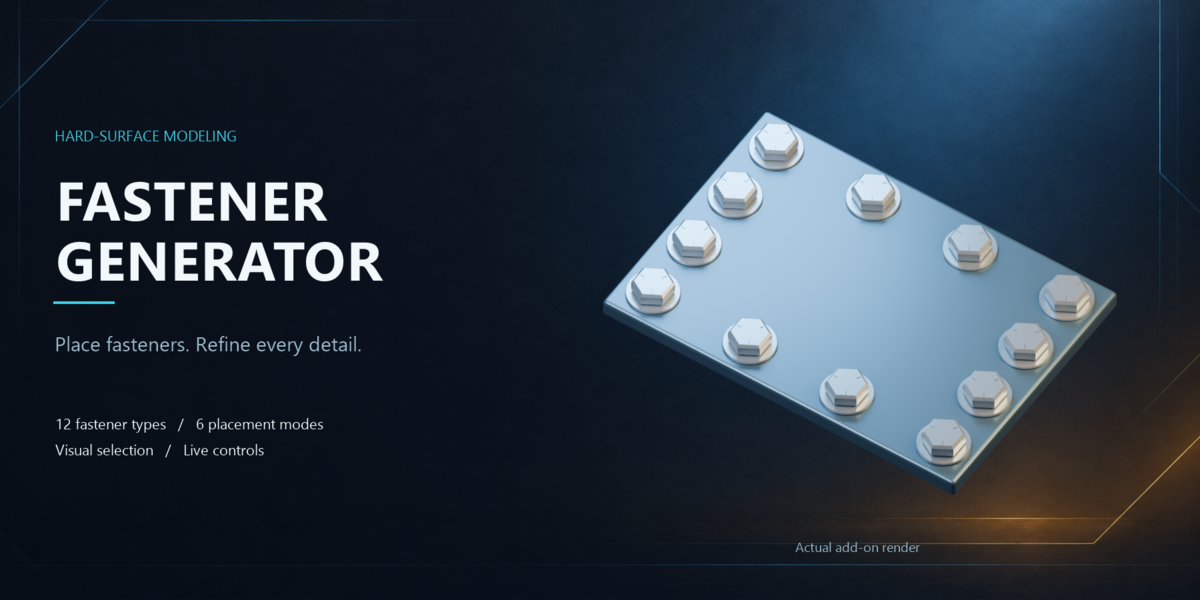

Mechanical detail in a few clicks
Fastener Generator makes it easy to place and adjust fasteners on hard-surface models. Choose a model from image previews, select a placement mode and refine the result with live controls.
Ideal for adding detail to machinery, vehicles, props and sci-fi assets.
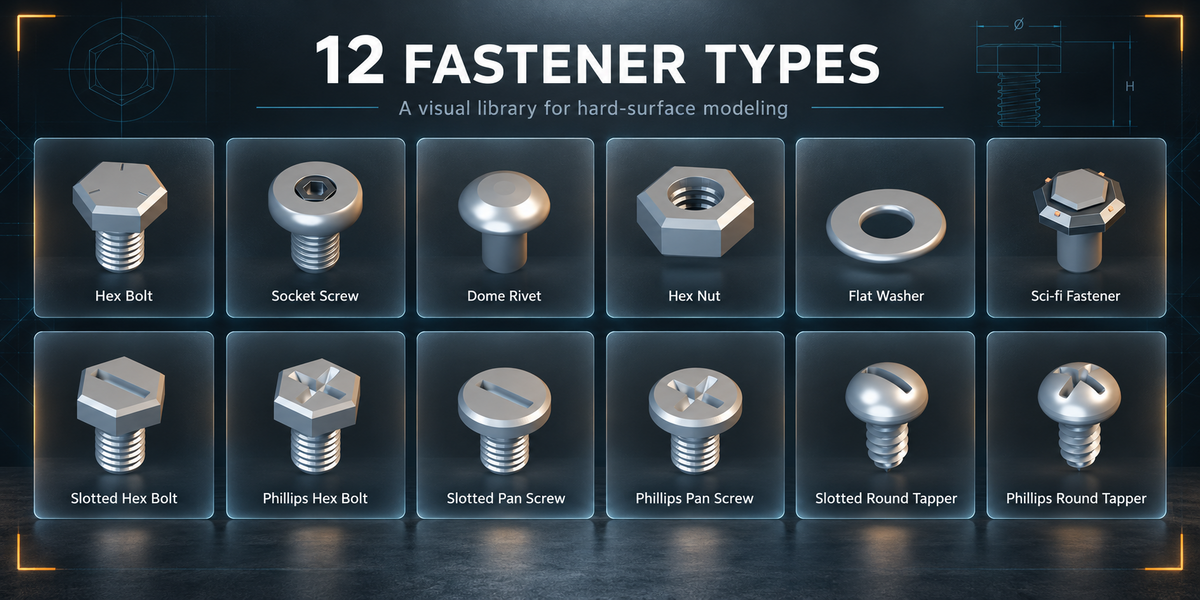
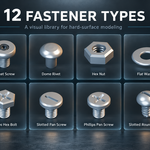
12 fastener types
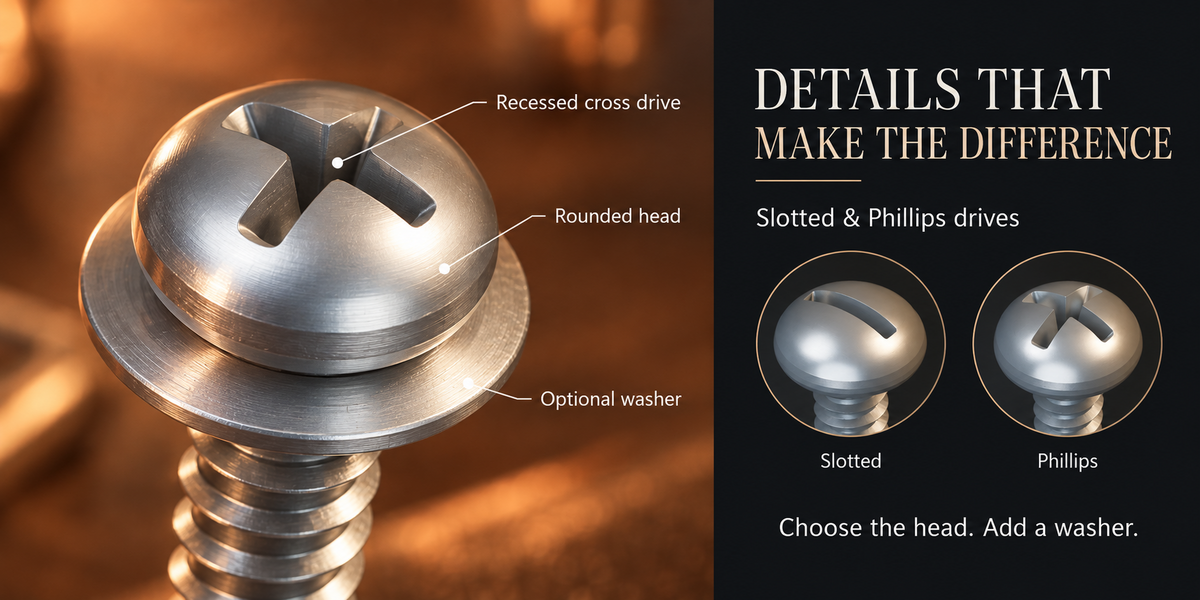
The visual library includes hex bolts, socket screws, dome rivets, hex nuts, flat washers and sci-fi fasteners, plus slotted and Phillips variants of hex bolts, pan-head screws and rounded self-tappers.
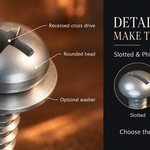
Slotted and Phillips recesses are modeled geometry. Optional washers can be added to supported fastener types.
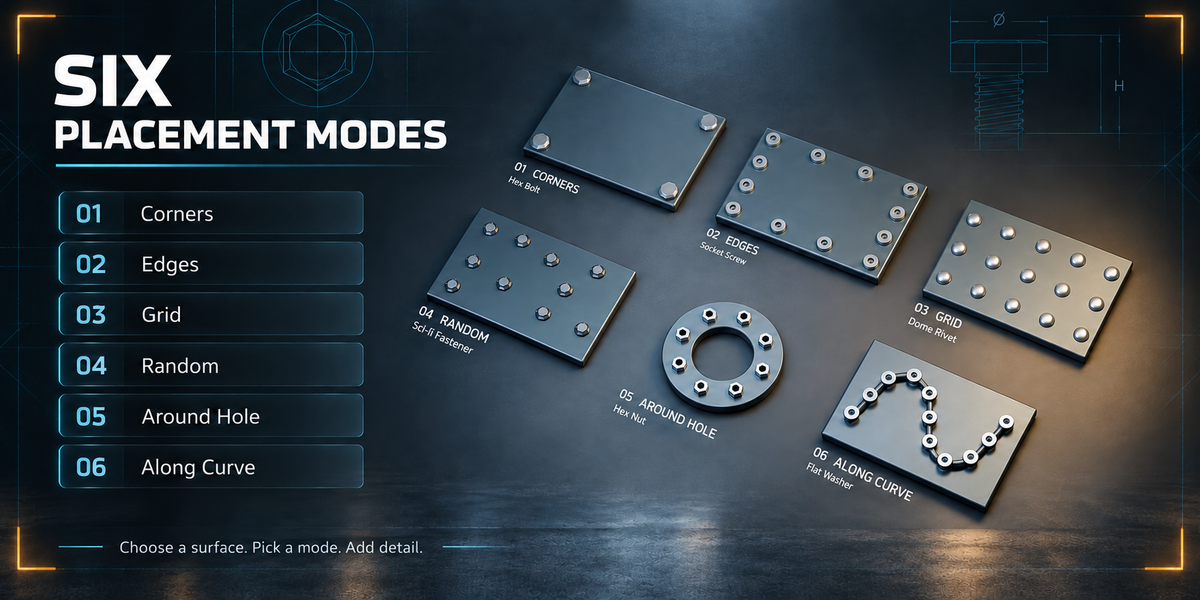
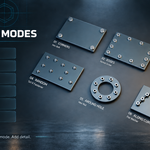
Six placement modes
Corners — place fasteners at the corners of a planar region.
Edges — distribute them along selected edges or surface boundaries.
Grid — fill a planar region with an evenly spaced layout.
Random — scatter fasteners with a repeatable seed and minimum spacing.
Around Hole — arrange fasteners around a selected closed edge loop.
Along Curve — distribute them along curve splines.
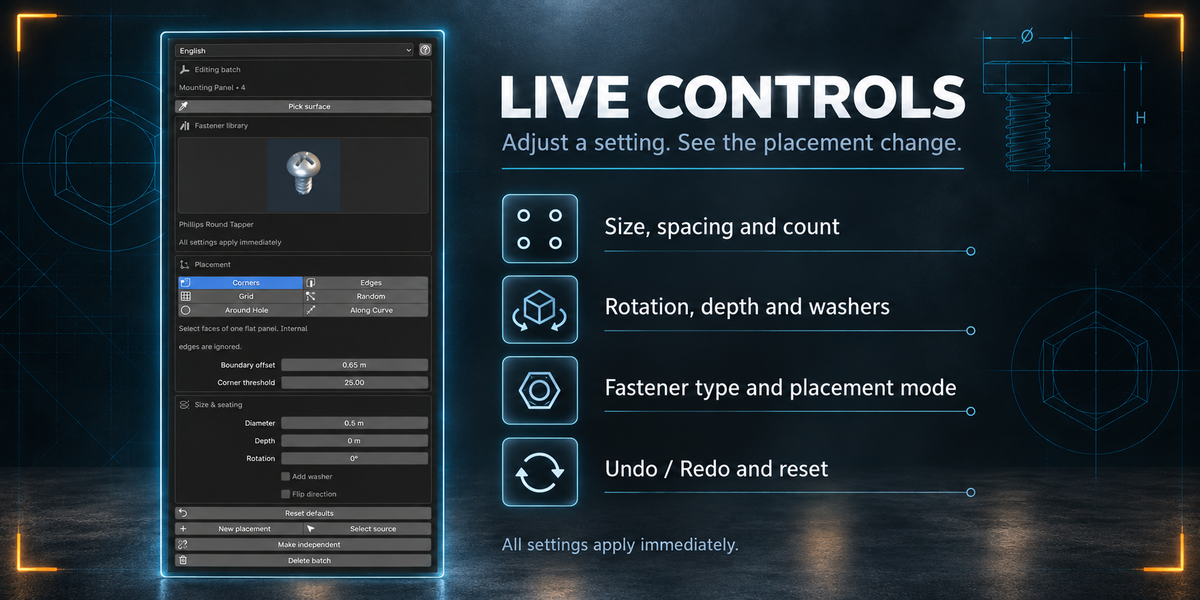
Live controls
Change fastener type, diameter, count, spacing, rotation, depth and washers without pressing an update button. Existing batches respond immediately.
Select any generated fastener to edit its batch. Preview placements before keeping them, use Undo/Redo and restore parameter defaults when needed.
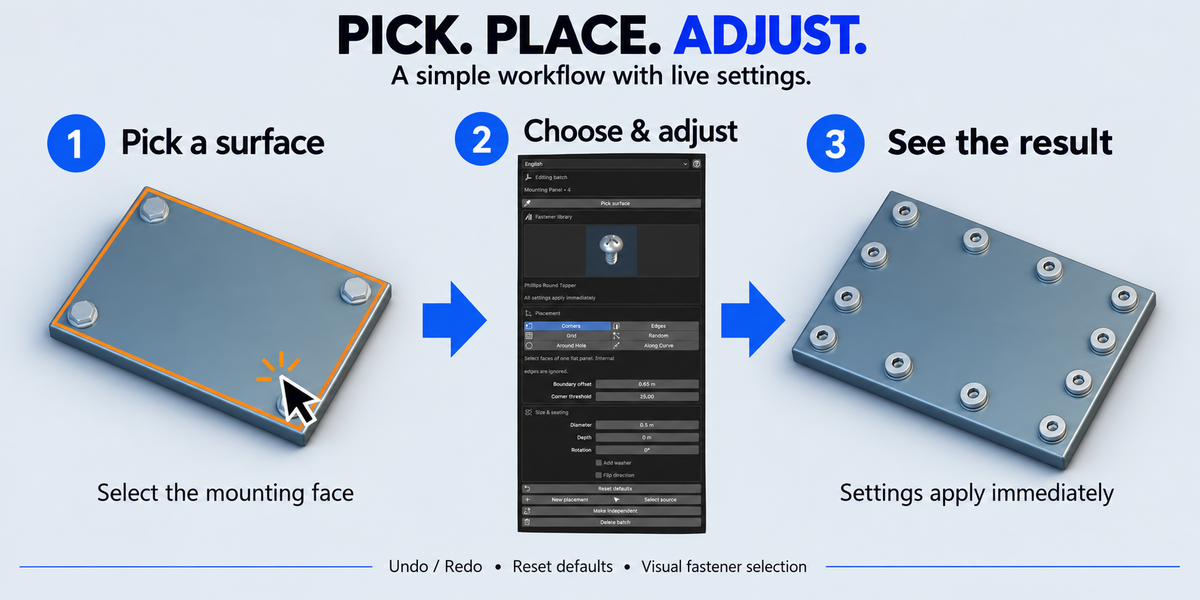
Simple workflow
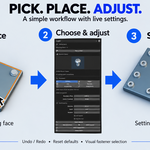
Open the Fasteners tab in the 3D View sidebar.
Click Pick surface and select a mesh face.
Choose a fastener from the visual library.
Select a placement mode and click Create fasteners.
Adjust the settings to refine the result.
You can also select faces and edges manually in Edit Mode, or select a Curve object for Along Curve.
10 interface languages
English, German, French, Spanish, Portuguese, Italian, Russian, Simplified Chinese, Japanese and Korean.
English is the default. Some technical tooltips and diagnostic messages remain in English.
Compatibility and scope
Tested in Blender 5.2.2 LTS on Windows. The extension declares Blender 4.2 as its minimum API version; other versions and operating systems have not been runtime verified.
Designed for visual modeling, with fixed fastener proportions and decorative threads. It is not an engineering-standard library for fabrication.
Corners and Grid require a planar selection. Around Hole works best with circular or convex closed loops. Each batch supports up to 2,000 fasteners.
The add-on uses the original mesh before modifiers. After external source geometry changes, use F3 → Refresh Source Geometry. Topology changes require a new selection and batch.