 XYZ Store


FBX Peek
Stop the "Import-Check-Delete" Cycle
"Stop importing to see. Just Peek." -by me I guess
We’ve all been there: You’re in the middle of a complex layout, the lighting is perfect, and you’re just one "perfect" asset away from finishing a section. You open your folder and it’s a list of 50 files named prop_v1, prop_v2_final, test_asset. You start importing them one by one. Your outliner starts bloating with unwanted armatures and empty objects. You realize the scale is wrong. You delete, you purge, and you go back to the folder. By the time you find the right asset, your creative momentum is dead.
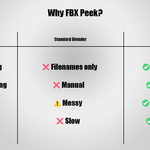
Why I Built FBX Peek
I built this tool because I was tired of alt-tabbing between Blender and a file explorer that treated my 3D assets like black boxes. I needed a way to stay inside the scene while I explored my library. I wanted to see my assets exactly as they appear in Blender with the right cavity and shading without ever actually importing them into my workspace.
Designed for Your Flow
- FBX Peek isn’t just an importer; it’s a window into your library. Here is how it changes your daily work:
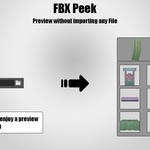
- No More Outliner Chaos: Previews are generated in a background, "headless" scene. You can browse through hundreds of assets without a single vertex ever touching your active project until you’re ready.
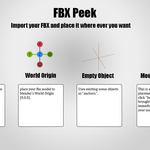
- The "Drop-In" Experience (Raycast Placement): Imagine finding the perfect asset and simply clicking it onto a surface. No more manual centering or resetting rotations. FBX Peek uses a raycast system that lets you "drop" your model exactly where your mouse is pointing.
- Visual Clarity, Instantly: Every thumbnail is rendered with a professional matcap and cavity shader. You see the form, the edges, and the silhouette clearly, so you can make decisions in seconds, not minutes.
- Non-Blocking Background Engine: Even if you have a folder full of heavy, high-poly models, the UI stays snappy. Previews render asynchronously in the background as you work, featuring a sleek, animated progress bar to keep you informed.
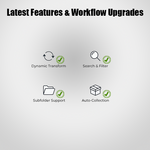
- Latest Features & Workflow Upgrades :
📊 1. Technical Metadata Inspector ("Asset Specs")
Inspect the underlying specs of your asset before you place it. Just select any FBX in the browser to instantly view key metrics:
- Geometry Stats: Real-time Triangle and Vertex counts.
- Object Hierarchy: See exactly how many mesh components are in the file.
- Rigging & Animations: Instantly shows bone counts and animation clip counts so you know if an asset is rigged or animated.
- File Footprint & Materials: Displays the exact disk size (KB/MB) and total material count at a glance.
🎨 2. Smart PBR Material Auto-Linker
Skip the tedious node-wiring setup. When checked, FBX Peek automatically crawls your asset folder (and common folders like /textures or /maps) to automatically configure your materials on import:
- Matches and plugs Albedo, Normal, Roughness, Metallic, and Ambient Occlusion maps.
- Automatically configures correct color spaces (e.g. sRGB for Albedo, Non-Color for data maps).
- Seamlessly integrates Ambient Occlusion by creating and linking a Mix/Multiply node into the Base Color socket.
🎮 3. Non-Destructive Game-Engine Exporter
Exporting assets from Blender to your game engine of choice has never been this seamless. Toggle the brand new Export Tab to access:
- Engine Presets: One-click configurations for Unreal Engine, Unity, Godot, and Default Blender setups (automatically managing axis direction and unit scales).
- Automated Origin & Transform Prep: Option to auto-align origins to (0,0,0) and apply rotation/scale transforms.
- Instant Scene Reversion: The moment the export is complete, FBX Peek automatically restores your original origins, transforms, and selections. Your active viewport remains pristine!
⭐ 4. Favorites & Snappy Navigation
- Favorites System: "Star" your go-to meshes and toggle the Favorites Only filter to quickly access your curated library kit.
- Subfolder Support: Browse nested folders without flattening your asset directory hierarchy.
- Smart Name Filtering: Instantly search your active directory by typing part of the asset name.
- Priority Caching Queue: See an asset you want to view immediately? Clicking on a pending preview will instantly push it to the very front of the background rendering queue.
- Interactive Mouse Placement: Interactively scale (using Scroll) and rotate (using Shift + Scroll in precise 15∘ increments) with a sleek, screen-space HUD updating your scale and rotation metrics live.