 ATDIGIT


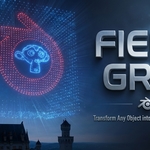
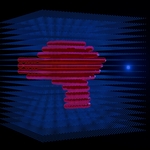
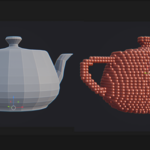
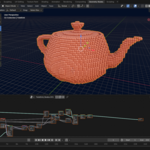
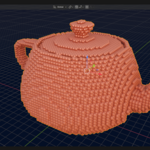
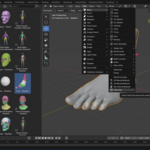
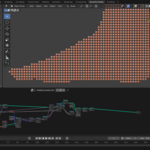
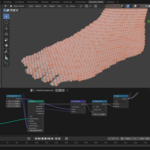
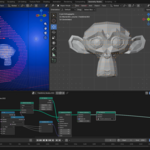
Field Grid — Transform Any Object into a Living Lattice Field
"What if the space around an object could reveal its hidden structure? Field Grid makes the invisible visible — turning solid geometry into a mesmerizing 3D lattice of particles that respond to your object's form."
Compatible with Blender 4.2 and newer | Non-Destructive Geometry Nodes | One-Click Setup
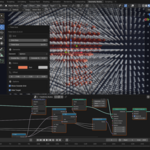
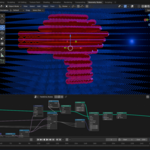
Field Grid is a Blender extension that transforms any mesh object into a stunning 3D lattice of spheres, cubes, or points. Using raycast detection, it automatically distinguishes between points inside vs. outside your object — creating beautiful scientific visualizations, abstract art, drone formation planning, and eye-catching motion graphics with a single click.
What Makes Field Grid Special?
Smart Raycast Detection
Points inside your mesh are automatically detected and styled differently from outside points. No manual setup required — the algorithm understands your geometry.
Real-Time Geometry Nodes
Everything happens through Blender's Geometry Nodes — fully procedural and non-destructive. Tweak any parameter anytime, even after the effect is applied.
Instant Visual Differentiation
Customizable colors for inside/outside elements. Inside particles are larger and more prominent — outside particles create the surrounding field atmosphere.
Complete Control Panel
Adjust grid density, field size, element radii, positioning offsets, element types, and visibility — all from an intuitive redo panel.
Perfect For
- Scientific Visualization — Molecular structures, electromagnetic fields, physics simulations
- Drone Show Planning — Each point represents a drone position. Visualize 3D formations before flight.
- Motion Graphics & VFX — Logo reveals, holographic effects, futuristic UI elements, sci-fi visuals
- Abstract & Generative Art — Algorithmic sculptures, data art, geometric compositions
- Educational Content — Teach 3D concepts, volume visualization, spatial relationships
How It Works — 3 Simple Steps
- Select your mesh object — Works with any 3D mesh: primitives, characters, logos, sculptures, anything!
-
Add Field Grid — Press
Shift+A→ Mesh → Field Grid -
Customize the result — Press
F9for the redo panel and fine-tune all parameters
Available Parameters:
- Grid Size — Number of points per axis (3–80)
- Field Size — Overall lattice dimensions
- Inside/Outside Radius — Size of elements
- Element Type — Sphere, Cube, or Point Cloud (built-in presets; you can also plug in custom objects via the Geometry Nodes modifier)
- Show Outside Grid — Toggle external field visibility
- Offset X/Y/Z — Fine-tune field positioning
- Inside/Outside Colors — Customize appearance
Pro Tip: After the operator finishes, you can still adjust parameters in the Geometry Nodes modifier panel. The field stays fully editable — that's the power of non-destructive procedural workflow!
Tips & Best Practices
- Closed meshes work best — Manifold (watertight) geometry gives the cleanest inside/outside detection
- Start with lower Grid Size — Use 15–25 for previewing, increase for final renders
- Adjust radii proportionally — After changing Grid Size, tweak element radii for best visual balance
- The original object auto-hides — Uncheck "Hide Target" if you need it visible
- Parameters remain editable — Access the Geometry Nodes modifier anytime to adjust settings
What's Included
- Field Grid extension (single Python file, no dependencies)
- Documentation and README
- Free updates for compatible Blender versions
Requirements
- Blender 4.2 or newer
- No external dependencies — works completely offline
- Any operating system: Windows, macOS, Linux
Ready to Transform Your Objects?
Turn any mesh into a stunning lattice field in seconds. Perfect for science, art, motion graphics, and beyond.
One extension. Infinite creative possibilities.
Support
For fastest help, use the Superhive Chat on this product page.
General inquiries: [email protected]
Developer: Andrew Turtsevych (ATDIGIT)