 ATDIGIT


What element types are available?
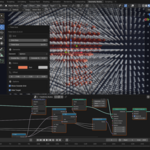
The extension includes three built-in presets: Sphere, Cube, and Point. You can also plug in any custom object via the Geometry Nodes modifier. More built-in shapes will be added in future updates.
How do I get support?
Use the Superhive chat on the product page or email [email protected].
How can I improve performance if Blender is slow?
Reduce Grid Size (15-20 for preview), use Point element type, or simplify your target mesh.
Does my original object show in the render?
Enable "Hide Target" to hide it in both viewport and render.
Can I animate with Field Grid?
Yes. The field updates in real-time. You can animate the target object (move, rotate, scale), keyframe modifier parameters, and it works with shape keys and armatures.
Can I change settings after the operator finishes?
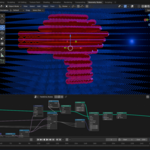
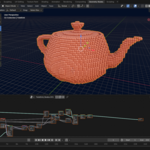
Yes! Field Grid creates a Geometry Nodes modifier. You can adjust Inside Radius, Outside Radius, and Show Outside in the Modifier Properties panel anytime.
How do I use Field Grid?
1. Select any mesh object
2. Press Shift+A → Mesh → Field Grid
3. Press F9 to access the redo panel and adjust parameters
Done!
How do I install Field Grid?
The easiest way: drag and drop the ZIP file directly into Blender. It will install automatically. Alternatively, go to Edit → Preferences → Get Extensions → Install from Disk and select the ZIP.
Is this a one-time purchase?
Yes. You buy it once and receive free updates for all compatible Blender versions.
Does it require any external dependencies?
No. Field Grid is completely self-contained and works offline. No internet
connection, API keys, or external libraries required.
Which Blender versions are supported?
Field Grid works with Blender 4.2, 5.0, and all versions up to 5.X. It uses the modern Extensions format introduced in Blender 4.2.
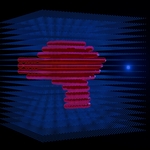
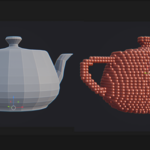
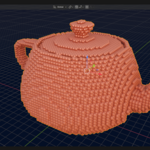
What is Field Grid?
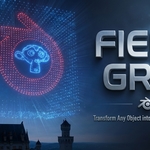
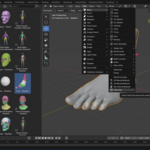
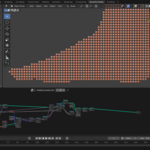
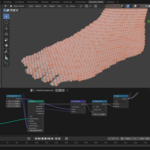
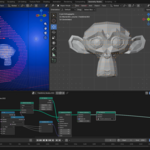
Field Grid is a Blender extension that transforms any 3D mesh object into a
stunning lattice of spheres, cubes, or points. It uses raycast detection to
distinguish between points inside vs. outside your object, creating beautiful
scientific visualizations, abstract art, and motion graphics effects.
$14.99
Have questions about this product?
Login to message
| Blender Extension Compatible | Yes |
| Dev Fund Contributor | |
| Published | 8 months ago |
| Blender Version | 4.2 - 5.0 |
| Extension Type | Add-on |
| Render Engine Used | Cycles, Eevee |
| License | GPL |
Discover more products like this
Science Visualization Field Grid extension motion graphics geometry nodes particles VFX lattice Add-on procedural