 ATDIGIT



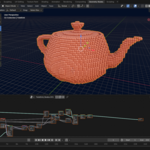
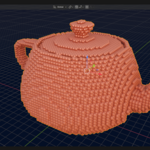
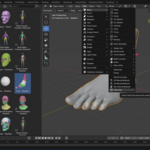
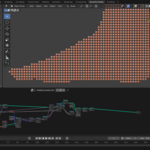
Field Grid Documentation — v1.0.18
Table of Contents
- Installation
- Quick Start Guide
- Parameter Reference
- Geometry Nodes Modifier
- Best Practices
- Changelog
1. Installation
Method 1: Drag-and-Drop (Recommended)
- Download
Field_Grid_1.0.18.zip - Drag the ZIP file directly into Blender's 3D Viewport window
- The extension installs automatically and enables itself
- Ready to use! Go to
Shift+A→ Mesh → Field Grid
Method 2: Via Preferences
- Open Blender → Edit → Preferences → Get Extensions
- Click the dropdown arrow → Install from Disk
- Select
Field_Grid_1.0.18.zip - Click Install from Disk
2. Quick Start Guide
- Select any mesh object in your scene (cube, sphere, character, logo, etc.)
- Press
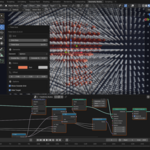
Shift+A→ Mesh → Field Grid - The field grid appears instantly, perfectly centered on your object
- Press
F9to open the redo panel and adjust parameters - Tweak settings as needed — changes apply in real-time
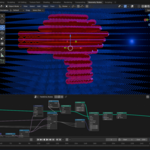
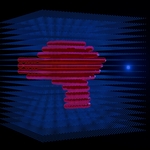
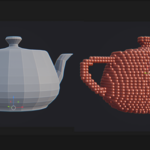
That's it! Your object is now represented as a 3D lattice field. The original object is automatically hidden.
3. Parameter Reference
- Grid Size (3–80, default: 20) — Number of points per axis. Higher = more detail, more geometry.
- Field Size (0.1–100.0, auto) — Total size of the cubic field region in Blender units.
- Inside Radius (0.001–2.0, auto) — Size of elements detected as being inside your object.
- Outside Radius (0.001–2.0, auto) — Size of elements outside your object (the "field" particles).
- Element Type (Sphere/Cube/Point, default: Sphere) — Built-in shape presets. You can also plug in any custom object via the Geometry Nodes modifier. More shapes will be added in future updates.
- Show Outside Grid (ON/OFF, default: OFF) — When OFF, only inside points are visible.
- Hide Target (ON/OFF, default: ON) — Hides the original object in both viewport and render.
- Offset X/Y/Z (-50.0–50.0, default: 0.0) — Fine-tune the position of the grid field.
- Inside Color (RGB) — Color for elements inside the object.
- Outside Color (RGB) — Color for elements outside the object.
4. Geometry Nodes Modifier
Field Grid creates a fully procedural Geometry Nodes setup. After the operator finishes, you can still adjust:
- Target Object — Change which object the field detects
- Inside Radius — Adjust inner element size
- Outside Radius — Adjust outer element size
- Show Outside — Toggle external grid visibility
Access these in the Modifier Properties panel → FieldGrid modifier.
Non-Destructive Workflow: Because everything is Geometry Nodes, you can modify parameters at any time — nothing is baked.
5. Best Practices
For Best Inside/Outside Detection:
- Use closed (manifold) meshes — The raycast algorithm works best with watertight geometry
-
Apply scale — Press
Ctrl+A→ Scale before using Field Grid -
Check normals — Normals should point outward; recalculate if needed (
Shift+Nin Edit Mode)
For Performance:
- Start with lower Grid Size — 15–25 is usually enough for preview
- Increase for final renders only — Grid Size 40–60 produces smooth results
- Use Point element type — Much lighter than Sphere/Cube for very dense grids
For Animation:
- The field updates in real-time — Move or animate your target object; the field follows automatically
- Animate modifier parameters — Keyframe Inside/Outside Radius for pulsing effects
6. Changelog
v1.0.18 (Current Release)
- Smart Centering: The grid now automatically aligns to the geometric center of the mesh, solving offset issues with shifted origins.
- Multi-Object Support: You can now apply Field Grid to multiple objects in the same scene independently.
- GPL Compliance: Added license text and source headers.
- Blender 5.0 Ready: Forward compatibility fixes.
v1.0.13
- Hide Target now hides object in both viewport AND render
- Show Outside defaults to OFF — clean result on first use
v1.0.12
- Show Outside exposed as modifier socket
- Improved bounding box calculation
⚖️ Licensing
Field Grid is released under the GNU GPL v3 license. The source code includes the full license text and mandatory headers to ensure complete transparency and compliance with Blender ecosystem standards.
🔧 Troubleshooting
Grid alignment: With v1.0.18, the grid automatically centers on the visible volume of your object. If you still need adjustments (e.g., for artistic reasons), use the Offset X, Y, Z sliders in the redo panel (F9).
Support
For fastest help, use the Superhive Chat on this product page.
General inquiries: [email protected]
Developer: Andrew Turtsevych (ATDIGIT)
Have questions about this product?
Login to message
| Blender Extension Compatible | Yes |
| Dev Fund Contributor | |
| Published | 8 months ago |
| Blender Version | 4.2 - 5.0 |
| Extension Type | Add-on |
| Render Engine Used | Cycles, Eevee |
| License | GPL |
Discover more products like this
Visualization procedural extension motion graphics geometry nodes Add-on lattice VFX particles Field Grid Science