FAQ — Frequently Asked Questions
FAQ
Frequently Asked Questions
Quick answers to the things people usually want to know before importing their first design.
01
Does it import as one flat image?
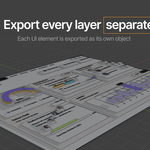
No. Figma UI Import rebuilds the design as a structured Blender collection. Useful UI elements stay separate, supported text can stay editable, and complex areas are rasterized only when that gives a more reliable result.
02
Does text stay editable?
Supported text does. Each text layer is checked separately. If one layer uses styling Blender text cannot reproduce reliably, that layer can use its image fallback while the rest of the interface stays separate.
03
Do I need the same fonts installed in Blender?
Not necessarily. In the Editable workflow, matched font files can be included in the exported ZIP. Blender tries a local or system font first, then the bundled copy when needed.
05
Does it work in EEVEE and Cycles?
Yes. The add-on supports both render engines. EEVEE includes controls for imported UI transparency, while Cycles includes Shadow Control for selected UI objects.
06
Does the plugin upload my Figma design?
No external conversion server is required. The selected Figma content, chosen font files and ZIP creation are handled locally in the plugin workflow.
07
Does it live-sync with Figma?
No. The current workflow is a ZIP export from Figma followed by a ZIP import in Blender. Live sync, Push to Blender and Smart Reimport are not part of this release.
08
What happens with masks, clipping and complex Figma elements?
They are handled selectively. Areas that need rasterization can be flattened while unrelated sibling layers stay separate whenever possible. Boolean results and some vector-only structures are rasterized when that is the reliable way to preserve the final appearance.
09
Can I control export quality?
Yes. Blender UI Exporter supports 1x to 8x export scale, shows the resulting resolution, recommends a scale and lets you inspect a sharpness crop before export.
10
Which Blender versions are supported?
The current supported baseline is Blender 4.0 and newer.
 Yesway