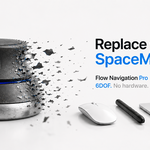
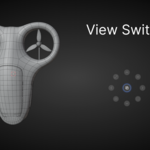
Flow Navigation Pro

CG Flow in Modeling


Item Rating

This item has an average rating of 5 from 33 ratings by the community.

94%
4%
0%
0%
4%

Purchase this item to leave a review!

  • Whiskey
    6 months ago

    It takes a little time to learn, but once you’ve got the hang of it, you’ll see Blender in a whole new perspective.

    A great plugin, functional and optimized. Truly excellent.

    • Andrei Bendelic

      6 months ago

      Hi Whiskey, thank you so much for the 5-star review! We're thrilled to hear that the plugin is helping you see Blender in a new light. It’s important to note that these are still the early versions of the tool — we have a lot of exciting updates and new features planned for the near future! We’d love to have you in our community, so please join our Discord to stay updated and share your feedback: https://discord.gg/SYrs9YSxrXr

  • CKShaw
    6 months ago

    I think this is really cool. It would be even more useful if there were an option to turn the animation on and off. Also, the space bar and the tilde key seem to conflict with each other.

    • Andrei Bendelic

      6 months ago

      CKShaw! Thanks for the feedback.
      To clarify: there is no technical conflict between Space and Tilde. Flow Navigation uses dual-mode logic for the Spacebar (Hold for Navigation, Click for View Switcher), which you can fully customize in the "Click Space" section of the Visual UI.
      I’ve specifically integrated Discord and YouTube buttons directly into the tool's interface—Discord is currently the fastest way to influence the development of CG Flow tools, and detailed video documentation is coming to YouTube soon. Since I can only reply once here, please join our Discord to discuss this further. See you there!

  • aluminium
    6 months ago

    This add-on is the worst. Just installing and uninstalling it completely destroyed my custom keymaps. It didn't just mess with its own shortcuts; it deleted the hotkeys for almost all my other add-ons too. Whatever this script does, it breaks the keymap system so badly that I can't even restore my old settings. Now I have to factory reset my entire Blender configuration. Do NOT install this if you value your setup.

    • Andrei Bendelic

      6 months ago

      Hi there. I'm truly sorry you had to experience this. As a 3D artist myself, I completely understand that losing your custom settings and shortcuts is an absolute nightmare.
      However, I'd like to clarify one important technical detail. In the latest updates of the add-on, we completely reworked the system and introduced our own Keymap Manager. By design, it physically does not delete or overwrite shortcuts from other add-ons. It only assigns its own hotkeys and highlights any potential conflicts in red so you can decide how to resolve them yourself. It doesn't disable anything without your explicit knowledge.
      If you experienced such a massive breakdown, this is highly unusual behavior. It's possible you were using an older version of the add-on, or some Blender version conflict occurred during the uninstallation process.
      Please reach out to me directly. I really want to look into this issue in detail, find out your Blender version, and check the error logs. My goal is to build high-quality, safe tools, and I want to make sure this never happens again.

$29

Have questions about this product?
Login to message

Details
Blender Extension Compatible Yes
Sales 400+
Rating
33 ratings
Published 6 months ago
Blender Version 4.2 - 5.1
Extension Type Add-on
Render Engine Used Eevee
License GPL