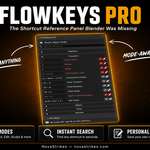
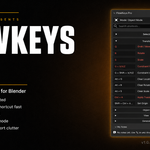
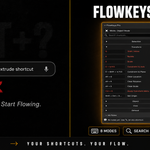
Flowkeys Pro — Shortcut Reference Panel For Blender | All 11 Modes & Editors | Instant Search | Personal Notes
 NovaStrikes




Why do I get an error when installing FlowKeys Pro?
FlowKeys Pro uses Blender's modern Extension format — it installs differently than older addons.
❌ Don't use: Edit → Preferences → Add-ons → Install from Disk
✅ Use instead: Edit → Preferences → Get Extensions → Install from Disk
Select the downloaded zip from there, and you're good to go.
FlowKeys Lite uses the legacy format, which is why it installs normally. Pro is built for Blender 4.2+
Q: Will this impact Blender's viewport performance?
A: Not at all. FlowKeys Pro is built entirely on native Blender UI layouts without drawing resource-heavy OpenGL/GPU overlays in the 3D viewport. It is extremely lightweight, uses zero CPU when idle, and has zero impact on FPS.
Q: Does it support custom keyboard layouts or key remaps?
A: FlowKeys Pro references Blender's standard industry-default key combinations. However, if you remap a shortcut, you can easily document it by clicking the edit icon (✏) next to the shortcut and typing your custom key in the notes!
Q: Where are my custom notes saved?
A: Your notes are stored directly within your active `.blend` file's scene data. This means when you save your project, share it, or reopen it, your custom shortcut notes remain exactly where you left them.
Q: Which versions of Blender are supported?
A: FlowKeys Pro is fully compatible with Blender 4.0 all the way up to Blender 4.5+. It contains a manifest for the modern Blender Extension system (4.2+) and legacy metadata for older versions.
Discover more products like this
shortcuts Blender hotkeys shortcut panel Blender 3D shortcuts reference hotkey reference Workflow 3D Productivity