FlowKeys Pro — Shortcut Reference Panel for Blender | All 11 Modes & Editors | Instant Search | Personal Notes
 NovaStrikes



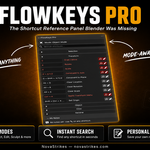
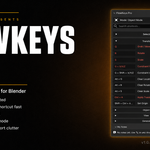
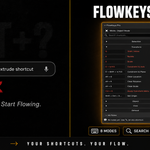

Hidden-hotkey data fixes based on customer-verified reference material — corrected Left/Right Arrow flagging in Sequencer/Timeline/Dope Sheet, added 31 previously-missing hidden shortcuts across Object, Edit, and Sculpt modes
New: Added support for the Video Sequencer, Timeline, and Dope Sheet editors — FlowKeys now shows relevant shortcuts (including hidden ones) in these modes, not just the 3D Viewport.
Hidden hotkeys for these new modes are a first pass, cross-checked against Blender 5.2 LTS's default keymap. If you spot one that's actually menu-reachable (or one that's missing), let us know, and we'll get it patched.
Notes, Favorites, Search, and Copy Shortcut all work the same way in the new modes as they already do in the 3D Viewport.
🆕 What's New in v3.3.0
⭐ Fixed: Favorites Now Persist Across Files
Starred shortcuts used to be tied to whichever .blend file you starred them in — open a different project, and they'd be gone. Favorites are now stored globally and follow you across every file. Starring/unstarring also no longer marks your file as having unsaved changes.
📂 Fixed: Independent Category Expand/Collapse
Expanding one shortcut category used to force-collapse whichever one you had open before — you could never view two categories at once. Categories now expand and collapse fully independently, in both the main panel and search.
🙈 New: Hidden Hotkeys Filter
Based on a great suggestion from a customer — a new per-mode "Hidden" toggle next to search shows only the shortcuts that aren't sitting in any pulldown menu, so you can quickly find the ones you'd never stumble onto by clicking around. Each mode remembers its own filter state independently.
🧹 Removed: Unused pinned_shortcuts leftover
Cleaned up a dead, unused property that was fully superseded by the existing Favorites system.
1. Global Notes — your notes now live in one file on your machine, available across every .blend file automatically. No more retyping per project
2. Notes Export (TXT / JSON) — export all your saved notes to a clean text or JSON file, perfect for backups or sharing your workflow
3. Favorites Toggle — pin your most-used shortcuts to the top of any category, so the ones you need most are always one glance away
Legacy/Extension release — v2.0.0
Historical version, kept available for compatibility. See newer releases for the most current features and fixes.
Initial Release
Discover more products like this
Workflow shortcut panel Blender hotkeys Blender 3D shortcuts reference 3D Productivity shortcuts hotkey reference