 SeongminBjorkArt


FormArmor Pro
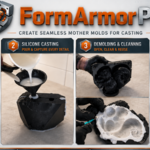
Creating molds in Blender often means repeating the same slow steps: building a shell, planning split lines, adding registration keys, checking release angles, estimating material, and preparing clean STL exports.
FormArmor Pro brings those steps into one focused Blender workflow.
It is made for artists, sculptors, prop makers, product designers, makers, and 3D printing users who want a faster way to prepare mold parts directly from a 3D model.
What FormArmor Pro Helps You Do
With FormArmor Pro, you can create mold-ready geometry inside Blender without building every support feature manually.
Use it to:
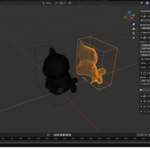
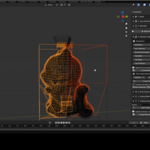
- Generate outer mold shells around your selected object
- Control wall thickness and clearance
- Create single-part or multi-part mold layouts
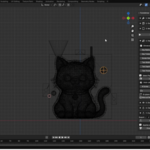
- Use automatic or manual split planes
- Add registration keys for better mold alignment
- Add screw tabs for assembly and clamping
- Check draft angles before printing or casting
- Add a pouring basin and vents
- Estimate silicone volume
- Batch export mold parts as STL files
A More Organized Mold-Making Workflow
FormArmor Pro is designed around a practical mold-preparation process.
Start with your model, run a preflight check, choose shell settings, decide how the mold should split, generate the mold, add alignment and casting features, then export the parts for 3D printing or further production.
Instead of jumping between many manual operations, the add-on gives you a structured panel where the main mold-making steps are available in one place.
Built for Real Blender Workflows
FormArmor Pro does not try to replace mold-making knowledge. It helps reduce repetitive setup work so you can focus more on the design decisions that matter: parting lines, release direction, alignment, wall strength, casting access, and final printability.
It is especially useful when preparing molds for:
- Silicone casting
- Sculpture and prop workflows
- Product prototypes
- Decorative objects
- Small production experiments
- 3D printed mold forms
Important Notes
Every model is different. Complex shapes may still require manual cleanup, adjustment, or testing before real-world production.
Draft analysis and silicone volume estimates are intended as helpful planning tools, not guaranteed engineering results. Always test your mold digitally and review the design before printing, casting, or using expensive materials.
For best results, use clean mesh geometry, apply scale and rotation, and check the mold parts carefully before export.
Requirements
- Blender 4.2.0 or newer
- A prepared mesh object
- Basic knowledge of Blender selection, scale, and object editing
Summary
FormArmor Pro helps turn mold preparation from a scattered manual process into a clearer Blender workflow. Build mold shells, split parts, add alignment features, check release angles, estimate material, and export STL files from one organized add-on.
