FormArmorPro
 SeongminBjorkArt


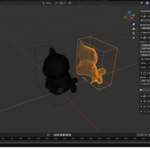
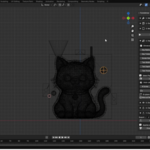
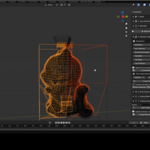
Q: How does planar cutting with split planes work?
A: FormArmor Pro can use split planes to create planar cuts through the mold and divide it into separate parts. For best results, some generated parts may need to be joined, cleaned up, or booleaned together manually afterward, depending on the shape of the model and the intended mold layout. This gives you more control and can help achieve a stronger, cleaner final mold setup.
Q: What license does FormArmor Pro use?
A: FormArmor Pro is licensed under GPL-3.0-or-later.
Q: Can I use manual split planes?
A: Yes. FormArmor Pro supports manual splitting with cut planes, as well as automatic split options.
Q: Does FormArmor Pro work with scanned models?
A: Yes, but scanned models often need cleanup first. The add-on includes cleanup-related tools, but very dense or messy scan data may still require manual preparation before mold generation.
Q: Is the silicone volume calculation exact?
A: No. The silicone volume calculation is an estimate intended for planning. Always allow extra material when preparing a real casting project.
Q: Can I export the mold parts for 3D printing?
A: Yes. FormArmor Pro includes batch STL export for generated mold parts.
Q: Why does the mold generation fail on some models?
A: Mold generation depends on the input mesh and Blender’s boolean tools. Very dense, non-manifold, messy, or extremely small/large models may cause problems. Try applying scale and rotation, cleaning the mesh, reducing mesh density, increasing clearance, or changing the boolean solver.
Q: Do I need mold-making experience to use this?
A: Basic Blender knowledge is recommended. The add-on helps organize and speed up the mold-preparation workflow, but users should still understand basic mold-making concepts such as split lines, draft angles, wall thickness, vents, and casting access.
Q: Can FormArmor Pro create a finished mold automatically from any model?
A: FormArmor Pro helps automate mold shell creation, splitting, hardware placement, draft analysis, casting helpers, and STL export. However, every model is different, so you should always review the result before printing or casting.
Q: Where do I find the add-on after installation?
A: After enabling FormArmor Pro, open the 3D Viewport, press N to open the side panel, and go to the FormArmor tab.
Q: Which Blender versions are supported?
A: FormArmor Pro is designed for Blender 4.2.0 or newer using Blender’s extension packaging system.
Have questions about this product?
Login to message
| Blender Extension Compatible | Yes |
| Sales | 10+ |
| Dev Fund Contributor | |
| Published | 5 months ago |
| Blender Version | 4.2 - 5.1 |
| Extension Type | Add-on |
| Render Engine Used | Blender-Internal, Cycles, Eevee |
| License | GPL |

Discover more products like this
3DPrintingProjects ProductDesign casting STLExport Sculpture 3dprint prototyping generative 3dprinting mold making silicone #propmodeling