 Nexuslab


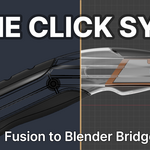
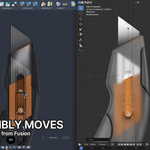
Fusion 360 to Blender in one click
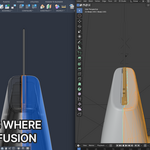
A Blender add-on and a Fusion 360 add-in. Both sit on your machine and connect over localhost, so pressing Sync in Blender's sidebar pulls the active Fusion design straight into the scene.
What it is for
A neutral export carries the geometry and nothing else. Appearances, joints and the BRep face structure do not survive STEP, OBJ or STL, so every trip through Blender starts by reassigning materials, rigging the assembly by hand, and marking edges on a mesh that no longer knows where its faces were. Then the design is revised and you do it again.
This sends that information along with the mesh, and leaves your Blender work in place when you re-sync.
Using it
- Run the installer once. It places the Blender add-on and the Fusion add-in.
- Open the design in Fusion, open Blender.
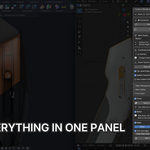
- Sync, in the Fusion 360 tab of the N panel.
Every body in the active document arrives as a mesh object. The component tree becomes nested collections, occurrences keep their transforms, and bodies hidden in Fusion land in collections excluded from the view layer. No export dialog, no intermediate file.
Appearances
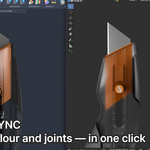
Each body arrives with the appearance assigned to it in Fusion, written into a Principled BSDF: base colour, alpha, roughness and metallic wherever the appearance specifies them. One Blender material per appearance, shared by every body using it, so a recolour is one node tree rather than forty.
Face-level appearance overrides come across as well. Each distinct one takes its own material slot, assigned to the polygons tessellated from that BRep face.
Materials you authored are never written to. A material this created and you have since edited keeps your version; if the body's appearance changes in Fusion, the slot is repointed and your node tree is left alone.
Joints
Each Fusion joint becomes an Empty at the joint origin, aligned to the joint axis, with the joint's motion limits applied as constraints on the driven body. Rotate the Empty and the child body moves, not the occurrence it belongs to. Joint chains are rebuilt in order, so a base to arm to gripper assembly still articulates.
Edge marking
Sharp and Seam are placed on BRep face boundaries instead of being derived from an angle pass over the whole mesh. Tangent-continuous boundaries are skipped, so a fillet running into the planar face it blends with stays unmarked even though the boundary exists in the BRep. A dihedral threshold sets how much of a break counts as an edge.
Sync replaces mesh data, which drops these marks, so they are reapplied per body as it arrives.
Tessellation and topology
- Surface and normal deviation are sent with the request, down to 0.01 mm and 4 degrees, or enter your own. This is the only place density can be set. The mesh is tessellated in Fusion, and nothing downstream recovers detail that was never generated.
- Tris to quads, run per BRep face. Fusion triangulates a planar face as a fan from one vertex, so a disc arrives as a pinwheel of slivers. Merging inside face boundaries means no quad spans two faces and no vertex moves. On a 16-body assembly: 25% fewer faces, 33% fewer slivers.
Re-syncing
Sync swaps mesh data on the existing objects rather than replacing the objects, so anything bound to the object survives a design revision:
- material slots and assignments, including materials you authored
- modifier stacks
- light linking
- Sharp, Seam, Crease and Bevel Weight you set by hand
Also included
A STEP importer. Opens .step and .stp with Fusion closed, at the same tolerances.
Requirements
- Fusion 360 and Blender 4.1 or later, on the same machine
One installer sets up both halves on Windows or macOS, and the same file updates or removes them. Verified on Apple Silicon (macOS, Blender 4.2): geometry, materials, modifiers and edge marks sync correctly.
The add-in and the add-on talk over localhost 127.0.0.1 and nothing else. No account, no licence server, no outbound connection.
Licence, updates, refunds
- One year of updates from the date of purchase
- Support for your version during that year
- Full source, GPL
One purchase covers one person. Choose seats at checkout.
7-day refund available
한국어
Fusion 360에서 Blender로, 클릭 한 번
Blender 애드온과 Fusion 360 애드인 한 쌍입니다. 둘 다 같은 PC에서 돌면서 localhost로 연결되기 때문에, Blender 사이드바에서 Sync를 누르면 Fusion에서 열려 있는 디자인이 곧바로 씬으로 들어옵니다.
어떤 용도인가
중립 포맷으로 내보내면 지오메트리만 넘어옵니다. Appearance도, 조인트도, BRep 페이스 구조도 STEP, OBJ, STL을 통과하지 못합니다. 그래서 Blender로 넘길 때마다 머티리얼을 다시 배정하고, 어셈블리를 손으로 리깅하고, 페이스 정보가 사라진 메시 위에 엣지를 표시하는 작업부터 시작하게 됩니다. 그리고 설계가 수정되면 처음부터 다시 합니다.
이 애드온은 그 정보를 메시와 함께 보내고, 다시 동기화해도 Blender에서 한 작업을 그대로 둡니다.
사용 방법
- 인스톨러를 한 번 실행합니다. Blender 애드온과 Fusion 애드인이 함께 설치됩니다.
- Fusion에서 디자인을 열고, Blender를 켭니다.
- N 패널의 Fusion 360 탭에서 Sync.
활성 문서의 모든 바디가 메시 오브젝트로 들어옵니다. 컴포넌트 트리는 중첩 컬렉션이 되고, 오컬런스는 트랜스폼을 유지하며, Fusion에서 숨긴 바디는 뷰 레이어에서 제외된 컬렉션으로 들어갑니다. 내보내기 창도, 중간 파일도 없습니다.
Appearance
각 바디는 Fusion에서 배정된 appearance를 그대로 갖고 들어오고, Principled BSDF에 기록됩니다. Appearance가 지정하고 있는 항목에 한해 base color, alpha, roughness, metallic이 들어갑니다. Appearance 하나당 Blender 머티리얼 하나이고 그것을 쓰는 모든 바디가 공유하므로, 색을 바꿀 때 노드 트리 40개가 아니라 하나만 만지면 됩니다.
페이스 단위 appearance 오버라이드도 함께 넘어옵니다. 서로 다른 오버라이드마다 머티리얼 슬롯이 하나씩 생기고, 그 BRep 페이스에서 테셀레이션된 폴리곤에 배정됩니다.
직접 만든 머티리얼에는 쓰지 않습니다. 이 애드온이 만들었더라도 이후에 손을 봤다면 그 버전을 유지하고, Fusion에서 바디의 appearance가 바뀌면 슬롯이 가리키는 곳만 바꾸고 노드 트리는 건드리지 않습니다.
조인트
Fusion의 조인트 하나가 조인트 원점에 놓이고 조인트 축에 정렬된 Empty가 되며, 조인트의 모션 한계값이 대상 바디의 컨스트레인트로 들어갑니다. Empty를 돌리면 자식 바디가 움직이고, 그 바디가 속한 오컬런스는 따라 움직이지 않습니다. 조인트 체인은 순서대로 재구성되므로 베이스에서 암, 그리퍼로 이어지는 어셈블리도 그대로 관절 운동을 합니다.
엣지 마킹
Sharp와 Seam을 메시 전체의 각도 판정으로 뽑지 않고 BRep 페이스 경계에 찍습니다. 접선 연속인 경계는 건너뛰기 때문에, 필렛이 자기가 블렌딩하는 평면으로 이어지는 자리는 BRep상 경계가 있어도 표시되지 않습니다. 다이히드럴 각 기준값으로 어느 정도 꺾여야 엣지로 볼지 정합니다.
Sync는 메시 데이터를 교체하면서 이 마킹을 지우므로, 바디가 들어올 때마다 다시 적용됩니다.
테셀레이션과 토폴로지
- Surface Deviation과 Normal Deviation을 요청과 함께 보냅니다. 0.01 mm, 4도까지 내려가고 직접 입력할 수도 있습니다. 밀도를 정할 수 있는 곳은 여기뿐입니다. 메시는 Fusion에서 테셀레이션되고, 애초에 생성되지 않은 디테일은 이후 어느 단계에서도 복구되지 않습니다.
- Tris to Quads를 BRep 페이스 단위로 실행합니다. Fusion은 평면 페이스를 정점 하나에서 부채꼴로 삼각분할하기 때문에 원판이 슬리버 뭉치로 들어옵니다. 페이스 경계 안에서만 병합하므로 쿼드가 두 페이스에 걸치지 않고 정점도 움직이지 않습니다. 16바디 어셈블리 기준으로 페이스 25%, 슬리버 33% 감소.
다시 동기화할 때
Sync는 오브젝트를 교체하지 않고 기존 오브젝트의 메시 데이터만 바꿉니다. 그래서 오브젝트에 묶인 것은 리비전을 넘어 살아남습니다.
- 머티리얼 슬롯과 배정 (직접 만든 머티리얼 포함)
- 모디파이어 스택
- 라이트 링킹
- 손으로 찍은 Sharp, Seam, Crease, Bevel Weight
함께 들어 있는 것
STEP 임포터. Fusion을 켜지 않고 .step, .stp를 같은 공차로 엽니다.
요구 사항
- 같은 PC(Windows 또는 macOS)에 Fusion 360과 Blender 4.1 이상
인스톨러 하나로 Windows·macOS 양쪽에 설치되고, 업데이트와 삭제도 같은 파일로 합니다. Apple Silicon(M3, Blender 4.2)에서 형상·재질·모디파이어·엣지 마킹 동기화가 정상 작동함을 확인했습니다.
애드인과 애드온은 로컬 호스트 127.0.0.1로만 통신합니다. 계정도, 라이선스 서버도, 외부로 나가는 연결도 없습니다.
라이선스, 업데이트, 환불
- 구매일로부터 1년간 업데이트
- 같은 기간 동안 사용 중인 버전 지원
- 전체 소스, GPL
1회 구매는 1인 기준입니다. 결제할 때 시트 수를 고를 수 있습니다.
7일 이내 환불 가능합니다.
