Gaudi Topo
 Dmitrii Smirnov


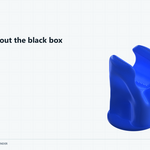
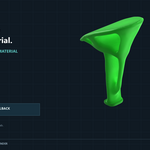
From design volume to independently verified result
A practical quick start for building a clean topology-optimization study inside Blender.
|
Blender 4.5 or newer |
Platform Windows x64 |
Acceleration CUDA optional |
Fallback Included CPU route |
Install GaudiTopo
- Open Edit → Preferences → Get Extensions.
- Open the extension menu and choose Install from Disk.
- Select the GaudiTopo ZIP without extracting it.
- Enable the extension if Blender does not enable it automatically.
- Open the GaudiTopo tab in the 3D View sidebar.
Use one closed manifold mesh that represents the maximum volume the generated structure may occupy. Apply object scale and repair non-manifold geometry when possible.
Guided workflow
Choose the design volume
Select the source object and confirm that it represents the full space available to the future structure.
Build and approve the Uniform Mesh
Choose the engineering mesh density, build the uniform mesh, inspect it, and approve it. Loads and supports are assigned to this predictable mesh rather than irregular source topology.
Choose material and Print Density
Select PLA, ABS, PETG, ASA, PA12 / Nylon, or Polycarbonate. The profile supplies a conservative starting point; Target Safety Factor remains adjustable.
Define fixed areas
Select the faces representing real clamps, bolts, bonded regions, or supports. Use enough surface area to describe the real attachment instead of constraining an accidental point.
Add loads and load cases
Add up to 10 Force, Pressure, Bearing, Moment, or Remote Force conditions. Define magnitude, direction, and case.
- Loads with the same case number act simultaneously.
- Different case numbers remain separate structural requirements.
Generate the structure
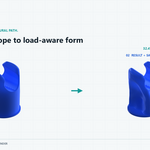
Choose Engineering Fidelity and press Generate Design. GaudiTopo performs pre-analysis, Target Safety Factor Search, and SIMP topology optimization. The viewport shows the density surface, stress utilization, progress, and current state.
Verify the delivered mesh
With Independent Verification enabled, GaudiTopo re-voxelizes the final surface and solves a separate FEM problem. You can also use Verify Result Mesh later on the active result.
Understand the result
| Status | Meaning |
|---|---|
| ● PASS | Implemented checks passed for the stated assumptions. |
| ● REVIEW | The result needs engineering review or complete verification evidence. |
| ● FAILED | A required numerical or engineering check did not pass. |
GPU and CPU behavior
GaudiTopo detects the available native backend. Compatible NVIDIA hardware uses CUDA for supported work. Systems without a usable CUDA device can continue through the CPU route, although calculations may take longer.
Avoid common setup errors
- Use realistic units, material assumptions, loads, and supports.
- Do not overlap load and support regions.
- Keep preserved regions below the requested retained material fraction.
- Begin at moderate fidelity to validate the study before a long run.
- Physically test every real load-bearing print.
Important engineering limitation
GaudiTopo is an engineering exploration and screening tool, not a certification solver. FDM anisotropy, layer adhesion, defects, print orientation, temperature, wall strategy, and machine calibration can dominate real-world strength. Physically validate every load-bearing manufactured part.
Have questions about this product?
Login to message
| Blender Extension Compatible | Yes |
| Published | about 2 months ago |
| Blender Version | 4.5 - 5.2 |
| Extension Type | Add-on |
| Render Engine Used | Blender-Internal, Cycles, Eevee |
| License | GPL |
Discover more products like this
FEM engineering generative design Additive Manufacturing structural optimization simulation drone Robotics Mechanical Design finite element analysis topology optimization 3d printing