 WWS3D
WWS3D


⚡ Blender 4.2+ Compatible
Grid Cutter
Fill any n-gon with a clean grid of cuts — in one click.
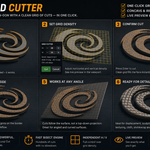
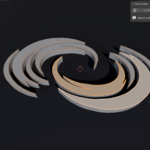
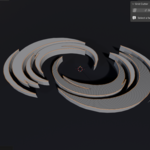
Knife and Loop Cut get slow and fiddly on complex faces. Grid Cutter does it instantly — even on concave swirls, imported logos and text, boolean leftovers, and faces that aren't lying flat.
Key Features
⚡ One-Click Grid Fill
Select a face, set horizontal & vertical density, and cut. That's it.
🔲 Concave & Irregular N-gons
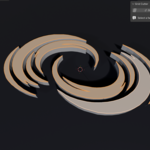
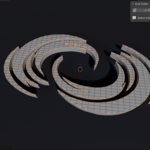
Swirls, letters, logos, boolean results — clean quads inside, tidy n-gons on the border.
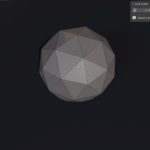
📐 Works at Any Angle
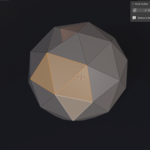
Flat, tilted, vertical, even faces on curved surfaces. Cuts follow the surface, not a top-down projection.
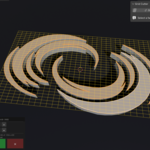
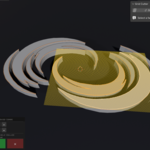
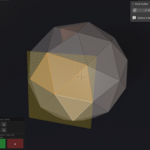
👁️ Live Viewport Preview
See the exact grid before you commit — no guesswork.
🎚️ Independent H / V Control
Scroll to adjust both. Shift = H only, Alt = V only, Ctrl = ×10 steps.
🚀 Fast Bisect Engine
Stays responsive even at high densities — hundreds of cuts.
Perfect For
📦 Add workable topology to flat imported shapes (SVG / text / logos) for displacement or sculpting.
🧵 Build grid bases for cloth, lattice, shrinkwrap or surface detailing.
⏱️ Replace slow manual Knife / Loop Cut work on complicated faces.
How To Use
1Enter Edit Mode and select one face.
2Open the N-panel → Grid Cutter tab and click Grid Cutter.
3Scroll to set density (live preview), press Enter to cut · Esc to cancel.
Compatibility
Blender 4.2 and newer (installs as an Extension)
Platforms Windows · macOS · Linux
License GPL-3.0-or-later
⚡ Select a face. Scroll. Cut. ⚡
