 WWS3D
WWS3D


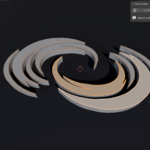
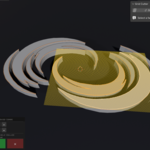
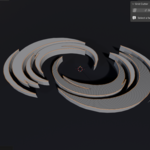
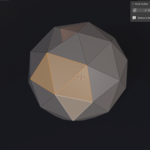
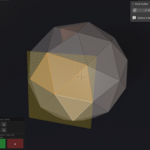
What is it useful for?
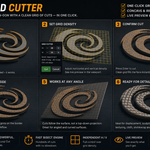
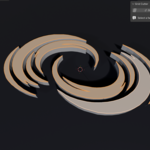
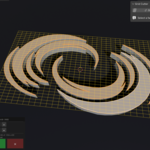
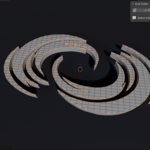
Adding clean, workable topology to flat or imported shapes (SVG, text, logos, boolean results) for displacement, sculpting, cloth, lattice, shrinkwrap and general modeling — a fast replacement for manual Knife or Loop Cut work.
Is it fast with a high number of cuts?
Yes. The bisect engine stays responsive even with hundreds of cuts, so you can build dense grids without slowing down.
Can I control horizontal and vertical density separately?
Yes. Scroll adjusts both at once. Shift + Scroll changes horizontal only, Alt + Scroll changes vertical only, and Ctrl + Scroll moves in ×10 steps. You can also use the − / + buttons in the on-screen panel.
Does it work on concave, irregular or angled faces?
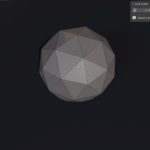
Yes. It works on concave, convex, flat, angled and even curved-surface faces. The cuts follow the surface, not a top-down projection, so the grid stays correct at any orientation. You get clean quads inside and tidy n-gons on the border.
How do I use Grid Cutter?
Enter Edit Mode, select one n-gon face, open the N-panel (N) and go to the Grid Cutter tab. Click "Grid Cutter", scroll to set the horizontal and vertical density (live preview), then press Enter to cut. Press Esc to cancel.
Which Blender versions and platforms are supported?
Blender 4.2 and newer. Grid Cutter installs as an Extension and works on Windows, macOS and Linux.
$12
Have questions about this product?
Login to message
| Blender Extension Compatible | Yes |
| Published | 3 months ago |
| Blender Version | 4.2 - 5.1 |
| Extension Type | Add-on |
| Render Engine Used | Cycles, Eevee |
| License | GPL |

Discover more products like this
modeling ngon Bisect grid cut displacement mesh editing grid cutter subdivide grid fill n-gon topology