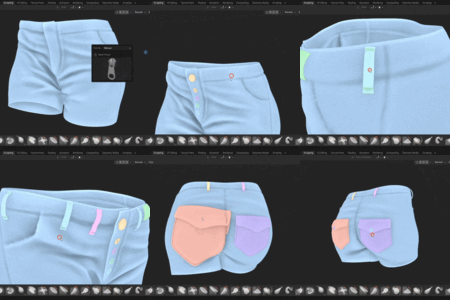
Imm Tool - Blender Integration

Playful Pixel in Modeling


Item Rating

This item has an average rating of 5 from 4 ratings by the community.

100%
0%
0%
0%
0%

Purchase this item to leave a review!

  • teketeke
    9 months ago

    I encountered an error in the initial version, but after reporting it, the developer fixed it immediately. It works perfectly now. Thank you for the great support and the amazing tool!

  • sameer uddin
    12 months ago

    This works perfectly as expected . I just bought both surfaceflow and IMM brush tool and they are really good. I have other addons which are in the same domain , but seems like this was the best out of the box out of all of them .
    I know my way around blender but at best an intermediat plus . But i think just rerefing it to the readme html for IMM and the short demo vid for SFlow , i managed to make it work without great difficulty.
    speaking of IMM for a few 'not so savvy or hands on users' like me i am just going to add a little info here.
    1. Once you install it - it will show up in your 'SCULPTING' workspce as a 'BRUSH' . Don't go looking for it on the main page's N or T panel . you wont find it there.
    2. Once you select the IMM brush(usually the 3rd one) - look at the 'RIGHT HAND TOP' of the workspace you will see the IMM drop down.
    3. Before you can work with the IMM brush it expects you have to have a few objects saved in a seperate blend file marked as assets and saved in your file paths - thousands of tutorials on how to do it.
    4.In this drop down you will see a load asset and blend file menu . Load that blend file from here..and paint away , its beautiful .
    5. There are some extra menus on the side panel for the brush properties like depth and offset that help you get the embedded or pop out look for the objects placed on top.
    6.These objects that you paint with your brush , they don't get fused with the base object your are placing the IMM brush objects on . Once you are happy you can do a boolean Union and it really blends in the main mesh seamlessly if that is what you'd like to do.

    I am using it on Blender 4.5.3LTS on a PC machine without any fuss. It works very well and does the job beautifully. for placing extra objects on your mesh this is really cool quick and intuitive.

    hope this helps the few who are on my level.
    My wishlist for this beast (if it is not already possible as i haven't RTFM properly)
    1. Join mesh option within the sculpting page so that it can be then remeshed right there for people with the destructive mindset (when it comes to modelling)
    2. If it is possible - a material transfer or rentention option just like the decal addons if that is possible.

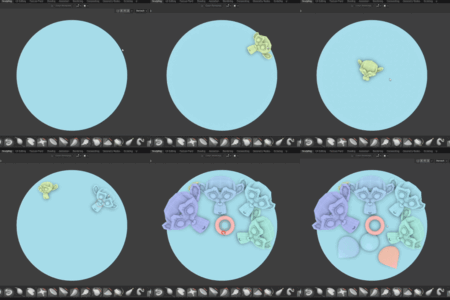
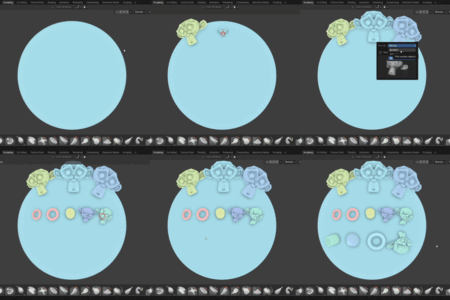
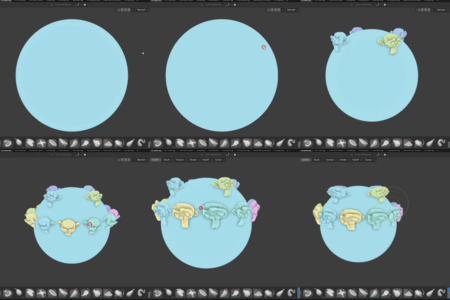
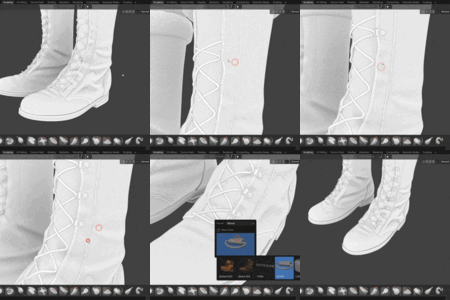
    none the less this is a gem . The demo gifs tell you all it does .

    • Mahdi Keivanlou

      12 months ago

      Thanks for the great feedback and tips! I'm really glad the tools are working well for you.

  • Morteza Shateri
    12 months ago

    It’s incredibly useful! I’ve been looking for an IMM tool like the one in ZBrush for Blender for years. this is 10000% worth it! The developer is also very kind and responds really quickly!

    • Mahdi Keivanlou

      12 months ago

      I'm really glad to hear it's helping your workflow! Thanks for the kind words and support — it means a lot!

  • Chris
    12 months ago

    On first install the IMM Tool addon didn’t behave as advertised on my system, and I was understandably frustrated. I reached out to the creator and we worked through the problem step by step. Along the way I learned quite a bit about properly loading Assets in Blender and where some of the common pitfalls are. The developer did some updates that resolved my issues and is actively improving the documentation, which should help other users avoid the same setup hurdles.Today the addon is working as expected and has been a useful addition to my workflow. I appreciate the responsiveness and commitment to fixing problems quickly. Based on my current experience with the updated version and the support I received, I’m changing my review toĀ 5 stars.

    • Mahdi Keivanlou

      12 months ago

      Hi Chris,
      I’m sorry to hear you’ve had trouble getting the addon to work. I wish you had reached out to me directly first, as I’m always happy to guide users through setup and troubleshoot issues together.
      The addon relies on Blender’s own functions to import brushes, so if there’s a crash it may be related to Blender itself or to a very specific setup. On my side, I’ve tested with thousands of brushes and heavy geometry on a much less powerful laptop without issues. Loading icons for a very large number of brushes can take some time, but it should not cause Blender to crash.
      To help resolve this, it would be very useful if you could share a crash log, details about your operating system, or even a short video showing what happens. This will allow me to pinpoint the problem and improve the addon for everyone.
      The addon is still in early development, and feedback like yours is important for making it better. You’re the first to report this issue, and I’d really like to work with you to find a solution. A video tutorial is also on the way very soon to make setup clearer.
      Thank you for your patience, and I hope we can get this working smoothly for you.
      Best regards,
      Mahdi

  • Displaying 4 ratings
  • This license grants one individual the right to use the IMM Brush Tool for personal, non-commercial projects.

    $12
  • This license allows one individual to use the IMM Brush Tool for commercial purposes.

    $20
  • This license permits commercial use across multiple workstations within a small studio environment.

    $75
  • This license covers unlimited users within a single organization.

    $500
$12

Have questions about this product?
Login to message

Details
Blender Extension Compatible Yes
Sales 100+
Rating
4 ratings
Dev Fund Contributor
Published about 1 year ago
Blender Version 4.2 - 4.5
Extension Type Add-on
Render Engine Used Arnold, Blender-Internal, Blender-Game-Engine, Cycles, Eevee, Freestyle, Luxrender, Mental-Ray, Octane, Vray, Yafaray
License GPL