 JFW
JFW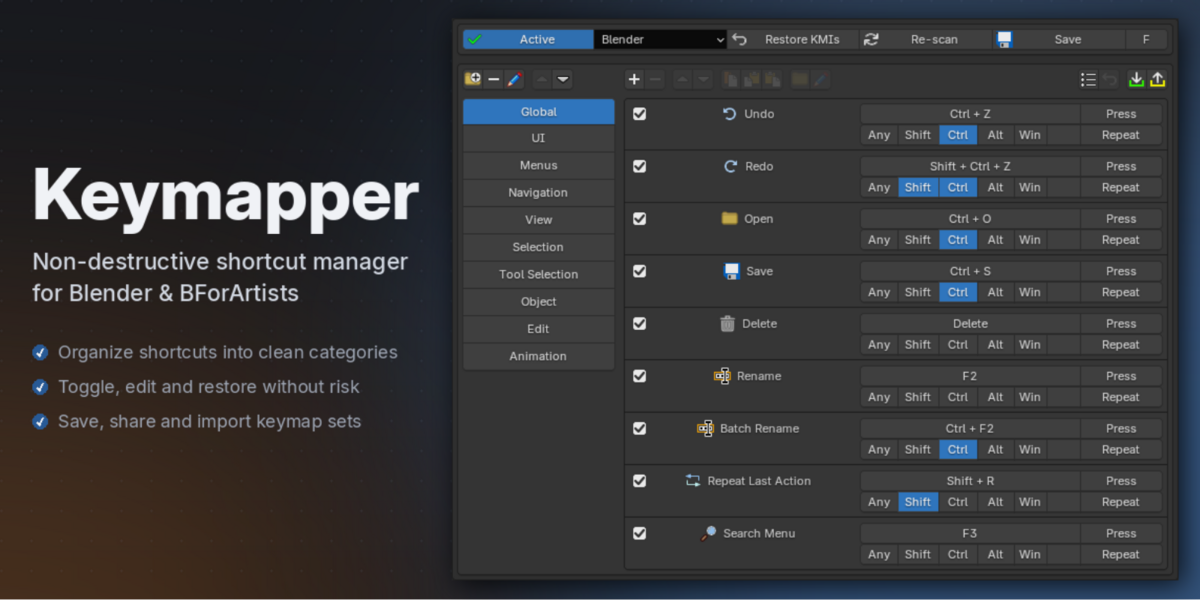



Fixed shortcuts running the wrong operator setting
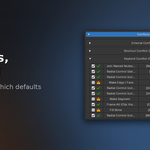
A shortcut whose setting matched the operator's own default could attach itself to an existing binding on that key rather than creating its own. That binding carried no setting, so Blender fell back to whichever value you used last — the shortcut ran the wrong variant while looking correct in the keymap editor. Near-identical shortcuts on other keys were unaffected, which is what made it hard to spot. Existing entries are fixed by updating; no need to recreate them.
Keymapper now warns in the console if a shortcut's setting fails to apply
Faster startup.
Where 1.3.2 fixed wasted CPU work in the scan, this fixes wasted disk reads — Keymapper was checking your add-ons folder thousands of times per scan instead of once. Most noticeable on Windows and slower drives, where startup and file loading should now take a fraction of the time.
Much faster startup and file loading.
Keymapper's operator scan was asking Blender for its operator list in a way that made Blender re-process the entire list once for every operator category. The scan now reads it once. Startup is around three times faster and opening or creating a file around six times faster, with a bigger improvement the more add-ons you have installed — the old approach got disproportionately slower as the number of operators grew.
- Operator properties can now be cleared.
Each property in the operator editor has an X to clear it, matching Blender's own keymap editor. A cleared property isn't stored at all, so the operator uses its default behaviour — clearing Section on "Open Preferences", for example, makes it open whichever panel you had open last.
-
Import now offers Replace or Add.
Importing a shortcut file when you already have entries asks whether to replace
everything or add the imported set alongside what you have. Added entries keep
their folders, and re-importing the same file no longer duplicates folders or
collides with existing entries. A fresh setup imports straight away with no
prompt.
-
Fixed a crash (EXCEPTION_ACCESS_VIOLATION) when restoring keymap items.
Restoring a shortcut could hand Blender a keymap item with no factory original
behind it. Blender dereferences that without checking and the process dies — a
hard crash no error handling can catch. Keymapper now verifies a factory
original exists before asking Blender to restore.
-
Fixed phantom keymaps appearing in Preferences > Keymap.
Entries referring to a keymap that doesn't exist in your Blender version caused
Keymapper to create an empty keymap Blender never routes input to — those
shortcuts silently did nothing, and the leftover keymaps were what made the
crash above possible. Keymapper now refuses to create a keymap that isn't real.
-
Outdated keymap names are now migrated automatically.
Shortcuts saved under names Blender has since renamed are updated on load:
"Grease Pencil Paint Mode" to "Grease Pencil Draw Mode", "SequencerCommon" to
"Video Sequence Editor", "SequencerPreview" to "Preview", and "NLA Channels" to
"NLA Tracks". Affected shortcuts start working again without any manual fixing.
The Grease Pencil draw-mode context menu in the Context Menu preset is fixed
by this.
-
Improved conflict detection in the Video Sequencer.
The sequencer preview keymap was listed under a name Blender doesn't use, so
conflicts there went undetected.
-
Fixed restores targeting the wrong item in the addon keyconfig layer.
Addon-layer restores were resolved against the active keyconfig instead of the
addon one, so an ID collision could revert an unrelated shortcut.
Fixed - Removed an operator from the Reveal preset that no longer exists in Blender 5.2 (its function is covered by another operator already in the preset)
Some entries (like "Toggle Proportional Edit") didn't disable the default keybindings they should override. They do now — existing entries included.
Improvements
- Moving entries up and down is now near-instant — with many entries, each move used to take up to a second.
- Faster conflict scanning overall: adding, editing, and deleting entries recomputes conflicts several times faster with large entry lists.
- The "Selected:" summary in the Browse Operators popup collapses repeated names — adding the same operator several times reads as "Call Menu (x7)" instead of listing it once per instance.
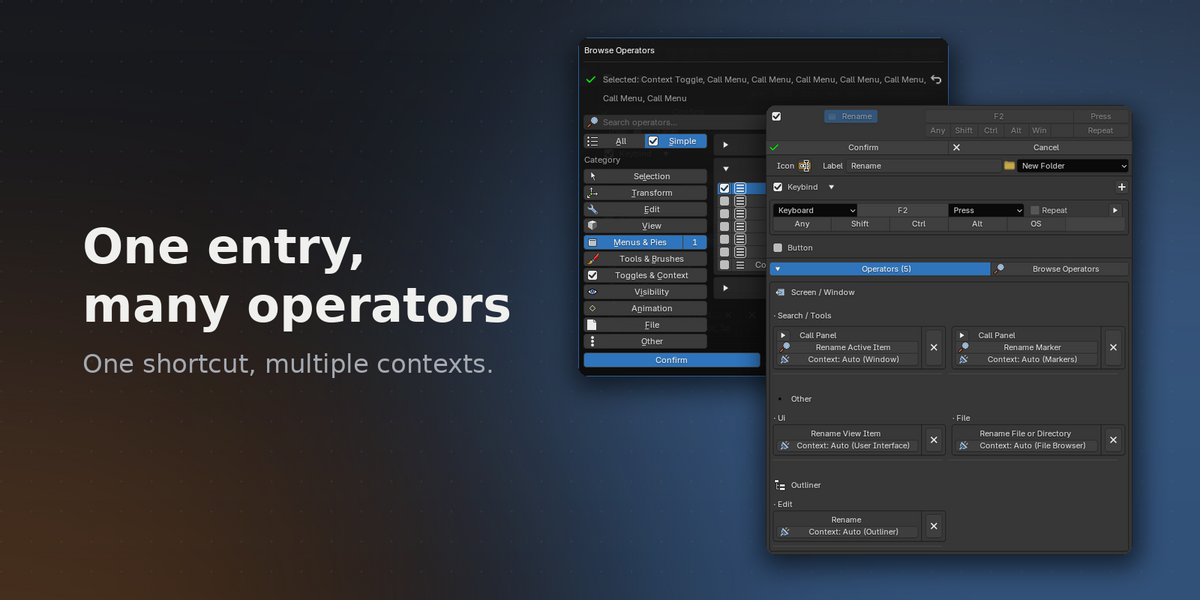
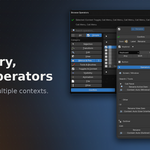
New popup dialogs for browsing operators and picking menus, tools, contexts, and button locations — draggable, with Confirm/Cancel so nothing changes until you commit.
Clearer names everywhere: duplicate menus, operators, and tools are told apart ("Select All (Graph)", "Select Circle (Sequencer)", "Brush (Blur)"), and the tool picker now lists every tool from every editor — organized into groups.
Redesigned editor: responsive operator grid, cleaner header, per-operator Properties dropdown, and a right-click popup that matches the main editor.
Better buttons: live preview while editing, a visibility toggle on the card, and locations editable straight from the card.
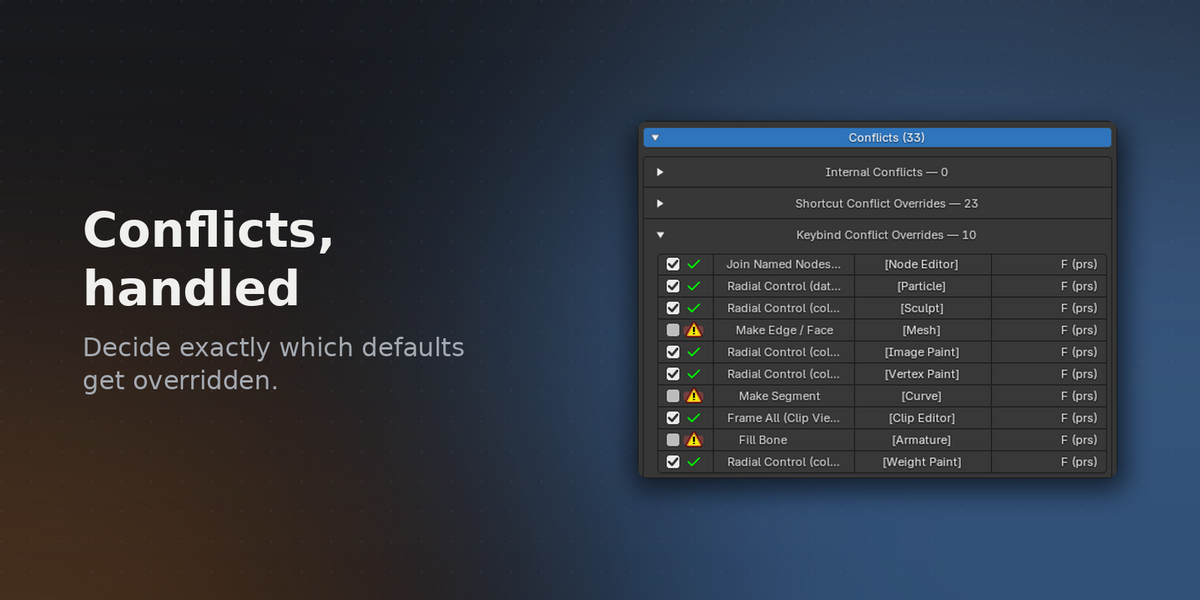
Addon conflict detection: conflicts with other addons get their own section, and all conflict counts show live previews of unsaved edits.
Plus: red highlight on unbound keys, smarter folder selection on delete, polished entry cards, and fixes for hidden preset folders, wrong preview icons, and a UI bug when cancelling the context picker.
* Fixed a duplicated entry silently disabling the original's shortcut after being moved above it.
* Fixed the master Active/Inactive switch being bypassed by edits.
* Fixed editing an entry bound identically to a Blender default killing its shortcut.
* Fixed overridden Blender defaults sometimes staying disabled after their entry was removed.
* Fixed "Restore KMIs" deleting some factory bindings that share one key.
* Preset entries are now stored with the same complete field set as imported entries.
* Fixed picking a multi-operator in the Simple browse view also selecting a neighbouring one.
A grouped operator counted as selected as soon as its first property variant was in the selection, so two groups that shared one variant lit up together.
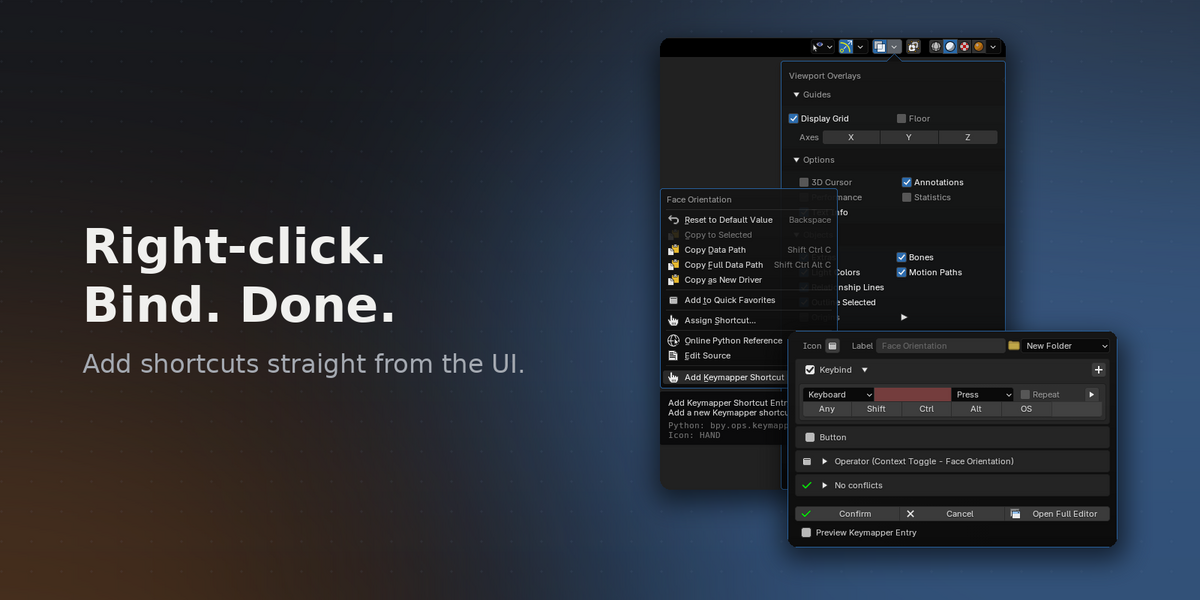
When adding a shortcut from the right-click menu, a popup panel now appears where you can finalize the shortcut creation without needing to open the full Keymapper panel.
There is also a button in the popup panel to re-direct you to the full Keymapper panel if you want to edit it further there.
Three new togglable options have therefore been added to the addon preferences, where you can select which Keymapper panel it should re-direct to.
* (NEW FEATURE) Changelog
Added a collapsable changelog in addon preferences, making it possible to see everything that's changed since release.
* (NEW) Update notification.
If Keymapper was installed through the online extension system, the main panel now shows an "Update Available!" banner when a newer version has been published. Clicking it opens Blender's extension list so you can install the update. The check reads the repository listing Blender itself has already downloaded, so it appears once Blender has checked for updates.
* (NEW) Every keybind of an entry now has its own slot.
Entries with several keybinds previously showed only the first one plus a "+ N other keybindings" note. Each keybind is now listed in full on the entry card, and entries that also create a button show it beneath them.
* (NEW) Attribute names are now shown in plain language.
Entries built on wm.context_* operators are named after the setting they change, so a shortcut now reads "Face Orientation" instead of "Context Toggle".
* (NEW) "Show in Keymap" is now permanently enabled, so at least one Keymapper panel always exists.
* Reworked the entry editor layout.
Icon, label and folder now share one row, the Keybind and Button checkboxes double as their section headers, and each selected operator sits in its own box with its properties below the context selector.
* Fixed internal conflicts not being detected for entries bound in global keymaps.
An entry living in the Window or Screen keymap fires in every editor, but it was only compared against a fixed list of contexts. Anything outside that list — Animation, Sequencer, Grease Pencil modes and others — was treated as unrelated, so real collisions went unreported.
* Fixed conflicts being missed for operators that bind to many keymaps.
Activating an entry registers its operator in every keymap that operator belongs to, but conflict detection only considered the first one, so collisions in the other keymaps went unreported.
* Fixed the conflicts list not refreshing after changing a keybind.
Internal conflicts were served from a cache that was not cleared when the shortcut changed, so a conflict found with the previous keybind could stay listed after it no longer applied.
* Fixed a crash that could occur while scanning the keyconfig after enabling or disabling add-ons.
* Fixed the enable checkbox doing nothing on an entry that had not been confirmed yet.
* Fixed a button using the operator name instead of the entry label when no custom button label was set.
* Updated Documentation to reflect changes.
Fixed a bug where the initial "Scan Keyconfig" would not go away after scanning if Keymapper was installed through the extension system.
Initial release of Keymapper.
Have questions about this product?
Login to message
Discover more products like this
Blender keymap editor keymap customization Hotkeys productivity Keymap customization Shortcut management Keybinding helper Workflow keyboard shortcuts Custom keymaps