 Peakz
Peakz

Photoshop-style Editor, right inside Blender
Layers, masks, brushes, filters, text and PSD files in Blender's Image Editor. Your model updates with every stroke.
Blender 4.2 – 5.2Windows · macOS · LinuxOpens & saves PSDv1.1
1.1
OUT NOW
NEW IN LAYERIFY
Your renders and your model, now in layers.
Finish a render without leaving Blender, paint on the model with every stroke landing in a layer, and work faster with UV tools and your own keys.
ALSO NEW
Camera Raw filterAdjustments, upgradedCryptomatte masksSymmetry for every brushBlend modes previewed liveTwo new themes
…and that's before the brushes, the filters and the Channel Packer.
ONE TEXTURE, START TO FINISH


Edit the texture. Watch the model.
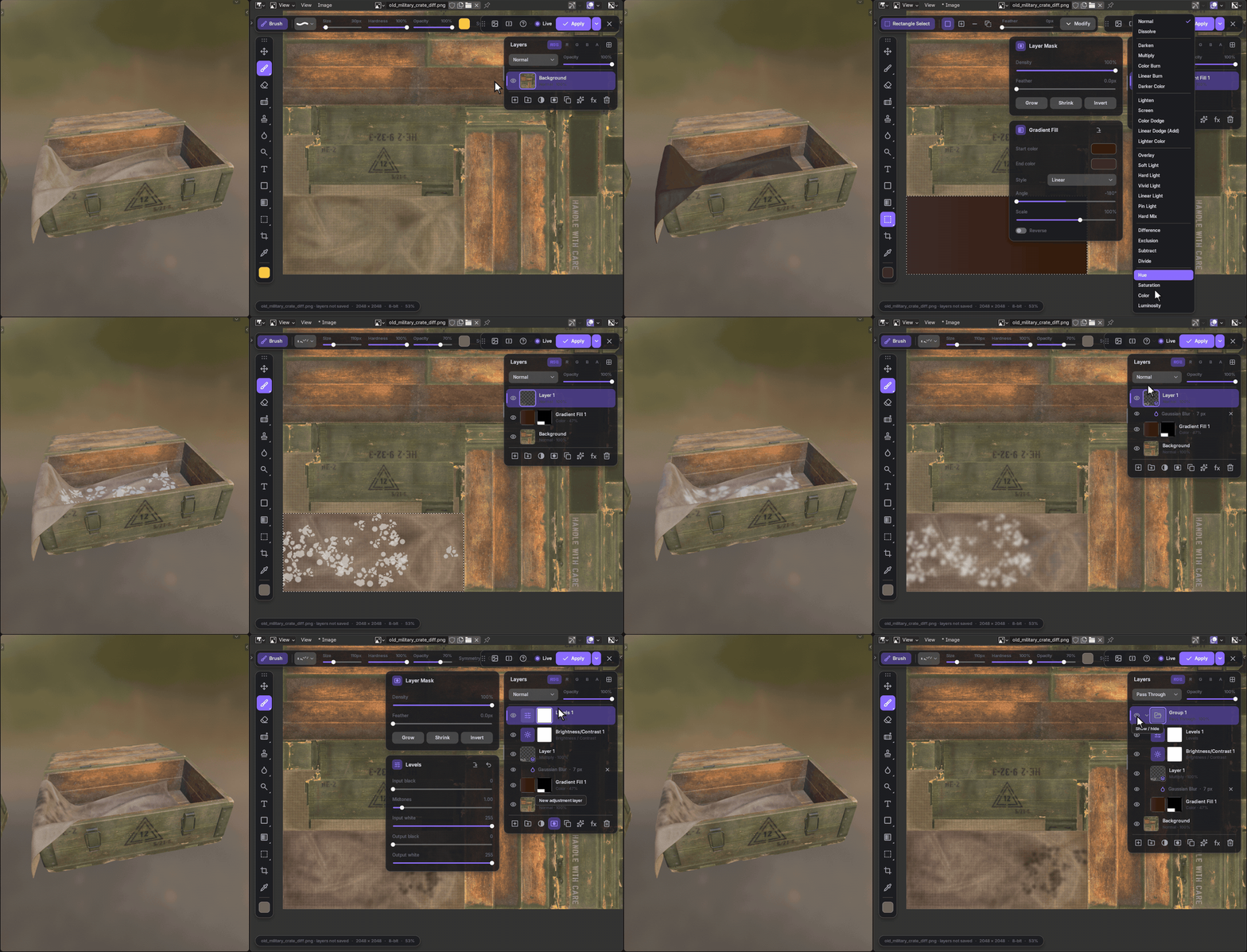



Recolor the tarp with a fill layer, paint grunge and blur it as a smart filter, lift the contrast. Hiding the group shows where it started.
01
No more round trips
No exporting to Photoshop, saving and reloading. The editing comes to the texture.
02
Nothing is final
Layers, masks, adjustment layers and smart filters: change any of it next week.
03
Your files, your tools
Open and save PSDs from Photoshop, Krita or Photopea; bring your .abr brushes.
04
Paint on the model too
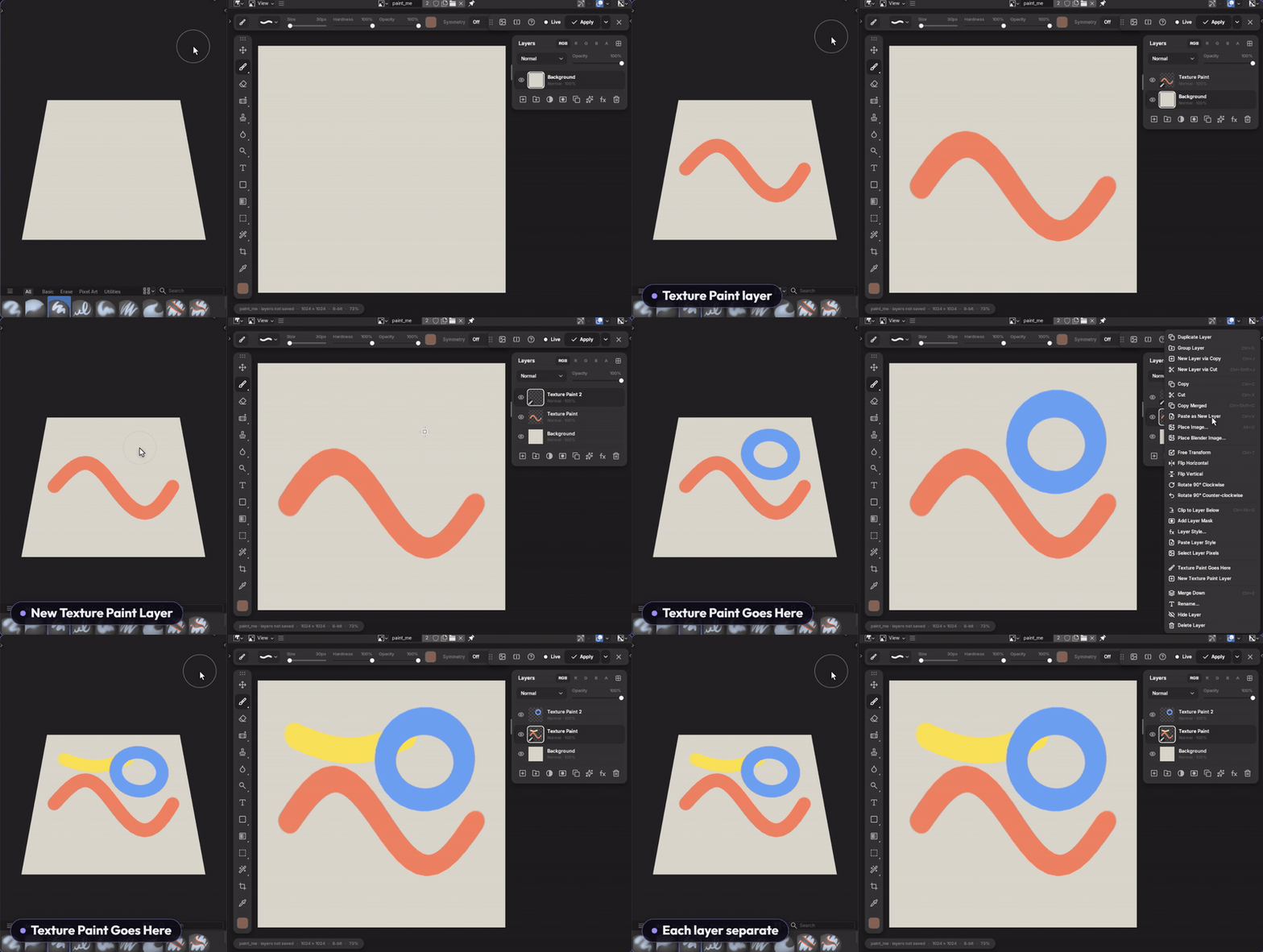
Use Blender's Texture Paint: every stroke lands in a layer you can mask, recolor or undo.
PAINT
Brushes, including yours
Find a brush by name, see its stroke before you pick it, paint. Pressure, symmetry (radial, or your own mirror lines), dynamics, texture and dual brushes, like the ones you're used to.
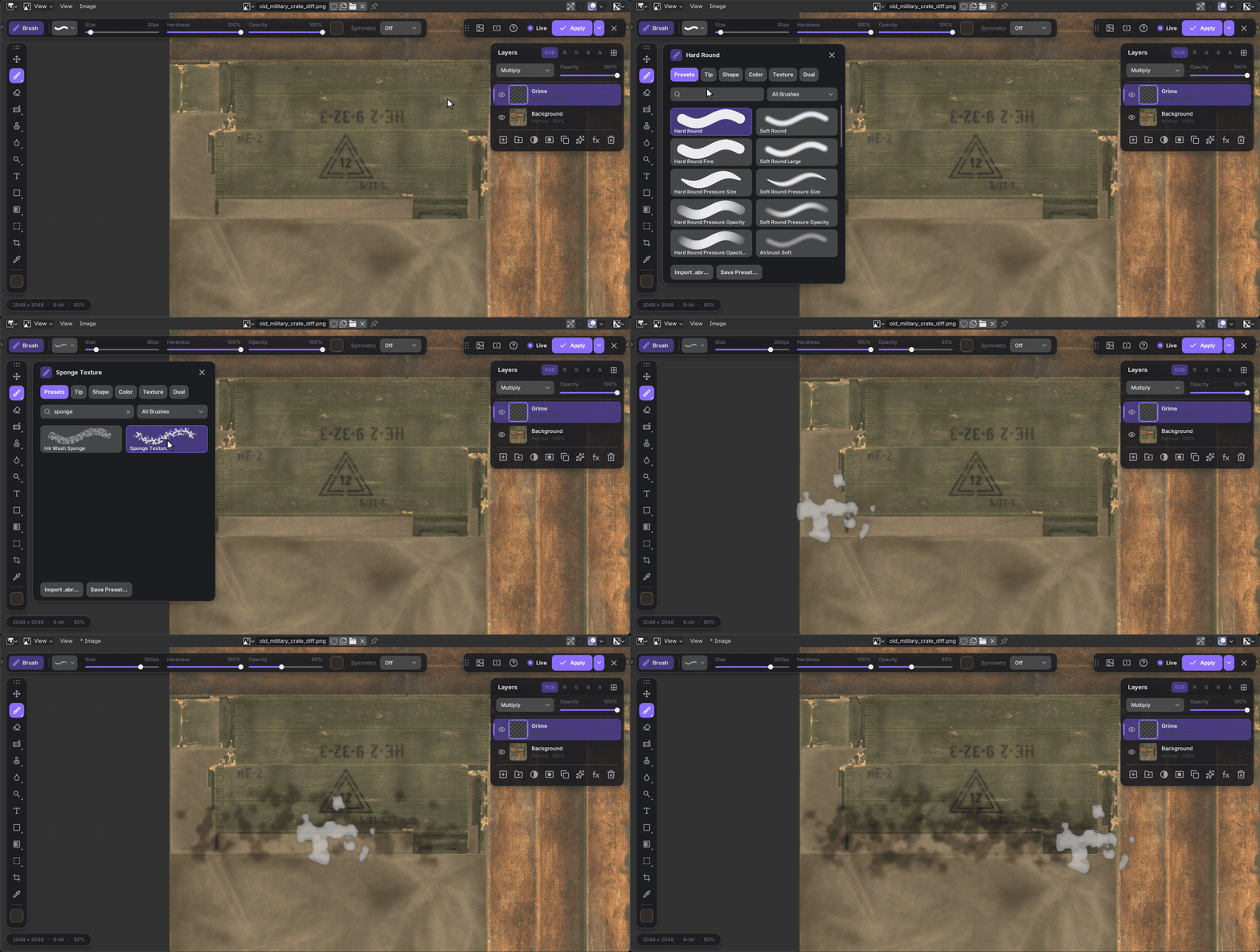
Pen pressureRadial & custom symmetryShape & color dynamicsTexture & dual brushDodge / Burn / Smudge
RETOUCH
Move a detail, heal what's left
Select a stencil code with room around it, copy it to a layer and centre it under the triangle. The Healing Brush paints the old spot away with wood from beside it, then blends the copy's seams so the plank lines carry on.
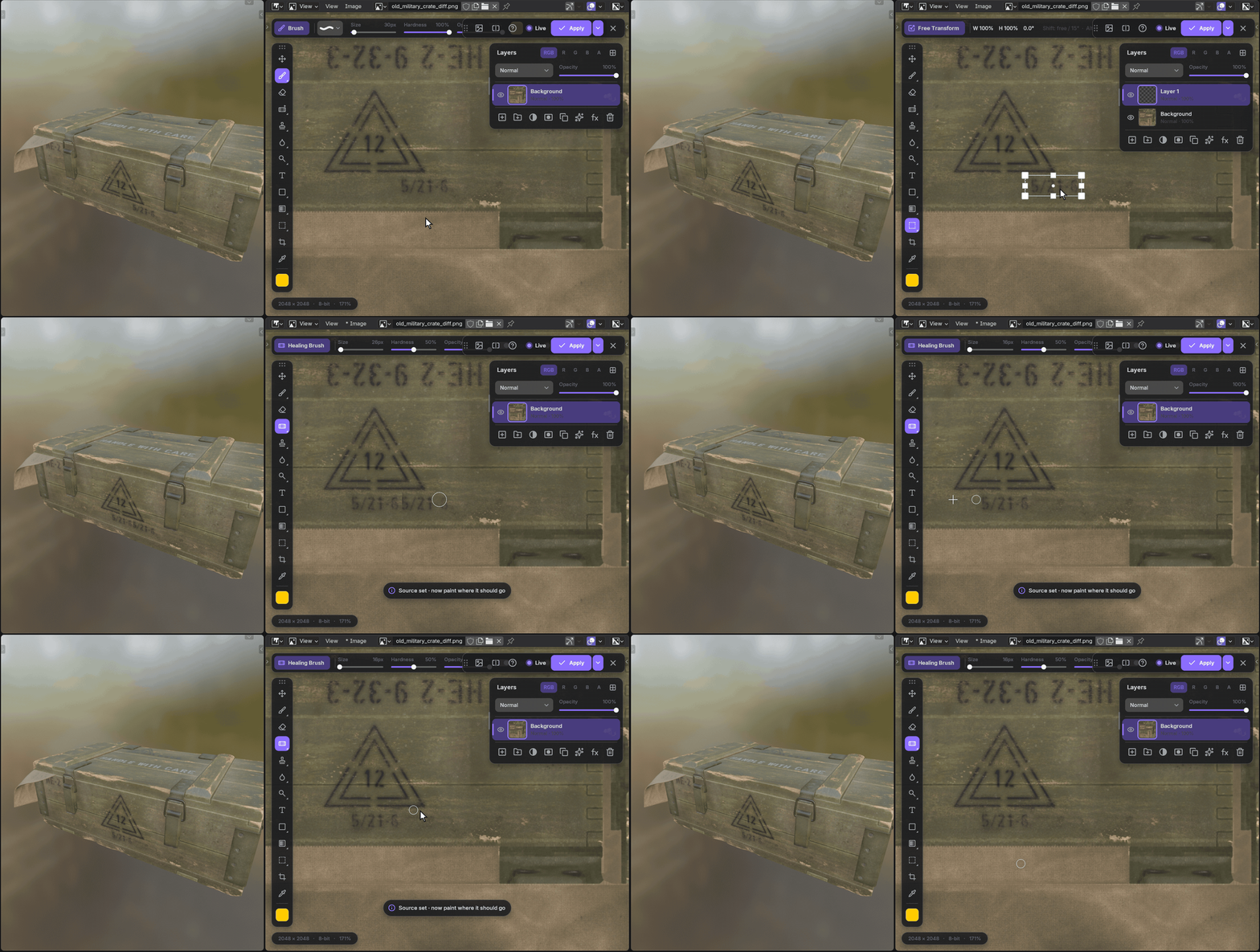
Healing BrushSpot HealingClone StampHistory Brush
ADJUST
Adjust and filter, and change your mind
A Hue / Saturation layer recolors the whole crate; a blur stays a smart filter you can tweak, hide or remove later.
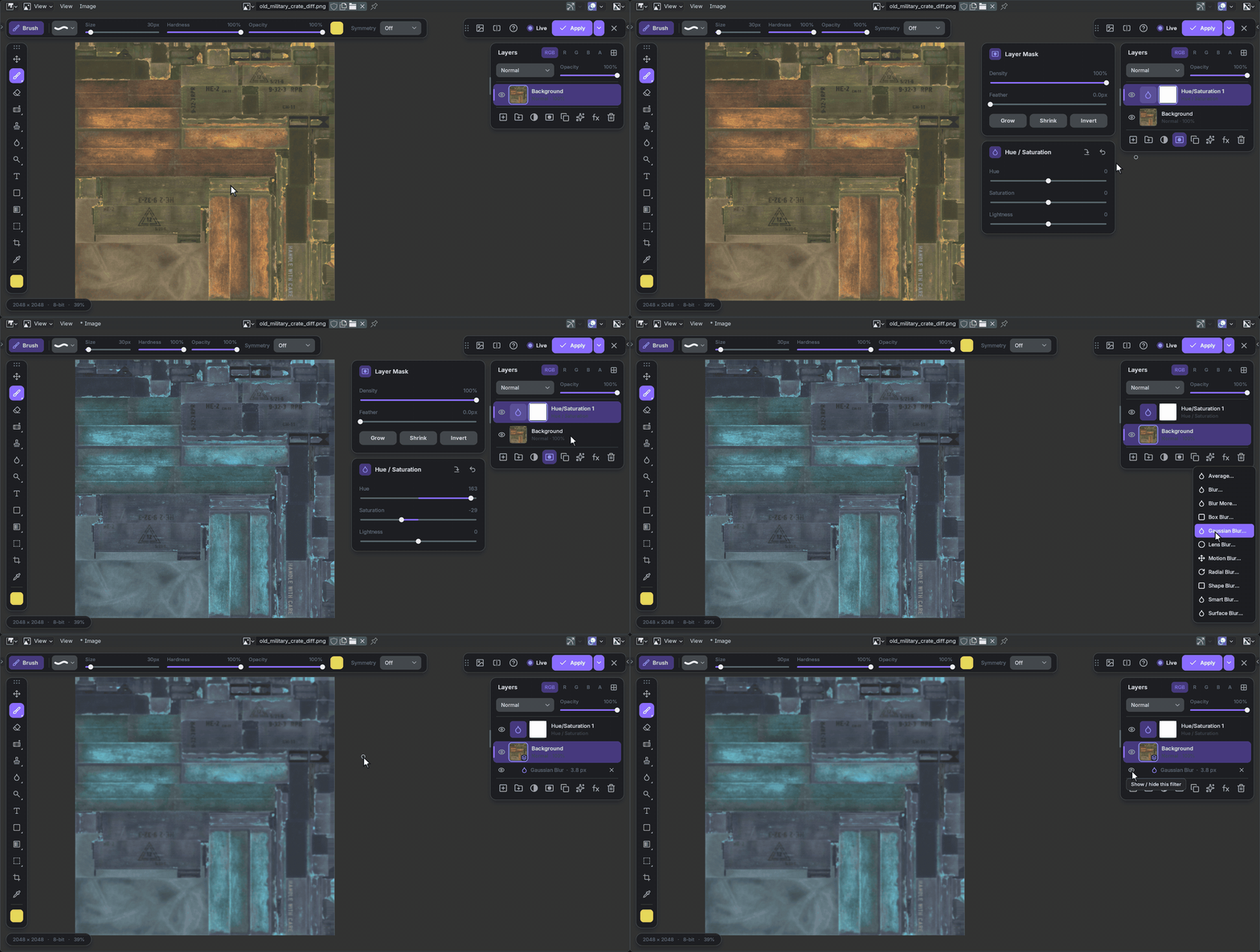
16 adjustment layersLevels & Curves~50 filtersSmart filters with masks27 blend modesClipping masks
MARK
Text and shapes that stay editable
Type a stencil in any installed font, each previewed in its menu, and set it into the paint with a blend mode. Build a label from a rounded frame and arrows from 34 custom shapes, group it and wear it with a sponge brush on the group's mask.
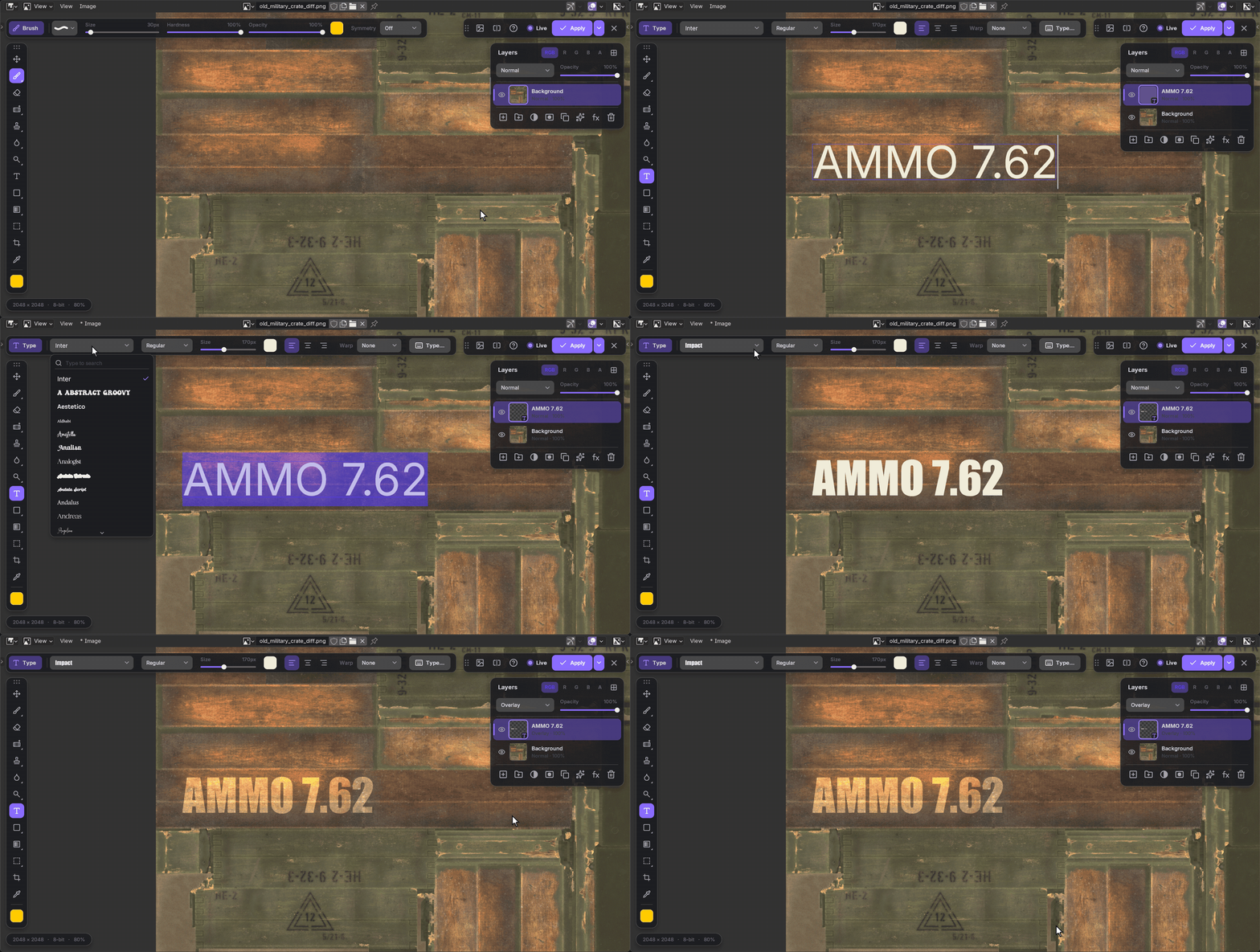
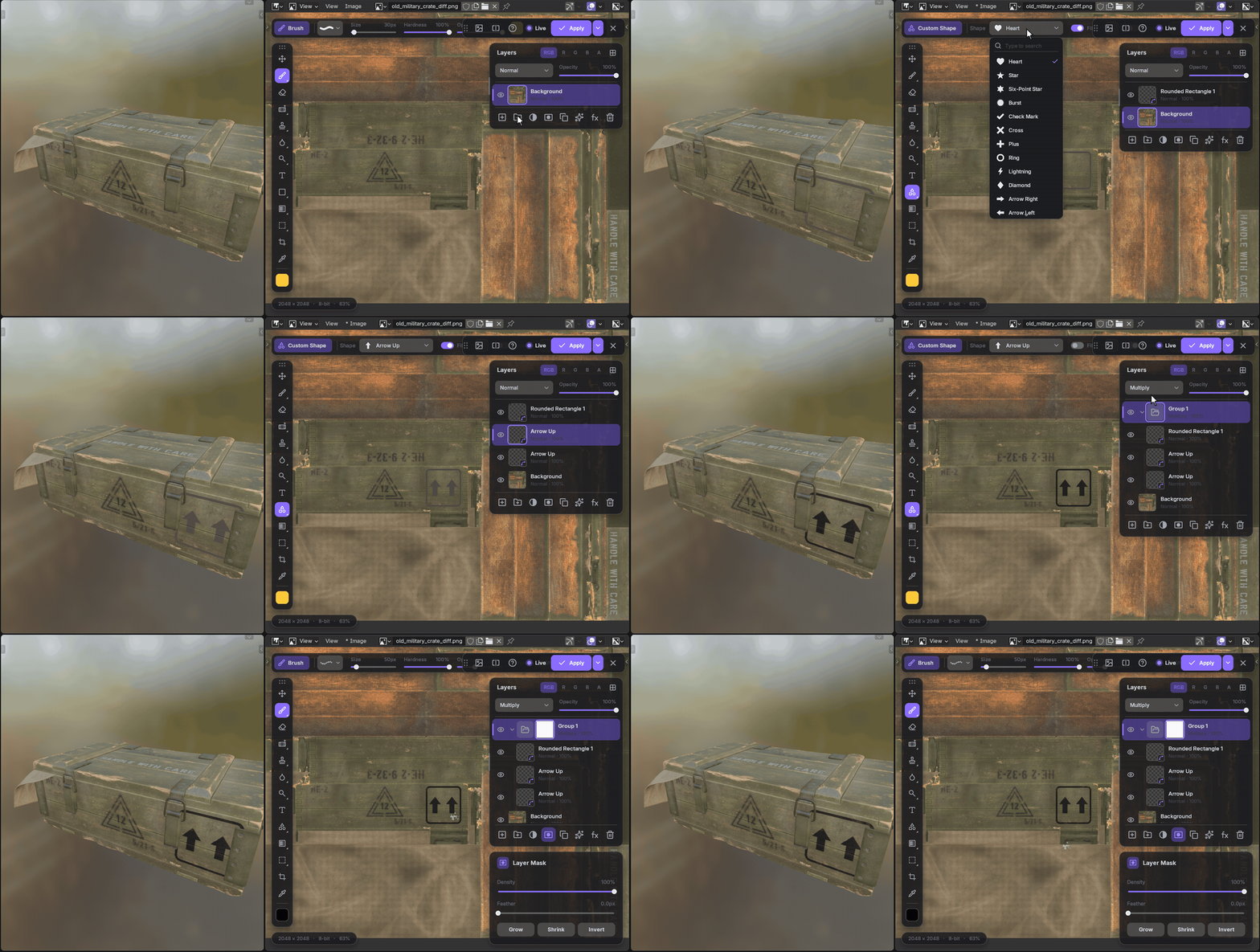
Any languageWarp textSaved as text & shapes in the PSD
FOR TEXTURE ARTISTS
Made for textures.
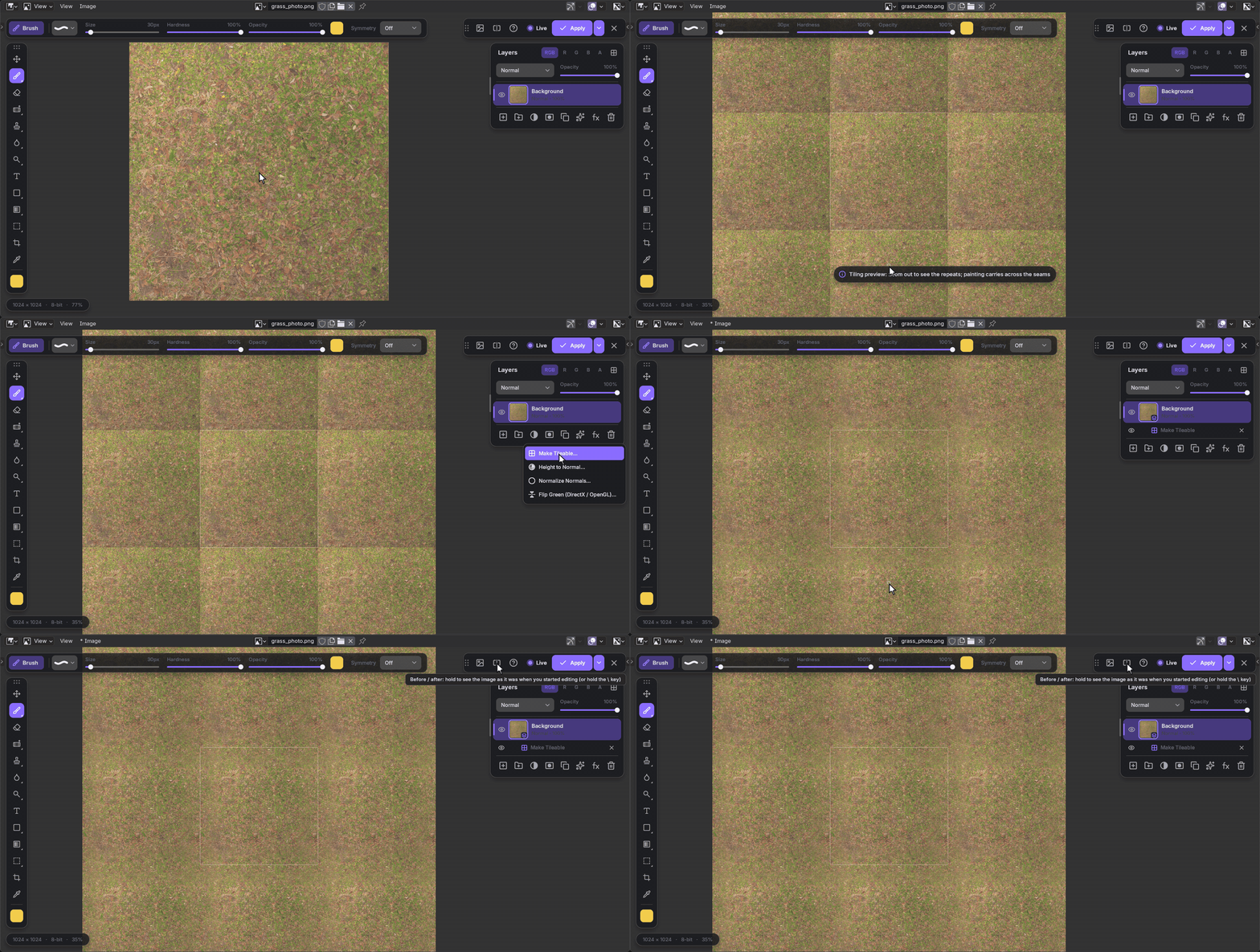
See a texture repeat with its seams, make it tileable in one step and hold Before / after to compare.
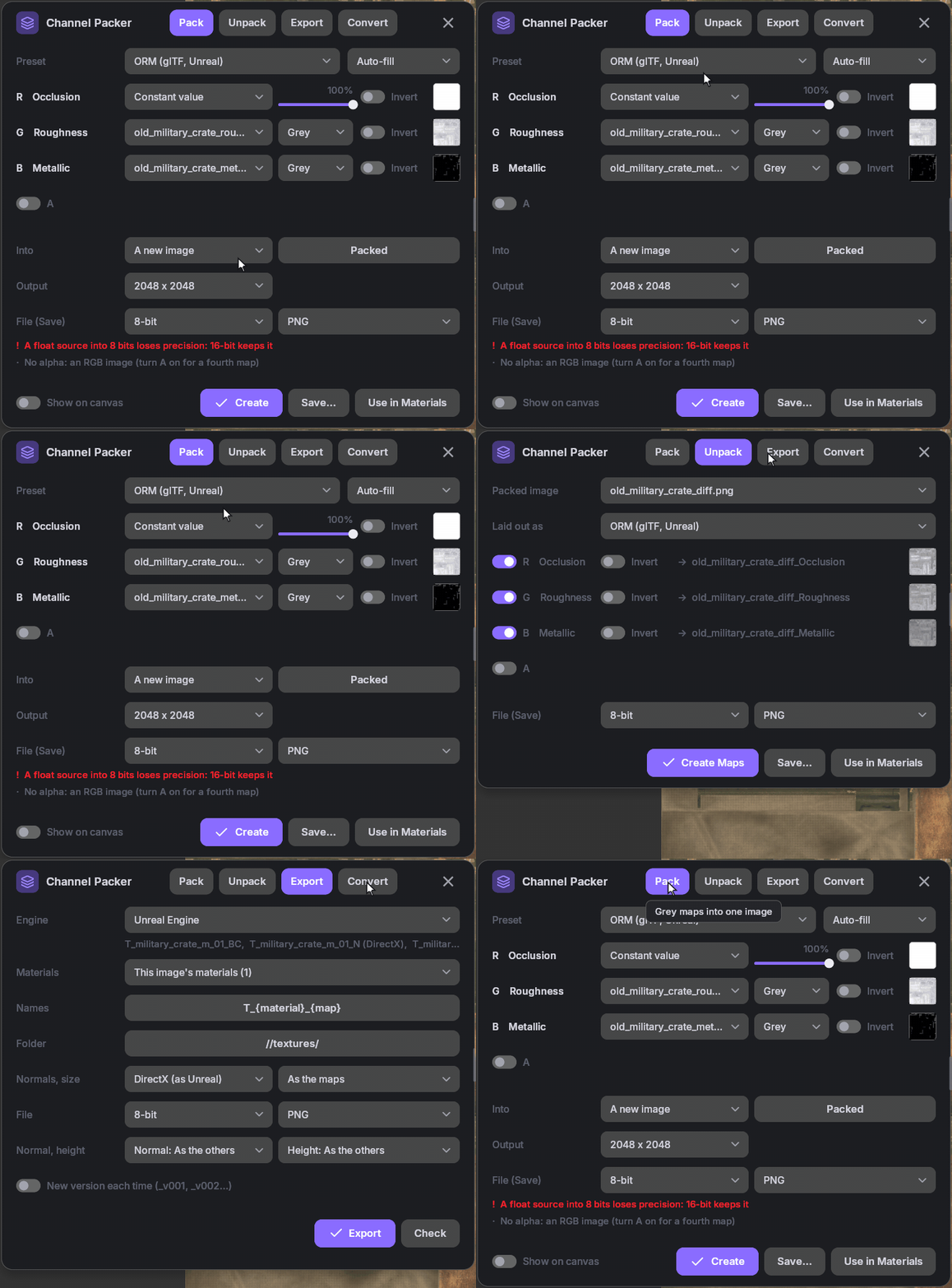
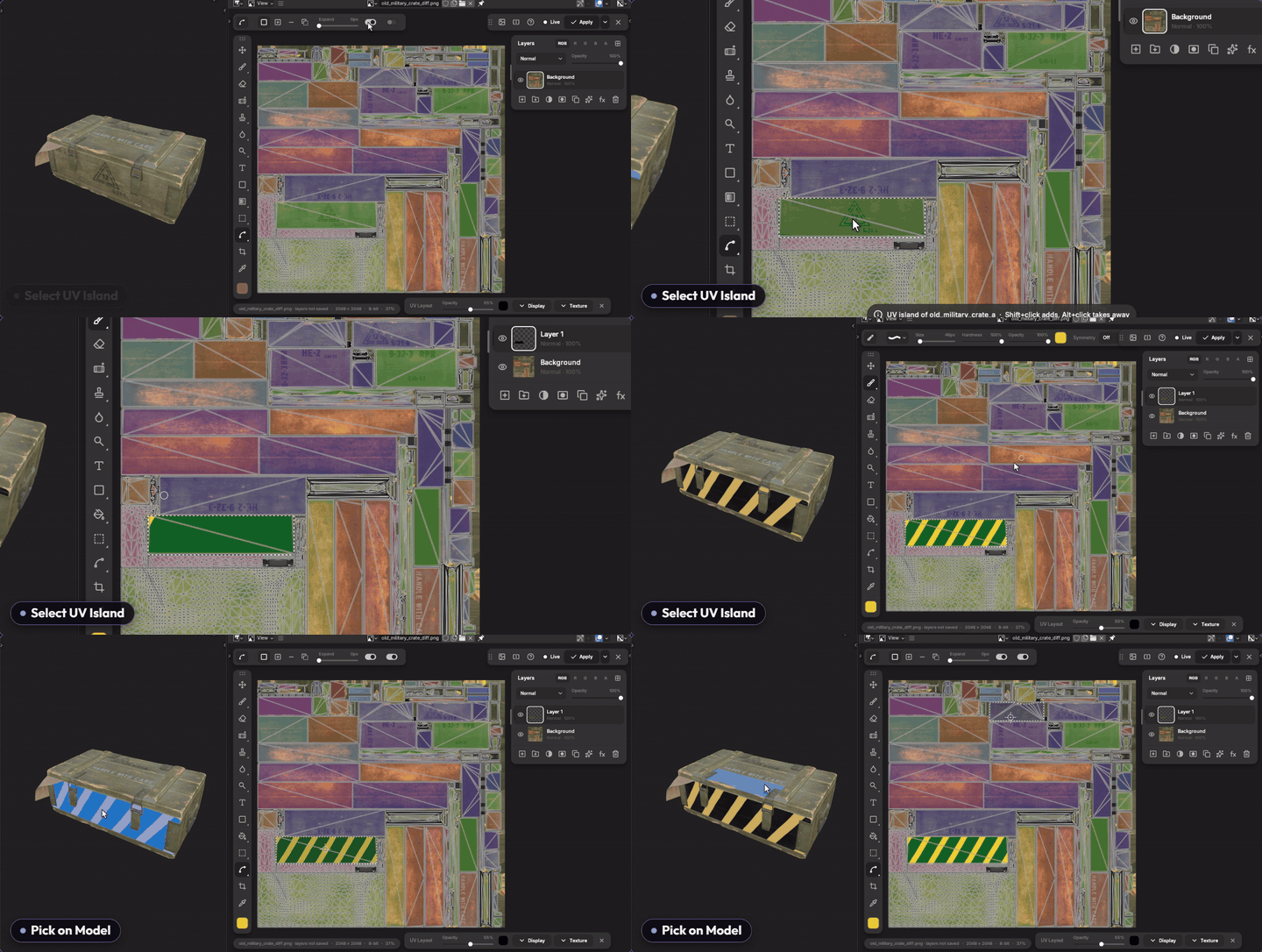
UV tools. The UV layout over the image, islands shaded, overlaps and flipped faces found. Click an island, on the image or on the model in the 3D view, to select it. The mouse's spot is marked on the model and on the texture, both ways. Add UV padding on export, or an island ID map as a layer.
PSD / PSBABR brushesPNG · JPG · TGA · EXRUDIM tilesR / G / B / A channelsUV layout overlay8K textures
FINISH YOUR RENDERS

Grade your render, render again, keep every edit
Render, then Edit Render: the render opens in layers exactly as the Render window shows it, view transform and Look included. Grade it with the Camera Raw filter and adjustment layers, retouch on a layer above, then change the scene and render again: Update from Render swaps the new render in under every edit. Click an object of the render to mask it (Cryptomatte), and the mask stays on it when you render again; every render pass as a layer. Export PNG, JPEG, WebP, TIFF or EXR when it's done.
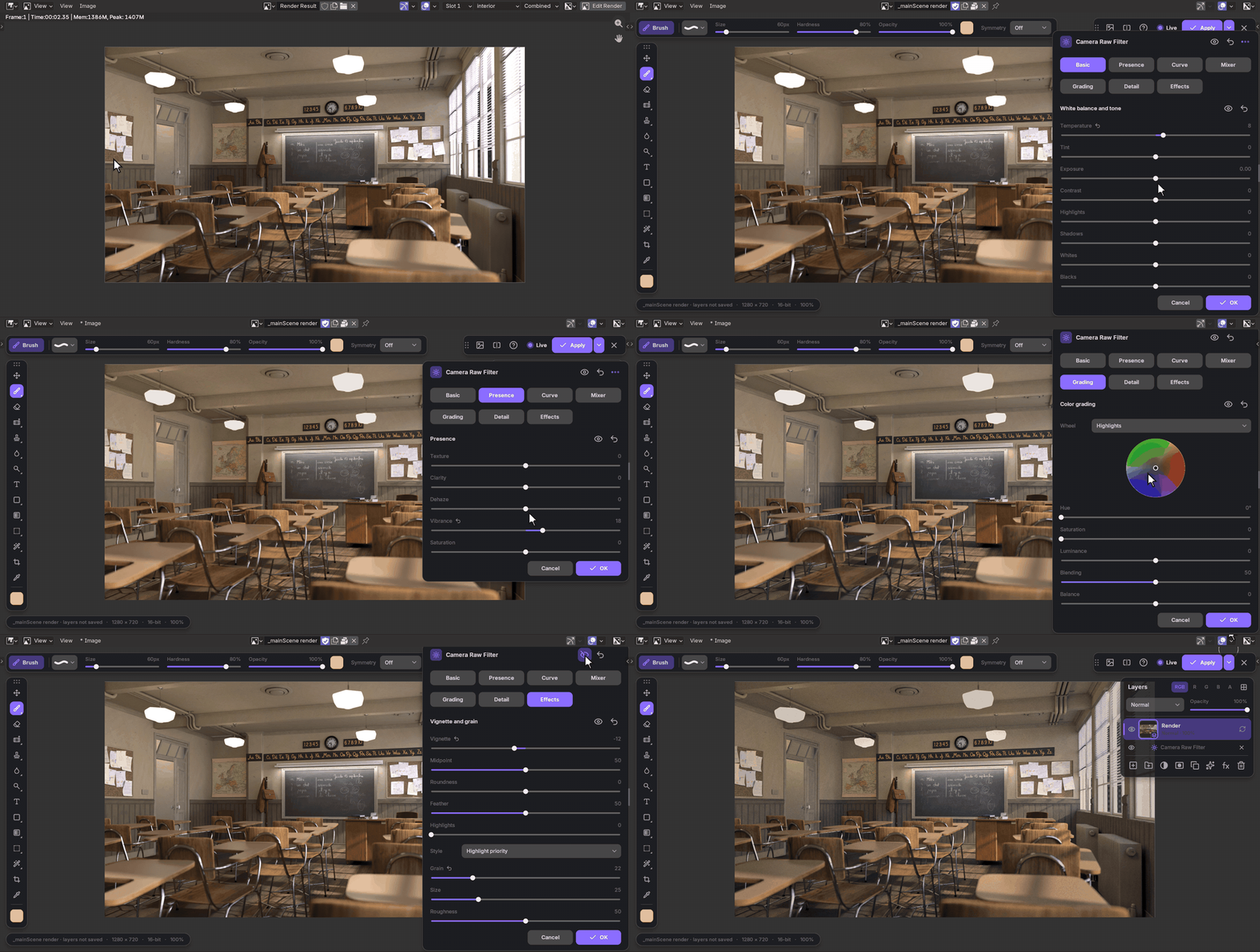
Camera Raw filterTone curves & color gradingUpdate from RenderClick-to-mask (Cryptomatte)Every render pass16-bitExport PNG · JPEG · WebP · TIFF · EXR
FEELS LIKE HOME
Your hands already know it
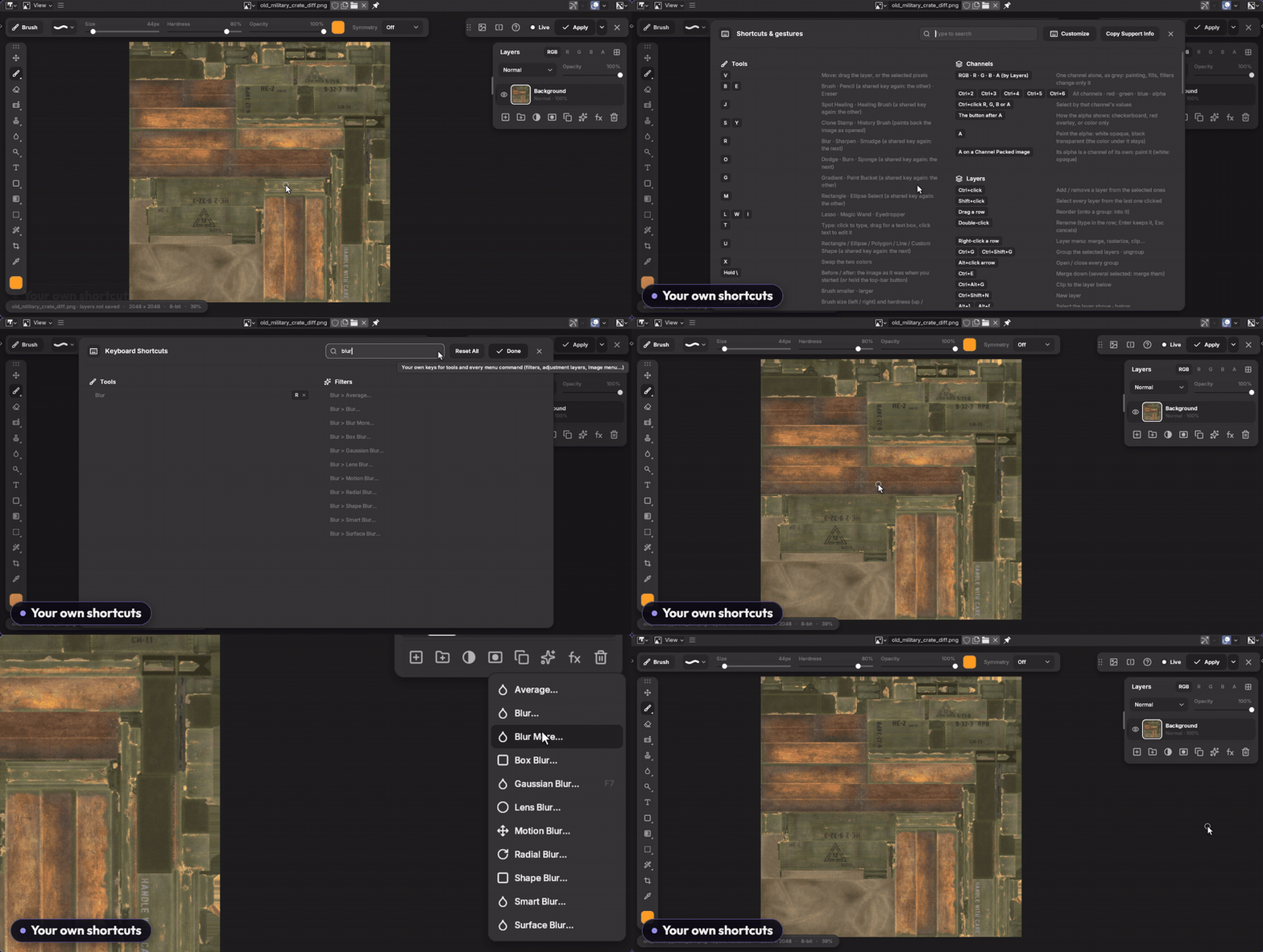
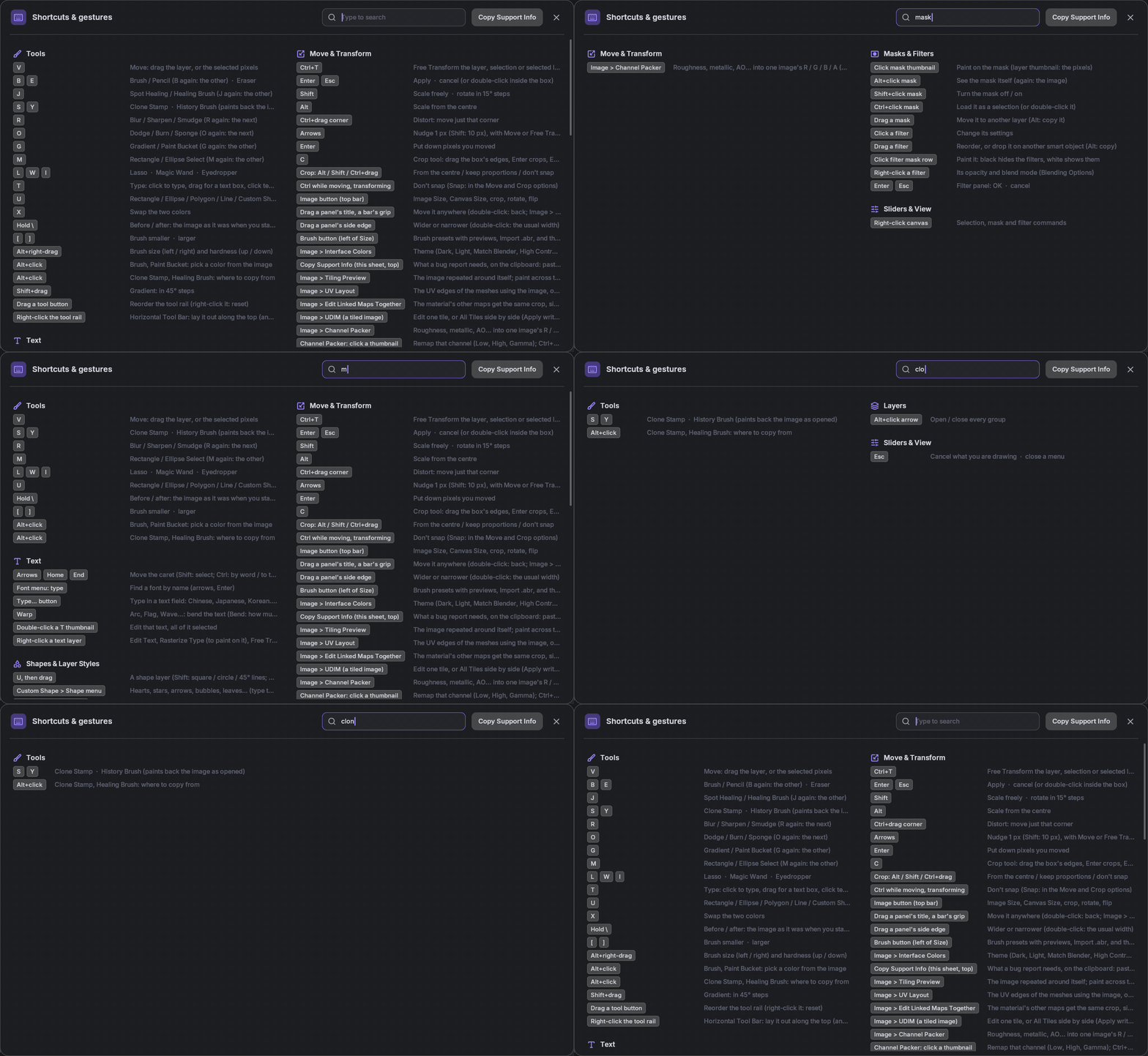
Photoshop's shortcuts, with Cmd on a Mac, or your own: give any tool or menu command a key, filters and adjustment layers included. Forgot one? Press ? or F1 and search the sheet.
BBrushVMoveMMarqueeJHealingCtrl+TTransformCtrl+JLayer via copyCtrl+SSave
MAKE IT YOURS
Your layout, your colors
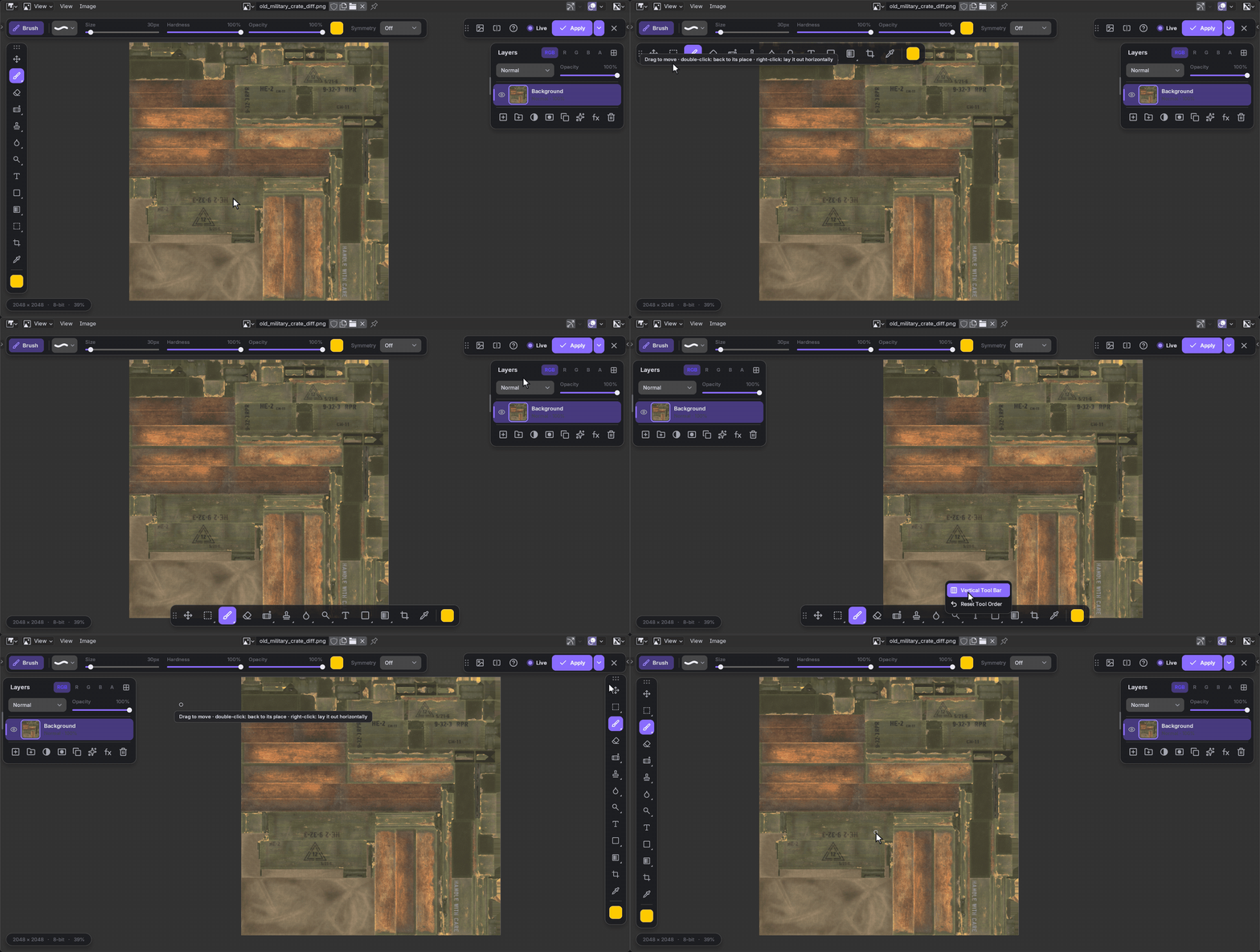
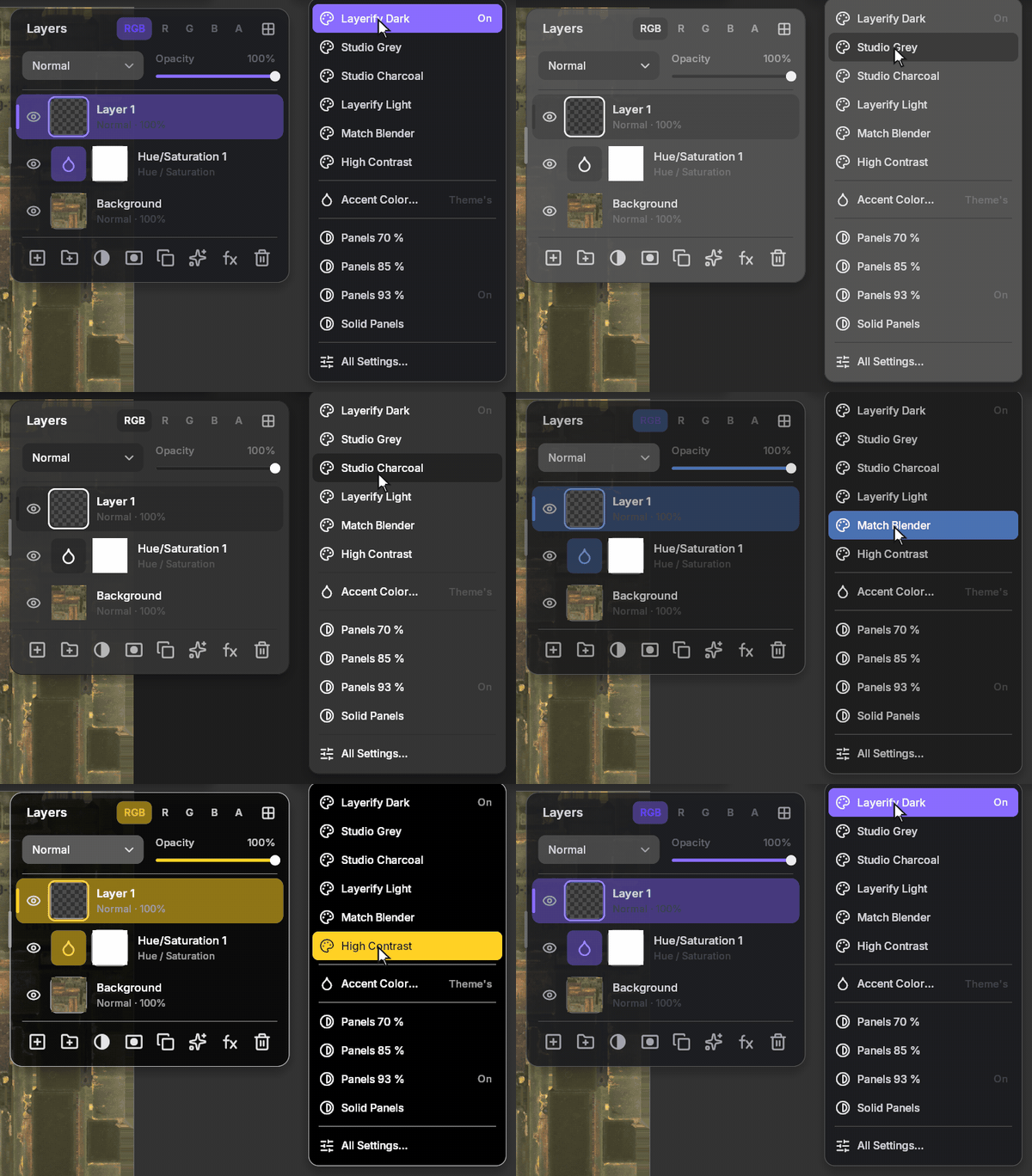
Reorder the tools, lay the tool bar along the top or bottom, move and resize every panel; Reset Panel Layout puts it all back.
Why not just...
| Blender's Texture Paint | An external editor | Layerify | |
|---|---|---|---|
| Layers and masks | ✕ | ✓ | ✓ |
| Adjustment layers, filters, text | ✕ | ✓ | ✓ |
| Opens and saves PSD | ✕ | ✓ | ✓ |
| Shows on the model as you work | ✓ | ✕ save, reload | ✓ |
| Stays inside Blender | ✓ | ✕ | ✓ |
| Grades renders, edits kept when you render again | ✕ | ✕ save, redo | ✓ |
| Paints on the 3D model itself | ✓ | ✕ | ✓ with Texture Paint |
Four steps
1 · Open
Any image in the Image Editor, a render, or a PSD.
2 · Edit with Layerify
The button in the Sidebar (N) > Layerify tab. Press ? for every shortcut.
3 · Work
In layers, with your model updating beside you.
4 · Save & Apply
Ctrl+S keeps the layers as a PSD; Apply puts the result into the image.
LAUNCH PRICE
$19 $29
For a limited time: 1.1 and a year of updates included.
Before you buy
REQUIREMENTS
- Blender 4.2 LTS to 5.2
- Windows x64, Linux x64, macOS 11+ on Apple Silicon
- Intel Macs: Blender 4.2 to 4.5 (Blender 5 no longer runs on Intel Macs)
- Install the zip for your system: Edit > Preferences > Get Extensions > Install from Disk
- No internet connection or admin rights needed
GOOD TO KNOW
- Layerify edits images in the Image Editor; paint on the model with Blender's Texture Paint alongside it: your strokes come into a Texture Paint layer
- Layers save like in Photoshop: a PSD beside the image (Ctrl+S), and a .psd image edits its own layers
- macOS builds pass automated tests but haven't been tested thoroughly on a real Mac yet: if something misbehaves, message me
- Renders: stills, finished in the Image Editor; animation stays the compositor's job
- Interface in English; text in any language
- Pen tablets work, with pressure
What's next
3D Tools
2D Decals (Normal / Height)
Texture Paint on UDIM
Found a bug or have a request?
Message me here on Superhive or on Discord: peakz9155. The help sheet (?) has Copy Support Info: paste it into your message.
Adobe, Photoshop and Camera Raw are trademarks of Adobe Inc. Layerify is not affiliated with or endorsed by Adobe; their names are used only to describe compatibility and familiar ways of working.
