Light Director Pro
 Steven Seidler (Blendscapes3D)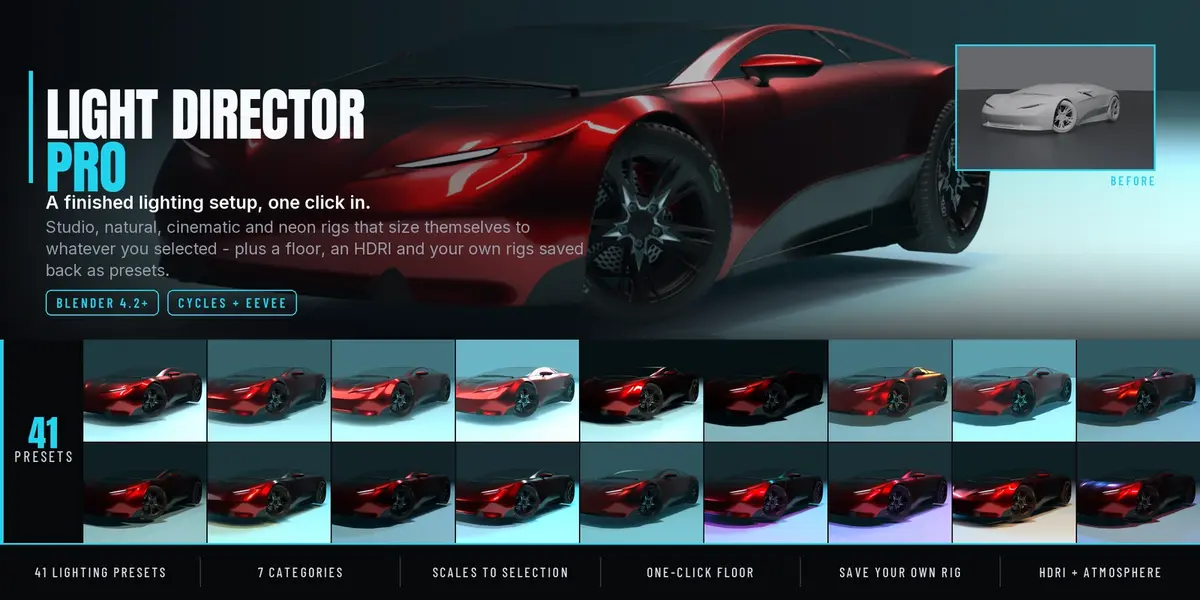
Light Director Pro
41 finished lighting setups for Blender, one click each. Studio, portrait, product, natural, cinematic, stylised and neon rigs that size themselves to whatever you have selected - plus fixtures, a floor, backdrops, volumetric atmosphere, HDRIs and animated light effects, all from one N-panel.
Install
- Blender > Edit > Preferences > Add-ons > Install from Disk.
- Pick the downloaded
.zip. Do not unpack it first. - Enable Light Director Pro.
- The panel lives in the 3D viewport N-panel, tab Light Director.
Blender 4.2 LTS and newer. Tested on 4.2, 4.5 and 5.2, in Cycles and EEVEE.
Quick start
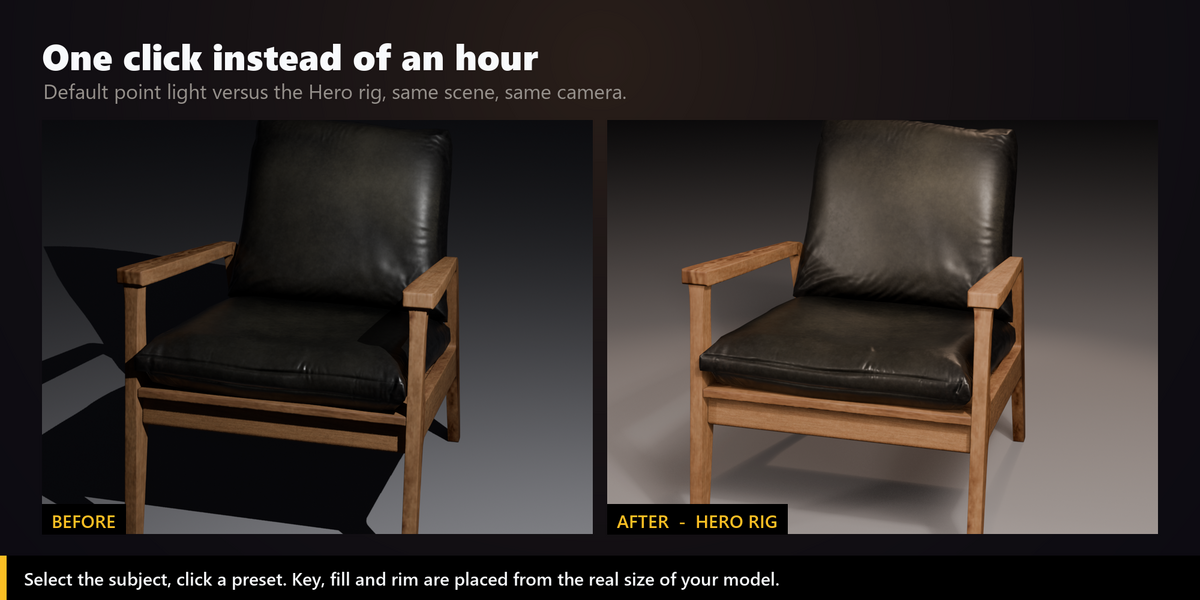
- Select your model. Everything is measured from the selection, so this matters.
- Open Cinematic Lighting, pick a category, pick a preset, press Apply Preset.
- Adjust with the Quick Tune sliders: key, fill, rim and a global warm/cool shift.
- Optional: Add Studio Floor so the shadows land on something.
The 41 presets
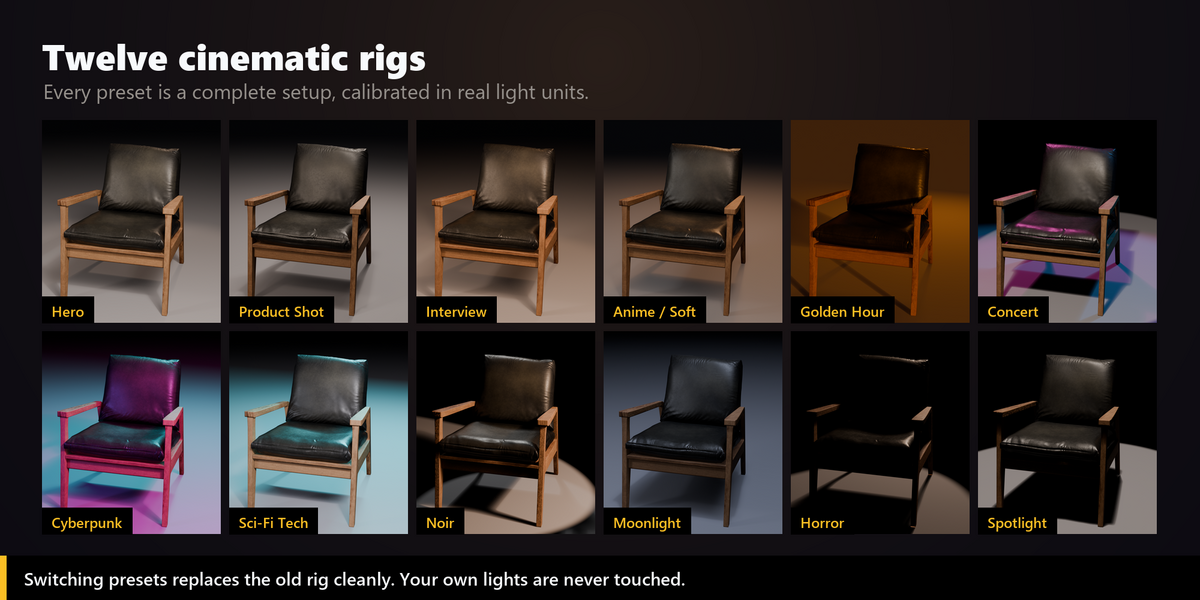
Each one is a real rig - its own light types, count, sizes, angles and colour temperatures - not a colour swap on the same three lamps.
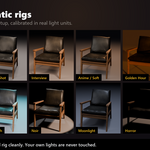
- Studio (6) - Hero, Soft Studio, Hard Studio, High Key, Low Key, Spotlight
- Portrait (6) - Interview, Rembrandt, Butterfly, Split Light, Ring Light, Rim / Silhouette
- Product (4) - Product Shot, Jewelry, Automotive, Clay Turntable
- Natural (7) - Golden Hour, Sunrise, Midday Sun, Overcast, Window Light, Moonlight, Blue Hour
- Cinematic (7) - Noir, Teal & Orange, Dark & Moody, Horror, Firelight, Candlelight, Fog Beam
- Stylised (6) - Anime, Toon Flat, Sci-Fi Tech, Hologram, Underwater, Concert
- Neon & Night (5) - Cyberpunk, Vaporwave, Neon Sign, Police Night, TV Room
Render Preset Sheet
Renders your model through your camera under every preset and composes one labelled contact sheet, so you can choose from what the presets actually do to your scene.
- Scope: all 41, a single category, or only your own saved presets.
- Resolution percentage is yours to pick - it is a full render per preset.
- Needs an active camera in the scene.
Save your own presets
- Save Current Rig reads the lights back out of the scene, including anything you changed with Quick Tune or by hand, and stores it in your library.
- Saved presets appear in My Presets and apply to any other scene, at any subject size.
-
Export / Import write and read
.json, so a team can share one house look.
Rig Control and scaling
- Every rig is parented to an
LD_RigControlempty at the centre of your subject. Move or rotate it and the whole setup follows. Select Rig Control jumps to it. - Placement distance, light size and energy all scale from the real size of your selection. Presets are authored for a 2 m subject and compensated from there, so a ring and a building are both exposed correctly.
- Applying another preset replaces the previous rig. Clear All Rigs removes only what the add-on made; your own lights are never touched.
Light Types - 11 real-world fixtures
Strip light, beauty dish, fresnel spot, practical bulb, LED panel, sun, sky dome, ring light, window light, edison bulb, hard spot. Select a light, pick a fixture, and its type, size, energy and colour are set in place and sized for that rig.
Studio Floor
- Solid Floor - a visible surface that catches light and shadow.
- Shadow Catcher - invisible in the render, only the shadow remains, for compositing onto your own background (Cycles).
- Sized from the selection or by hand. Applying it again updates the existing floor instead of adding a second one.
Backdrops
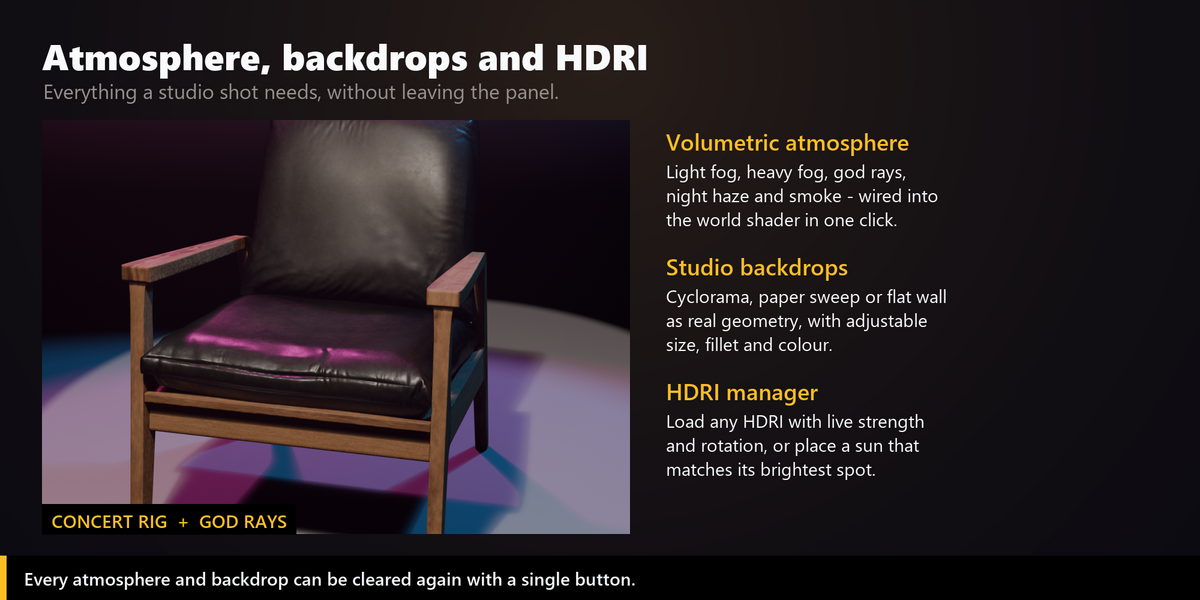
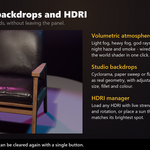
Real geometry, not a world colour: cyclorama with a proper concave cove, paper sweep, or flat wall. Measured against your selection and placed behind and below it, so the wall never cuts through the subject. Fit to Selection sizes it from the model; switch it off to type width, depth and height yourself.
Atmosphere
Light fog, heavy fog, god rays, night haze and smoke, wired into the world volume so beams become visible. Clear Atmosphere removes it in one click.
HDRI
- Load any
.hdr,.exr,.pngor.jpg. The world node graph is built for you, with live strength and rotation. - Sun from HDRI finds the brightest spot in the image and places a sun to match its direction and colour.
Animated effects
- Flicker, fire, lightning, TV glow, strobe, disco, candle and police - added as non-destructive F-curve modifiers, so they cost almost nothing and can be removed cleanly.
- Apply one effect to a whole rig at once, optionally phase-shifted so the lights do not blink in lockstep.
-
Bake to Keyframes converts them into plain linear keys for render farms, FBX export and external pipelines. Handles both legacy
Action.fcurvesand slottedAction.layers. - Effects only move in Material Preview or Rendered view with the timeline playing.
Compatibility
- Blender 4.2 LTS and newer - tested on 4.2, 4.5 and 5.2.
- Cycles, EEVEE and Workbench.
- Windows, macOS and Linux - pure Python, no compiled parts.
- 271 automated checks run against Blender 4.5 LTS and 5.2 LTS on every build: every preset, every fixture, every atmosphere, every animation effect, backdrop and floor placement, the rig control empty, baking, and the behaviour when nothing is selected.
- Pairs with Camera Director Pro for the shot and Composition Director Pro for the framing.
Support
Licence
GPL-2.0-or-later. See LICENSE in the download.
Have questions about this product?
Login to message
| Blender Extension Compatible | Yes |
| Sales | 20+ |
| Published | 5 months ago |
| Blender Version | 4.2 - 5.2 |
| Extension Type | Add-on |
| Render Engine Used | Cycles, Eevee |
| License | GPL |