Light the Trail - Sword, Car & Motion Trails for Blender
 Rasheed's Edit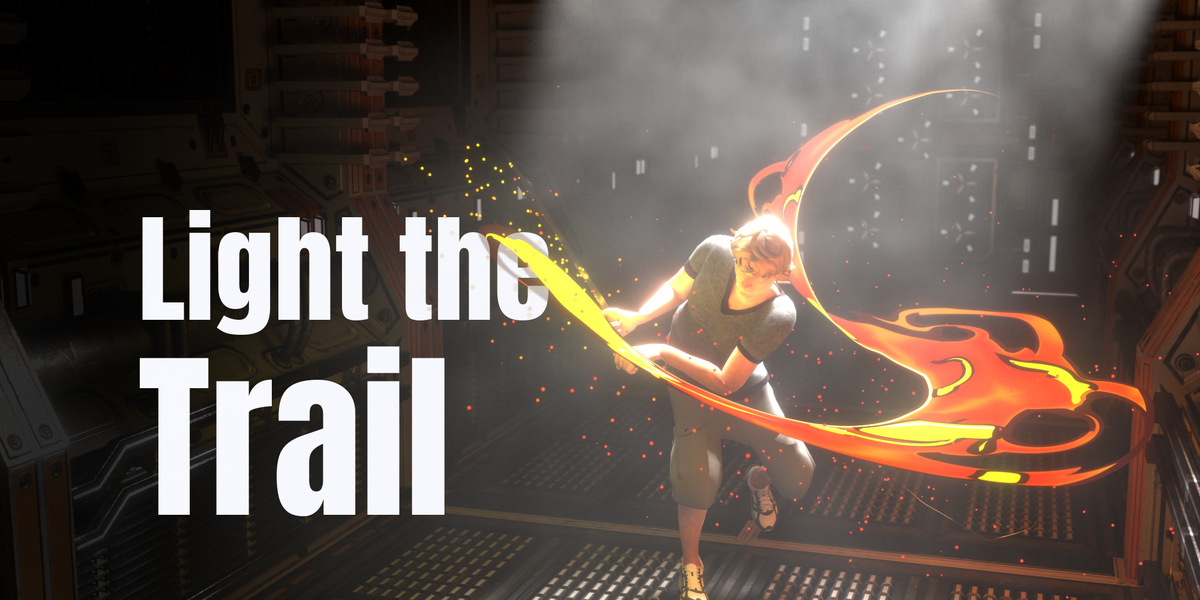
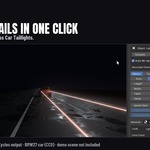
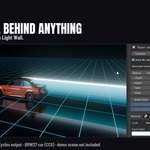
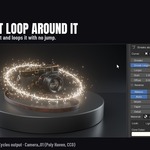
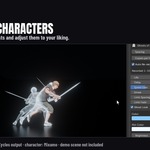

Light the Trail: user manual
Trails from anything that moves: a sword, a car, a rocket, a hand, a whole character. Light streaks, solid mesh ribbons, light walls, ghost copies and real smoke, plus streaks that loop along a curve. Blender 4.5, 5.1 and 5.2, Cycles and EEVEE.
Install
Edit > Preferences > Get Extensions > the arrow menu at the top right > Install from Disk, and pick the zip. The panel is in the 3D Viewport sidebar (press N), on the Trails tab.
Quick start
- Select the thing that moves. It has to be animated already: the trail follows its animation.
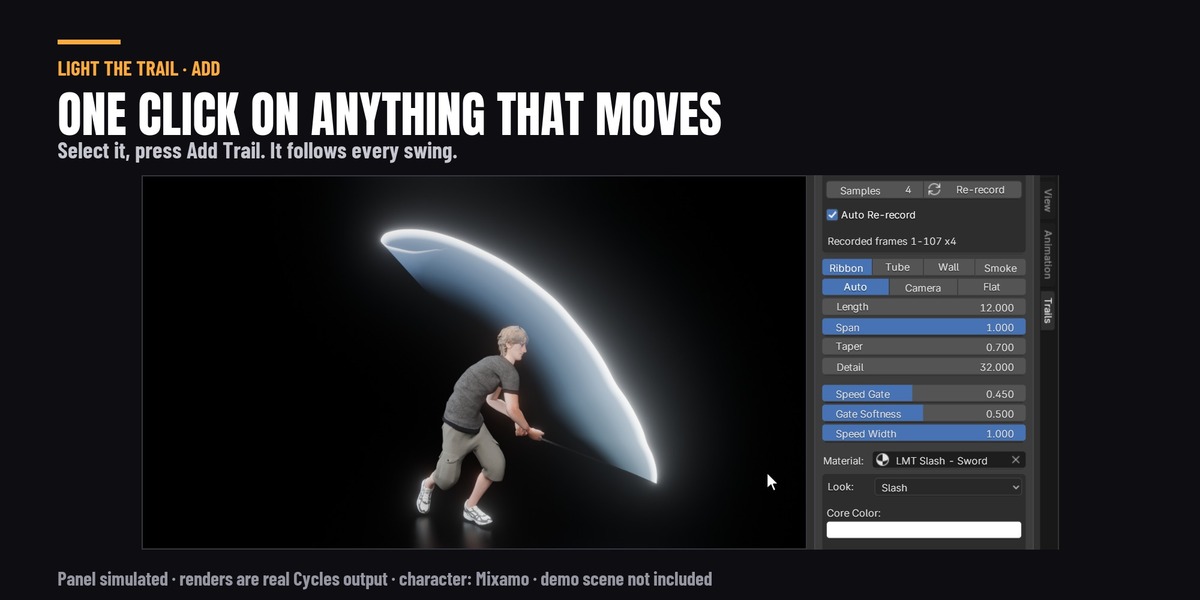
- In the Trails tab, press Add Trail. It records the motion (usually well under a second) and draws the trail.
- Play, or jump to any frame. The trail is right on every frame, even one you jump straight to.
- Pick a Look, then set Length (how many frames of motion the trail shows) and Width.
- Before you render, press Render Check at the bottom of the panel.
Or skip steps 2 to 4: select the thing and click one of the seventeen presets at the top of the panel.
Nothing moves, no trail. If what you selected does not move during the scene's frames, Add Trail adds nothing and tells you why. Animate it first.
What gets a trail
What you select decides what kind of trail you get. The line under the Add Trail button tells you what it will make before you press it.
| You select | You get |
|---|---|
| A long object (a sword, a bat, a stick) | A blade trail, as wide as the blade, from the tip to the hilt |
| A bone, in Pose Mode | A trail from that bone (a hand, a foot, a weapon bone) |
| Two objects | A trail spanning between them |
| Vertices, in Edit Mode | One vertex: a trail from that point. Two: a trail spanning between them. More: their middle |
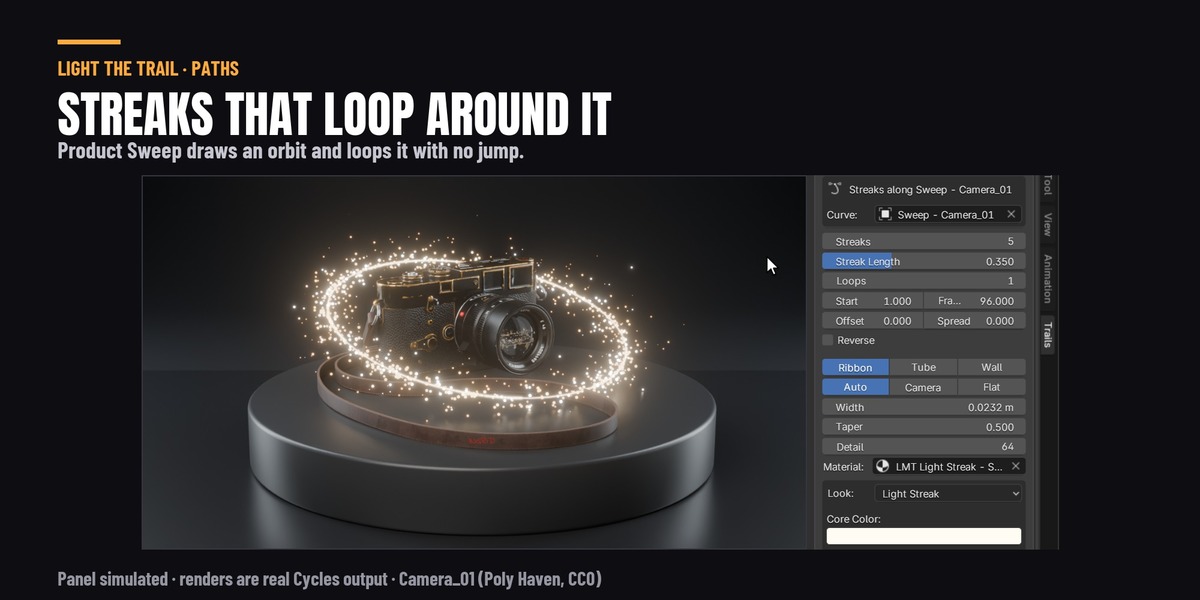
| A curve | Streaks flowing along the curve, looping (see Path streaks) |
| A character (its body or its armature) | Ghost copies of the whole character (see Ghosts) |
| Anything else | A trail through the middle of its shape |
A trail on a character's hand or foot: select a few vertices on the hand in Edit Mode, or the hand bone in Pose Mode, then Add Trail. Selecting the whole body gives ghosts, because a ribbon through the middle of a body does not look like anything.
How the trail follows the motion
Add Trail records the motion once, four times a frame (Samples; use 8 for very fast flicks), and keeps it inside the trail itself. So:
- any frame is right, even one you jump straight to, and a render farm renders it the same;
- the file renders the same on a computer that does not have the add-on;
- moving or parenting the trail object changes nothing. The trail stays where the motion was.
Change the animation and the trail records again by itself, a moment after you stop editing. A trail whose record takes longer than a second and a half waits for you instead: the panel says the animation changed, and Re-record does it. Auto Re-record turns this off for one trail.
If you make the scene longer after adding a trail, Render Check records it again over the new frames.
Shapes
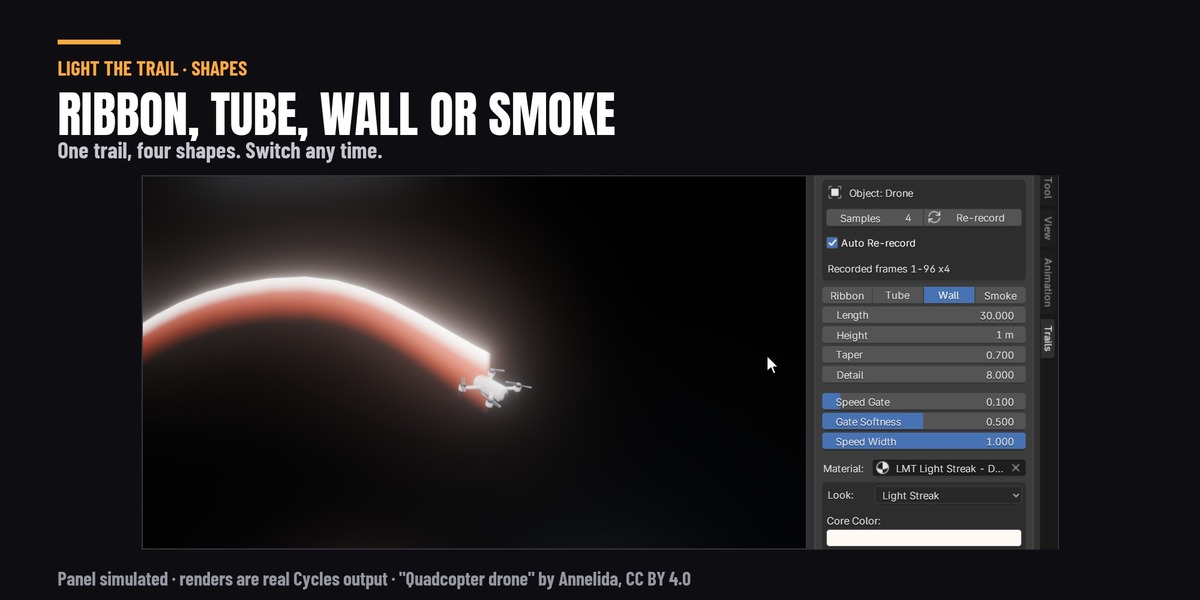
- Ribbon: a flat strip. Facing sets which way it turns. Auto spans the blade when there are two recorded points (a sword, two objects, two vertices), and faces the camera otherwise. Camera always faces the camera. Flat lies level.
- Tube: round, the same from every side. Tube Sides sets how smooth it is.
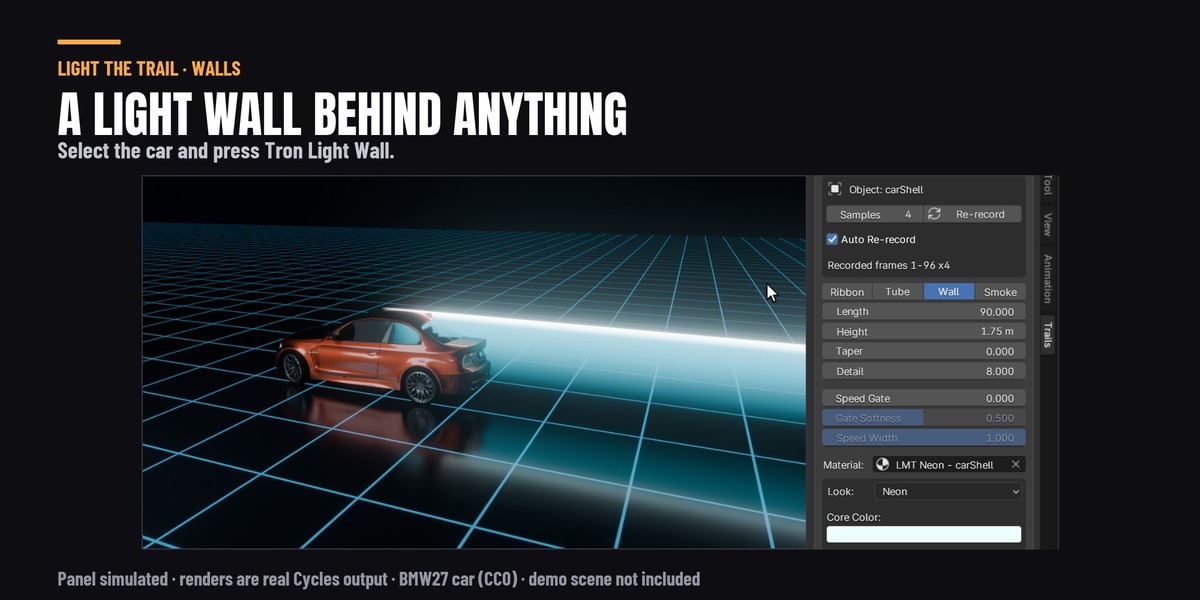
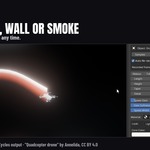
- Wall: an upright strip standing on the path, like the light walls behind the bikes in Tron. Width is its height. Use Lift to move it up or down (the Tron preset sets it so the wall runs from the bottom of the bike to its top).
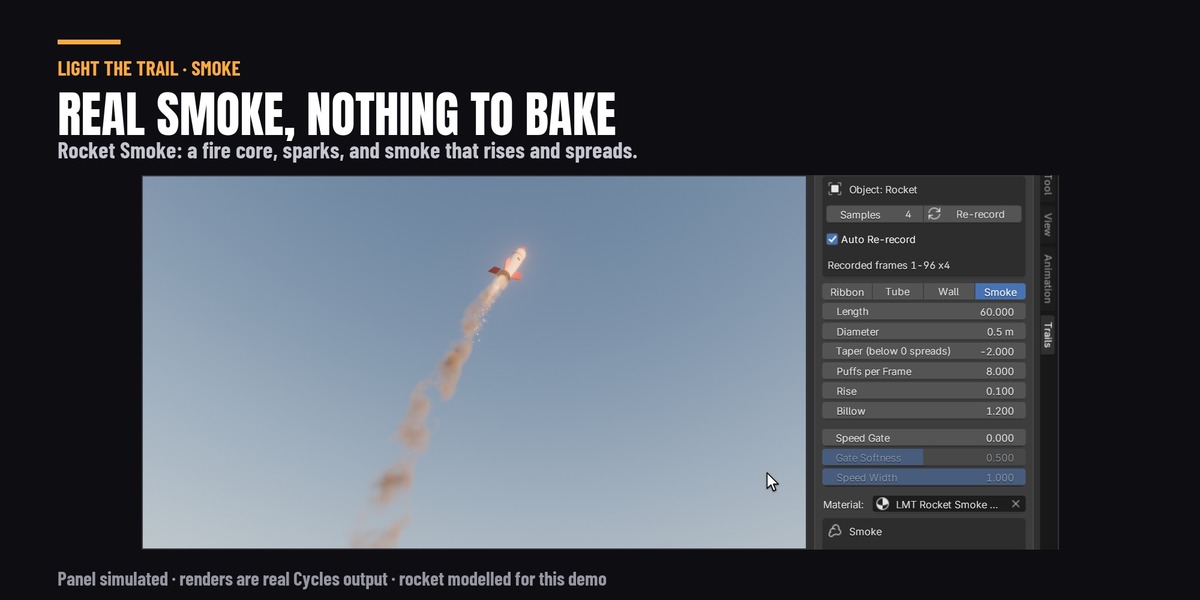
- Smoke: real smoke, a volume lit by your lights in both Cycles and EEVEE. It is made of puffs left behind as the thing moves. Each puff rises (Rise), churns about (Billow) and spreads (Taper below 0) as it ages, and old smoke breaks up and is gone by the end of Length. Width is how wide the smoke starts, and Puffs per Frame is how many puffs are left each frame (raise it if fast smoke looks lumpy). Switching to Smoke gives the trail a smoke material. Switching back gives its old look back.
Taper narrows the trail towards its tail. Below 0 it widens instead.
Detail is how many points the trail has per frame of motion, and Cross Rows (in the modifier's own settings) how many strips it has across its width. A trail on a blade (or a bone, or two points) starts at Detail 32 and 4 Cross Rows: a blade's hilt end moves much less than its tip, so with fewer, the stripes, bands and the core line of a look come out as stair-steps, and soft looks show rays, on a fast swing. A trail from one point starts at 8 and 1. Raise Detail if a very fast swing still looks faceted. The finer mesh costs 0.5-0.9 ms more a frame to play and at most 2 % more render time (measured on a sword swing, Cycles, 1280 x 720, 128 samples).
Speed gate
Speed Gate hides the trail where the motion is slow, so a sword only leaves a trail during the swing and not while it is held still. It is a share of the fastest the source moves: at 0.45 the trail shows where it moves at more than about half its top speed. 0 turns it off. Gate Softness fades the trail in and out gently around the gate, and Speed Width thins it as well as fading it.
Looks
Every trail gets its own copy of its look, so changing one trail's colours does not change another's.
| Look | What it is |
|---|---|
| Light Streak | A bright streak with a white-hot centre, like car lights on a long exposure |
| Neon | Thin, very bright, with a little flicker and moving noise |
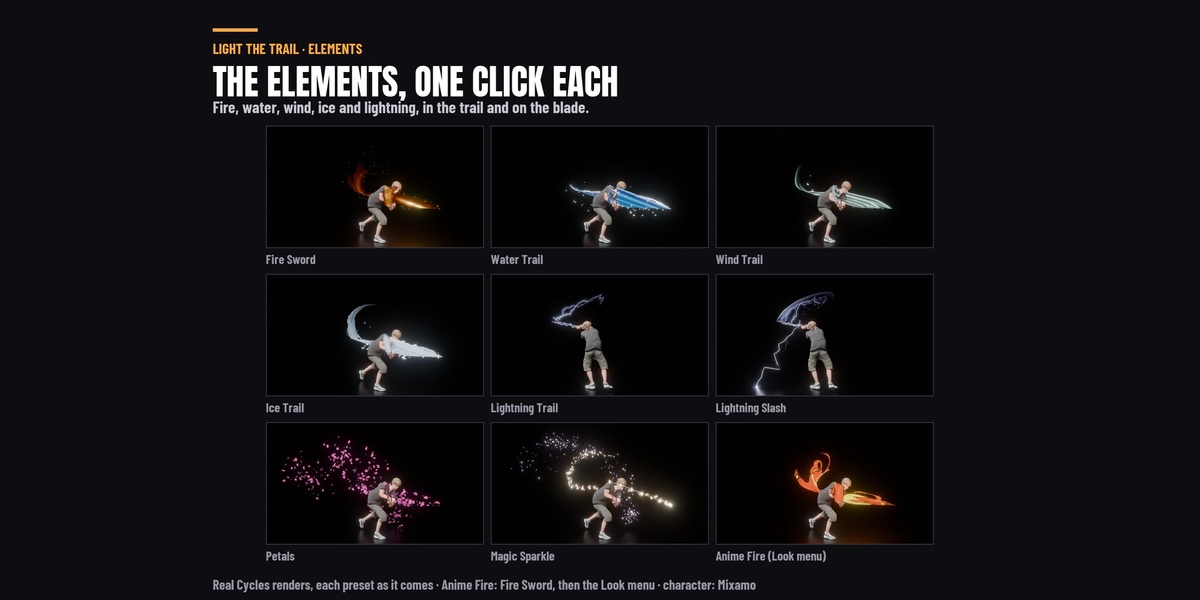
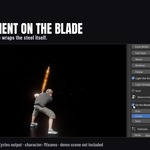
| Fire | Flames: a yellow-hot middle, orange body and red see-through tongues that lick back, change shape and break into wisps as they die |
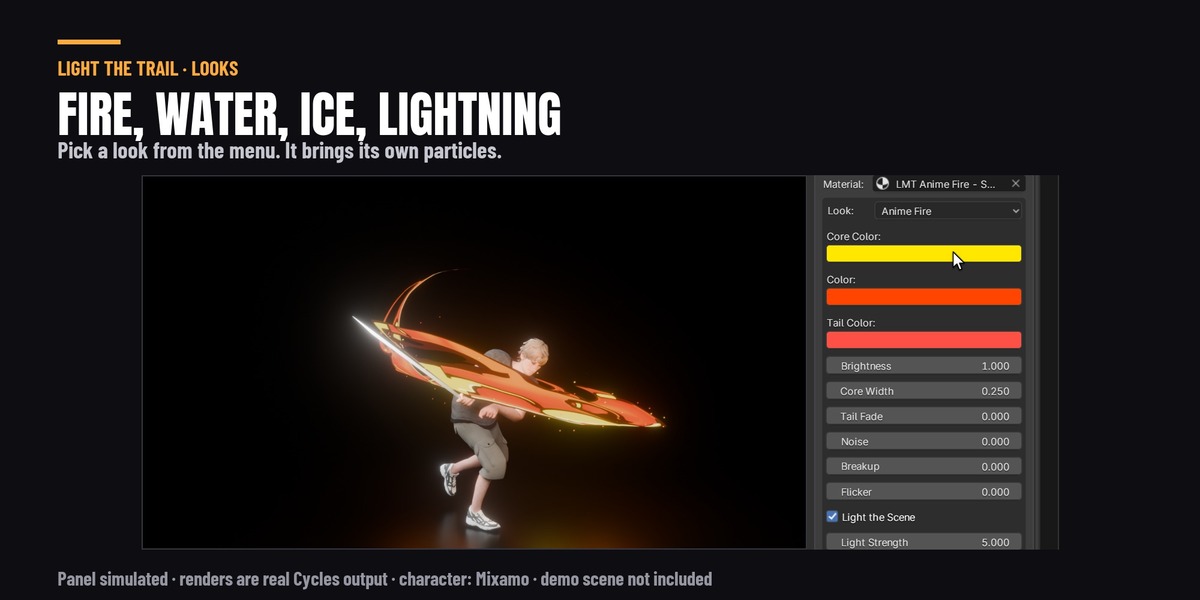
| Anime Fire | Drawn anime fire, like a flame-breathing sword slash: tongues of flame streaming back and licking out from the swing's outer edge with hooked, claw-like tips, lemon flame shapes with cream streaks, red-orange beside the yellow turning orange towards the edges, and thin dark red lines, redrawn on threes. On the blade the flames are wider, rise off a still blade and lie back along a swing. It takes about 3 times as long as Fire to render in Cycles |
| Water | Flat drawn water: blue stripes, a white foam lip of round lobes and blobs, and a tail that breaks into chips |
| Wind | Pale bands of air, bright in their middles, that thin out into each other and spread as they age |
| Ice | Cold frosted crystal: long jagged cracks, frost spikes standing off its edge, and whole pieces that break off towards the tail |
| Lightning | A thin white-blue bolt that zig-zags along the trail and strikes again every few frames |
| Slash | A thin white crescent with a blue edge, the classic sword slash |
| Anime Ink | Flat colour in hard bands, ragged at the tail |
| Smoke | Soft, grey and patchy (on a ribbon; for real smoke use the Smoke shape) |
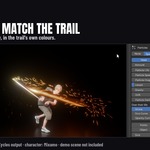
| Petals | Pink petals that tumble and drift off the trail (the Wind look with its band hidden: raise Opacity for a gust). About +1.2 s a Cycles frame in our test scene |
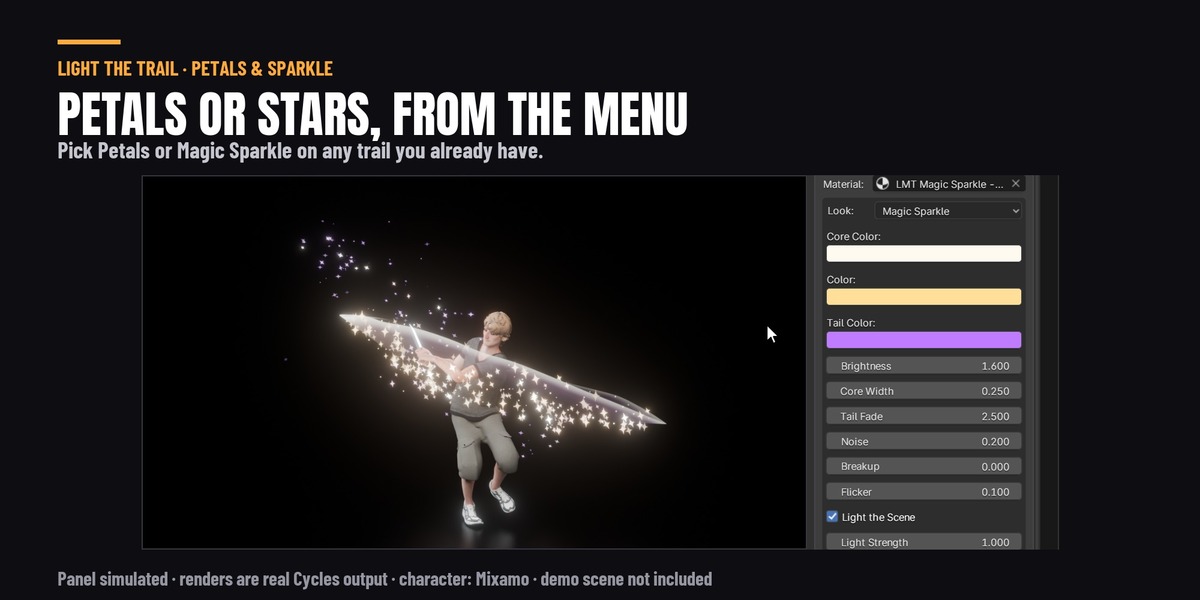
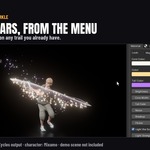
| Magic Sparkle | A gold streak turning violet that sheds four-point stars; they face the camera and twinkle as they hang. About +2.6 s a Cycles frame in our test scene |
Petals and Magic Sparkle are the last two in the menu. They give any trail what those presets give it: the look and its petals or stars. Your trail keeps its own length and width (the presets also make Petals' trail longer and Magic Sparkle's thin).
To try Anime Fire on a sword, add Fire Sword, then pick Anime Fire in Look: it keeps the embers and the flames on the blade, and sets Blade Drag, Cross Rows and a wider band on the blade (Blade Size 0.20) for itself (picking Fire again gives the trail its own values back). Its colours are flat and bright, so they look best in the Standard view (Render Properties > Color Management); under AgX, Blender's default, they come out a little duller, and Render Check says so.
What changes when you pick a look. A look brings its own particles and settings, and gives back what it changed when you pick another one, but it never undoes a change you made yourself:
- Its particles. Each look has the particles its preset uses: embers on Fire and Anime Fire, round blobs on Water, leaves on Wind, shards on Ice, sparks on Lightning, glints on Slash, flecks on Anime Ink, motes on Neon, and none on Light Streak and Smoke. Picking a look swaps the particles for its own, as long as they are still the ones the last look or preset gave the trail. If you changed any particle setting, picked a type yourself or set None, they are yours and stay as they are. Picking the look the trail already has gives it that look's particles back. Petals and Magic Sparkle are different: picking one always gives the trail its petals or stars, even if you changed the particles, because without them there is nothing to see. Leaving them works like any other look: another look swaps the petals or stars for its own particles, and picking Wind or Neon gives that look's leaves or motes. Change any of their settings first and they stay.
- Soot, Frost Mist and Ground Strikes. A look without its own extra takes the old one away (Fire's soot does not stay on Water, and lightning strikes stop when you pick Ice). The look never adds one: tick it yourself.
- Anime Fire sets its own Cross Rows and blade band (above), and gives the trail's own values back when you leave it.
The panel shows the main settings of the look. All of them are on the trail look node in the trail's material ("More in the trail's material"). Hover over any of them for what it does, or see the list at the end of this manual.
Light the Scene (Cycles only): the trail lights and reflects in what is around it, so a sword slash lights up the floor under it. Light Strength sets how much light it throws without changing how bright the trail itself looks. Off, the trail only glows. EEVEE does not light the scene from a trail, whatever this is set to.
Lightning strikes
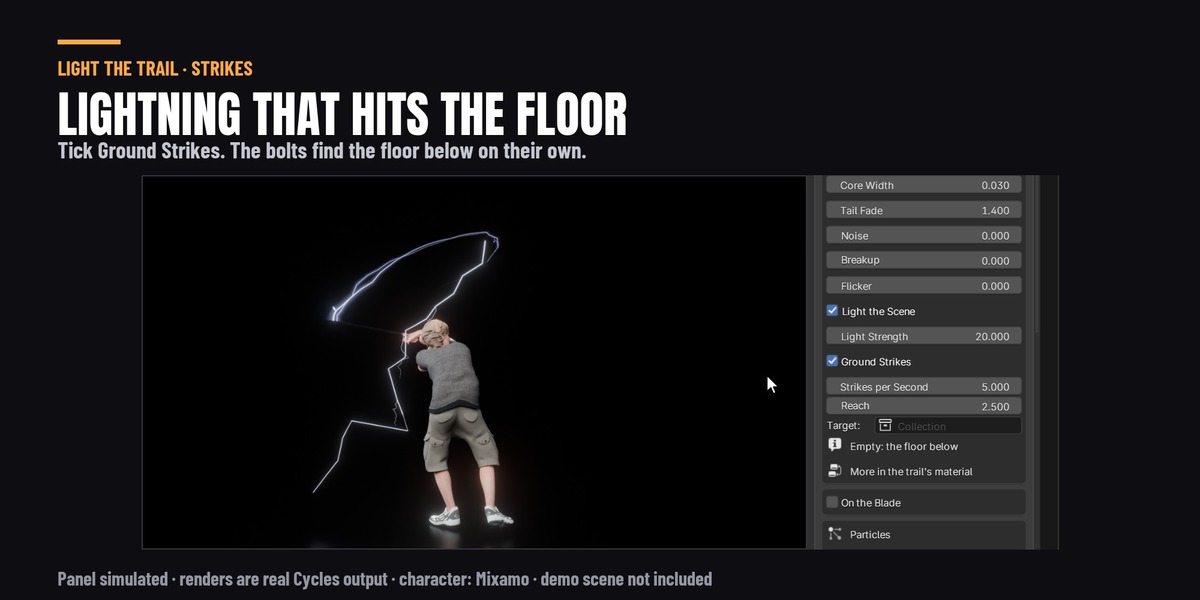
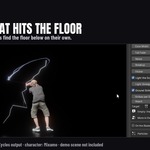
With the Lightning look, tick Ground Strikes in the look's box (where Soot and Frost Mist go on Fire and Ice). It starts at 2 bolts a second. Untick it to stop them; tick it again and they come back at the rate you had. Lightning Trail and Lightning Slash tick it for you. Picking another look turns them off. Ticked, it shows:
- Strikes per Second: bolts that leap off the trail or the blade. Every other bolt hits the floor (or your target) with a flash where it lands; the rest fork out into the air. Most come while the sword swings fast, and a few still come while it is still. Each bolt lasts 4 frames and flickers with the trail. 0 turns them off and unticks the box.
- Reach: how far a bolt can go, in blade lengths. A bolt that cannot reach the floor forks into the air.
- Target: a collection of objects for the bolts to hit, like the floor and a few props. Empty, they hit the floor below the sword. Leave the character out of it, or bolts land in the hand that holds the sword.
- Strike Ground (in the modifier's own settings): the floor's height when there is no target. It is found when the trail is made, from the floor below the source; change it if your floor moved.
The bolts are worked out for each frame from the recorded motion, like the trail: nothing to bake, the same picture on any computer, and they render without the add-on. In Cycles, with Light the Scene on, each bolt lights the floor where it lands. EEVEE draws the bolts and the flash where they land, but does not light the floor.
Render time, measured on Remy's swing (Cycles, 1280 x 720): the bolts add at most about 2 % to a frame, so the strikes cost almost nothing to render. Playing the scene, the trail takes about 4 ms longer a frame to work out; a Target collection adds more, about 18 ms a frame for 100,000 faces, so keep the target to the floor and a few props. Render Check warns about a target over 200,000 faces, and about one that holds a trail.
Your own material: put any material in the trail's Material slot. The trail gives it these to read with an Attribute node: trail_age (0 at the head, 1 at the tail), trail_side (0 to 1 across), trail_gate (the speed gate), trail_frame (the frame that bit of trail was drawn) and the UVMap.
Particles
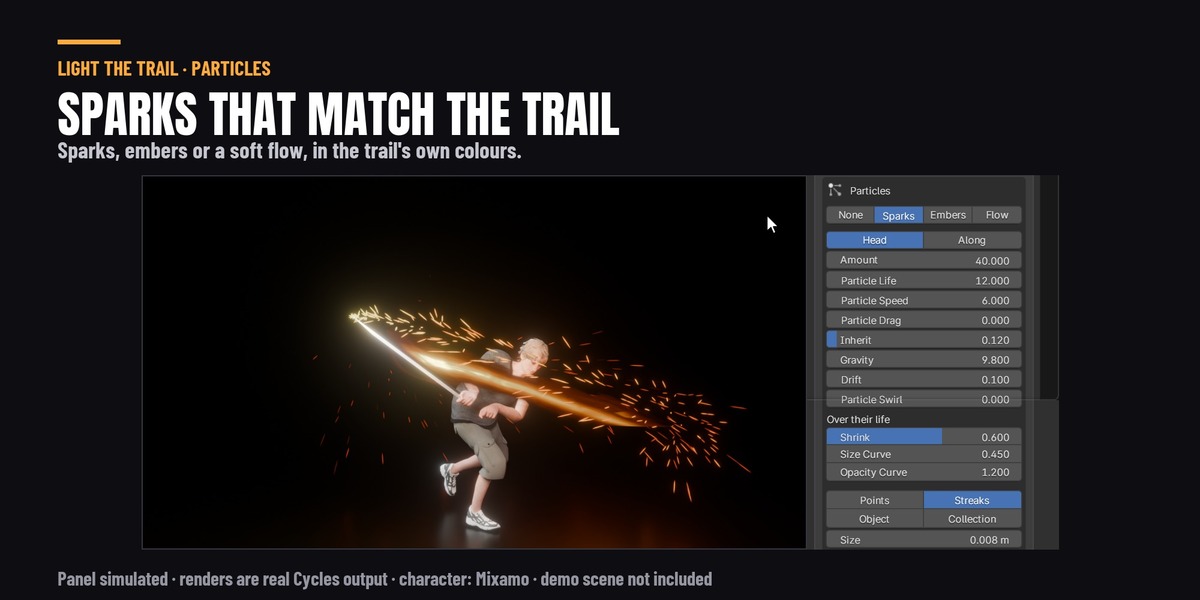
Particles sends particles flying out of the trail. They take the trail's own colours, so they always match.
- Sparks: fast and thin, falling, from the head.
- Embers: slow, rising and drifting, from along the trail.
- Flow: a soft drift off the whole trail.
Picking one fills in its settings, sized to the trail. Change any of them after.
- Emit From: Head (the tip) or Along (anywhere on the trail as it is drawn).
- Amount (born per frame), Particle Life (in frames), Particle Speed, Particle Drag (air slowing the fling, so they burst out and coast to a stop; 0 = none), Inherit (how much of the trail's own motion they carry), Gravity (below 0 they rise), Drift (wandering).
- Over their life: Shrink, Size Curve and Opacity Curve work the same as in Break It Any Way. Shrink 1 shrinks them to nothing, 0 keeps their size. Opacity Curve 0 never fades them.
- Shape: Points, Streaks (stretched along their motion), your own Object, or a Collection to pick from at random. Your objects take the trail's colours unless you tick Keep Own Material. Face Camera turns each one to face the camera and keeps it upright, so a flat shape (a star, a heart, a logo) always reads; Spin then turns it slowly in the picture. It costs no render time.
- Override Material gives them a material of your own instead.
The particles are worked out for each frame, like the trail, so there is nothing to bake.
Ghosts
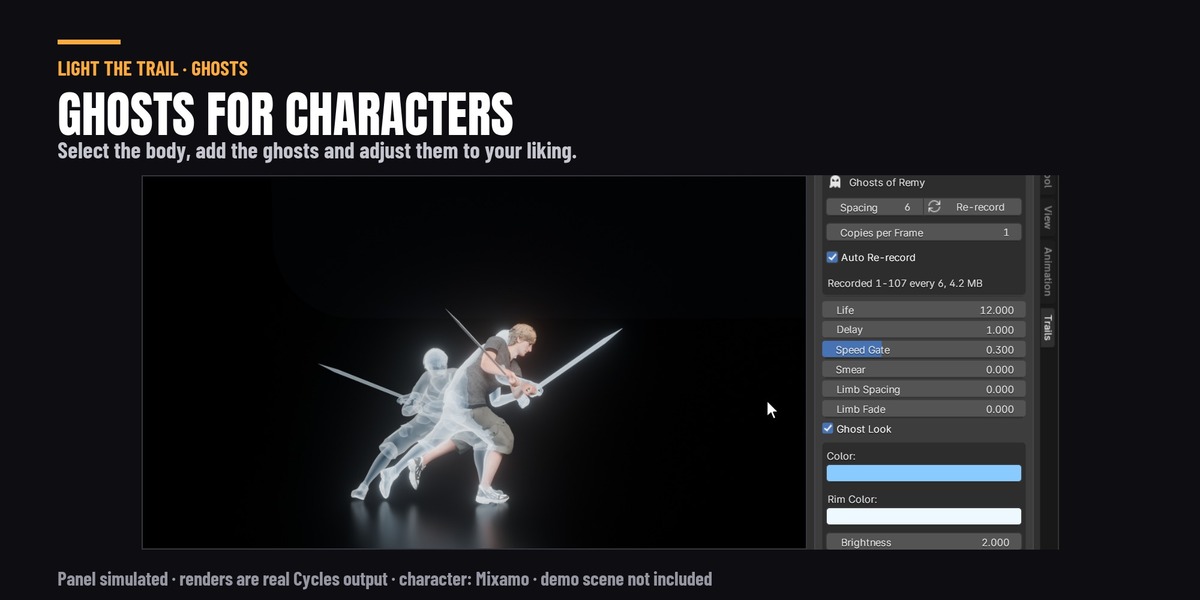
Add Ghosts leaves fading copies of the selected object behind as it moves. On a character it copies every mesh the armature moves, and anything it carries, like a sword. Add Trail on a character's body or armature makes ghosts for you.
- Spacing: frames between ghosts. Changing it records again.
- Copies per Frame: ghosts recorded between frames, for smears on very fast moves (4 puts one every quarter of Spacing). Memory, file size and record time grow the same way: a 19,000-vertex character over 107 frames at 4 is about 100 MB.
- Life: how many frames a ghost stays. Delay: frames before a new ghost appears, so it does not sit on the body.
- Speed Gate: ghosts only where the character moves fast.
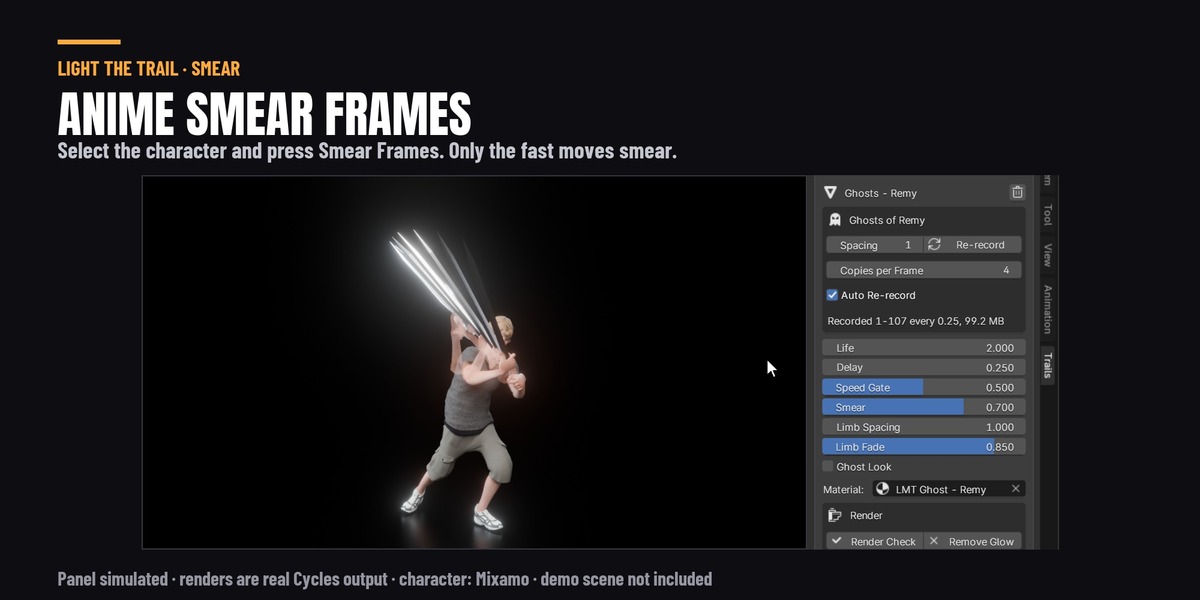
- Smear: copies keep only the parts that move fast and grow out of the body where it is now, like an animator's multiples (arms and a sword fanned from the shoulder). Parts slower than this share of the top speed stay on the body. 0 keeps whole copies.
- Limb Spacing and Limb Fade: copies of the character's own body (arms, hands, clothes) are spaced further apart (Limb Spacing, in frames) and turn see-through as they age (Limb Fade), while a sword or anything else it carries keeps every copy, solid. With Smear this keeps a few faint arms instead of a solid fan of them. Limb Fade needs Ghost Look off; it keeps faded copies of the body's materials, so Re-record after you change those. 0 turns each off.
- Ghost Look on: a see-through copy glowing at its edges. Off: the character's own materials.
A long animation on a heavy character takes memory; the panel says how much, and warns when it gets large.
Path streaks
Add Trail on a curve makes streaks that flow along it. They are drawn straight from the curve, so editing the curve updates them as you go.
- Streaks per spline, Streak Length (a share of the curve), Offset, Spread (0 spaces them evenly, 1 scatters them), Reverse.
- Loops, Loop Frames and Start: each streak goes round Loops times in Loop Frames. Loop Frames starts out as your scene's length, so the last frame flows into the first and the animation loops with no jump. If you change the scene's length, Render Check tells you what to set Loop Frames to.
- An open curve: the streaks come in at one end and leave at the other.
- Ribbon, Tube or Wall, the same as a trail. Particles work here too, and loop with the streaks.
Presets
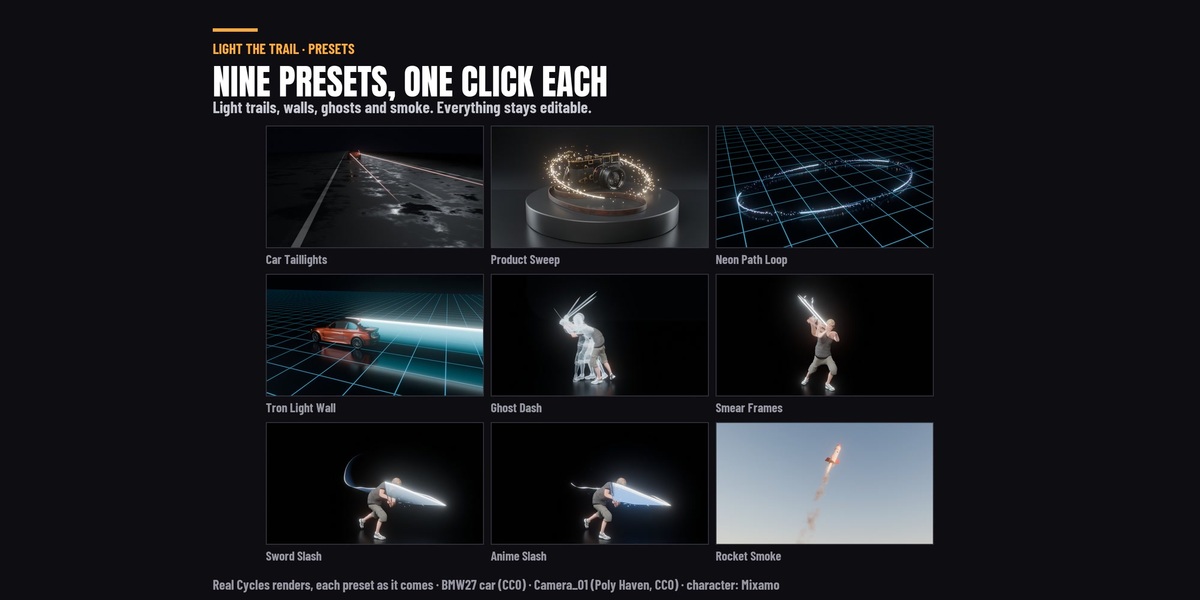
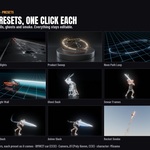
With no trail selected, the top of the panel shows seventeen presets. Each one builds on what you have selected, with the same tools you would use by hand, so everything it makes can be changed after. Any preset works on anything: if your selection is not what the preset is made for, it still builds, and tells you what would suit it better. Every preset comes with particles that suit it, except four that are cleaner without: Car Taillights (a long exposure of car lights never shows anything flying off), Tron Light Wall (a clean wall of light), Ghost Dash and Smear Frames (the copies are the effect).
| Preset | Select | What it makes |
|---|---|---|
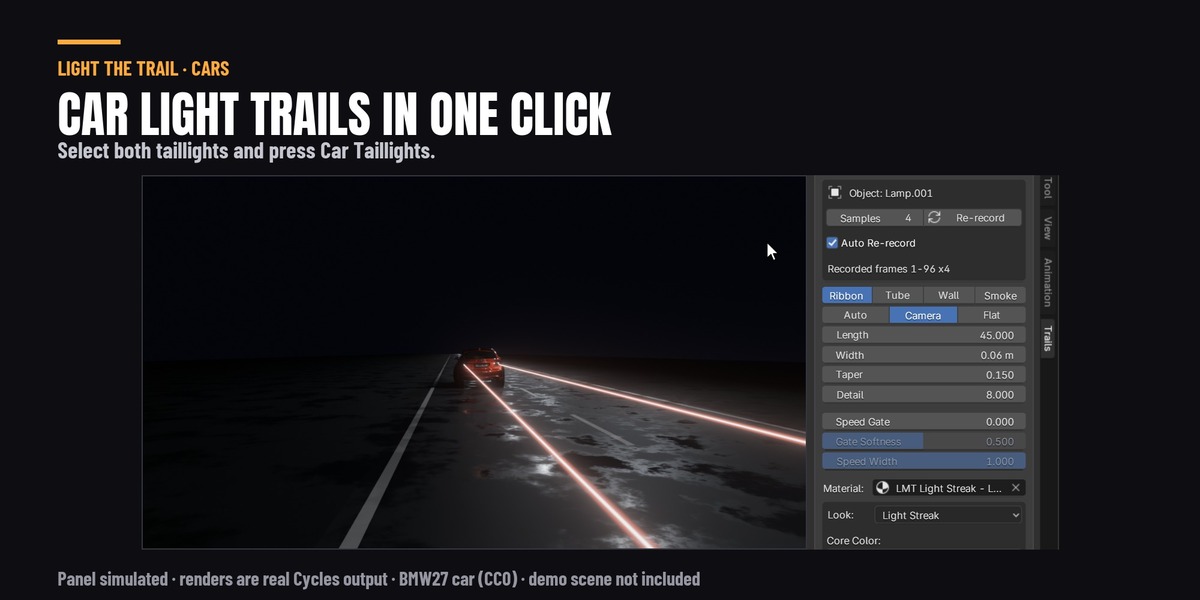
| Car Taillights | The car's lamps, or empties placed at them | A long thin red streak from each, lighting the road (Cycles) |
| Product Sweep | A product (a curve is made round it), or your own curve | Gold streaks looping round it, with a little glitter |
| Neon Path Loop | A curve (on an object, it loops round it) | Five neon streaks, twice round per loop, leaving tiny motes of light hanging behind them |
| Tron Light Wall | A vehicle | A cyan light wall behind it, from its bottom to its top |
| Ghost Dash | An object or a character | Ghost copies while it moves fast |
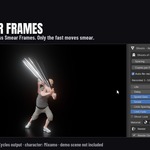
| Smear Frames | A character or an object | On its fastest moves, solid copies of the sword (or whatever it holds) fan out four a frame in their own materials, and the arms leave one faint copy a frame, like an animator's smear. Records 4 shapes a frame (about 100 MB on a 19,000-vertex character); hardly any render time in our test scene |
| Sword Slash | A sword, a bone in Pose Mode, or two vertices | The Slash look, only during the swing, with fine glints of light flicked off it that coast to a stop |
| Fire Sword | The same | The Fire look, with embers that rise and cool; lights the scene warm in Cycles |
| Water Trail | The same | The Water look, with round foam blobs thrown off that fall |
| Wind Trail | The same | The Wind look, with leaves and dust flecks tumbling on the air |
| Ice Trail | The same | The Ice look, with small ice shards flung out of the trail, slowing, tumbling and falling |
| Lightning Trail | The same | The Lightning look, with electric sparks and 2 bolts a second: every other one hits the floor, the rest fork into the air |
| Lightning Slash | The same | Two trails: a smooth white-violet crescent, and lightning round it with 5 bolts a second (half hit the floor, half fan out into the air) and sparks that linger about a second |
| Anime Slash | The same | Anime Ink, short and sharp, with flat flecks thrown off it that shrink away |
| Petals | A sword, a bone, two vertices, any object or a curve | Pink petals tumbling off it, cupped and see-through where light passes, with a few glowing motes; lit by your lights (about +1.2 s a Cycles frame in our test scene) |
| Magic Sparkle | A wand or a sword (from its tip), a small object or a curve | A thin gold streak and four-point stars that face the camera, twinkle, hang in the air and turn violet (about +2.6 s a Cycles frame in our test scene) |
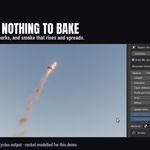
| Rocket Smoke | A rocket, or anything that flies | A fire core with sparks, and real smoke behind it |
Render
At the bottom of the panel, whenever the scene has trails.
Render Check gets the scene ready to render. It fixes what has one right answer:
- records again any trail whose animation changed, or whose scene got longer;
- raises Cycles' transparent bounces to 64. Overlapping see-through trails and particles turn black where a ray runs out of them, and Blender starts at 8;
- adds the glow, once. If you remove it, it stays removed;
- turns on the viewport compositor, so the glow shows in Material Preview and Rendered;
- with smoke in EEVEE: turns on volume shadows (smoke looks flat without them) and makes sure EEVEE draws volumes as far away as the smoke goes.
It only ever raises a setting, never lowers one you set higher. Anything that is your call is left alone and listed under the button, like a path loop that will not repeat cleanly over the scene's frames, or a drawn look (Anime Fire, Water) under the AgX view, where the Standard view shows its colours brightest and truest. Render Check never changes your view. When nothing is left to fix, the panel says Ready to render, with any notes still listed above it.
Add Glow / Remove Glow: a soft glow round everything bright, made with a Glare node in the compositor (EEVEE has had no Bloom setting since Blender 4.2). Glow Strength and Glow Size are under the button.
Remove
The bin icon next to the trail's name deletes it, with what only it used: its recorded motion, its own material, and a curve a preset made for it. Never anything of yours. Ctrl Z brings it back.
When something looks wrong
| What you see | What to do |
|---|---|
| Black patches where trails or particles overlap, in Cycles | Render Check (transparent bounces) |
| No glow in the viewport | Material Preview or Rendered, then Render Check or Add Glow |
| The floor is not lit by the trail | Light the Scene works in Cycles only |
| Bolts land in the character's hand | Take the character out of the strike Target collection |
| Bolts stop short of the floor | Raise Reach, or check Strike Ground (the floor's height) |
| The trail stops partway through the scene | The scene got longer than the recording: Render Check |
| The trail does not follow a change to the animation | Wait a moment, or press Re-record |
| A very fast swing looks faceted | Raise Detail, or Samples to 8 and Re-record |
| Stair-steps along the stripes or bands of a look, or rays across a soft one | Raise Detail to 32 and Cross Rows to 4 (a trail made on a blade starts there; one from an older version may not) |
| Soot or Frost Mist still renders after you hid it | The eye in the Outliner only hides it in the viewport. Untick Soot or Frost Mist under the look to remove it |
| The particles did not change with the look | You changed them, so they stay yours. To get the look's own back, pick the same look again in Look |
| A trail through a body looks like nothing | Select vertices on the hand, or its bone, or use ghosts |
| The trail only shows part of the swing | Lower Speed Gate (0 is always on) |
| Fast smoke looks lumpy | Raise Puffs per Frame |
| Petals or Smear Frames copies render black or unlit | Your lights are linked to a collection: add the trail to it (Render Check notes it) |
| Limb Fade does nothing | Untick Ghost Look, then Re-record (the panel says so when it needs one) |
Every setting
Trail
On the trail's modifier (the panel shows the ones that apply to its shape). Add Trail matches Width, Facing and Speed Gate to what you selected, so they may start somewhere else.
| Setting | Starts at | What it does |
|---|---|---|
| Shape | Ribbon | Ribbon, Tube, Wall (an upright strip centred on the path, like a light wall), or Smoke (a real volume) |
| Facing | Auto | Ribbon only. Auto spans the two recorded points when there are two (a blade), else faces the camera |
| Length | 12 | How many frames of motion the trail shows behind the head |
| Width | 0.1 | Ribbon width, tube diameter, wall height or smoke diameter at the head, in metres |
| Span | 1 | Two recorded points (blade): how much of the blade the trail covers, from the tip |
| Taper | 0.7 | How much the trail narrows towards its tail; below 0 it widens instead, like smoke spreading |
| Detail | 8 | Points along the trail per frame of motion. A trail on a blade, a bone or two points starts at 32 (with 4 Cross Rows), so the stripes and edges of a look stay smooth on a fast swing; one from a single point starts at 8. Raise it if a very fast swing still looks faceted. Smoke: puffs per frame (a blade trail turned to Smoke starts at 8) |
| Speed Gate | 0.45 | Hide the trail where the source moves slower than this share of its top speed. 0 = always show |
| Gate Softness | 0.5 | How gently the trail fades in and out around the gate |
| Speed Width | 1 | How much the gate thins the trail as well as fading it |
| Tube Sides | 8 | Tube only: sides around the tube |
| Lift | 0 | Moves the whole trail up (or down, below 0), in metres |
| Rise | 0.3 | Smoke only: how fast the smoke climbs as it ages, in metres per second |
| Billow | 1.2 | Smoke only: how much the smoke churns and wanders as it ages, as a share of its width |
| Material | made for you | The trail's material; it can read trail_age, trail_side, trail_gate |
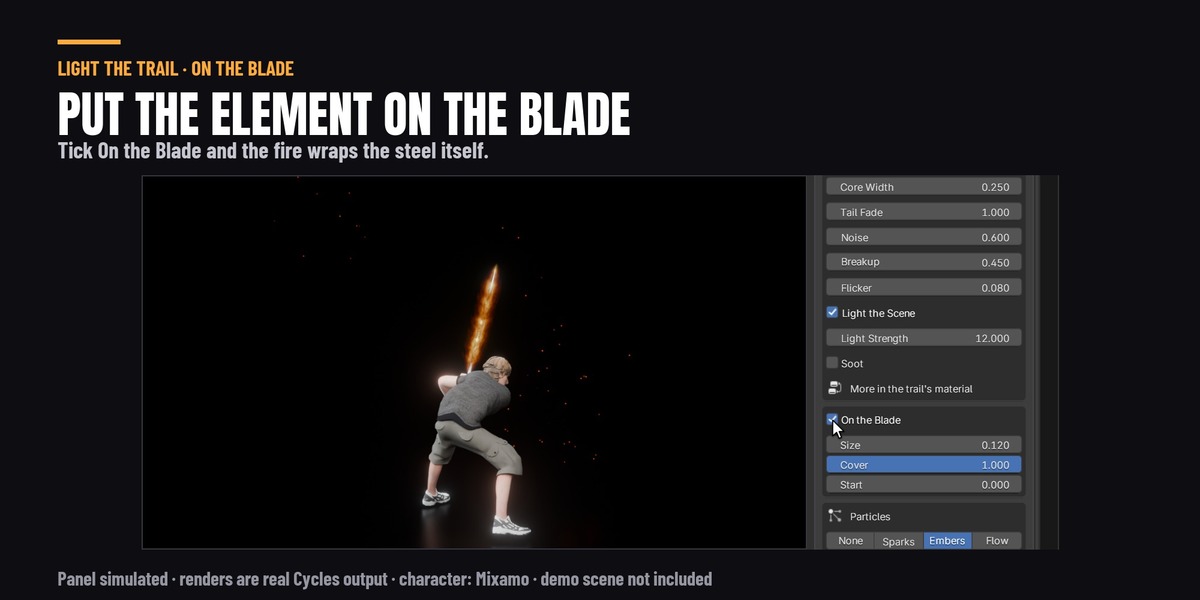
| Blade | Off | The element on the blade itself, at every frame and any speed: flames, arcs, frost, swirling air or water. In Cycles it adds some render time: up to about 10 % for Fire, Ice, Lightning and Wind, about 20 % for Water |
| Blade Shape | 0 | Sheath: a band along the blade (fire, lightning, ice). Wrap: one stream twisting round it (water). Swirl: three strands twisting round it (wind) |
| Blade Size | 0.12 | How far it reaches out from the blade, as a share of the blade's length (Wrap: how far round it) |
| Blade Cover | 1 | How much of the blade it covers, from the hilt. Keyframe it from 0 to 1 to light the blade or let frost creep up it |
| Blade Start | 0 | Where the blade begins, from the hilt end, so the grip and the hand stay bare (found from the guard when the trail is made) |
| Blade Spin | 1 | Wrap and Swirl: turns per second round the blade |
| Blade Drag | 0 | Sheath: the flames stream back off the blade against the swing, further the faster it moves, and lean up again as it slows. 0 keeps the band even on both sides. No noticeable render time (about 1 % in Cycles) |
| Blade Clear | 0 | On the Blade: particles shrink to specks where they show within this share of the blade's length of it (in front or behind), so none cling to it or cross it. 0 is off |
| Cross Rows | 1 | Ribbon, Wall and the blade's Sheath: how many strips across the width. A trail on a blade, a bone or two points starts at 4 (Anime Fire 6): with fewer, a fast swing draws stripes, bands and the core line of a look as stair-steps, and soft looks show rays. Measured on a sword swing against 8 points a frame and 1 strip: 0.5-0.9 ms more a frame to play and at most 2 % more render time in Cycles. 1 is the lightest |
| Strikes | 0 | Bolts a second that leap off the trail or the blade to the floor, a target or the air (every other one forks into the air). Each lasts 4 frames. In Cycles each bolt also flashes light onto the floor; EEVEE shows the bolts but does not light the floor. Render time: at most about 2 % more in Cycles (measured); playback about 4 ms slower a frame. 0 is off |
| Strike Reach | 2.5 | How far a bolt can reach, in blade lengths |
| Strike Target | none | Bolts hit the nearest object in this collection: the floor and props, not the character. Empty: the floor below. A heavy collection costs time on every frame (100,000 faces: about 18 ms a frame, measured) |
| Strike Ground | 0 | The floor's height for bolts when there is no target (found below the source when the trail is made) |
Particles
The same on trails and on path streaks.
| Setting | Starts at | What it does |
|---|---|---|
| Particles | None | None, Sparks, Embers or Flow |
| Emit From | Head | Head: from the tip of the trail. Along: from across the whole trail as it is drawn |
| Amount | 30 | Particles born per frame (where the speed gate lets the trail show) |
| Particle Life | 18 | Frames a particle lives (each one between half and all of this) |
| Particle Speed | 2 | How fast particles fly out, in metres per second |
| Inherit | 0.3 | How much of the trail's own motion particles carry |
| Gravity | 9.8 | Pull down in m/s2; below 0 they rise, like embers |
| Drift | 0.2 | Wandering, like air pushing them about |
| Particle Size | 0.02 | Particle size in metres |
| Particle Shape | Streaks | Points, Streaks (stretched along their motion), your Object, or a Collection to pick from |
| Particle Stretch | 0.03 | Streaks: how many seconds of motion each one spans |
| Particle Object | none | Shape Object: the object used as each particle |
| Particle Collection | none | Shape Collection: each particle picks one of these |
| Object Scale | 1 | Object and Collection shapes: their size, as a multiple |
| Keep Own Material | Off | Object and Collection shapes: keep their own materials instead of the trail's colour |
| Override Material | Off | Give the particles the material below instead |
| Particle Material | none | Used when Override Material is on |
| Shrink | 1 | How much a particle shrinks over its life: 1 shrinks away to nothing, 0.5 ends at half size, 0 never shrinks |
| Size Curve | 0.45 | The shape of the shrink: low keeps them big until late, high shrinks early |
| Opacity Curve | 0.6 | How particles fade over their life: alpha = (1 - age) ^ this. 0 never fades |
| Seed | 0 | A different random scatter of particles |
| Particle Drag | 0 | Air slowing the particles' fling: they burst out and coast to a stop (per second). 0 = no slowing |
| Particle Spin | 0 | Object and Collection shapes: how fast each particle tumbles, in turns per second (each on its own axis). 0 = they keep the turn they were born with |
| Particle Swirl | 0 | Particles circle round the line the motion took, like air curling behind a blade, in turns per second. Below 0 turns the other way. 0 = off |
| Face Camera | Off | Object and Collection shapes: each particle turns its face to the camera and stays upright (a small tilt each), so a flat shape (a star, a heart, a logo) always reads. Spin then turns it slowly in the picture instead of tumbling. No extra render time. Off = they turn freely |
Path streaks
On a path's modifier, plus the particle settings above.
| Setting | Starts at | What it does |
|---|---|---|
| Curve | none | The curve the streaks flow along (every spline in it gets its own) |
| Streaks | 3 | Streaks on each spline of the curve |
| Streak Length | 0.15 | How long each streak is, as a share of the curve's length |
| Loops | 1 | Times each streak goes round in Loop Frames. Whole numbers, so the end of the loop flows into its start |
| Loop Frames | 250 | The loop's length in frames (set to your scene's range) |
| Start Frame | 1 | The frame the loop starts on |
| Offset | 0 | Slides every streak along the curve (0 to 1 is once round) |
| Spread | 0 | 0 spaces the streaks evenly, 1 scatters them |
| Reverse | Off | Flow the other way along the curve |
| Shape | Ribbon | Ribbon, Tube, or Wall (an upright strip centred on the curve) |
| Facing | Auto | Ribbon only. Auto and Camera face the camera; Flat lies along the curve's plane |
| Width | 0.1 | Ribbon width, tube diameter or wall height, in metres |
| Taper | 0.3 | How much a streak narrows towards its tail |
| Detail | 64 | Points along each streak |
| Tube Sides | 8 | Tube only: sides around the tube |
| Material | made for you | The streaks' material; it reads the same trail_* attributes |
| Seed | 0 | A different random spread |
Ghosts
| Setting | Starts at | What it does |
|---|---|---|
| Life | 12 | How many frames a ghost stays before it is gone |
| Delay | 1 | Frames before a new ghost appears (so it does not sit on the body) |
| Speed Gate | 0.3 | Leave ghosts only where the body moves faster than this share of its top speed. 0 = always |
| Ghost Look | On | On: the ghost material. Off: the object's own materials |
| Material | made for you | The ghost material; it can read ghost_age (0 new .. 1 gone) |
| Smear | 0 | Copies keep only the parts that move fast and grow out of the body where it is now, like an animator's multiples (arms and a sword fanned from the shoulder). Parts moving slower than this share of the top speed stay on the body. Pair it with Copies per Frame for the in-betweens. No noticeable render time of its own. 0 = whole copies |
| Limb Spacing | 0 | Frames between copies of the character's own body (arms, hands, clothes); a sword or anything else it carries keeps every copy. With Smear it turns a solid fan of arms into a few arms. No noticeable render time. 0 = every copy |
| Limb Fade | 0 | Copies of the character's own body turn see-through, more as they age; a carried sword stays solid. With Ghost Look off (the record keeps faded copies of the body's materials, so Re-record after you change them). No noticeable render time. 0 = solid |
Trail look
On the trail look node in the trail's material.
| Setting | Starts at | What it does |
|---|---|---|
| Core Color | #FFFBF3 | The colour of the hot centre line |
| Color | #FF9E41 | The trail's main colour, near the head |
| Tail Color | #CA411F | The colour it turns towards the tail |
| Brightness | 4 | How bright it glows. Around 2 to 6; much higher clips to white |
| Light Strength | 1 | Cycles, with Light the Scene on: how much light it throws on the scene. The camera still sees Brightness |
| Core Width | 0.3 | How wide the hot centre is, as a share of the trail's width |
| Core Boost | 2 | How much brighter the centre is than the rest |
| Edge Softness | 0.6 | How softly the sides fade out. 0 is a hard edge |
| Fill | 0.4 | How solid the trail is next to its centre. Low gives a bright line with a faint body, like a slash |
| Head Fade | 0.02 | How far back from the head it takes to fade in |
| Tail Fade | 1.5 | How quickly it fades towards the tail. Higher gives a shorter visible tail |
| Noise | 0 | How much a noise pattern varies the brightness |
| Noise Scale | 3 | How big the noise is. Higher gives smaller details |
| Noise Stretch | 4 | Stretches the noise along the trail, into streaks |
| Noise Flow | 0 | Makes the noise run along the trail over time. 0 keeps it with the motion |
| Breakup | 0 | Eats holes into the trail, more towards the tail, like flames or ink tearing apart |
| Flicker | 0 | Makes the whole trail flicker over time |
| Bands | 0 | Steps the brightness and fade into this many flat bands, for a toon look. 0 is smooth |
| Emission | 1 | 1 glows. 0 is a plain coloured surface lit by your lights |
| Opacity | 1 | How see-through it is overall. 1 is solid |
| Seed | 0 | A different pattern of noise and breakup |
| Particle Boost | 1.5 | How much brighter the particles are than the trail they come from |
| Ripples | 0 | Thin bright lines flowing through the trail, like light in water or streaks of wind. 0 is off |
| Swirl | 0 | Twists the noise, the breakup and the ripples into swirls. 0 is off |
| Foam | 0 | White edges round the holes Breakup makes, like foam on water. Needs some Breakup |
| Sheen | 0 | Brightens the trail where it turns edge-on to the camera, so it reads like glass or water |
| Facets | 0 | Breaks the trail into flat crystal facets with cold, dark cracks between them, and Breakup tears out whole facets, like ice |
| Jag | 0 | Makes the hot centre zig-zag across the trail like a lightning bolt, with a thinner branch. How far it wanders. 0 is a smooth centre |
| Jag Scale | 1 | Jag: how many zig-zags there are for each frame of motion |
| Restrike | 0 | How often the trail strikes again with a new bolt shape and a new brightness, per frame. 0 holds one shape |
| Heat | 0 | 1 makes one heat value set colour, brightness and see-through together, like fire: hot is yellow-white and bright, cooler is orange, the coolest edges red and see-through. 0 is the plain look |
| Licks | 0 | Cuts the edges into separate pointed tongues, like flames licking. How deep they reach. 0 is off |
| Lick Scale | 1.5 | Licks: how many tongues along each trail-width of the trail's length |
| Lick Lean | 0 | Licks: extra lean on top of the motion's own (tongues already sweep back when the trail moves fast and rise when it slows). Above 0 tips lean further towards the tail |
| Evolve | 0 | Makes the noise, ripples and tongues change shape where they are, over time. 0 keeps them as drawn |
| Updraft | 0 | Heat: how fast the flame pattern climbs, in metres for every 24 frames, whatever way the trail moves |
| Core Offset | 0 | Moves the hot centre to the middle of the trail. 0 keeps it where the source puts it (a blade's tip edge), 1 is the middle |
| Depth | 0 | Turns the far side of the trail (away from the hot centre) towards the Tail Color, like deeper water. 0 is off |
| Halo | 0 | Keeps the glow to a narrow band round the centre line (or a bolt): the share of the width it reaches. 0 is off |
| Bolts | 1 | Jag: how many bolts run in the bundle (1 to 3); the extra ones are fainter |
| Strands | 0 | Splits the trail across its width into this many bands (up to 8): crescents with needle-thin ends and bright middles that soften and spread as they age, moving only with the motion. 0 is off |
| Strand Width | 0.35 | Strands: how wide each band's solid middle is, as a share of the room each band has |
| Fray | 0.7 | Strands: how unevenly the bands start and end. 0 all run about the same length, 1 some are much shorter |
| Twinkle | 0 | Makes particles blink on and off at random, like glints. 0 is off |
| Twinkle Rate | 0.5 | Twinkle: how often a particle (and a Frost glint) can change between on and off, per frame |
| Frost | 0 | Frosts the trail like ice: a milky, fine crystalline texture, a rime of little frost spikes along the hot edge and glints that twinkle (with Twinkle Rate). 0 is off |
| Animation Speed | 1 | How fast the pattern inside the trail moves: flicker, flow, sparkle, strikes. 1 is fast, 0.1 is slow and calm |
| Stripes | 0 | Splits the trail along its length into this many flat stripes (up to 8) of uneven width, light and dark in turn, each ending at its own length like a brush stroke, like drawn water. 0 is off |
| Ink | 0 | Draws thin dark outlines, like ink in a drawing: round the foam, its blobs and the chips (and, with Ink Body, between the stripes and along the edges). Ink does not glow. 0 is off |
| Ink Width | 0.025 | Ink: how thick the lines are, as a share of the trail's width |
| Ink Color | #0F1722 | Ink: the colour of the lines |
| Ink Body | 1 | Ink: how much it also lines the stripes and the trail's long edges. 0 keeps the ink on the foam, its blobs and the chips only |
| Ink Rim | 0 | A thin pale line along the trail's long edges, so the outline reads against a dark background. 0 is off |
| Crest | 0 | White foam along the leading edge (a blade's tip edge; both edges on a centred trail), its inner side rounded into lobes. How deep it reaches, as a share of the width. 0 is off |
| Crest Scale | 1.2 | Crest: how many foam lobes there are along each trail-width of the trail's length |
| Blobs | 0 | Crest: some lobes grow a rounded finger with a blob at its end, drops break off below them and round holes open in the foam. How many. 0 is off |
| Curls | 0 | Crest: a few foam lobes carry a small ink curl, like a drawn wave. How many. 0 is off |
| Chips | 0 | The tail breaks into separate round islands that shrink to nothing instead of fading out, some of them foam white. How much of the length it takes. 0 is off |
| Step | 1 | Holds each pattern for this many frames, like drawn animation on twos (2) or threes (3). The trail itself still moves every frame. 1 is off |
| Air | 0 | Strands: turns them into bands of air, each with a solid bright middle that thins out gradually to the next band, so the air has no empty gaps. The bands are crescents with needle-thin ends that soften and spread as they age, and they only move with the motion. How far the thinning reaches. 0 is separate strands |
| Wisps | 0 | Heat: as the flames die towards the tail they break into separate curling wisps. How much of the length it takes. 0 is off |
| Fracture | 0 | Facets: long jagged cracks along the trail with short cross cracks ending on them, like struck ice, instead of a net of cells. 0 is off |
| Rough Edge | 0 | Breaks the trail's long edges into an uneven, chipped outline. How deep the chips go. 0 is a clean edge |
| Glint | 0 | Particles: their flat faces catch the light, each its own brightness, flashing white as one turns to the camera (shards that tumble). 0 is off |
| Foam Noise | 0 | Crest: varies the foam lobes' size and spacing a little and gives the foam's outline a gentle wobble. 0 is even |
| Foam Detail | 0 | Crest: a thin inner line inside the foam that follows its lobes, and a row of small foam dots just behind the lip. 0 is off |
| Blade Pace | 1 | On the Blade: how much faster the pattern moves on the blade than in the trail, so flames flicker on a still blade. 1 is the same |
| Blade Glow | 1 | On the Blade: how hot and bright the effect on the blade is next to the trail. Below 1 keeps the blade from reading as one white bar |
| Blade Hue | 0 | On the Blade: turns the colour on the blade round the colour wheel, apart from its trail (0.1 is a tenth of the way round). 0 is the trail's colour |
| Blade Pale | 0 | On the Blade: makes the effect on the blade paler, towards white. 0 is the trail's colour |
| Blade Core | 1 | On the Blade: how much of the bright centre line the effect on the blade keeps. Below 1 evens it out, so thin strands read as air rather than glowing tubes. No extra render time (measured). 1 is the trail's |
| Blade Depth | 0 | On the Blade: Stripes: deep dark bands with ink between them, long unbroken white flow lines and foam that does not glow, so the water on the blade reads without its colour (greyscale, small screens). No extra render time (measured). 0 is off |
| Fire Stripes | 0 | Draws the flame as flat stripes across its whole width, like fire drawn in anime: an ink line on the clean edge, amber, a broad red-orange band, gold, a second ink line, then lemon out to the flame edge. Solid, hard edged, no glow inside, and the tail tears into inked streamers (with Wisps). It uses Color (red-orange), Core Color (lemon) and the mixes between them. With Scrolls a Cycles frame takes about 45 % longer than with Fire (measured). Anime Fire no longer uses it (Flame Tongues draws it now); it stays for files that do. 0 is off |
| Scrolls | 0 | Fire Stripes: a packed row of flame tongues along the flame edge, lemon with a red-orange flame inside and ink outlines, their tips curling over, some holding an ink spiral (Curls). How deep the row is, as a share of the width. Most of Anime Fire's extra render time is this row: a Cycles frame takes about 60 % longer with it than without (measured). 0 is a plain lemon edge |
| Scroll Scale | 3 | Scrolls: how many tongues there are along each trail-width of the trail's length |
| Scroll Curl | 0.7 | Scrolls: how far each tongue's tip curls back over itself. 0 is a straight tongue |
| Scroll Edge | 0 | Fire Stripes: which edge is the flame edge. 0 is the edge away from the core (a blade's hilt side), 1 is the core's edge (a blade's tip side, the edge a side view of a swing shows; Anime Fire uses it). A trail with its core down the middle (and the blade itself) has flames on both edges |
| Flame Tongues | 0 | Draws the flame as drawn anime fire made of tongues: a solid band, rows of flame tongues streaming back along the motion and licking out from the swing's outer edge with hooked, claw-like tips, lemon flame shapes with a cream streak inside, red-orange beside the yellow turning orange towards the edges, and thin dark red lines (Ink Color, Ink Width). On the blade the tongues rise off a still blade and lie back along a swing. Uses Core Color (lemon), Color (red-orange) and Tail Color. It takes about 3 times as long as Fire to render in Cycles (measured on a sword swing at 1280 x 720, 128 samples: 16.7-17.0 s a frame against 5.5-5.6 s). 0 is off |
Ghost look
| Setting | Starts at | What it does |
|---|---|---|
| Color | #88CAFF | The ghost's colour |
| Rim Color | #EDF9FF | The colour of its glowing outline |
| Brightness | 2 | How bright it glows |
| Rim | 2.5 | How wide the glowing outline is |
| Opacity | 0.6 | How see-through a new ghost is. 1 is solid |
| Fade | 1.5 | How quickly a ghost fades as it gets older |
Smoke look
On the smoke node in a Smoke-shaped trail's material.
| Setting | Starts at | What it does |
|---|---|---|
| Color | #C2C2C6 | The smoke's colour |
| Density | 4 | How thick it is. Higher hides more of what is behind it |
| Breakup | 0.8 | How much it breaks into wisps instead of solid puffs |
| Noise Scale | 2 | How big the wisps are. Higher gives smaller, finer wisps |
| Glow Color | #FFAC51 | The colour it glows, for smoke lit from inside by fire |
| Glow | 0 | How much it glows. 0 is lit only by your lights |
| Anisotropy | 0.3 | How much light shines on through it (above 0) or bounces back off it (below 0) |
 Included
Includes 12 months of
- Support from Rasheed's Edit
- Product updates
Extend this product’s Support Period +12 months: 50% of product price
Have questions before purchasing?
Login to message
| Blender Extension Compatible | Yes |
| Published | 2 days ago |
| Blender Version | 4.5 - 5.2 |
| Extension Type | Add-on |
| Render Engine Used | Cycles, Eevee |
| License | GPL |
Discover more products like this
fire trail smear frames slash effect Lightning tron car light trails anime vfx light streaks sword-trail light trails ghost trail motion trail