 Skava
Skava


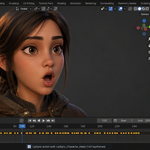
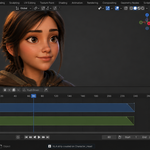
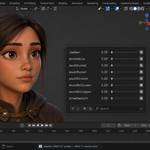
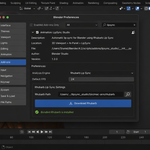
Download the zip and do not unpack it. In Blender open Edit > Preferences > Add-ons, click the drop-down arrow in the top-right corner and choose Install from Disk, then pick the zip. Tick the checkbox next to LipSync Studio. Press N in the 3D Viewport and open the LipSync tab.
The Built-in Analyzer works straight away. Rhubarb and the optional Vosk engine are set up from the add-on's preferences (see the internet question below).
Blender 4.2 LTS and later. Tested on 4.2.9, 5.1.0, 5.2.0, 5.2.1 and 5.2.2.
Only if you press one of two download buttons in the add-on's preferences; analysis itself runs offline.
Download Rhubarb fetches the official Rhubarb Lip Sync 1.13.0 release for your platform from its GitHub releases page (about 8 MB) into the add-on's own folder. You can instead point the add-on at a Rhubarb you already have, or use Auto-detect Rhubarb.
Install Vosk Engine downloads three files, each checked against a fixed SHA-256: the native Vosk 0.3.44 library from the official vosk package on PyPI, the small US English model from alphacephei.com, and the CMUdict pronunciation dictionary from GitHub. The total is roughly 48 to 55 MB depending on the platform. Everything goes into one folder in your Blender scripts directory, pip is not used and Blender's Python is not changed. Remove Vosk Engine deletes that folder.
If you use the OpenAI Whisper engine, that separate package downloads its own speech model the first time it runs (about 75 MB for the base size). No account or key is involved anywhere, and LipSync Studio sends no audio or text off your computer.
Built-in Analyzer: driven by loudness, so it does not depend on the language, fast; good for stylised characters and previews. Rhubarb Lip Sync: phoneme-based, the best general-purpose result, most accurate on English with the Dialog text filled in. Vosk (optional): places each word of your Dialog text on the audio, English only; it gave the most reliable lip closures on B, M and P words in our tests. OpenAI Whisper: only available if the separate openai-whisper Python package is already installed in Blender's Python, which LipSync Studio does not do for you; its phoneme step is English only.
Only Rhubarb and Vosk read the Dialog text; for a multi-line script, load a .txt file with the folder button next to the Dialog field.
Open Viseme Mapping, pick a Rig Preset and press Apply: Generic (viseme_*), ARKit 52, FACEIT, Preston Blair, MetaHuman or Character Creator 4. The mapping slots fill with that rig's shape-key names. Auto-Detect tries to match the names on your mesh, and every slot can also be set by hand.
Yes, with Animate All Character Meshes on (it is on by default). Build Animation then keys the same visemes on every mesh of the character that shares the shape-key names: head, beard, eyebrows, tongue, teeth. Turn it off to animate the target mesh only.
In Settings set Rig Type to Jaw Bone, pick the armature and the jaw bone, set the axis and the maximum angle, and press Build Jaw Bone. The jaw opens on open vowels and closes on pressed-lip and rest shapes.
Yes. LipSync Studio is licensed under GPL-3.0; the license covers the add-on code, and the animation you create is yours to use in commercial projects. Rhubarb Lip Sync is under its own MIT license. Full documentation is on the Documentation & FAQ tab of this product page, and a README.md is inside the zip.
Have questions about this product?
Login to message
Discover more products like this
blendshapes character shape keys animation cc4 rhubarb dialog gamedev faceit lip sync ipsync Character Creator