 Skava
Skava


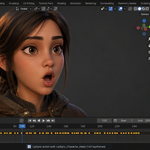
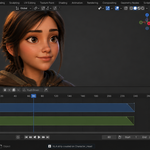
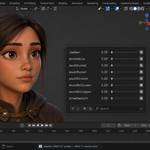
Load Dialog Text from a .txt file: a folder button next to the Dialog field reads UTF-8 (with or without BOM), UTF-16 and Windows-1252 and keeps every line, joined into one. Pasting into a Blender text field keeps only the first line of the clipboard; with half the text Rhubarb's on-time lip closures fell from 84.8 % to 75.4 %.
The panel now shows which engine runs and whether it reads your text. Only Rhubarb and Vosk read Dialog Text; Built-in (the default) and Whisper ignore it, and the panel now says "Text ignored by Built-in". Analyze and Quick Sync report the engine used and whether the text was used. The Dialog tooltip no longer claims Whisper reads it.
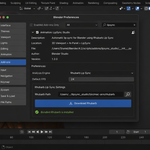
New optional Vosk engine (Windows x64, macOS, Linux x64; English): offline word-by-word alignment of Dialog Text. Off by default; one button in the preferences downloads libvosk 0.3.44, a 39 MB English model and the CMUdict dictionary (listed before you press it, checksums verified) into its own folder; no pip, Blender's Python untouched, no account or key; Remove deletes the folder. Lips closed on time on 100 % of B/M/P words (12 recordings) and 99.1 % (24 recordings of continuous speech, 8 voices), against 84.8 % and 83.6 % for Rhubarb with the same text. The test recordings are synthesized voices with known word timings; we have no recordings of live speech with such a reference, so treat these figures as a test result, not a promise for every take. The same take with the same text gives the same result on every run and on all three systems.
Verified on Blender 4.2.9, 5.1.0, 5.2.0, 5.2.1 and 5.2.2 (macOS); the Vosk engine also on Windows 11 x64 with Blender 4.2.9 and 5.2.0 and on Linux x64 with Blender 4.2.9 and 5.2.2.
Auto-Detect Mapping now recognises the rig family before it guesses.
On a FACEIT or ARKit character it now applies that rig's exact viseme table, so all seventeen visemes land on the shapes they belong to. Before this, the matcher searched for the viseme code anywhere inside a shape-key name — and on an ARKit rig that sent four visemes to the wrong part of the face: EE and FF landed on cheekPuff, OO on eyeLookDownLeft, RR on noseSneerRight. Only AA was correct, so the jaw opened on every sound and the mouth looked unnatural.
A viseme can no longer be assigned to an eye, brow, cheek or nose shape at all.
Measured on a full ARKit 52 rig: seventeen of seventeen visemes now match the FACEIT table, and twenty shapes move where fourteen moved before. Verified on Blender 5.2 and 5.1.
If you already have a character mapped by hand, nothing changes — this only affects what Auto-Detect fills in.
Fixed: Diagnose Rig could crash Blender outright when it ran without a window.
- The report was shown through a popup, and a popup with no window to open in takes the whole process down — not with an error, but a hard crash, losing unsaved work. It now prints the report to the console in that case and shows the popup only when there is a window for it.
- This matters on render farms and in batch scripts, where Blender runs headless; in the normal interface nothing changes.
Verified end to end on a character with 20 viseme shape keys: auto-mapping, build, blinks, mouth-openness bake, timeline export, clear and rebuild — 12 checks, no problems. Under load: 4800 visemes, about ten minutes of speech, built in 2.1 seconds with 14 415 keys.
No changes to viseme mapping, presets or the Rhubarb workflow. Upgrading is safe: remove the old version in Preferences, install this one, restart Blender.
Have questions about this product?
Login to message
Discover more products like this
ipsync lip sync character dialog shape keys rhubarb Character Creator animation gamedev faceit blendshapes cc4