Ln Lods Pro
 LN Design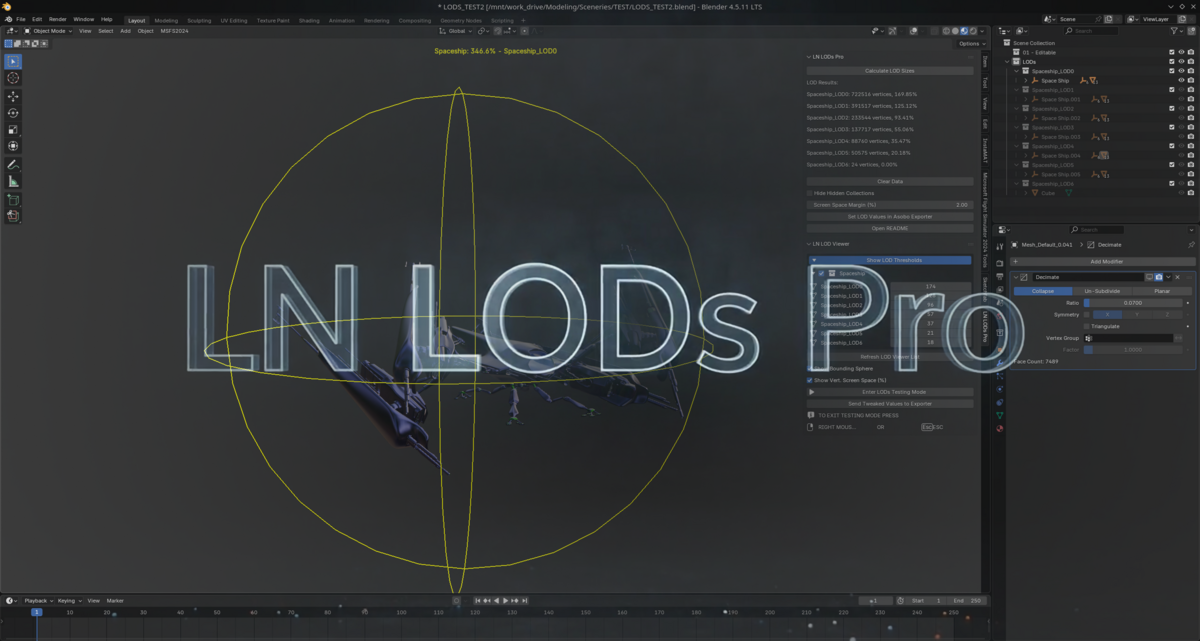
# LN LODs PRO Addon for Blender (Version 4.0.2)
## What It Does
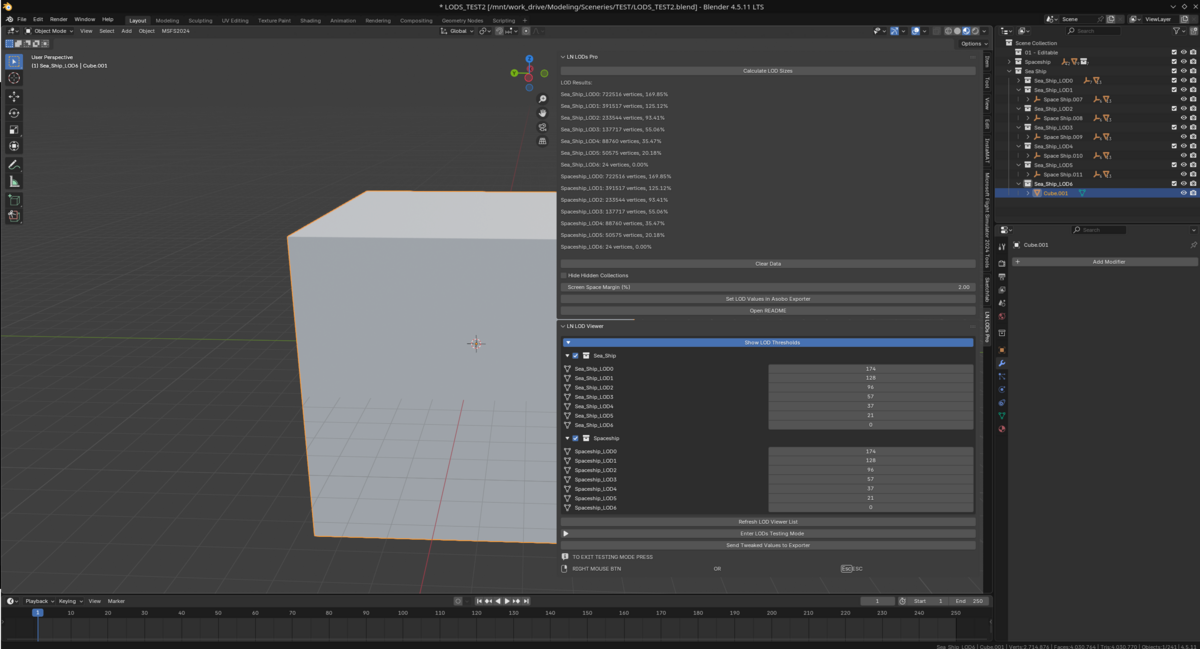
LN LODs Calculator automates Level-of-Detail setup for Microsoft Flight Simulator 2020 and 2024. If you make aircraft or scenery, this tool saves you hours of manual LOD tweaking.
**In a nutshell:** Name your collections `_LOD00`, `_LOD01`, etc., click a button, and the addon calculates the correct screen-size thresholds for the Asobo Exporter — calibrated to match how MSFS actually counts vertices.
## One Engine, Two Editions
The Free and Pro editions now share a single, unified core — the same calculation engine, the same interface, the same accuracy. Every improvement, fix, or performance gain lands in both editions simultaneously.
- **Free** — Full LOD calculation and exporter integration. Everything you need to get correct LOD values into the sim.
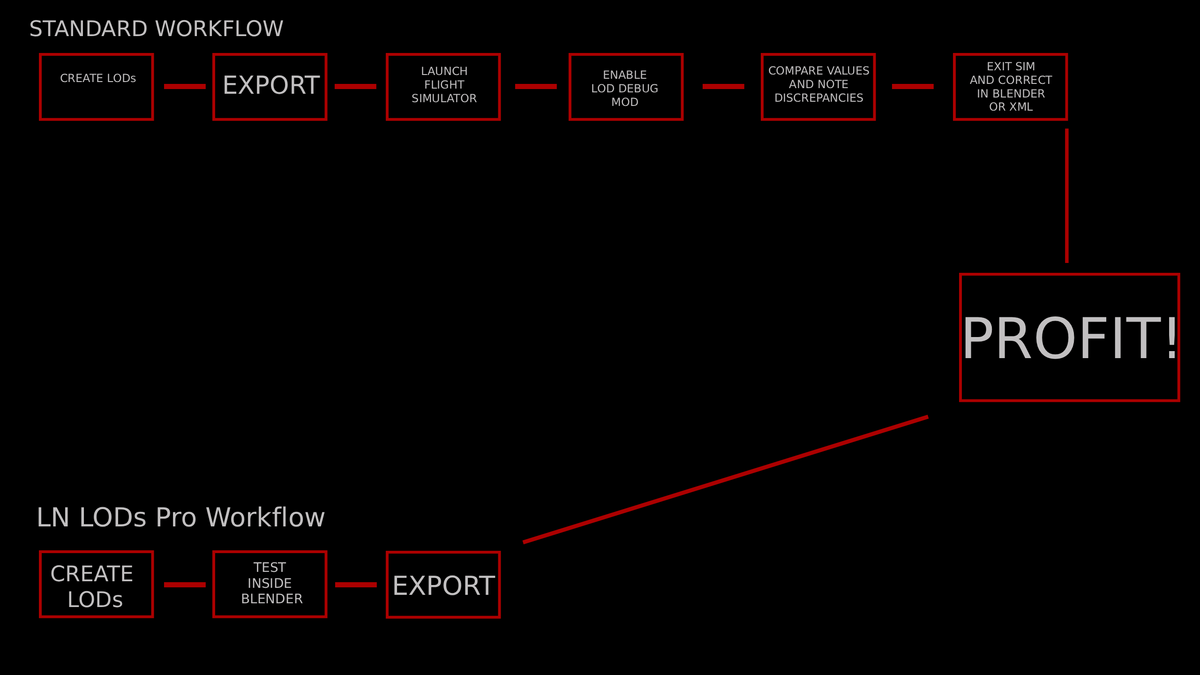
- **Pro** — Everything in Free, plus the real-time LOD Viewer for testing your LOD transitions inside Blender before you export.
No separate installs. No catching up. Upgrade any time.
## Quick Start
1. Name your collections: `MyModel_LOD00`, `MyModel_LOD01`, `MyModel_LOD02`...
2. Put your mesh objects into the right collections.
3. Open the **LN LODs** tab in the 3D Viewport sidebar.
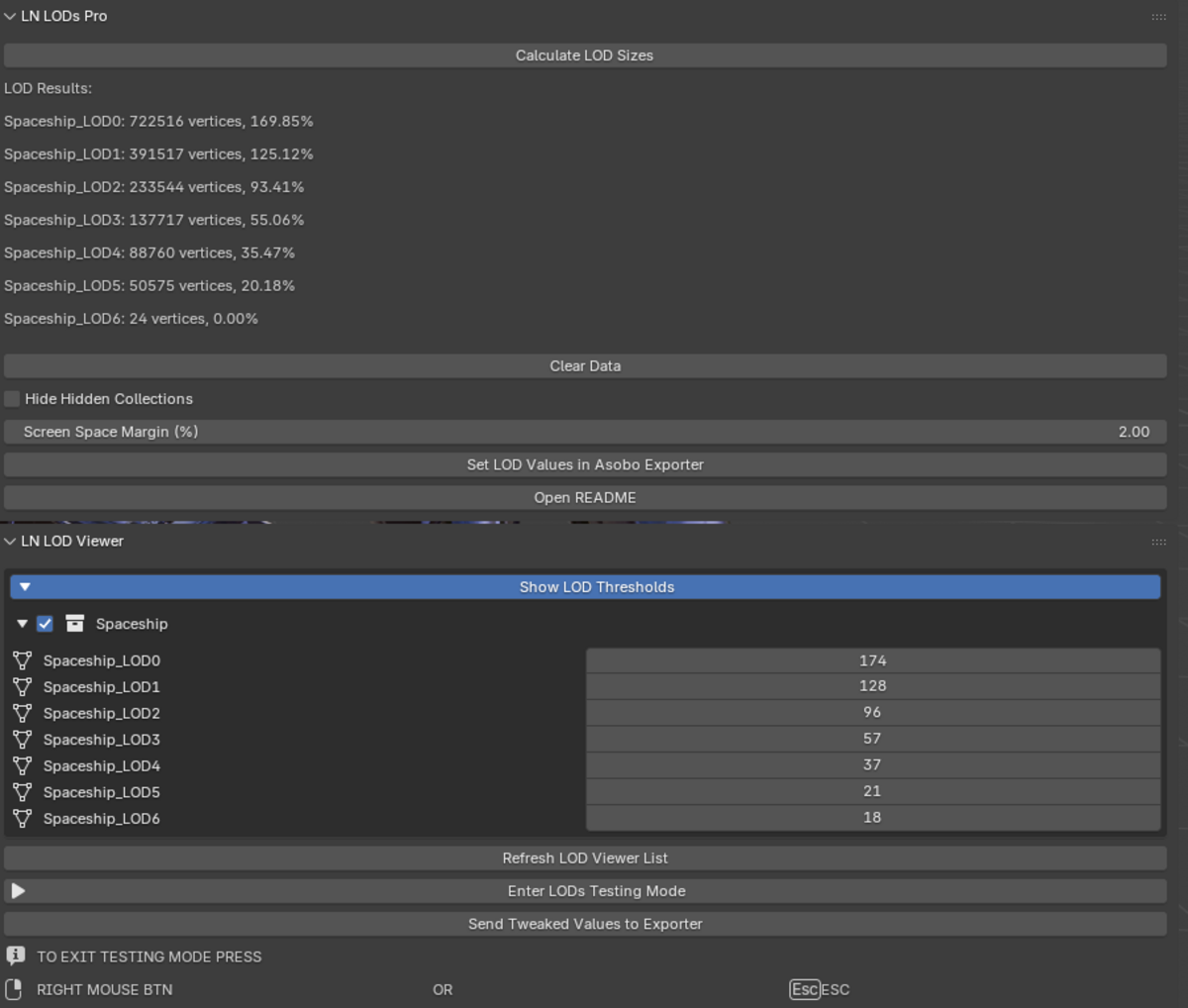
4. Click **"Calculate LOD Sizes"** — results appear with a progress bar.
5. Click **"Set LOD Values in Asobo Exporter"** — done.
That's it. The exporter will use the correct thresholds and your LODs will transition smoothly in-sim.
## Features
### For Everyone (Free)
- **One-click calculation** — Scans all your LOD collections and computes screen sizes using the official Asobo reference curve. A progress bar keeps you informed on large scenes.
- **Accuracy you can trust** — Counts vertices the same way the exporter does: accounts for UV seams, split normals, vertex colours, and tangents. What you see is what the sim gets.
- **MSFS Exporter integration** — Writes results directly into the Asobo Multi Exporter's LOD groups. No copy-pasting.
- **Screen Space Margin** — Adds a safety buffer (2-3% recommended) to prevent LOD flickering in-sim.
- **Smart collection handling** — Optionally skip hidden collections so they don't interfere with your calculation.
- **Smart alerts** — Empty collections are clearly flagged; collections exceeding the sim's practical range are highlighted in red so you know to optimise further.
- **Clear Data** — One button to wipe all results and start over, no restart needed.
- **Exporter status check** — If the MSFS Exporter addon is missing or disabled, you'll see a clear warning in the panel.
### Pro Only (LOD Testing Mode)
See exactly how your LODs will behave in MSFS — right inside Blender:
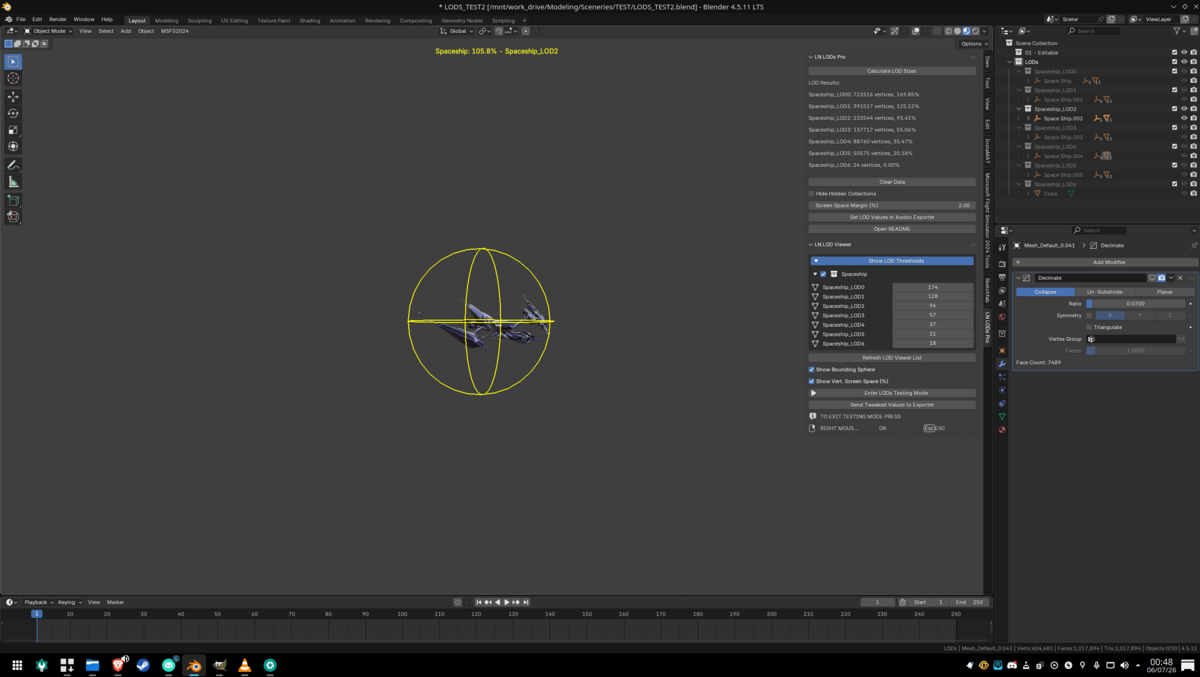
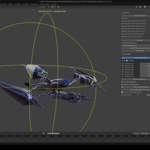
- **Real-time LOD simulation** — Move your camera around and watch LODs switch at the exact distances they would in the sim.
- **Instant LOD switching** — Modifiers are evaluated on the fly so switching between LODs is instantaneous, even on complex meshes with heavy modifier stacks.
- **Collection isolation** — Only the currently-active LOD is visible during testing; all others auto-hide, so you see exactly one LOD at a time with no visual clutter.
- **Per-group control** — Toggle entire model groups on or off in the viewer to focus on specific parts without re-scanning.
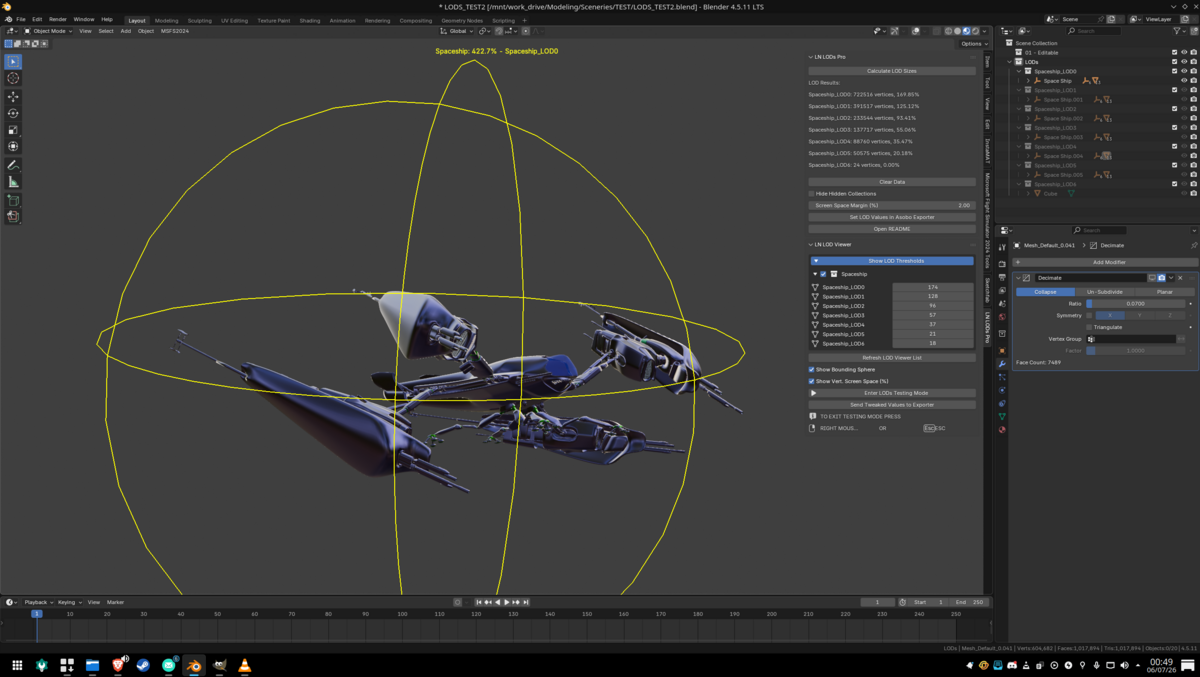
- **Bounding sphere visualisation** — Yellow wireframe spheres show the coverage radius for each LOD group. Toggle them on or off.
- **Coverage readout** — Live percentage display shows how much of the screen each LOD occupies. Toggle it on or off.
- **Tweak on the fly** — Adjust individual LOD thresholds using sliders and send the refined values straight to the exporter without re-calculating.
- **Auto viewport cleanup** — Overlays, grid, gizmo, 3D cursor, and object origins all hide automatically when you enter testing mode so you can focus purely on LOD transitions. Everything restores when you exit.
- **One undo to restore** — Press Ctrl+Z after testing and everything goes back to exactly how it was.
- **Exit safely** — Press ESC or right-click-and-release to exit. The viewport, overlays, and collection visibility are all restored reliably.
---
## Usage Instructions
### MSFS Multi Exporter Setup
1. Enable the **MSFS Asobo Multi Exporter** addon.
2. In the exporter's Objects tab, turn on **"Grouped By Collections"**.
### LOD Naming
Ensure your LOD collections end with `_LOD00`, `_LOD01`, `_LOD02`, etc. or `_LOD0`, `_LOD1`, `_LOD2`, etc. Examples:
- `MyModel_LOD00`
- `MyModel_LOD01`
- `MyModel_LOD02`
Place all relevant mesh objects into the respective collections for each LOD.
### Calculating LOD Values
1. Go to the **LN LODs** tab in the Blender Sidebar.
2. Click **"Calculate LOD Sizes"** to compute screen sizes for each `_LODxx` collection.
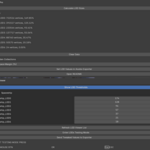
3. Review the results: collection name, vertex count, and recommended screen size %.
4. Adjust the **Screen Space Margin (%)** to account for minor discrepancies between Blender's vertex calculations and the final GLTF/Asobo pipeline. We recommend at least 2-3%.
5. Click **"Set LOD Values in Asobo Exporter"**. The plugin sends the results to the Asobo Multi Exporter, rounding up decimals to the next integer.
6. Press **"Open README"** to open this file in your system's text viewer.
### Using LOD Testing Mode (Pro)
1. Click **"Refresh LOD Viewer List"** to load your LOD groups.
2. Click **"Enter LODs Testing Mode"**. (Loading testing mode might takes some time, but makes LOD switching instant with our new pre-baking method)
3. Move your viewport camera around — watch LODs swap in real time. Only the active LOD is shown; everything else auto-hides.
4. Expand the **"Show LOD Thresholds"** section to enable/disable groups and adjust individual LOD sliders.
5. When you're happy, click **"Send Tweaked Values to Exporter"**.
6. Press **ESC** or right-click-and-release to exit testing mode. The viewport and all objects restore to their original state.
### Tips
- **Start with 2-3% margin.** This small buffer prevents the sim from constantly swapping LODs at transition boundaries. You can adjust per project.
- **Test at different distances.** Zoom all the way out and all the way in to check every LOD transition.
- **Use per-group toggles.** In Pro, disable groups you're not working on to speed up testing and reduce visual noise.
- **Check the warning banners.** If the MSFS Exporter isn't detected, the panel will tell you what's wrong.
- **Simple objects need margin too.** If your LOD value rounds to 0 but the object is visible, the margin pushes it to 1 so it doesn't disappear.
- **Use named LOD patterns consistently.** `_LOD00`, `_LOD01`, `_LOD02` or `_LOD0`, `_LOD1`, `_LOD2` both work, but don't mix styles in the same project.
---
**NOTE: THIS IS TO MINIMIZE LOD POPPING.**
Any LOD collection with a value above `00.00%` gets automatically translated to **1** when sent to the exporter **if any Screen Space Margin is specified**.
Otherwise, it will remain 0. If you wanna set 0.5 (minimum VSS defined by Asobo) you can set it manually afterwards.
Bear that in mind when building very simple objects!
----------------------
## Support
For issues or feedback, contact **Chris "Losco Nosciuto" Da Ros** on his [Discord server](https://discord.gg/ZGMmYe3MvN).
---
## Version History
### Pro Changelog
**4.0.2 Pro**
- Unified core codebase — Free and Pro now share the same calculation engine and UI. Every core improvement benefits both editions immediately.
- Dramatically improved calculation speed for large scenes, with progress bar feedback.
- Asobo-compliant interpolation for smoother, more reliable LOD transitions.
- 1:1 vertex count fidelity with the MSFS exporter — what you see is what the sim gets.
- Coverage formula now matches MSFS 2020 and 2024 exactly: `coverage = radius / distance x 1000`, clamped to 1000 at the bounding sphere surface.
- Cleaner Asobo exporter detection with status banners in UI.
- Improved bounding sphere precision for more realistic LOD transition testing.
- Progress feedback during calculation and overall reliability improvements.
- Streamlined developer mode (backend only) and general polish.
- Collection isolation during testing — only the active LOD is shown; others auto-hide.
- Per-group enable/disable toggles in the viewer.
- Auto viewport cleanup on testing entry (overlays, grid, gizmo, cursor, origins).
- Modifier stack baking for instant LOD switching. (Loading testing mode might takes some time, but makes LOD switching instant)
- Smart alerts for empty and out-of-range collections.
- Clear Data button to reset results.
**3.0.5 Pro**
- Greyed out the "Calculate LOD Sizes" button when in Testing Mode.
- Introduced a new button to send manually tweaked data from the Viewer to the Exporter.
**3.0.1 Pro**
- Corrected edge cases for bounding sphere calculations. So far should be consistent (center -> furthermost vertex = radius from 0,0,0).
**3.0.0 Pro**
- Introduced **LN LODs Viewer** for real-time LOD Testing Mode.
- Added bounding sphere calculations for vertical coverage (MSFS style).
- Overlays can be hidden while bounding spheres and coverage text are shown in the viewport.
- Supports toggling bounding-sphere wireframe and numeric coverage readouts.
---
### Free Changelog (Also applies to 3.x.x Pro)
**2.8.1**
- Blender 4.2 LTS compatibility.
- Updated ARRAY values for VSS/Vert Count.
- Slightly reworked interpolation logic.
**2.7.5**
- This free version excludes the real-time LOD Viewer module.
- Basic calculations and auto-set LOD values remain the same.
- Fixed a bug with "Hide Hidden Collections" — hidden collections and children of hidden collections are now correctly excluded.
**2.7.0**
- **Expanded Data Array** — Greatly increased reference points for more accurate mapping from vertex counts to screen space.
- **New Interpolation Method** — Replaced linear interpolation with a smoother curve for more natural LOD transitions.
- **Dynamic Vertex Limits** — Removed the fixed 2M vertex limit.
- **Boundary Handling** — Minor cleanups and improved handling at extreme values.
**2.6.0**
- Added **"Hide Hidden Collections"** to exclude hidden collections from calculations.
**2.5.0**
- **Reworked Vertex Counting Algorithm** — Now accounts for splits from multiple UVs, split normals, vertex colors, tangents. Minimizes mismatch between Blender's internal count and the sim's final vertex count.
**2.2.0**
- **Modular Plugin Structure** — Split into multiple scripts. Enables backend expansion and easier bugfixing.
**2.0.0**
- Recognises both single-digit and double-digit LOD suffixes (`_LOD0`, `_LOD01`, etc.).
- Vertex counting logic now triangulates meshes, adding 2 verts for quads, `(n-3)` for ngons.
**1.8.0**
- Replaced fixed 2% margin checkbox with a dynamic float input.
- Enhanced error handling, debug messages, UI clarity.
- Red highlighting for out-of-range collections.
- LOD collections exceeding vertex limits are included in results but marked as out of range (displayed in red).
**1.6.0** (Initial Release)
- Basic LOD screen size calculation and direct integration with Asobo Multi Exporter.
---
**Happy blending!**
Have questions about this product?
Login to message
| Published | 3 months ago |
| Blender Version | 3.6 - 4.5 |
| Extension Type | N/A |
| Render Engine Used | Cycles, Eevee |
| License | GPL |

Discover more products like this
asobo-exporter LOD flight simulator lods-management collections