LS - Pro Auto LOD Generator | Professional Level of Detail System for Blender
 Ludiax Studio


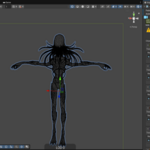
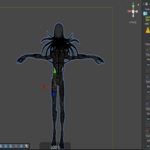
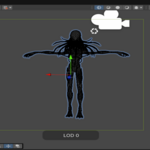
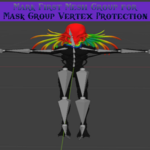
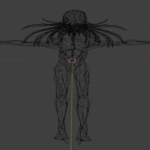
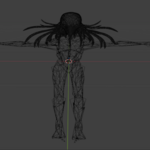
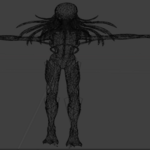
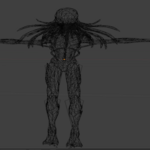
Do I get free updates?
Yes! All license tiers include lifetime updates at no additional cost. Studio license holders also get early access to beta versions of new features.
Can my team share one license?
It depends on your license tier:
- Personal: No, single user only
- Team: Yes, up to 4 team members in the same organization
- Studio: Yes, unlimited users in your organization
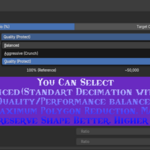
What are the Decimation Styles?
- Balanced: Standard quality/performance ratio (recommended for most cases)
- Aggressive (Crunch): Maximum polygon reduction, ideal for mobile/VR distant LODs
- Quality (Protect): Preserves more detail, slightly higher poly count than target
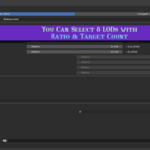
What's the difference between Ratio and Target reduction modes?
- Ratio Mode: Reduces polygons by a percentage (e.g., 0.50 = 50% of original)
- Target Mode: Reduces to a specific polygon count (e.g., 5000 polys)
Use Ratio for consistent relative reduction, or Target when you need exact polygon budgets.
Does this add-on break my animations?
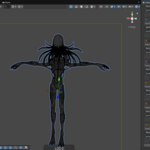
No. The LS - Pro Auto LOD Generator is specifically designed to preserve your armature modifiers and bone weights, ensuring your animations work perfectly across all LOD levels. The Single Armature Mode keeps all LODs connected to the same skeleton.
Can I use this for non-rigged (static) meshes?
Absolutely. While it has advanced features for rigged characters (armature preservation, weight limiting), it works perfectly fine for optimizing environment assets, props, vehicles, and any other static geometry.
Does it support custom naming for other engines besides Unreal and Unity?
Yes! You can use the "Custom" naming convention option to define your own suffixes for each LOD level, making it compatible with Godot, CryEngine, proprietary engines, or any specific pipeline requirements.
What happens to my textures and UV maps?
The add-on uses smart decimation that aims to preserve UV layouts as much as possible. You can also enable Preserve UV Seams for better protection. However, at extremely low poly counts (e.g., LOD7 at 0.005 ratio), some minor UV stretching is normal due to the significant geometry change.
Do I need to bake anything before exporting?
It is recommended to have your final mesh ready, but the add-on provides utilities like "Apply Triangulate" and "Limit Weights" to handle engine-specific requirements during the process. No manual baking is required.
Is it compatible with Blender 5.0?
Yes, the add-on has been tested and is fully functional with Blender 4.2+ and the latest Blender 5.0 release. It uses the new Extension format for seamless installation.
Can I upgrade my license later?
Yes! You can upgrade at any time. The system will automatically deduct what you've already paid. For example, upgrading from Personal ($25) to Team ($57) costs only $32.
Which license should I choose?
Choose based on how many people will use the add-on:
- Personal ($25): You're a solo developer or freelancer working alone
- Team ($57): You have a small team of up to 4 people
- Studio ($110): Your organization has 5 or more users, or you want VIP support and beta access
-
$130
Unlimited users, VIP support
-
$65
Up to 4 users, priority support
-
$39
Single user
Have questions about this product?
Login to message
| Blender Extension Compatible | Yes |
| Dev Fund Contributor | |
| Published | 9 months ago |
| Blender Version | 5.0 |
| Extension Type | Add-on |
| Render Engine Used | Cycles, Eevee |
| License | GPL |
Discover more products like this
indie-game mesh-reduction godot Workflow decimate rigging unity ar addon mobile optimization level of detail game development blender glb export automation game assets armature FBX Export pro tool Unreal Engine LOD 3d modeling optimization vr extension Polygon Reduction character optimization