 TastyVoxels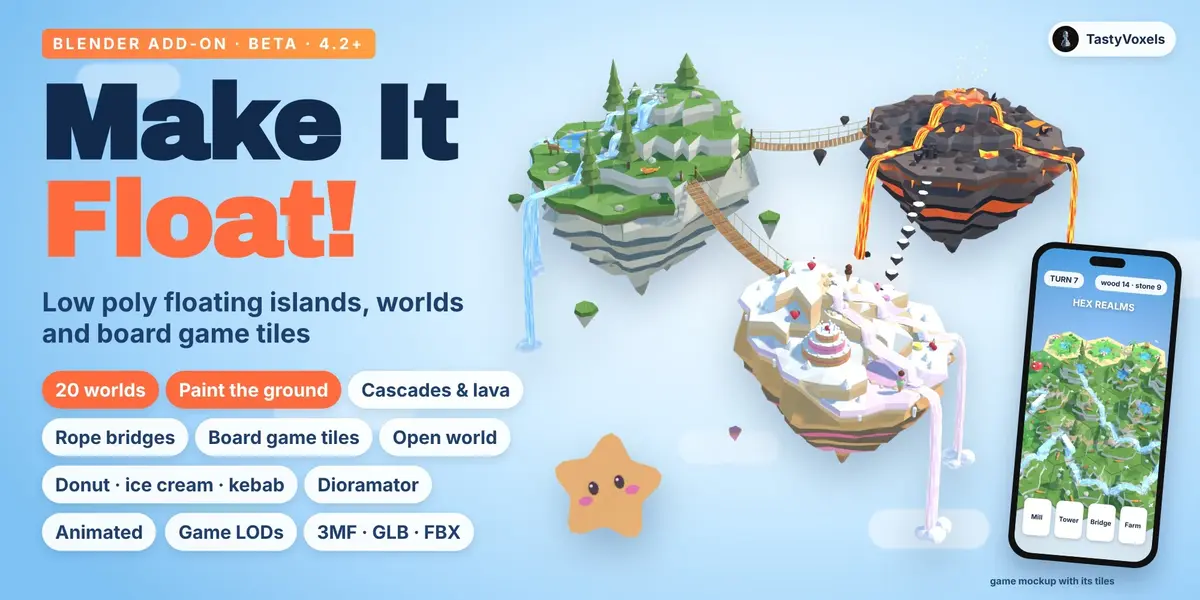
Islands in the sky, in a few clicks.
What it is, in one sentence. Make It Float! is a Blender add-on that builds low poly dioramas: floating islands and board game tiles in twenty worlds, with terraces and sheer rock walls, rivers that cascade from step to step and fall off the edge, lava that flows, bridges between islands, and everything animated the moment you press Play.
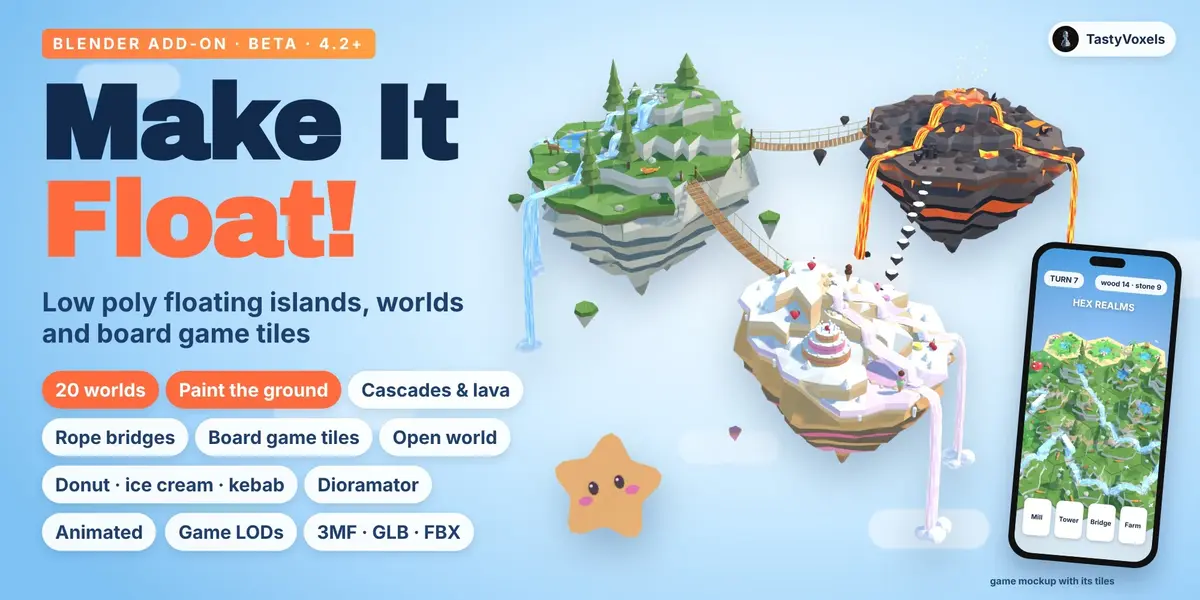
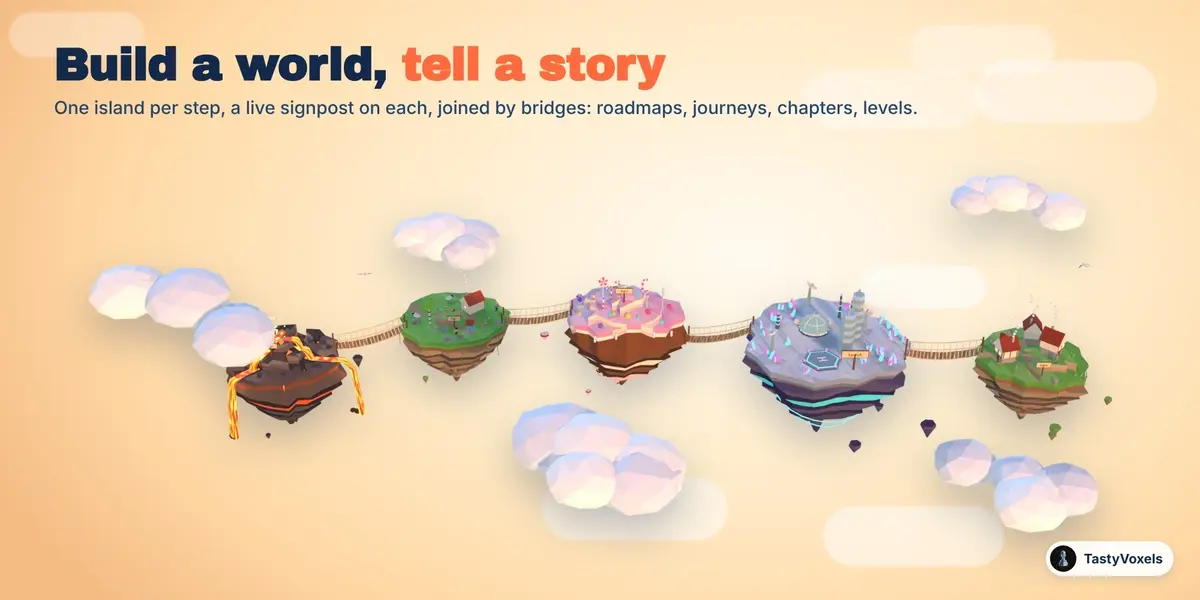
Who it is for. Marketers and motion designers who tell an idea as a journey: a roadmap, a launch plan, an onboarding, one island per step joined by bridges, with a signpost on each. Illustrators, storytellers and YouTubers who want a cosy world for a story, a channel intro or a thumbnail. Game designers and tabletop players who need modular tiles, hex or square, that fit edge to edge. Makers who print dioramas, in filament or in full colour.
Three ways to buy. The add-on builds everything on this page for you, in a few clicks, with every setting live, and its download includes the Only Asset Kit as well. The Lite add-on makes islands in every world, with water, decor, sky, bridges, stories, animation, light and export, but has no board game tiles, no Open World and no Dioramator; it also comes with the Only Asset Kit. The Only Asset Kit, on its own, is for building by hand: the islands, tiles, pieces, bridges, skies, light rigs and materials the add-on makes, ready in one .blend for Blender's Asset Browser, to drag in and arrange yourself. It has no add-on inside, so nothing is automatic: no live settings, no Paint the Ground, no Dioramator, no world or board builder, no Director, no export tools and no expansion packs.
This is the beta. What it gives you today are advanced bases, fully editable: a world or a board laid out for you, then a few clicks of adjustment and your diorama is done. Everything described here works and is checked by an automated suite in Blender 4.2 and 5.2; the add-on is still young, and every piece of feedback, through Superhive chat, helps it reach 1.0. Buying the beta means every update after it, 1.0 included, at no extra cost.
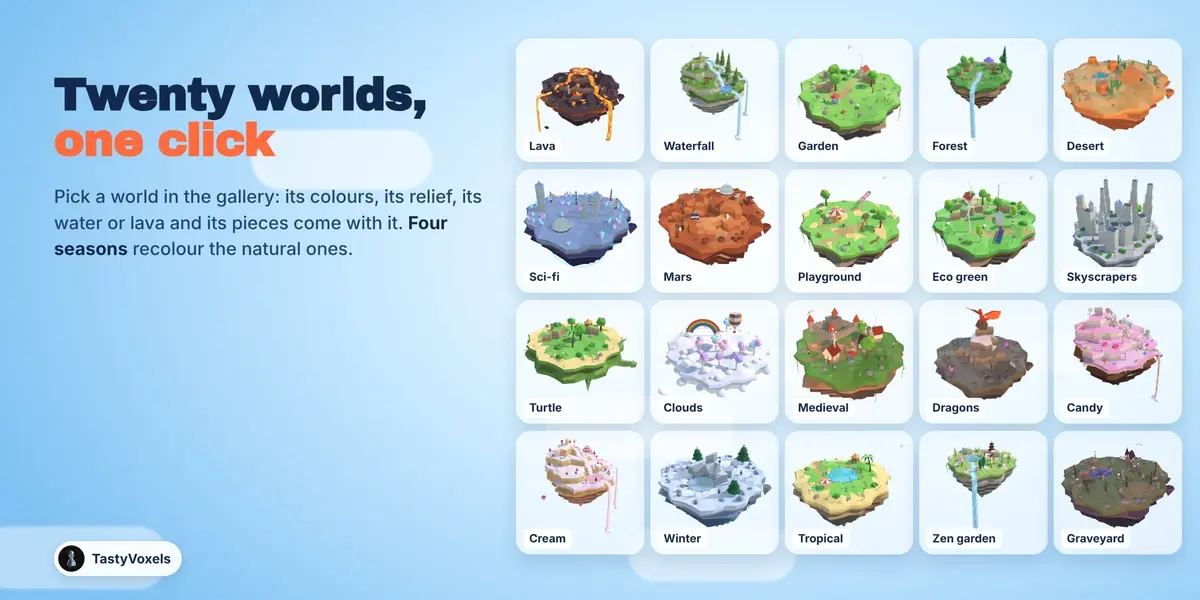
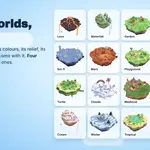
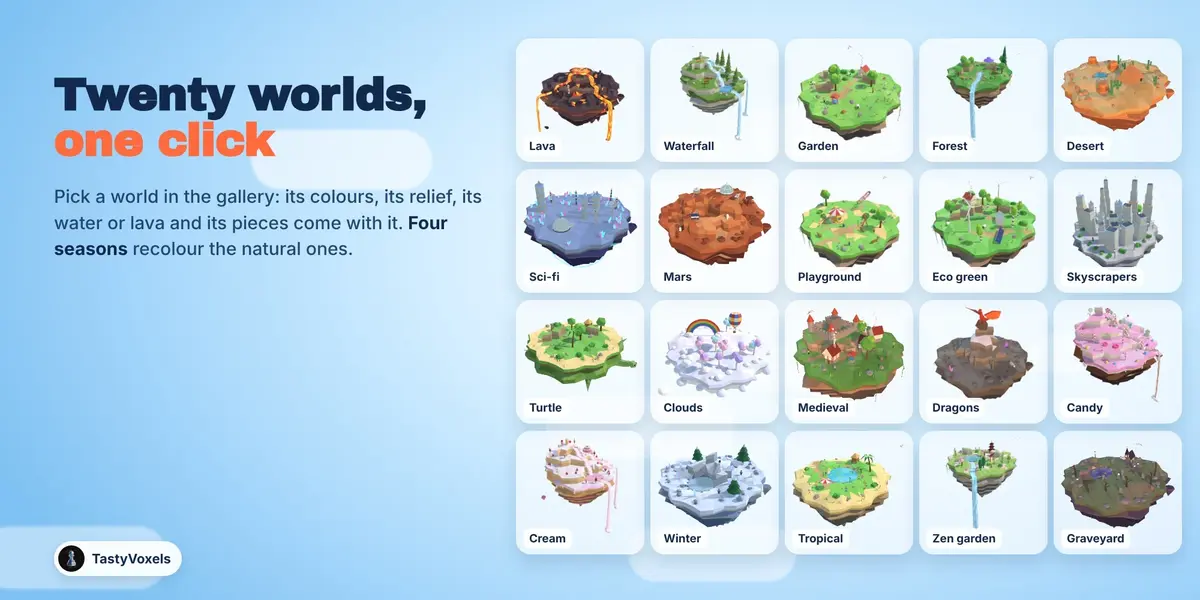
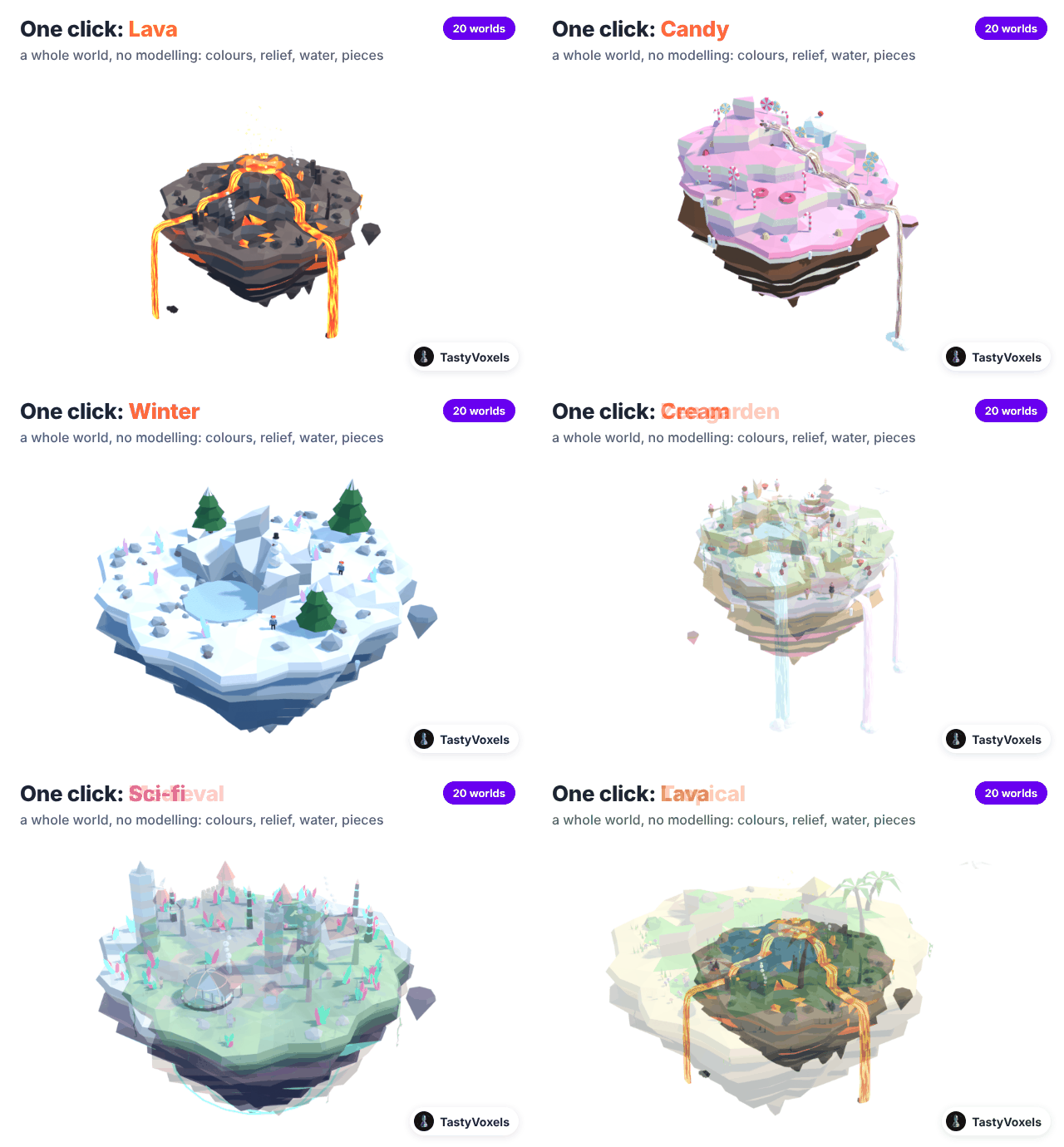
Twenty worlds. Lava, Waterfall, Garden, Forest, Desert, Sci-fi, Mars, Playground, Eco green, Skyscrapers, Turtle, Clouds, Medieval, Dragons, Candy, Cream, Winter, Tropical, Zen garden, Graveyard. Pick one in a gallery of pictures: new islands get it, selected islands change to it. Every world brings its own colours, relief, water or lava, and its own pieces: pines and deer, barrels and lamps by the doors, a castle with towers and a windmill that turns, a Ferris wheel, a carousel and swings, wind turbines and solar rows, towers with bands of windows, a dragon on its peak with wings that beat, lollipops and a cupcake house on layer cake cliffs, whipped cream hills with strawberry milk falls, ice creams and a birthday cake whose candles glow, cherry trees in bloom round a pagoda and a torii gate, a gothic chapel with lit windows among gravestones, iron fences and old trees, an igloo and a snowman, a palm lagoon, a rover and a lander among the craters and mesas of Mars, an island riding on a turtle that paddles through the sky. Four seasons recolour the natural worlds.
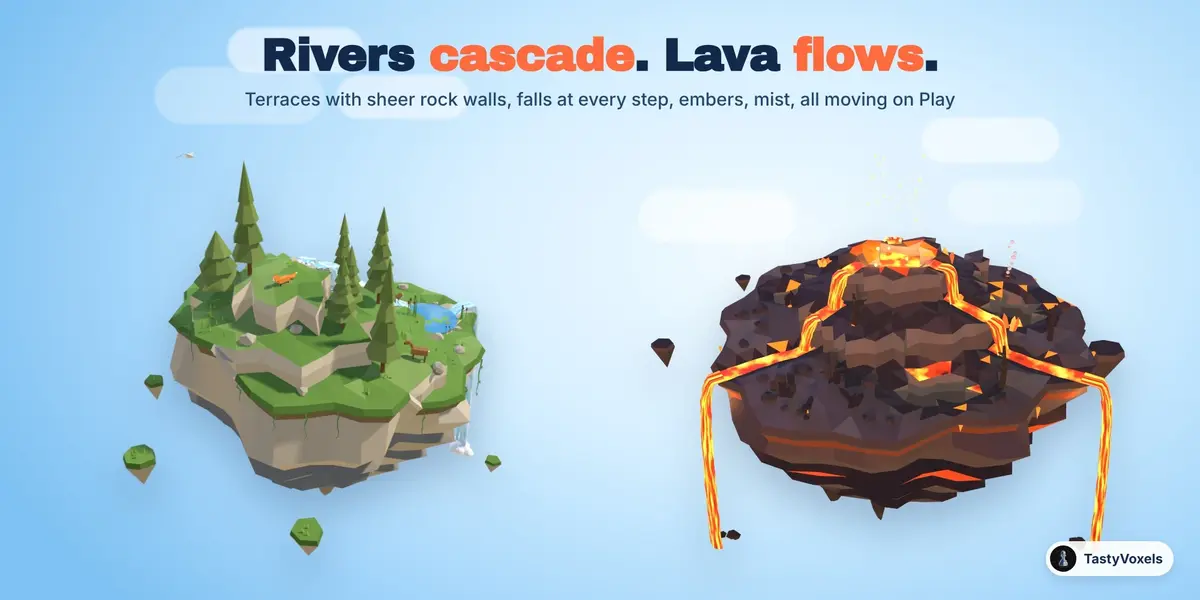
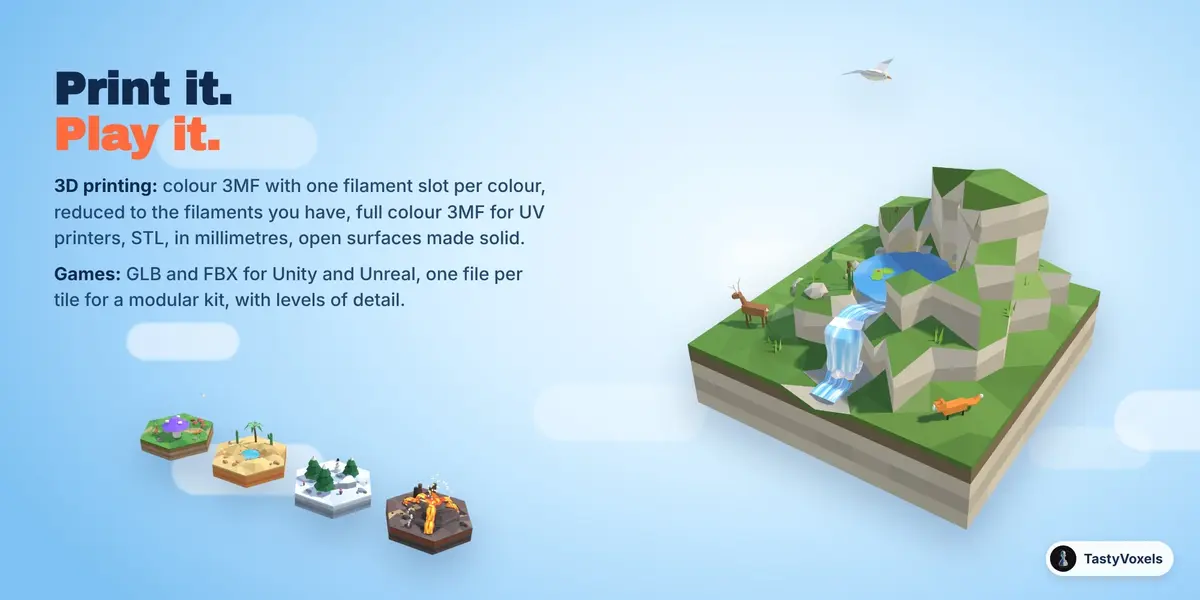
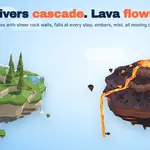
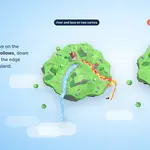
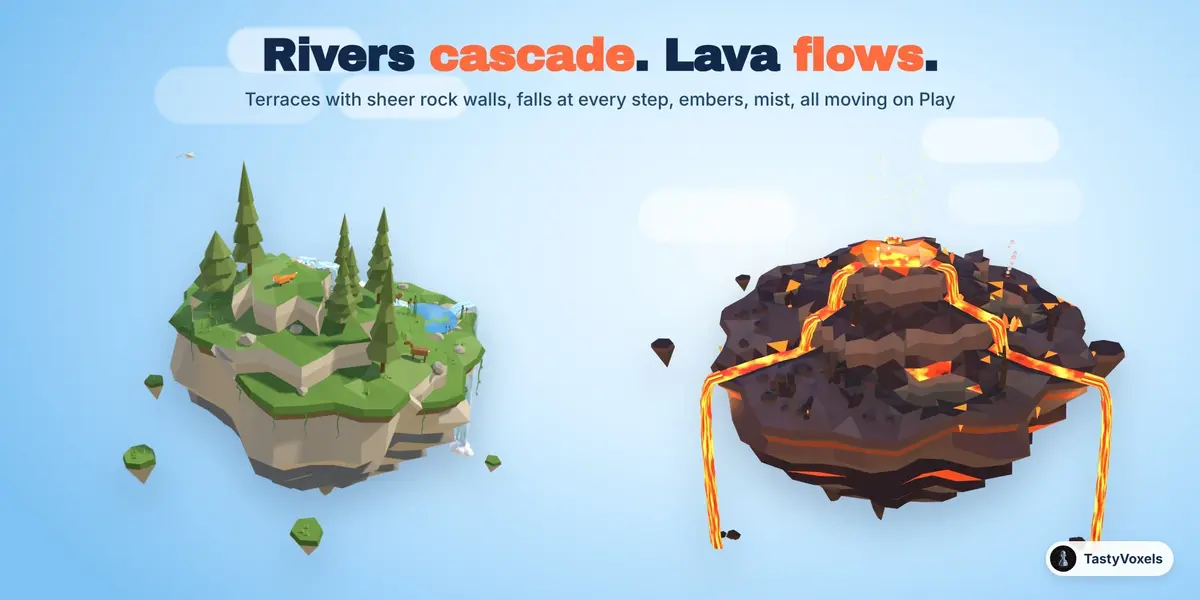
Terraces, cliffs, cascades. The ground steps up in terraces with sheer, faceted rock walls between them, inside the island and on its edge. Rivers start from a spring, cascade down every step as a body of falling water with foam and stones at its foot, gather in a pond and fall off the island into mist. Lava flows from a crater, pours down the steps and off the edge, with glowing cracks and rising embers. Every fall leaves the edge in one smooth sheet that passes in front of the rock below, never through it, and Fall force sets how: 0 pours it straight down, just clear of the ledges, 1 throws it out as a powerful jet. Set it for one island, give the whole scene the same force in one click, or give a single flow curve a force of its own. Below a floating island the rock hangs in layered strata with ledges and chunky stalactites, roots and vines (icicles in winter, frosting on candy), and little rocks float around it, each bobbing on its own.
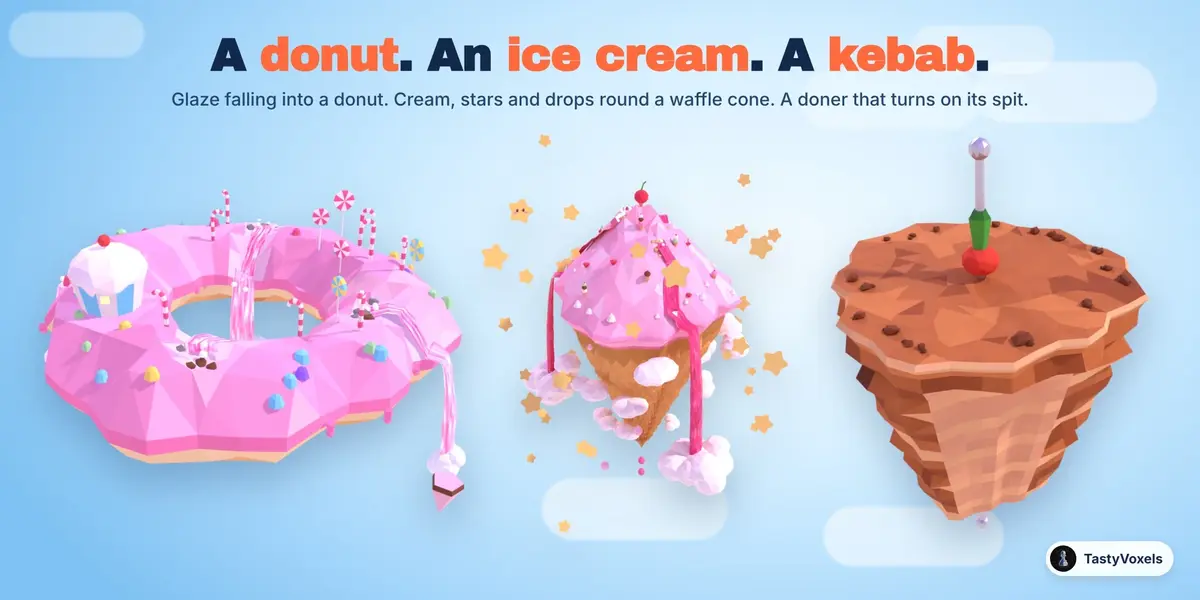
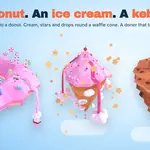
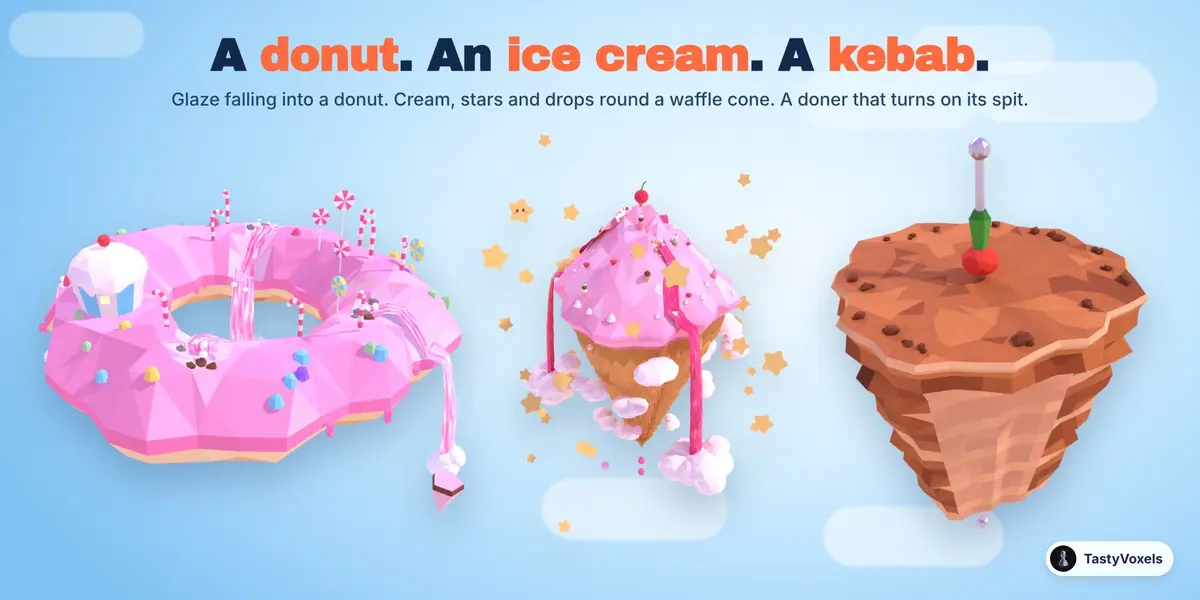
A donut, an ice cream, a kebab. Add Donut makes a ring of pink icing with a hole right through it, sweets on top, toasted dough underneath and strawberry glaze falling off the outside and into the hole; its Hole slider sets the size of the hole. Add Ice Cream makes a mountain of pink whipped cream with a cherry on top on a waffle cone: raspberry sauce falls into clouds of whipped cream, more clouds wind down the cone like a staircase, stars fill the sky and drops fall from the tip on Play. Add Kebab makes a doner kebab that floats in the sky: a cone of browned meat on its steel spit, shaved on one side, a tomato and a green pepper on top of the spit, and it turns on its spit when you press Play. The donut and the cone are shapes, so any world can wear them.
A sky of your own. Stars, kawaii stars with little faces, or clouds of white whipped cream, for any island: how many, round the island or scattered over the whole sky, how far they spread, how big. With a face sets how many kawaii stars get a face, the ones nearest the camera (one by default). Stars twinkle and some of them turn, and they always look at the camera wherever it goes, so you never see them side on; untick Face camera to leave them as they are for export. Fall clouds sets how big the clouds are where the falls end.
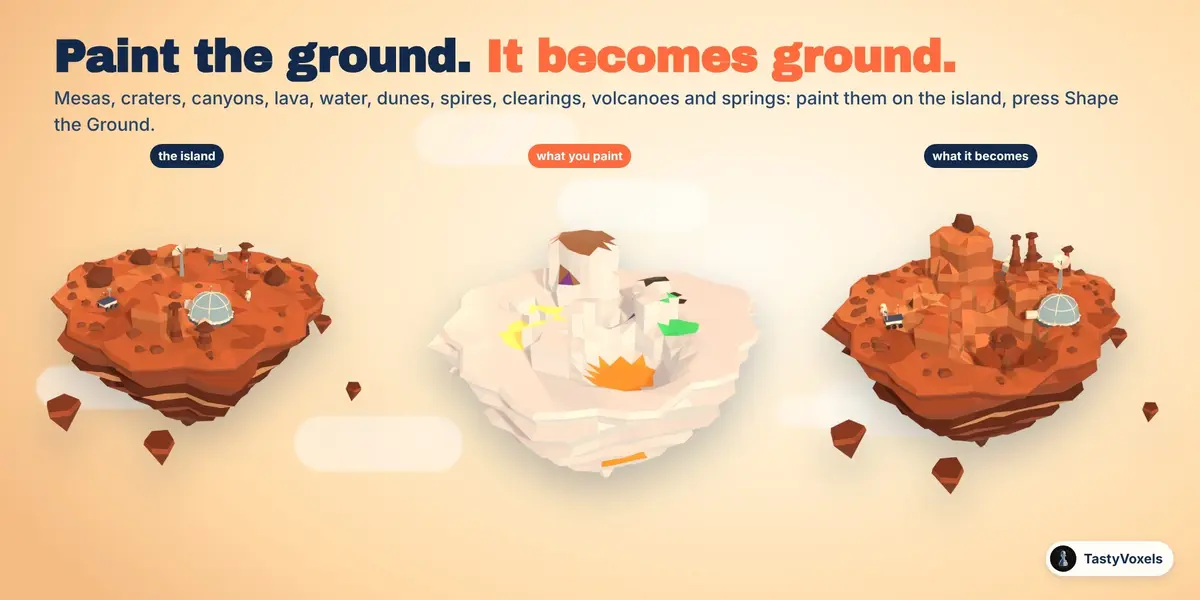
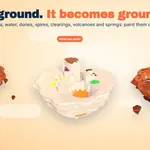
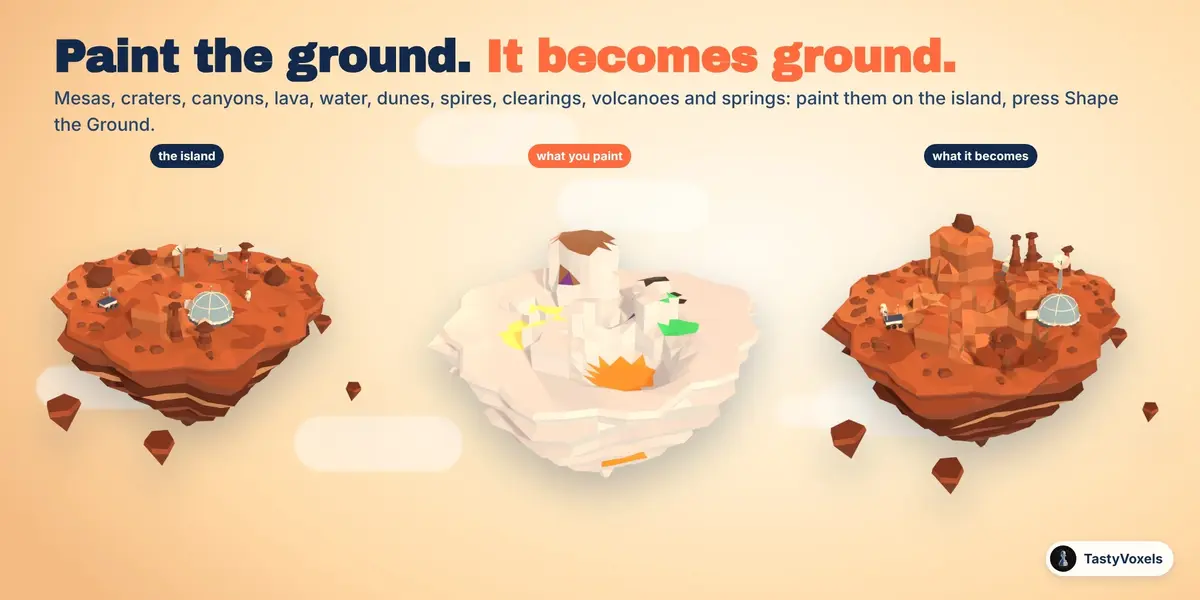
Paint the ground. Press Paint the Ground and paint straight on the island, seen from above: mesas, craters with a rim, canyons, lakes and fissures of lava, water, rippled dunes, rock spires and basalt columns, clearings kept flat for your landmarks. Press Shape the Ground and the paint becomes ground, with walls, terraces, glowing lava, colours and pieces. Paint a patch with the Volcano or the Spring brush and a volcano or a spring rises there, as big as the patch, as many as you like. Mars and Lava also lay out varied ground of their own, different for every seed.
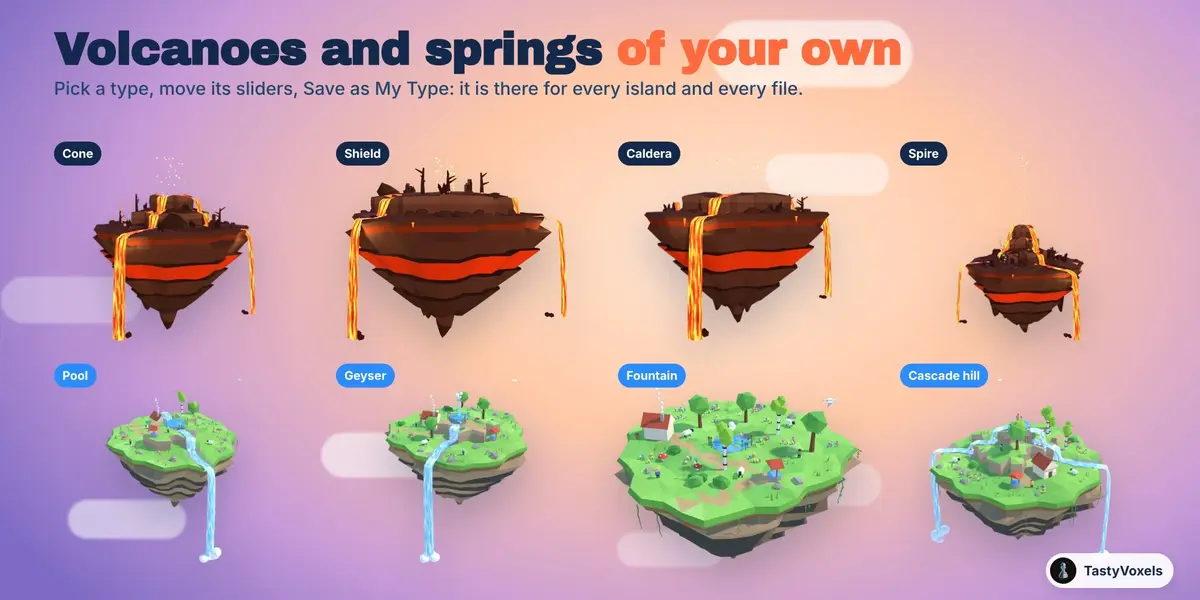
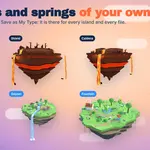
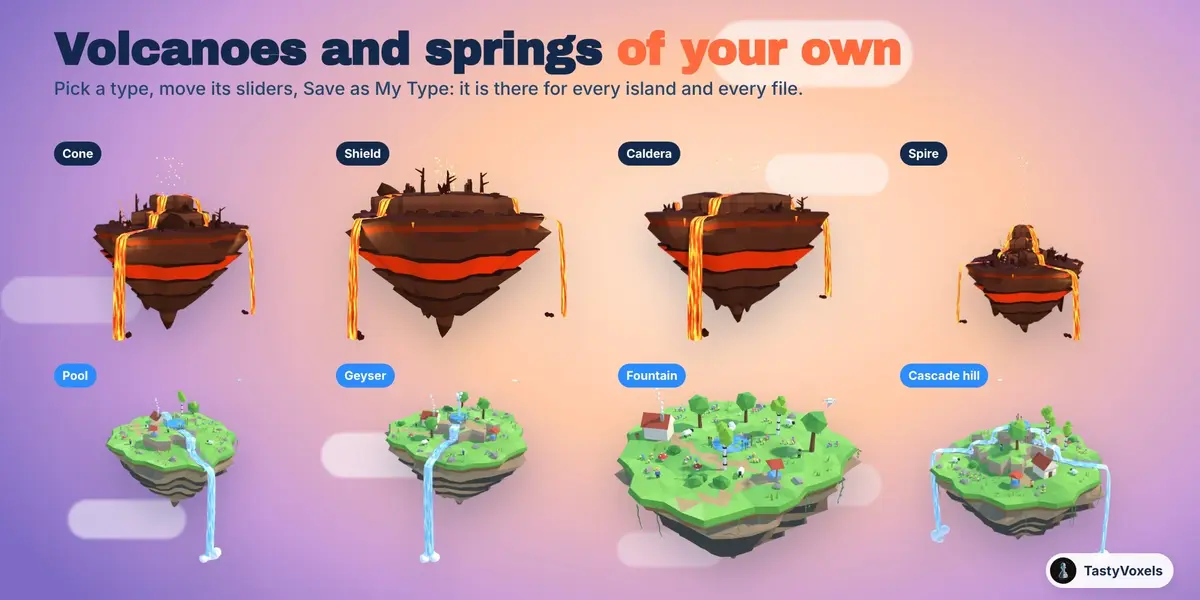
Your own volcanoes and springs. Pick a type, cone, shield, caldera or spire for a volcano, pool, geyser, fountain or cascade hill for a spring, then move its sliders: height, width, crater, steepness, how full of lava; mound, pool, rivers, the height of the jet, a stone basin. Save as My Type keeps it in a library of yours, for every island and every file.
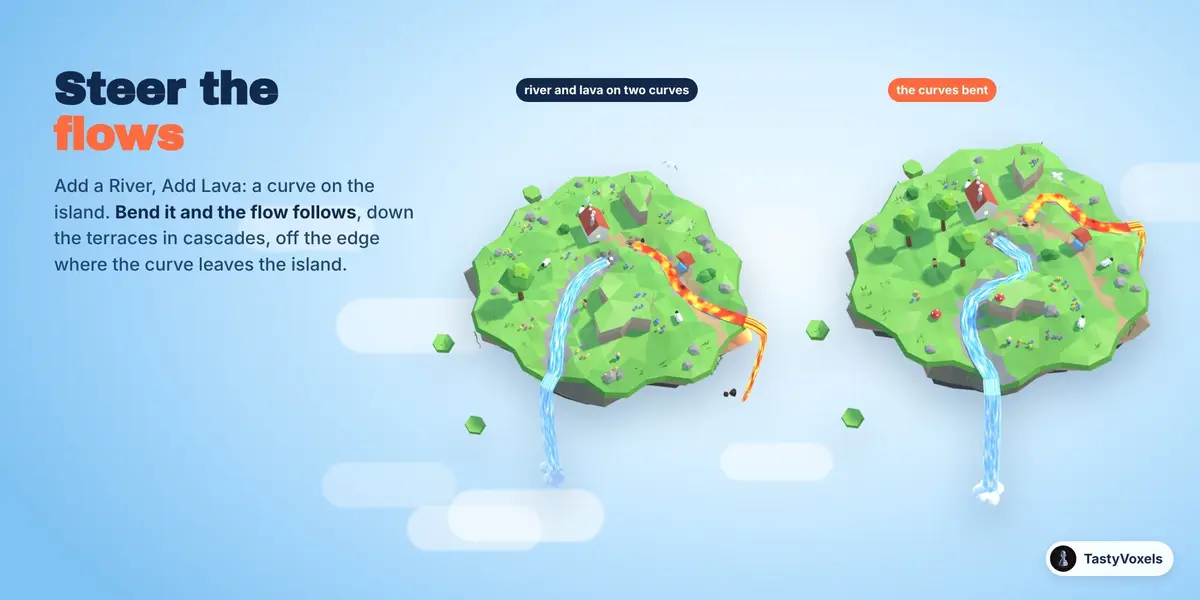
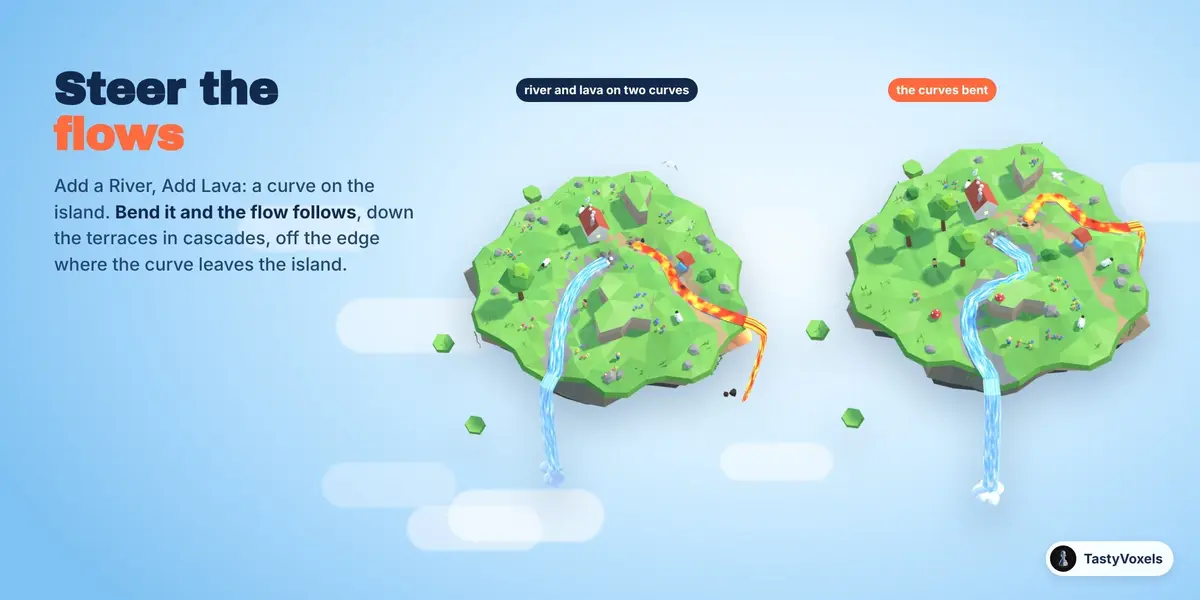
Steer the flows. Add a River or Add Lava puts a curve on the island: bend it, move its points or draw it again, and the flow follows it live, cascading down the terraces and falling off the edge where the curve leaves the island. Any curve of yours works too.
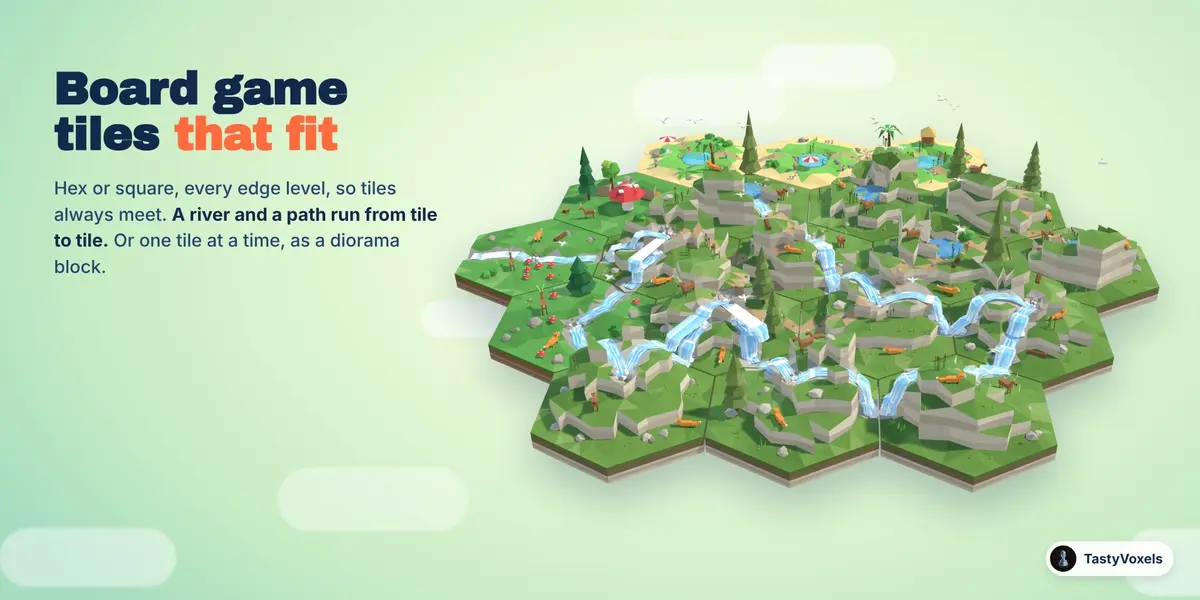
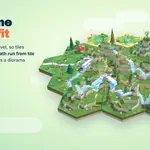
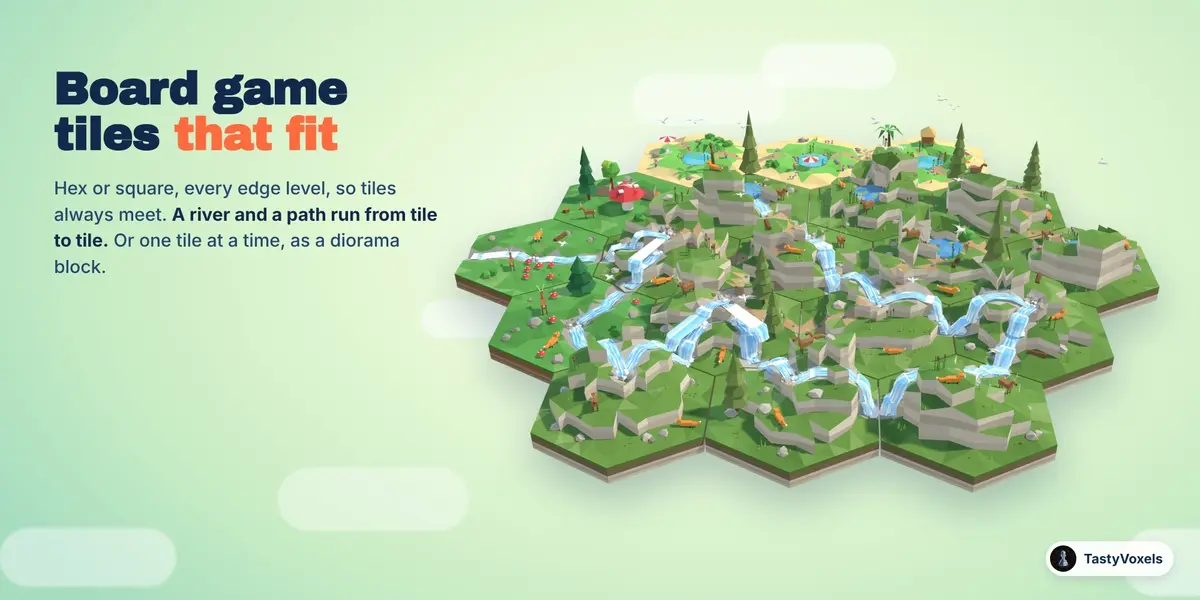
Board game tiles that fit. Every island can be a hex tile or a square tile instead, with layered soil sides and a flat bottom. The edges of every tile stay level, so tiles always fit together. Build Board lays a whole board, hex or square, in regions of worlds like a map, with a river and a pebble path that run from tile to tile: where one tile lets the river out through a side, the next one takes it in. Or set the sides yourself on any tile.
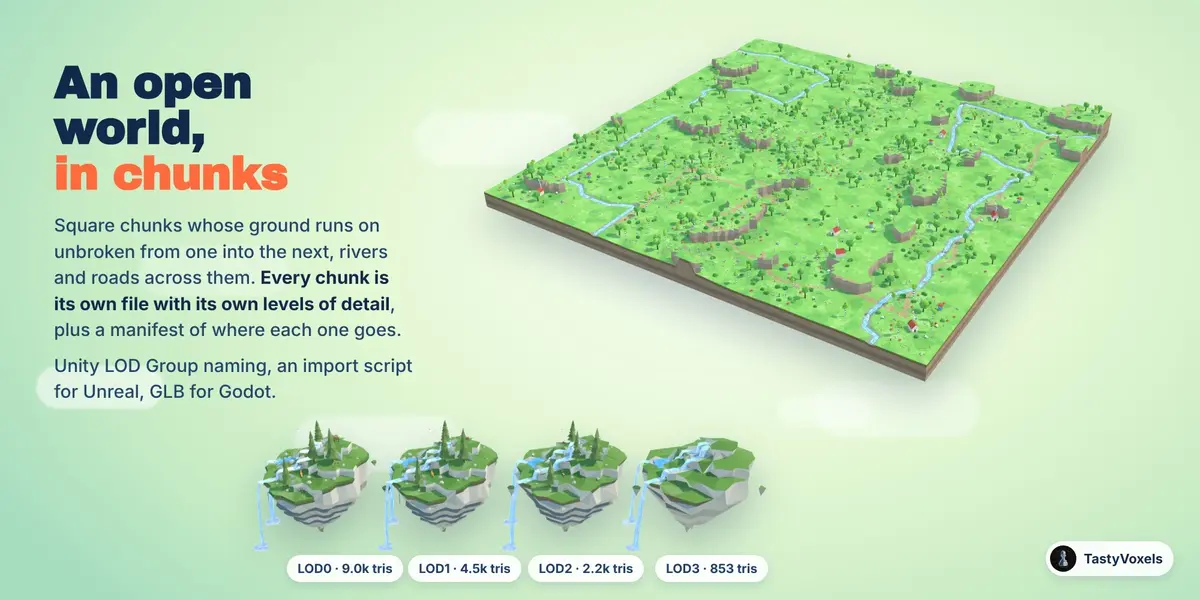
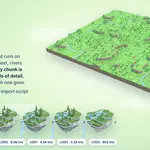
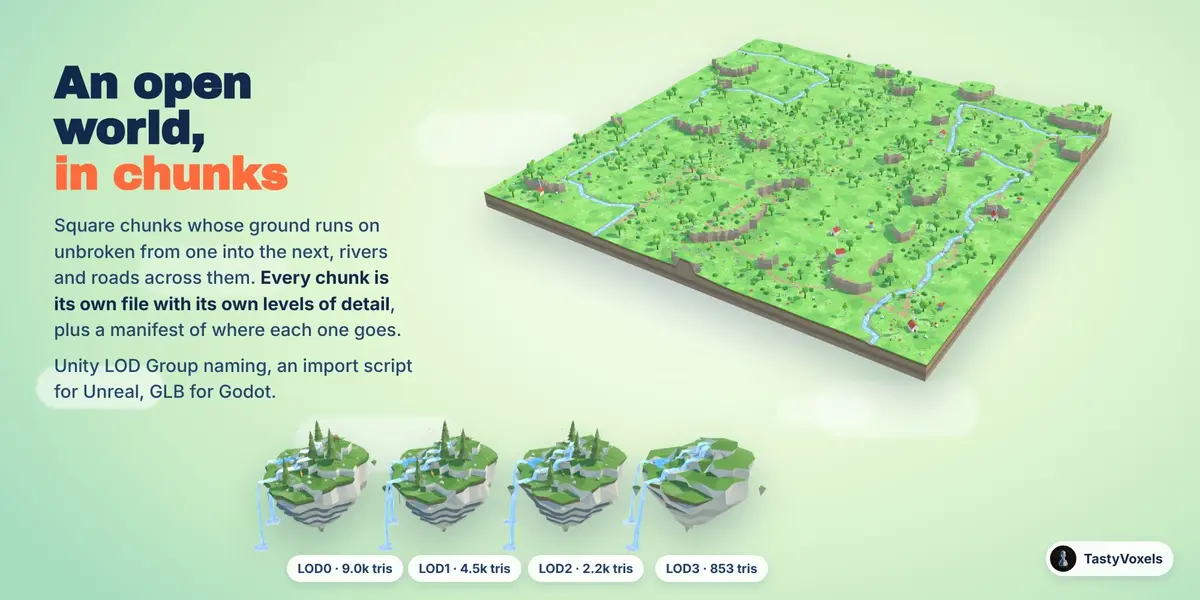
An open world in chunks. Build Open World lays a square of square chunks whose ground runs on unbroken from one chunk into the next: one rolling land, in regions of worlds (meadow, forest, desert, snow, tropical), with rivers and roads that cross from chunk to chunk and a landmark here and there. Every chunk is an island of its own, so you can still change its world, its pieces or its seed, and it exports as its own file with its own levels of detail, with a world manifest (JSON) that says where every chunk goes: a streaming world for a game engine, made in Blender in a minute.
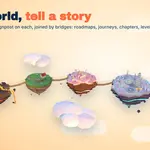
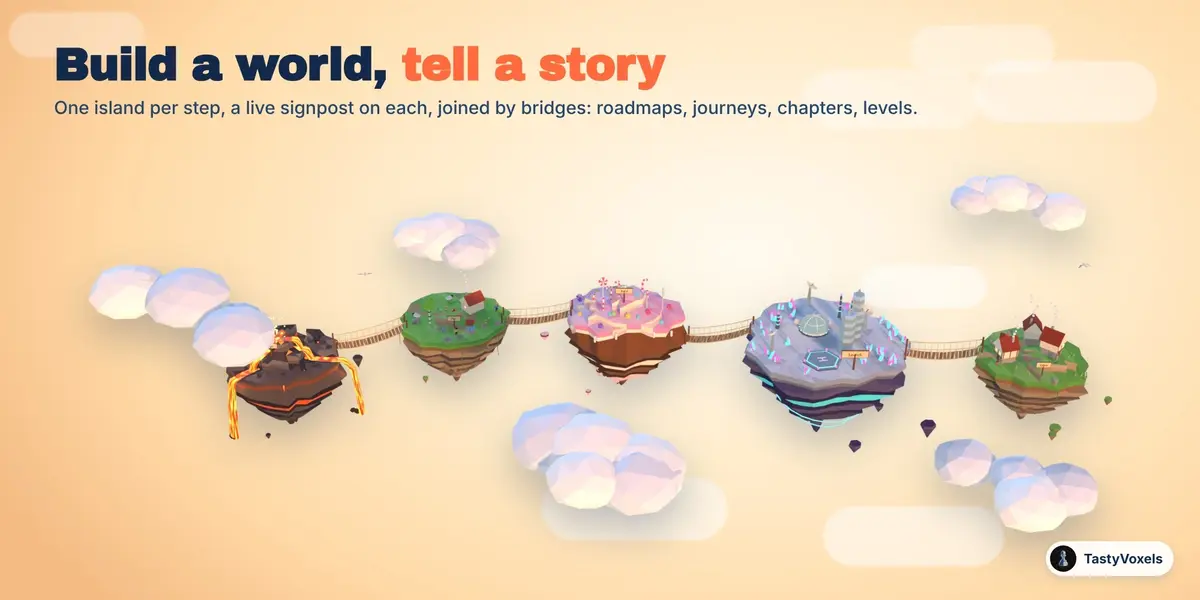
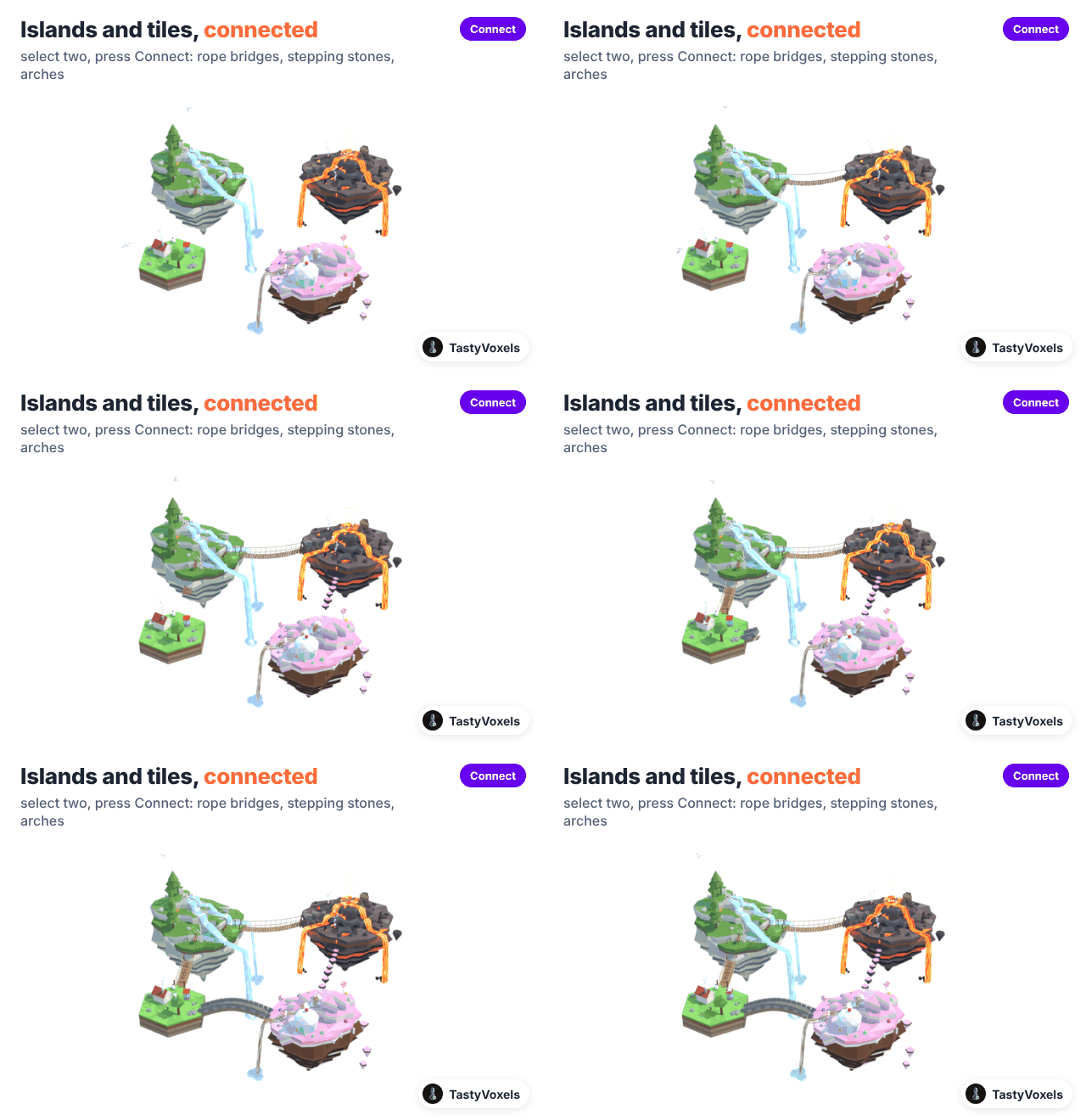
Build a world, tell a story. Build World makes many islands at once: a story path (one island per step, left to right on screen, a live text signpost on each: Idea, Plan, Build, Launch, Grow, or your own words), a cluster, a ring, a spiral, a grid. Islands are joined by rope bridges that hang, stepping stones that bob, stone arches or floating pebble paths; they ride along while the islands float, and rebuild to reach an island you move.
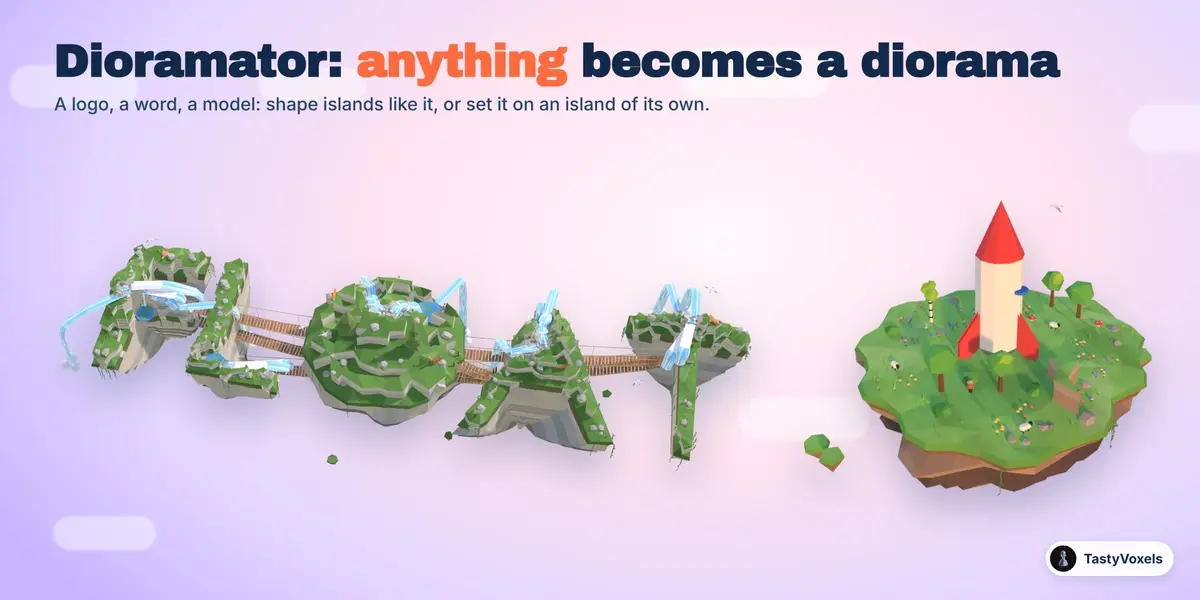
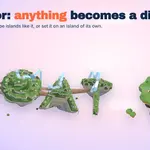
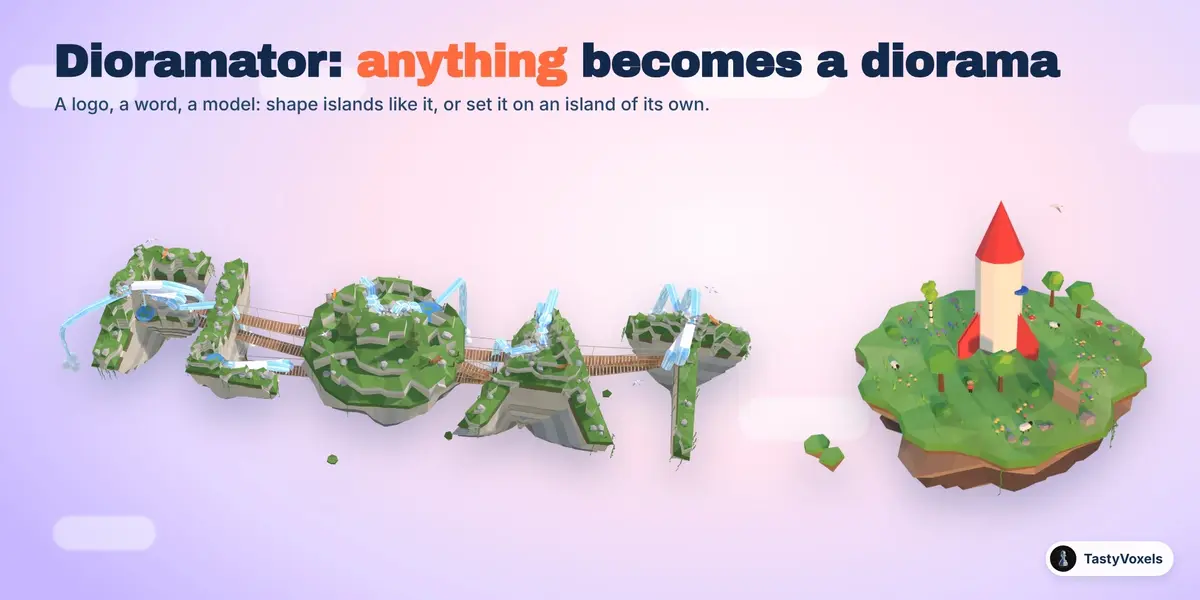
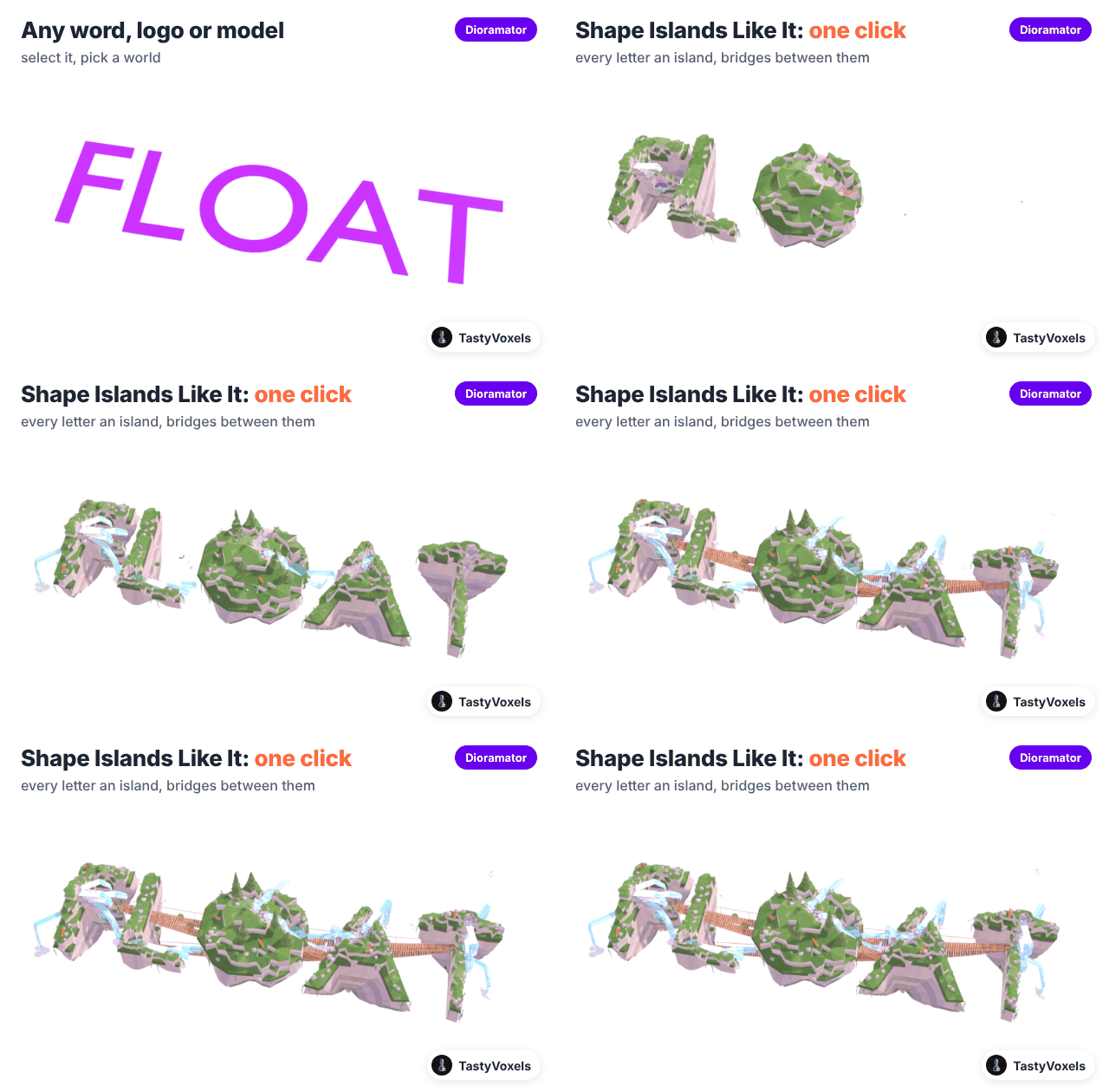
The Dioramator: anything becomes a diorama. Select any object, a logo, a word, a curve, a model. Shape Islands Like It turns its outline seen from above into islands of the world you pick, its heights into relief, every separate part (every letter of a word) into an island of its own, joined by bridges. Set It on an Island puts it in the cleared, level middle of an island sized to it, and it floats with the island. The original object is hidden, never deleted.
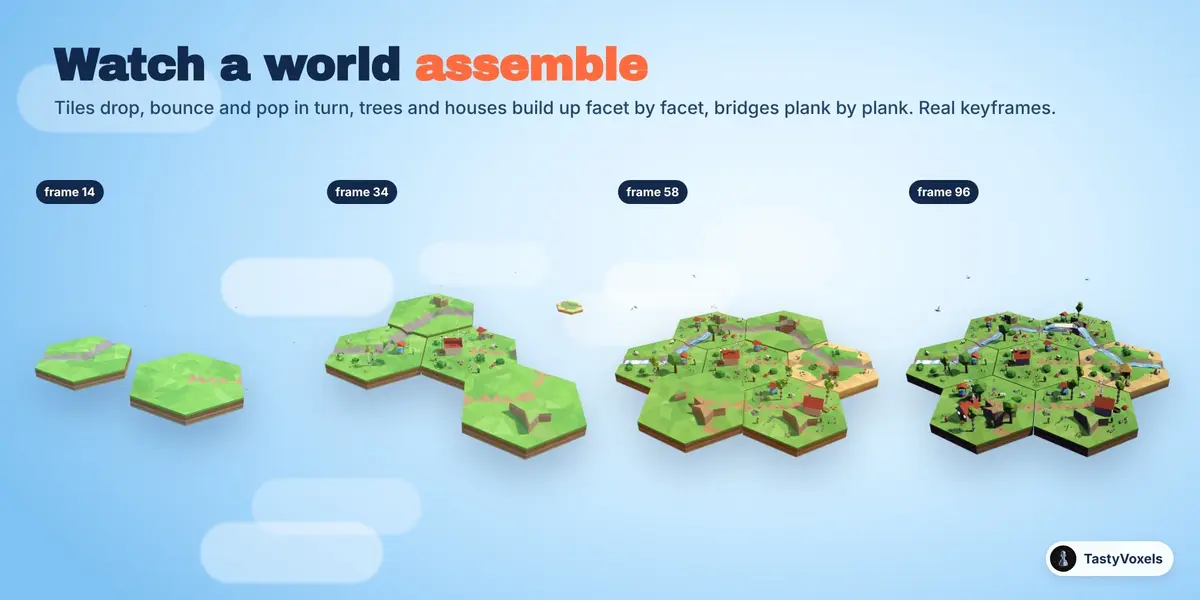
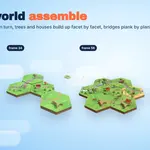
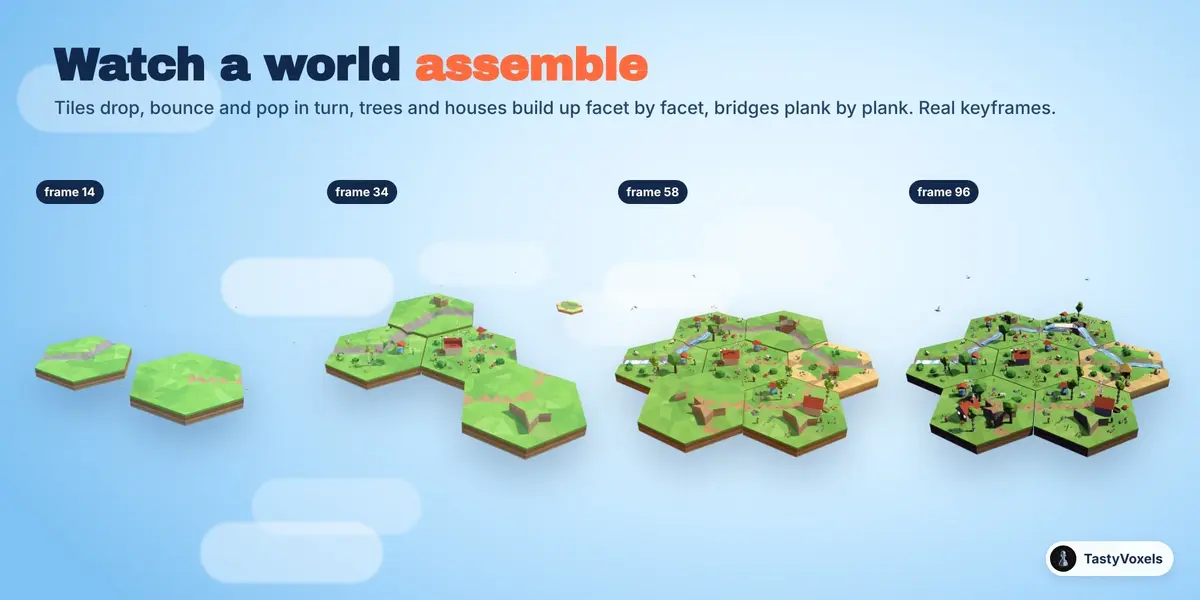
Watch a world assemble. Build-up makes every island or tile arrive in turn: it drops, bounces and pops into place, then its trees, houses and water assemble facet by facet and its bridges build plank by plank. From the centre out, in the order of the story, left to right or at random. Real keyframes, editable in the Graph Editor and written into the GLB.
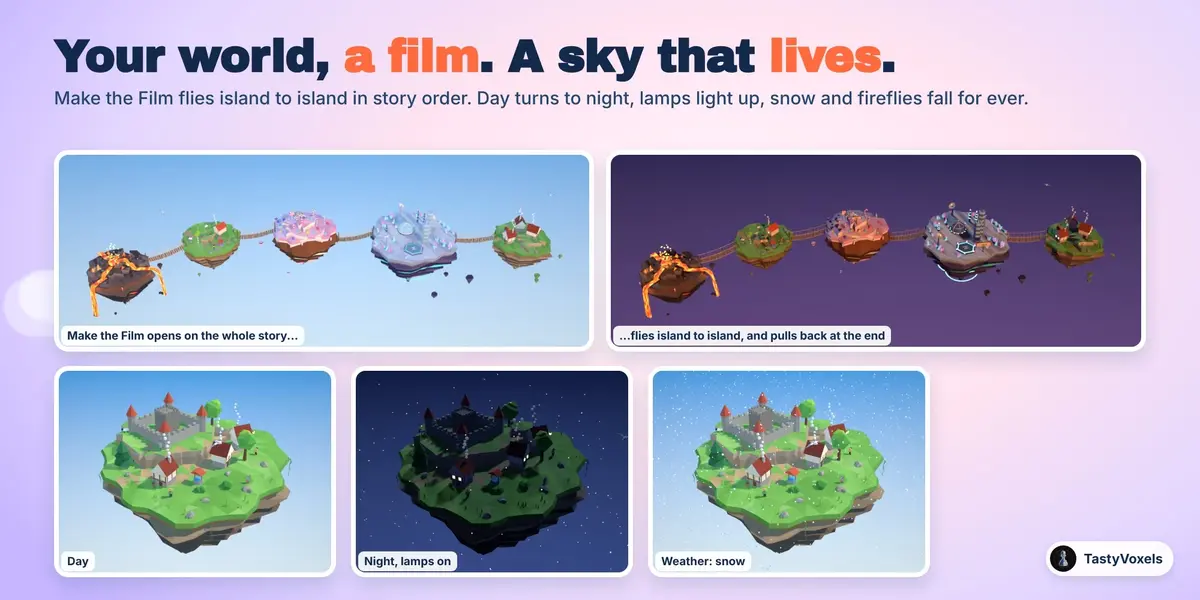
The Director: your world becomes a film. Make the Film flies the camera from island to island in the order of the story, stays on each one while its signpost pops up, keeps drifting so the shot never freezes, and pulls back at the end to show the whole world. Each shot keeps the island and its neighbours whole inside the frame. From a roadmap to an explainer video in one click, with eased keyframes you can still edit.
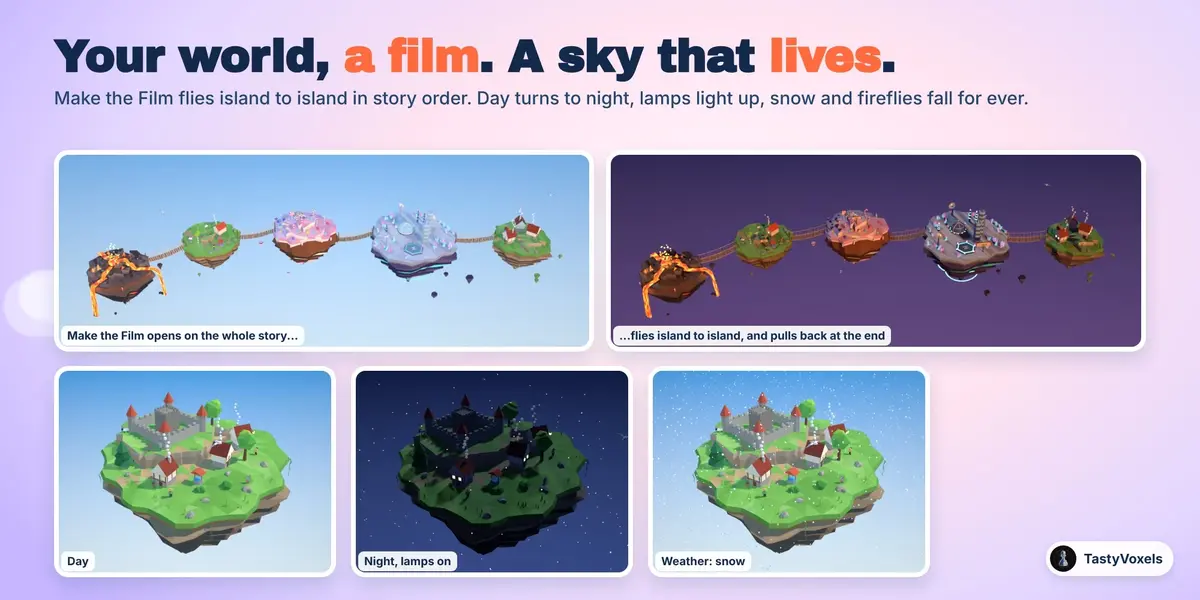
A living sky. Day and Night turns one day over the length of your scene: the sun moves, the sky goes from blue to golden hour, dusk and night and back, and windows and lamps light up when it gets dark. Weather falls for ever over the whole world: snow, rain, autumn leaves, blossom petals, fireflies, ash and sparks over lava.
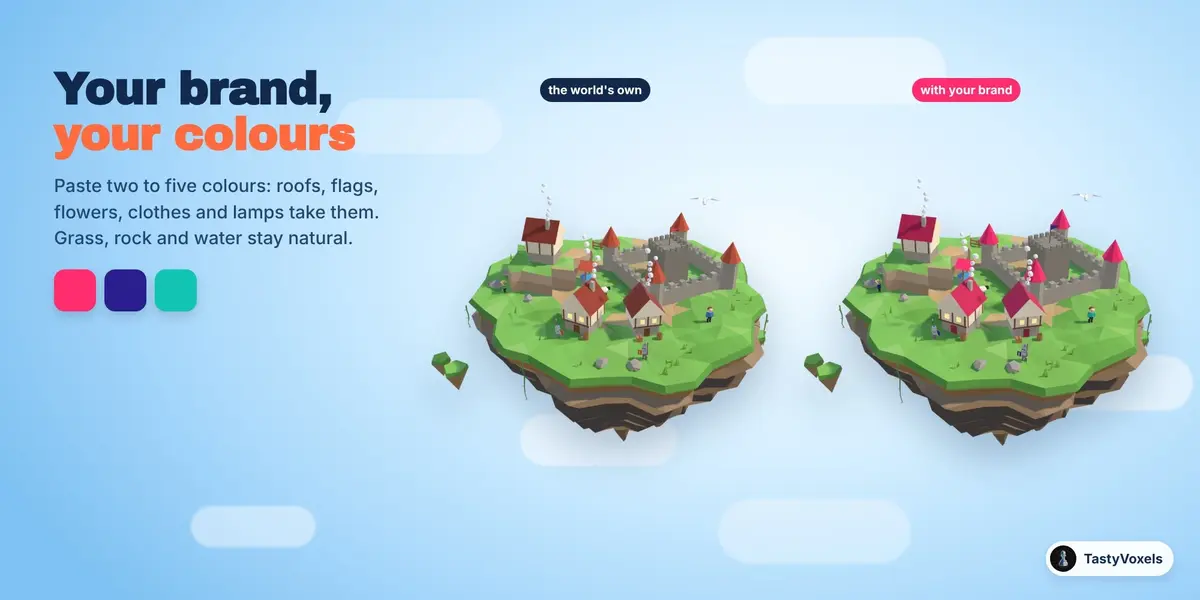
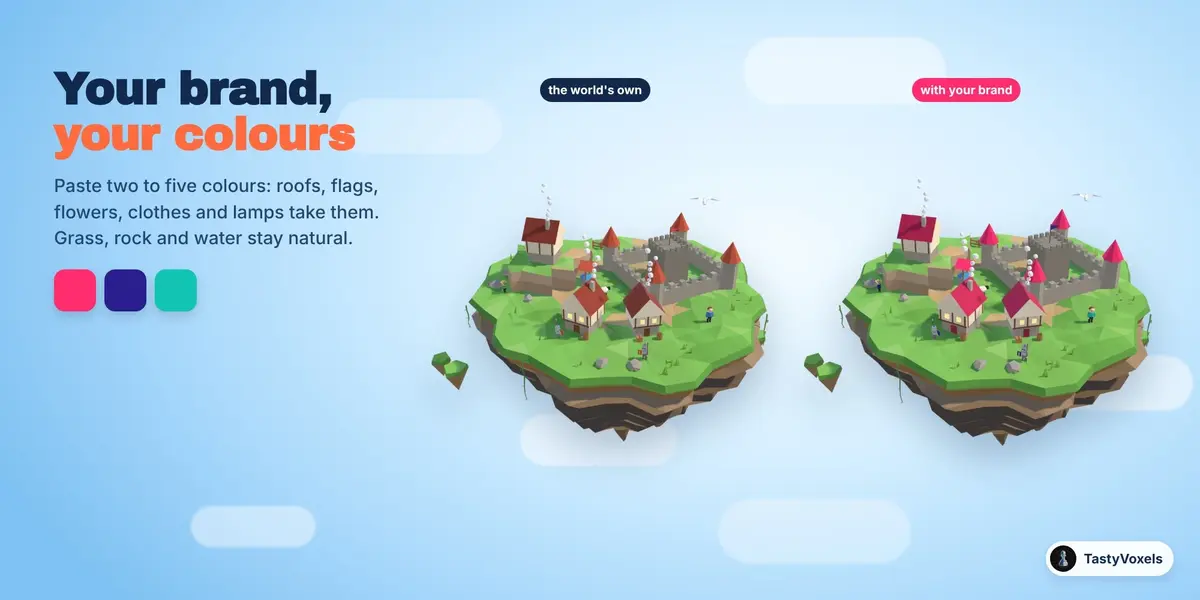
Your brand, your colours. Paste two to five colours and the details of every island take them: roofs, flags, flowers, clothes, lamps, sweets. Grass, rock and water keep their own, so the world still looks like a world.
Alive on Play. Islands bob, water and lava flow, wheels, sails and rotors turn, wings beat, flippers paddle, birds circle, embers rise, clouds drift. Everything is driven by plain expressions: nothing to bake, no scripts to allow, at 25 frames a second. A turntable circles the camera once over the length you set.
Any size. Minuscule for a miniature on a desk, enormous for a landscape: one Scale for the whole world, pieces included, and a radius that holds more land when you want a bigger island.
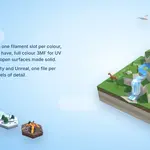
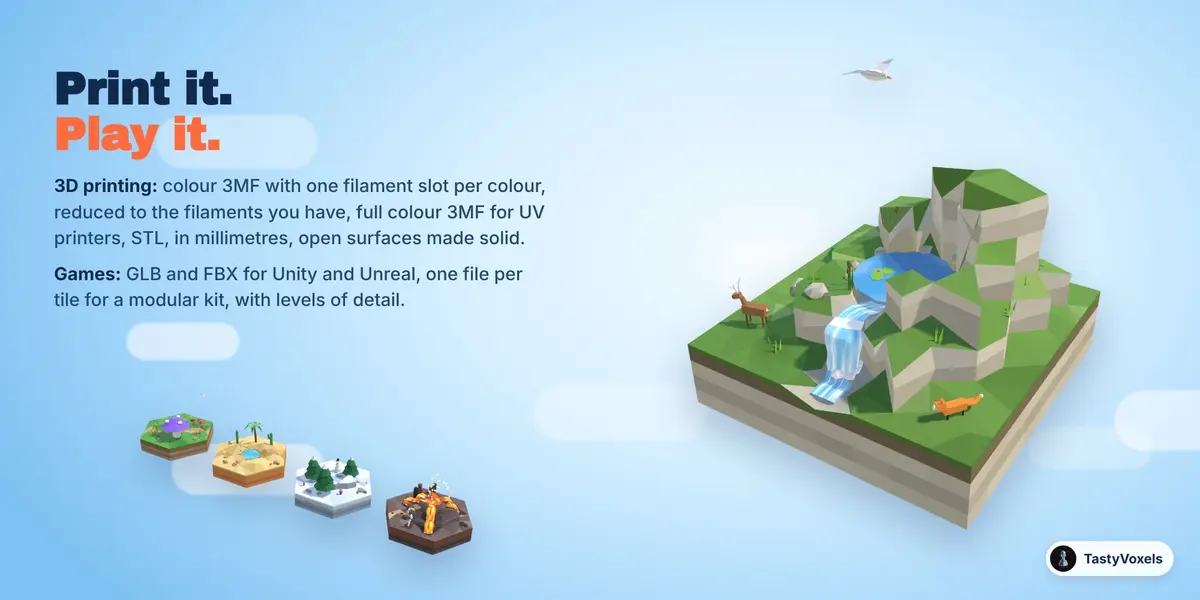
Print it, play it. For 3D printing: a colour 3MF with one colour group, one index per triangle and a single build item, in millimetres, Z up, so slicers like Bambu Studio, Orca, Creality Print and PrusaSlicer read the palette as filament slots, reduced to the number of filaments you have; a full colour 3MF for UV inkjet and other full colour printers; a plain STL. Open surfaces (water, leaves, ribbons) are made solid as thick as the Thinnest wall you set, and every part thinner than that (a blade of grass, a leaf, a flag) is thickened along its thin side, left out, or kept as it is, as you choose; Check for Printing counts them before you export. Floating rocks and flying birds stay out of a print, and a floating island can stand on a printable stand. Always check the model in your slicer before you print: making it fit your printer is up to you. Printed tiles can get round pockets in the bottom for magnets of the size you set (6 by 2 mm, say), so a printed board holds together. For games: GLB or FBX (presets for Unity and Unreal), one file for everything or one file per island or tile, for a modular kit, with up to five levels of detail: each level lighter than the one before, grass and pebbles left out at LOD2 and the pieces at LOD3. For Unity the levels are named name_LOD0, name_LOD1 and so on inside one FBX, the naming Unity turns into a LOD Group on import; for Unreal there is one FBX per level and a small Python script that imports them and stacks the levels on each mesh; Godot makes its own levels from the GLB, and a GLB per lower level is there for engines that take them by hand. Game helpers add what a level needs on top: a collision mesh of the ground (Godot turns it into a static collider by its -colonly name, Unreal uses the ground itself as collision), a spawn point and a marker at every bridge end on each island, and a world.json that lists every island, tile or chunk with its grid cell, the sides its river and path leave by, and the bridges between them: the skeleton of a board game, a platformer or an open world. For the web: one HTML page with the world inside, to turn, zoom and watch build up in any browser (the page loads its 3D viewer library from the web when it opens).
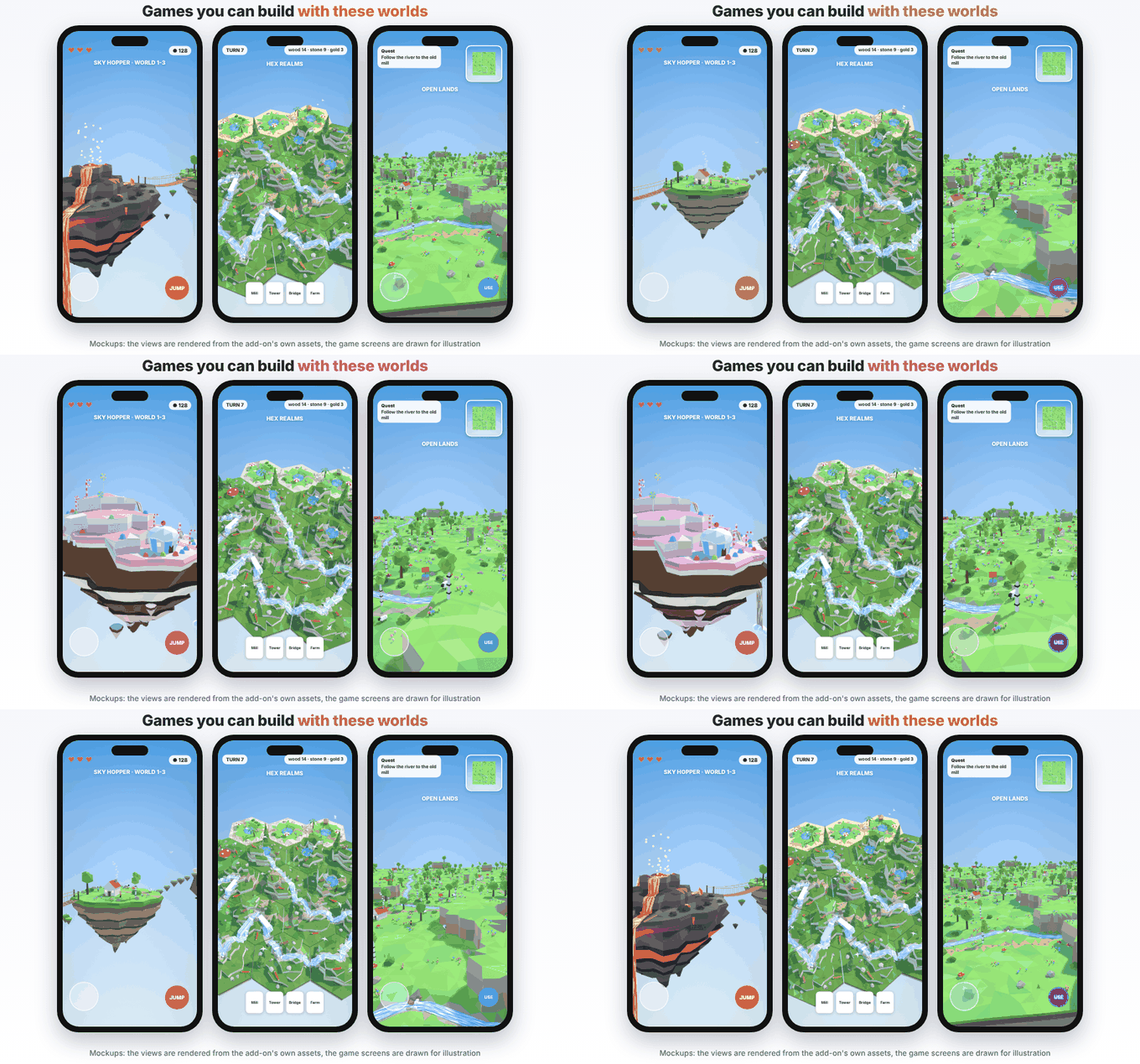
Light it, frame it. Eight skies, from a sunny day and golden hour to pastel, dusk and night (where lava and lamps glow), a cold morning, the dusty sky of Mars and studio white for product pages. Frame It points the camera at everything with a margin, so no island, fall, bridge or wing ever touches the edge of the frame, and the Miniature look adds a tilt-shift depth of field, so the world reads as a tiny model.
Your own pieces. Any kind of built-in piece, a deer, a pine, a cottage, can be swapped for a model of yours, as detailed as you like: it is sized like the piece it replaces and stands where it would stand, on every island, and several models of one kind take turns. One Detail slider thins all of them at once, so a heavy sculpt stays light.
A panel that follows your work. At the top of the panel, a gallery of sections in the order you work: Make, Dress, Join, Move, Show. Click one and only its panel stays open; Back and Next walk you through, All shows everything.
Ready for expansion packs. More worlds will come as expansion packs, each with its own pieces, colours, island shapes and skies. The add-on already installs them: Install Pack, restart Blender, and the new worlds join the gallery, the new shapes and skies their menus, and their one click islands sit next to Add Donut. The donut, the ice cream and the kebab stay in the add-on itself.
Every setting stays live. Radius, shape, facet size (from Chunky, 1 m, to Carved, finely cut at 0.18 m, with any size in between and the face count shown; finer facets get finer rock walls too), relief, terraces, water, lava, density, season, scale: change one and the island rebuilds from its own seed. New Seed gives another island of the same kind. Materials are plain Principled materials, shared by colour, with a slightly different tone on every facet and every piece a little brighter at its top than at its foot, for a hand painted look.
The licence of the assets. Royalty free, with no credit needed. Use the islands, tiles and pieces, from the add-on or from the Only Asset Kit, in personal and commercial work of any size: renders, videos, animations, games, apps, archviz, VR, prints, products you sell. You can use them as a base for new, original assets of your own and sell those. You may not sell, share, give away or upload the assets themselves, on their own or in a pack, modified or not, or in any form that lets other people take them out and use them as assets; inside a game or an app they are fine. The add-on's code is GPL, as Blender asks of every add-on.
No AI inside the product. No model, no inference, no telemetry, no network access, no data collection: plain geometry and node code that runs on your computer, offline, for good.
How it is made. I have been programming since long before generative tools were mainstream. AI assists me now: it writes code with me, and it translates my documentation into English, which is not my first language. The decisions, the references and the checks are mine: every world is built and measured by an automated suite (tiles that meet at the same height along every shared side, rivers that never stop at a tile side, bridges that reach both islands, falls that pass in front of the rock and never through it, a camera that keeps everything inside the frame) and rendered before it ships.
Updates and support are included for good: no support period, no renewal fee.