Max Group - Ultimate Grouping for Blender
 VertexModeler Inc.


Can I select only one object inside a group?
Yes. Use Alt + Left Mouse in the 3D Viewport. Repeated Alt-clicks can cycle through eligible objects below the pointer.
Will Ctrl-click break Blender's native Ctrl-drag box selection?
No under the default configuration. Max Group's mouse shortcuts use the CLICK event, so drag gestures remain available to Blender. If you customize a mouse shortcut, keep it on CLICK rather than PRESS to preserve native dragging.
Can I customize the shortcuts?
Yes. The four primary shortcuts appear as editable Blender KeyMap entries at the top of the Max Group preferences page.
What are the essential shortcuts?
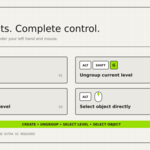
Ctrl + Shift + G — create a group or nested group.
Alt + Shift + G — ungroup the active level.
Ctrl + Left Mouse — select the smallest group under the pointer.
Alt + Left Mouse — select an individual object through group boundaries.
Shift + Left Mouse — add or remove a complete group from the selection.
Does Max Group require an internet connection?
No. It works entirely inside Blender and does not use online services.
Does it support every Blender object type?
Yes. Group metadata can be attached to Blender object types such as meshes, curves, text, cameras, lights, armatures, empties, speakers, and other scene objects. Some object-specific edit operations still follow Blender's own compatibility rules.
Which Blender versions are supported?
Max Group 2.0.5 officially supports Blender 5.2 LTS and requires Blender 5.2.0 or newer. Windows, macOS, and Linux are supported.
Earlier Blender releases are not covered by the current Extension manifest and are not officially supported.
Does grouping create Empty objects or change parenting?
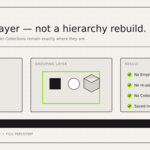
No. Max Group does not create Empty objects, re-parent objects, change world transforms, or move objects between Collections.
Does Max Group replace Blender Collections?
No. Max Group is an additional interaction and selection layer. Blender Collections remain available and unchanged.
What does Max Group do?
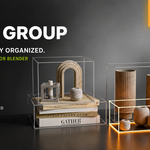
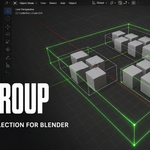
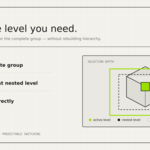
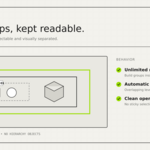
Max Group adds a fast, nested group-selection workflow to Blender. Click an object to select its group, open groups level by level, jump directly to the innermost group, or temporarily select one object through the group boundary.
It is designed for users who want 3ds Max-style grouping behavior without rebuilding their Blender scene hierarchy.
 Included
Includes 12 months of
- Support from VertexModeler Inc.
- Product updates
Extend this product’s Support Period +12 months: 50% of product price
Have questions before purchasing?
Login to message
| Blender Extension Compatible | Yes |
| Published | about 2 months ago |
| Blender Version | 5.0 - 5.2 |
| Extension Type | Add-on |
| License | GPL |
Discover more products like this
non-destructive blender grouping groups productivity Object Management max group blender-extension object grouping hierarchy blender addon