 miccoli3d


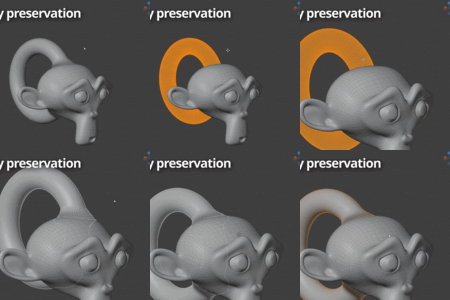
Can I blend more than one object onto the same surface?
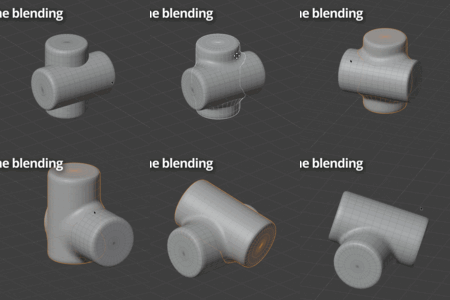
Yes. The interface is set up around a single Object A and a target Object B, but you are not limited to one adhesion. You can create multiple Object A adhesions onto the same Object B, one per object you want to merge, and a single Object B can receive as many objects as you like. Chaining also works live, with no baking step in between: to merge a new object onto an object that is already merged onto something else, you just do it directly, since that already merged object can serve as the target for the next adhesion. The only thing to keep in mind is that each adhesion has one target at a time, so each object you adhere is merged onto a single Object B.
Can I remove the part of Object A that ends up inside Object B?
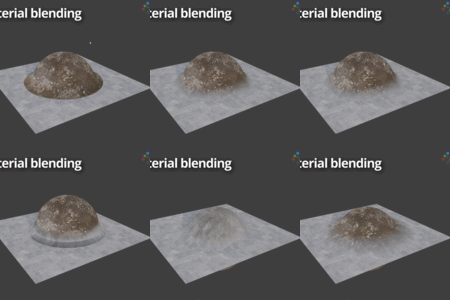
Yes, enable Boolean in the panel. With Difference (the default) it removes the buried part of A, leaving a clean shell with no hidden interior geometry. Keep the solver on Exact unless your meshes are fully watertight, in which case Manifold is faster. If you're also using Blend Materials, the blend along the cut finalizes when you Bake to Mesh. In the live preview the edge can look slightly off, and that's normal.
What happens to my mesh when I bake?
Merge Master needs a sufficiently dense mesh to create a smooth adhesion. If your Object A already has enough subdivisions, you often do not need to add any, and in most cases that is exactly what happens. The built-in subdivision is there as an optional helper for when the mesh is too low-res on its own.
When you do use it, keep in mind that baking applies the subdivision permanently, so the baked result will have a higher mesh density than your starting geometry. That is normal and expected. If you want to keep the result lighter, just check how much subdivision you actually need before baking.
Does it work in Cycles?
Yes, with one note. Eevee renders the transition cleanly out of the box. In Cycles, the blended normals at the contact zone are computed slightly differently, which can show as a faint shading line on flat-lit matte surfaces. Bake for Cycles resolves this by adding a Bevel node at the boundary, and on metallic or glossy surfaces the difference practically disappears. Note that Merge Master is not suitable for glass materials.
Is Merge Master really non-destructive? Can I go back?
Yes. Your original geometry and UVs are never altered while the merge is active. Nothing is permanent until you choose to bake. Use Remove Setup at any time before baking and Object A returns to its exact pre-merge state.
 Included
Includes 12 months of
- Support from miccoli3d
- Product updates
Extend this product’s Support Period +12 months: 50% of product price
Have questions before purchasing?
Login to message
Discover more products like this
blend modeling retopology Merge addon non-destructive hardsurface