Meshforge - One-Click Lod Generation & Batch Export For Game Engines
 Markel Lavan



What if my export fails or crashes?
Check that all objects have applied scales and valid geometry. Large batch exports may take time — check the Blender console for progress. Contact support if issues persist.
Will textures be exported with my models?
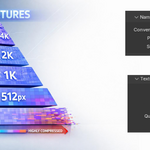
Yes, when using GLTF/GLB or FBX formats. Texture optimization (resizing per LOD) is optional and can be toggled on/off.
Can I customize the LOD naming convention?
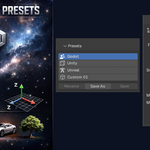
The naming follows your selected engine preset. You can create custom presets with your own naming rules.
How does Progressive LOD mode work?
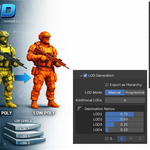
You set a single scale factor (e.g., 0.5). MeshForge calculates each LOD level automatically: 100% → 50% → 25% → 12.5%, and so on.
Can I use this for 3D printing?
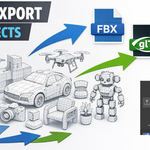
Yes! Export as STL format. Note that LOD generation might oversimplify details needed for printing — use higher poly counts or skip LOD generation.
Can I export multiple objects at once?
Yes! Select all objects you want to export and click Export. Each object will be saved as a separate file with correct naming.
What's the minimum Blender version required?
Blender 4.2 or newer. Tested and fully compatible with Blender 4.5.
$9
Have questions about this product?
Login to message
| Blender Extension Compatible | Yes |
| Published | 7 months ago |
| Blender Version | 4.2 - 5.0 |
| Extension Type | Add-on |
| License | GPL |

Discover more products like this
Workflow Game Engine fbx batch-export unity LOD decimation gltf godot unreal Export mesh optimization