Model Optimizer Pro: Quad Remesh & Auto Retopology for Blender
 blenderustad


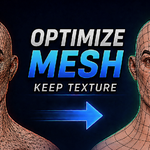
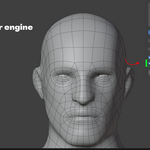
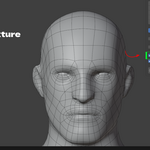
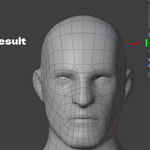
Model Optimizer Pro — Quick Usage Guide
1. Install
- Blender → Edit → Preferences → Add-ons.
- Click ▾ (top-right) → Install from Disk…
- Select
Model optimizer Pro.zip. - Enable Model Optimizer Pro in the list.
No extra setup needed — the AutoRemesher engine is bundled inside the add-on.
2. Open the panel
- Select any mesh object in the viewport.
- Press N to open the sidebar.
- Click the Model Optimizer Pro tab.
3. Set your options
| Setting | What it does |
|---|---|
| Target Quads | Roughly how many quads you want in the result (20,000 is a solid default). |
| Edge Scaling | Higher = lower poly output. |
| Sharp Edge | Angle above which an edge stays sharp instead of smoothing. |
| Smooth Normal | Normal smoothing threshold (0 = off). |
| Adaptivity | 0 = even density everywhere, 1 = more quads on detailed/curved areas. |
| Symmetry (None/X/Y/Z) | Remeshes one half and mirrors it — only for meshes centered on that axis. |
| Smooth Result + Smoothing Passes | Extra passes to clean up quad shape without deforming the model. |
| Replace Original | Deletes the source mesh and keeps only the new quad mesh. |
| Re-apply Texture | Auto-unwraps the new mesh and bakes your original texture onto it (needs Cycles — the add-on switches to it automatically). |
| Restore Render Engine After Bake | Switches back to your original render engine once the bake finishes. |
4. Run it
Click Model Optimizer Pro: Quad Remesh.
- Blender stays fully responsive while it processes — you're not locked out.
- Press Esc anytime to cancel.
- When done, you'll see a summary (quad/vertex counts) in the status bar.
Notes
- If Re-apply Texture is on, make sure the source object actually has an Image Texture node in its material — otherwise you'll get a warning and no bake.
- If you see "Engine not found" in the panel, go to Preferences → Add-ons → Model Optimizer Pro and set the Engine Path manually.
- Supported platforms: Windows x64 and macOS x64 (Intel; runs on Apple Silicon via Rosetta 2).
$29
Have questions about this product?
Login to message
| Blender Extension Compatible | Yes |
| Sales | 20+ |
| Published | about 2 months ago |
| Blender Version | 3.2 - 5.2 |
| Extension Type | Add-on |
| Render Engine Used | Cycles, Eevee |
| License | GPL |

Discover more products like this
game assets remesh symmetry optimization modeling low poly uv quad remesh retopology Workflow texture-baking mesh