Modifier Profiler — Which Modifier Is Eating Your Viewport
 Skava
Skava

How do I install it?
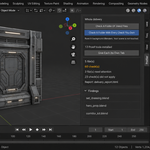
Download the zip and leave it zipped — Blender wants the archive, not a folder. In Blender open Edit, then Preferences, then Add-ons. Click the arrow button in the top right corner of that window and choose Install from Disk, then pick the zip you downloaded. On Blender 4.0 and 4.1 the same button is called simply Install. Tick the checkbox next to the add-on name to switch it on. Press N in the 3D Viewport and the Rig tab appears in the sidebar.
$9.99
Have questions about this product?
Login to message
| Published | 9 days ago |
| Blender Version | 4.2 - 5.2 |
| Extension Type | N/A |
| Render Engine Used | Cycles, Eevee |
| License | GPL |
Discover more products like this
benchmark optimization pipeline audit modifier subdivision viewport debug profiler performance timing Scene