Motiondeck
 benedetto battipede


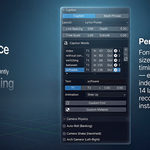
Installation
- Download the .zip file
- Open Blender → Edit → Preferences → Add-ons
- Click Install and select the .zip
- Enable MotionDeck in the addon list
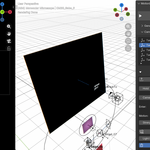
- Find it in the 3D Viewport → Sidebar (N panel) → MotionDeck tab
Quick Start
- Open the MotionDeck panel
- In General Settings, configure your camera (distance, aspect ratio, output format)
- Click + to add a target — each target is a scene
- Set Hold duration (frames) for each target
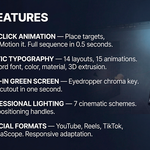
- Configure text, lighting, background, objects per target
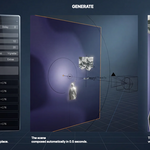
- Press Motion it — the full sequence generates in 0.5 seconds
- Play the timeline to preview
Requirements
- Blender 5.0 or later
- Cycles or EEVEE
- No external dependencies
Tips
- Load a reference audio/video first — edit to your voiceover, not frame numbers
- Use Brand Kit to save your fonts, colors, and world settings across projects
- Use Target Presets to save and reuse complex scene configurations
- All handles (lights, backgrounds, extras) are freely positionable — move them, regenerate, they stay in place
Discover more products like this
social-media camera rig after effects alternative Reels Text animation Motion design motion graphics green screen chroma key kinetic typography Lighting camera animation