Motiondeck
 benedetto battipede


# CHANGELOG — MotionDeck 2.0
## NEW
* **Beat Grid** — load an audio track, detect or tap BPM, beat markers on the timeline. One Beat button drives pulse animations per element family (text, images, meshes, backgrounds, shapes, extras), each with its own intensity. Pulses run on their own channels — no conflict with entry or idle animation.
* **Kinetic Typography** — 5 layout modes (Wall, Row, Column, Diagonal, Circle on an orbital curve) with scrolling marquee, alternating row directions, controllable speed and angle, and a dedicated Font selector.
* **Word Highlight** — per caption word: Brush, Rect, Circle, Bar or Underline drawn behind the word, with color, Extend and Thickness. Grows in from the word start.
* **Word Warp** — letters bend along an Arc or Wave with a Roundness slider (negative = downward). Rect/Bar/Underline highlights bend with the word.
* **Word Effects** — per caption word: Outline Echo (contour replicas radiating from the word), Neon Outline (glowing gradient contours), Long Shadow (long, solid poster-style shadow), Sliced Glitch (the word breaks into bands that jitter continuously). Per effect: Direction, Offset and Depth of the replicas, contour Stroke thickness, and material choice (Emission / Diffuse / Custom).
* **Word Effect Gradient** — solid color or two-color gradient on the effect, with selectable direction (Left→Right, Right→Left, Bottom→Top, Top→Bottom) and a Fade to Transparent option: the effect dissolves toward transparent for a spatial fade.
* **Sliced Glitch — continuous motion** — the bands keep snapping at irregular intervals for the whole duration: physical, random movement, not a single opening jump.
* **Per-word Fade Out** — independent fade-out per caption word (On / Off / Inherit) with adjustable duration, starting at the end of that word's life rather than at scene end. (UI temporarily hidden, under review; engine active.)
* **Caption Parallax** — words at different depths with automatic perspective compensation: camera motion makes them slide at different speeds.
* **Looks** — one-click compositor grading, 7 presets: B&W, Duotone, VHS, CRT, Vaporwave, Film, Only Texture. Every slider is realtime. Save/Load any look as JSON.
* **Texture Overlay** — any texture blended over the whole frame (paper, print grain, halftone) with blend mode (Multiply, Soft Light, Overlay, Screen, Add), opacity, and Fit or Custom X/Y scale. Works on any look — or alone via the Only Texture preset.
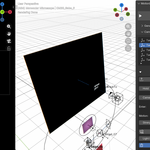
* **Quick Edit (E)** — select any MotionDeck element in the viewport (a word, a glyph, a shape, an image, a light, the target itself, or its handle) and press E: a floating panel opens with exactly that element's settings — the same full panels of the deck — plus shortcuts to the sibling sections. Never moves the playhead. Also at the top of the right-click menu.
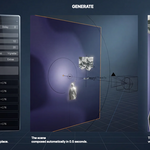
* **MOTION IT! (Shift+E)** — generate from anywhere, safely: builds from frame 1 and returns the playhead where it was. Also in the right-click menu. Both shortcuts configurable in the add-on preferences.
* **Images Parallax & Extras** — batch-import many images at once: each becomes a regular Extra (full per-layer options: animation, idle, chroma key, materials, timing) with its cube handle automatically staggered in depth. File-browser options: Depth Gap, Size, In Stagger, and Chroma Key applied to every layer at once. Handles survive rebuilds.
* **Focus Here (Shift+F)** — select any object, press the key: the focus jumps to it, DOF turns on, and a keyframe is recorded at the current frame. Press it along the timeline and the focus path performs itself — rack focus by gesture.
* **Autofocus** — per target: the focus automatically follows each target during its window. Manual focus keys outside those windows survive every rebuild.
* **Defocus** — per target: the camera softly loses focus and finds it again. Pulse (at a chosen frame) or Random mode, with Duration and Amount. When focus hands over to a target without DOF, the aperture opens smoothly instead of snapping.
* **Flow Min Speed** — the flow never fully stops: during each waypoint hold the camera keeps gliding toward the next point. One continuous take.
* **DOF Focus empty** — persistent, user-owned (MD_Focus): place it once, it survives every rebuild.
* **Glass Panel** — frosted pane in front of or behind any image plane, with radius and side controls.
* **Card Stack** — match-cut STACK mode: images pile toward the camera with Spread, Scatter, Tilt and Seed, white borders, cascade on beats; the stack stays on screen until the camera has fully left.
* **Instagram link** — direct access to the author's profile from the add-on preferences.
## CHANGED
* **Scene Duration is authoritative**: the type you frame is the frame you get. If a glyph cascade doesn't fit, a warning reports the overflow — you decide.
* **"Time Scale" renamed to Word Speed**, surfaced right under the Layout button, with an explicit tooltip: at 1.0 the In/Dur frames you type are exactly the frames used.
* **Line Spacing and Extrude** surfaced in the main panel, side by side under Word Speed — no longer only inside the Layout popup.
* **Word Effects and Glyphs are mutually exclusive per word** — when a word has an active Word Effect, its letter-by-letter animation switches off automatically (the effect works on the whole word), with an in-panel notice explaining it.
* **Word Effect Offset** now goes down to 0.0 (previously the minimum was 0.03), for very tight, dense replicas.
* **Per-word Glyph override** works even when the target's Glyphs is Off — the override alone is enough.
* **Palette eyedropper** on every color field (words, shapes, extras, annotations, kinetic, world).
* **Text Wall renamed to Kinetic**; Look controls moved to a dedicated popup; contrast mapping unified (1.0 = neutral); Film look cooled down.
## FIXED
* **Word Effects invisible when the word had a glyph animation** — the letter-by-letter animation emptied the word body, so the effect copied nothing; the effect now always has the full word to build from.
* **Fade to Transparent** — in the transparent gradient the color was still driven by the ramp; it now stays uniform and only the alpha fades (clean dissolve).
* **EDITORIAL layout** crash with a single caption word.
* **Camera rig regression** during build (depsgraph evaluation rewriting rig DNA).
* **Word Warp** dependency cycle intermittently zeroing font geometry; warped highlight alignment calibrated.
* **Duotone** pink cast; Look sliders appearing dead after re-apply (now realtime callbacks).
* **Compositor node leak** in the overlay chain; background plane aspect for non-square resolutions.
MotionDeck v1.5 — Shapes & Idle Motion
A month of research, dozens of conversations, and a lot of late nights
later — here's the first big update.
Thanks to everyone who wrote in with feedback, suggestions, and patient
bug reports. You shaped this. Almost everything in v1.5 came from a
"hey, what if..." or "this would be amazing if..." in the inbox.
What's inside: 45 graphic elements, 11 looping motions, and a new way
to layer animations so entry and idle coexist on the same data path.
Drop a circle behind your hero text and watch it gently float. Draw a
custom curve in the viewport and see it deform under your fingers. Pick
a star, hit POP, add PULSE — the entry explodes outward and the
heartbeat keeps going.
This is motion graphics with weight. Everything moves, even when
nothing's happening.
────────────────────────────────────────────────
WHAT'S NEW
- Shapes Library — 45 graphic elements across 4 categories:
SHAPES (28): circles, stars, polygons, arrows, hearts, blobs, eyes,
grids, pinwheels and more
LINES (8): editable Custom Curve with viewport handles, plus
Straight, Dashed, Dotted, Arc, Squiggle, Underline
HIGHLIGHTS (4): circle outline, oval outline, scribble, hand underline
BURSTS (4): sunray, asterisk, radial lines
- Idle Motion — 11 looping behaviours that run continuously while a
shape, mesh, or extra is on screen:
Pulse, Breathe, Levitate, Orbit, Sway, Buzz,
Tick CW, Tick CCW, Bounce, Drift, Wiggle
- Idle Proxy architecture — entry animation and idle motion now live on
separate proxy empties, so they coexist on the same data path without
conflict. POP+PULSE, SLIDE+LEVITATE, ROTATE+ORBIT — pick any combo,
both run from frame one.
- Custom Curve, fully editable — endpoint and midpoint empties drive the
curve geometry in realtime via depsgraph handler. Drag a handle, the
curve deforms instantly. No Motion It needed.
- Draw-On animation for curves — bevel_factor_end progressive reveal,
with optional reverse direction.
- Auto-select handle in viewport — pick a shape, caption word, extra, or
text item from the UI list and its rig handle is selected automatically
in the 3D view. Position it with G/R/S, no hunting through the outliner.
FIXED
- CIRCLE_OUTLINE is now a perfect circle (was incorrectly oval)
- LEVITATE and BOUNCE move vertically instead of toward the camera
- Curve thickness now respects user-set values (was clamped to 0.02 min)
- Idle motion no longer pauses at the entry → idle transition
HOW TO UPDATE
1. Download motiondeck_v1_5.zip from your Orders page
2. In Blender: Edit > Preferences > Add-ons, find MotionDeck, click Remove
3. Install the new zip via Edit > Preferences > Add-ons > Install...
4. Enable MotionDeck
Discover more products like this
Reels green screen camera animation Motion design after effects alternative motion graphics camera rig chroma key kinetic typography Lighting social-media Text animation