 benedetto battipede


MotionDeck
Motion graphics in a panel. Cinematic sequences inside Blender, without a single keyframe.
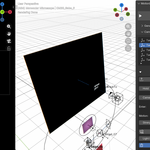
Place three empties. Write a line of text on each. Press Motion It.
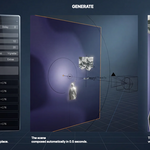
You get a fifteen-second sequence: camera path, transitions, text animation, lighting, fades. Change the hold from 40 frames to 25 and press again — it rebuilds in a tenth of a second, and the handles you moved by hand stay where you put them.
That is the entire product. Everything below is what you can put in those shots.
No dope sheet. No compositing app. No round trip. Real Blender depth, real glass, real light — driven from one panel.
Built by a motion designer with fifteen years across After Effects, DaVinci Resolve, Premiere, TouchDesigner and Blender. Every feature is here because a deadline required it.
Your first reel in 60 seconds
Open the sidebar (N) and add three targets — each one is a shot.
Write a phrase on each. Pick a layout. That is your edit.
Press Motion It. Camera path, transitions, text animation, lighting — the whole sequence builds itself.
Don't like the timing? Change the numbers and press again. The system rebuilds; your manual tweaks survive.
Read the PDF Guide
https://drive.google.com/file/d/1yC7ndcAlMMwzGVox1BwGAEA0NLT7NWzQ/view?usp=sharing
The Concept
MotionDeck is built around a camera path. You place targets in your scene — each target is a shot. The camera moves from one to the next automatically, with cinematic transitions or hard cuts. You set how long each shot holds, in frames. You see the timing. You own the edit. Every target carries its own content: text, lighting, background, grid, 3D objects, images, shapes, vectors, kinetic type. Press Motion It and the whole sequence generates in seconds — camera rig, animations, transitions, fades, idle motion, everything. Change something, press again. The system rebuilds. Your handles stay where you put them. This is not a preset pack. It is a production system for modern motion graphics: social content, Reels, spots, kinetic typography, storytelling sequences. One panel. Full control. No switching between software.
Who it's for
Blender users making motion graphics for Reels, ads, YouTube and client work. Motion designers who want real 3D depth without leaving a motion-graphics way of working. Creators who need vertical content on a schedule, with the rhythm locked to the music.
The Timeline
MotionDeck draws its own blocks over Blender's timeline. Every scene sits on one lane, named, with the transition drawn just before it and labelled — Smooth, Whip Pan, Arc, Cross Zoom, Object Wipe. Open a scene and it unfolds into one colour-coded bar per element.
Drag a bar to retime an element — clamped to the scene, so nothing can be scheduled after the camera has left.
Drag a grip to trim where an element ends.
Click a bar to select what it stands for in the viewport — the handle first, because that is what you grab.
This is the part that turns a list of numbers into an edit you can read at a glance.

Camera
Six ways into a shot — Smooth, Whip Pan, Punch In, Arc, Cross Zoom, Object Wipe — plus hard cut, with four interpolation curves and enter/exit drifts on cuts.
Three frame effects sit on an independent axis, so they combine with any movement: Flash (one blown frame on the swap), Glitch (channels split and a band of the frame tears), Invert (hard negatives across the swap, with a pulse count). A Cross Zoom with a Flash on the swap is the commonest transition in reels right now — here it is two menus.
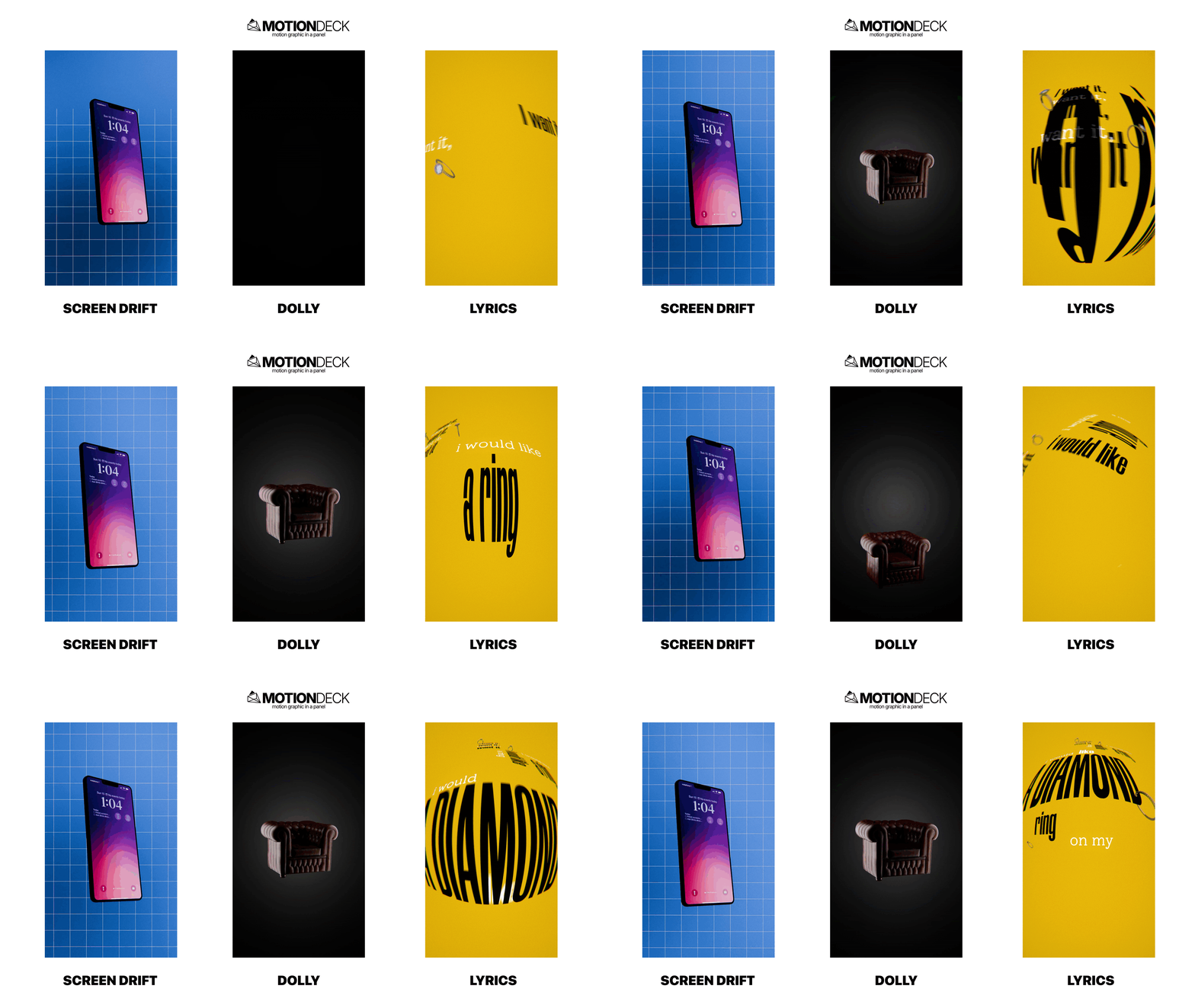
Five motions during the hold: locked, Flow along waypoints you drop and drag in the viewport, Dolly in or out with anticipation, Screen Drift for the slow cinematic float, and Lyrics word-chase for kinetic type. Plus handheld camera feel, per-shot depth of field, auto-roll banking on turns, and Track To override.
Kinetic Typography
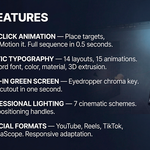
Caption mode times words one by one; Phrases sequences whole lines. Twelve layout presets, seventeen entry animations, seven glyph reveals, per-word font, colour, material, size and delay. All layouts responsive: switch aspect ratio and the text repositions itself.
Highlight shapes behind a word — brush, rect, circle, bar, underline. Warp bends the letters along an arc or a wave, and the highlight bends with them. Parallax puts words at different depths, so a camera move slides them at different speeds.
Fourteen kinetic layouts for the word wall: Wall, Row, Column, Diagonal, Circle, Wave, Scatter, Slash, Spiral, Sphere, Ribbon, Stack, and mesh modes that map type onto geometry.
Word Effects
Give a single word its own signature. Outline Echo — contour replicas radiating outward. Neon Outline — glowing contours with a colour gradient. Long Shadow — solid, poster-style depth. Sliced Glitch — the word breaks into bands that keep snapping for its whole duration.
Content
Eight families at every target — background, grid, image, 3D, shapes, light, kinetic type, extras — plus SVG vectors with per-layer depth and stagger, and an Animator that animates your own objects without touching their data.
Ten grid patterns: Lines, Dots, Dot Matrix, Halftone, Curved Room, Blueprint, Crosshatch, Isometric, Radar, Checker — with a Warp control that bulges or pinches them.
Seven lighting schemes with gobo projection, spotlight vignette and light fade-in, every light on a free handle that survives regeneration. Procedural backgrounds with six gradient types, noise and texture. Built-in green screen removal — eyedrop the colour, cutout in one second.
A shape engine with native Blender elements — stars, arrows, polygons, hearts, scribbles, sunbursts — and a fully editable custom curve: grab a midpoint in the viewport and drag it. Then eleven idle loops run while a shape sits on screen, stacking on top of the entry animation.
Life — every element has its own end
Set an element's Life and it fades out on its own, whether or not the scene fades. Leave it at zero and it lives as long as the scene does. Shorten a bar in the timeline and MotionDeck writes it for you; drag it back out and the default returns. Background, grid, image, 3D, light, shapes, extras, vectors, typography, per word and per Animator slot.
100 Materials
One hundred procedural materials in sixteen catalogs, shipped as real Blender assets with previews — browsable in the Asset Browser and usable outside MotionDeck.
3D: Chrome, Brushed Steel, Gold, Copper, Liquid Mercury · Liquid Glass, Frosted, Reeded, Ice, Toon Glass · Gelatin, Wax, Clay, Balloon · Gradient Map, Toon 2 and 3-Tone, Duotone Fresnel · Thin Film, Oil Slick, Soap Bubble, Pearl, Hologram, Holo Foil, Prism · Neon Tube, LED Panel, Glow Edge, Blacklight · Scanlines, Wireframe Glow, Noise Dissolve, Crackle.
2D: Hatching, Cross-Hatch, Stipple, Ink Wash, Woodcut · Comic Cel, Ben-Day Dots, Speed Lines, Screentone, Pop Art · Offset CMYK, Newsprint, Letterpress, Silkscreen, Misregister, Riso Duotone · Gouache, Watercolour, Oil Impasto, Dry Brush, Spray Paint · Blueprint, Graph Paper, Chalkboard, Pencil Sketch · CRT Phosphor, Pixel Art, Teletext, VHS, ASCII.
Drop your own .blend of marked assets into the same folder and your materials appear beside these.
Looks — 26 one-click grades
Film, Bleach Bypass, B&W, Kodachrome, Duotone, Newsprint, Risograph, Photocopy, Cyanotype, Offset, VHS, CRT, Vaporwave, 8-bit, Pixel, Dither 1-bit, Paint and more — built on Blender's compositor, every slider realtime, no confirm button.
Under the presets sits a single chain of gated stages: optics, colour, structure, light, frame. A preset writes numbers into that chain, so you can combine what no preset offers — halftone over black and white, pixel structure under a painterly filter. Save a look with all its settings as JSON and carry it between projects.
Beat
Load a track once: it plays back and feeds beat detection. Markers land on the timeline, scene arrivals snap to them, and per-family pulse — text, images, meshes, backgrounds, shapes, extras — makes things breathe on the rhythm.
Output & Delivery
Format presets for 9:16, 4:5, 1:1 and 16:9, safe-area guides, and one quality dial that drives sampling, denoise, resolution scale and compression across both engines. MP4, MOV or PNG sequence with optional transparency.
Render Reel renders the deck's own span — first frame to last departure plus its fade — not a scene range with dead frames at the end.
Quick Edit
Select anything in the viewport — a word, a glyph, a shape, an image, a light, the target itself — and press E: a floating panel opens with exactly that element's settings, right under your cursor. The playhead never moves.
Shift+E is Motion It from anywhere: it generates from frame 1 and returns the playhead where it was. Both shortcuts are configurable in the add-on preferences.
Live, and fast
Nothing is hand-keyed, so nothing is stuck. Change a font, a colour, a distance, the word speed — the preview rebuilds itself.
And it rebuilds only what changed. MotionDeck hashes the state of every scene and regenerates from the first one you touched, stopping as soon as the rest is unaffected. A colour change on scene 2 of 20 rebuilds scene 2 and nothing else: measured at a tenth of a second on a twenty-scene deck.
Brand Kit
A project palette every colour picker pulls from. Two text classes — T1 and T2 — with font, colour, material, size, spacing and shadow: set them once and every text element follows. Save the whole identity as a Brand Kit and load it on the next job. Client work stays consistent; your style travels with you.
And the rest of the deck
Reference Audio/Video — load your track or voiceover and edit to your timing, not to frame numbers.
World in one click — background colour, lights, optional HDRI, transparent film. No node editor, ever.
3D objects, images & extras — attach any mesh or collection; up to 20 extras per target, each with its own handle, animation and timing.
Card Stack & Match-Cut — image sequences as hard cuts or a physical pile growing toward camera, cascading on the beat.
Scene tools — a DOF focus empty that survives rebuilds; glass panels in front of or behind any image.
Target presets — save a target's entire configuration as JSON and load it on any project.
Fade system — per-target fade out with independent Keep toggles.
Three tips from production
Start with the beat. Load your track first, detect the tempo, then place targets. Shots that live on the grid feel edited, not assembled.
One hero word per phrase. Give it a highlight and a warp; leave the rest clean. Emphasis works by contrast.
Grade last, save it. Pick a Look when the motion is done, tune it in realtime, export it — the next video starts with your signature already on it.
⚠️ Important — Always generate your composition with the playhead at frame 1 before pressing Motion It. After generation you can freely set any frame range for rendering — but never press Motion It with the playhead advanced in the timeline.
Technical Specifications
Blender 5.2
Cycles / EEVEE
No dependencies — pure Python + bpy
Single-file add-on, standard Blender installation
Material library included and registered as an asset library
Free updates through the Superhive versioning system
What's new in 2.0
The timeline overlay with drag-to-retime and trim. Per-element Life. 100 procedural materials as a browsable asset library. Ten grid patterns. Arc and Cross Zoom camera moves, and Flash, Glitch and Invert frame effects on an independent axis. Output & Delivery with social formats and one-click render. Quick Edit, the Beat grid, the Look library, Word Effects, the shape engine with editable curves, Card Stack and Match-Cut, glass panels, target presets.