 Arthzuul



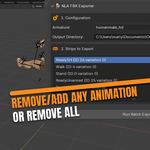
NLA Batch Exporter v1.0.3 Patch Notes (The User-Friendly Update!)
This update focuses on making your animation workflow easier, faster, and more reliable. We've added features that give you better control over how your files are named and exported, and we've significantly improved the post-export experience.
New Features & Quality Control
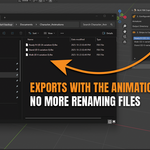
Quick Access to Exports (NEW!): After a batch export is completed, the summary window now includes a "Open Export Folder" button. One click instantly opens the directory where your FBX files were saved, eliminating the need to manually navigate your file system.
-
Custom File Naming: You can now tell the exporter exactly how to name your files using a Prefix and Suffix. This is essential for keeping your game projects organized.
Example: Set Prefix to
A_and Suffix to_LOOPto get files namedA_Walk_LOOP.fbx, etc. -
Set Your Own Frame Rate (FPS Control): Added a Target FPS field (default: 30.0). This ensures all your animations are baked at a consistent speed (like 60 FPS) required by your game engine.
Safeguard: The exporter now automatically changes the scene's FPS just for the export process and immediately changes it back when done, so your main Blender file isn't altered.
Blender 5.0 Ready: The add-on is now officially compatible with Blender 5.0 and all future versions based on that API.
Workflow & Usability Improvements
-
Easy Project Folders: The Output Directory field reliably supports the Blender-standard
//(double slash). This means you can save your exports to a folder right next to your saved Blender file without typing a long path.Note: You must save your
.blendfile before using the//option. Quick List Population: New "List All Strips" button instantly fills your export list with every unique animation action found on your armature. You can then quickly uncheck the few you don't need.
Export Statistics Panel: The panel now shows you exactly what happened during the run: how many animations were Processed, Exported, and Skipped.
In-App Log History: A new Log History box is on the panel. If anything goes wrong, you'll see a clear, simple message right there—no more hunting through the complex Blender System Console!
Have questions about this product?
Login to message
Discover more products like this
Workflow Export fbx unity game development animation automation addon batch NLA Unreal Engine