 Skava
Skava


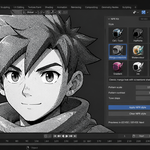
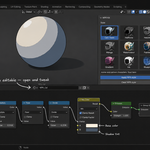
Download the zip and do not unpack it. In Blender open Edit > Preferences > Add-ons, click the drop-down arrow in the top-right corner and choose Install from Disk, then pick the zip. Tick the checkbox next to NPR Shader Kit. Press N in the 3D Viewport and open the NPR Kit tab.
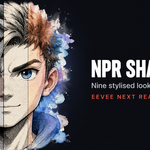
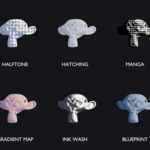
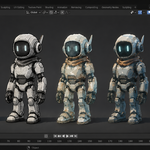
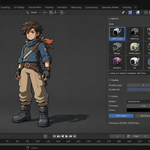
Nine: Cel / Toon, Halftone, Hatching, Manga screentone, Watercolor, Painterly, Gradient map, Ink wash and Blueprint. Pick one in the NPR Style panel, set its parameters, select the objects and press Apply NPR style; every material on every selected mesh gets the style. Outlines are added separately in the Outline panel.
Blender 4.2 LTS and later; EEVEE and EEVEE Next are both handled. The styles are built for EEVEE. All nine read the lit value of the surface through the Shader to RGB node, which works only in EEVEE, so in Cycles they render flat. The inverted-hull outline is geometry and renders in both engines. The Auto-switch to EEVEE option in the add-on preferences switches the render engine to EEVEE when you apply a style.
No. Applying a style inserts a node group (NPR_Cel, NPR_Halftone and so on) and routes it into the Material Output; the shader that was connected before is kept in the material, just disconnected, and remembered. Clear NPR style removes the group and reconnects that exact shader. Objects with no material get one created on apply. The node groups are ordinary shader node groups you can open and edit in the Shader Editor.
Yes. Whatever feeds the Normal input of your material, such as a normal map or a bump node, is carried into the style. Turn off Keep Normal Map for a deliberately flat look. Displacement is not read.
The default Outline method is Inverted hull: Add outline adds a Solidify modifier with flipped normals and an emission outline material with backface culling. It shows in the viewport and in renders, in EEVEE and Cycles; Thickness and Outline color control it, and Remove outline takes it off. The other method, Freestyle, turns on Blender's Freestyle line renderer, which is visible in renders only.
No. The add-on contains no network code; everything runs locally. It is pure Python with no compiled binaries.
Yes. The add-on is licensed under the GNU GPL v3; the full text is in the LICENSE file inside the zip. The license covers the add-on code; your renders and materials are yours.
Have questions about this product?
Login to message
| Sales | 20+ |
| Published | about 2 months ago |
| Blender Version | 4.2 - 5.2 |
| Extension Type | N/A |
| Render Engine Used | Arnold, Blender-Internal, Blender-Game-Engine, Cycles, Eevee, Freestyle, Luxrender, Mental-Ray, Octane, Vray, Yafaray |
| License | GPL |