Oebs Scene Retimer
 OEBS Studios


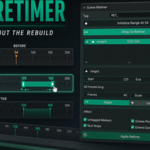
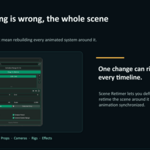
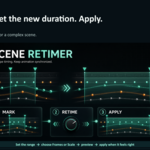
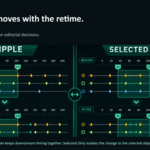
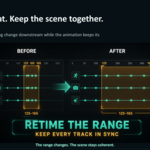
Scene Retimer lets you stretch, compress, and reposition sections of a Blender timeline while keeping your animation synchronized. Retiming can affect object animation, rig actions, markers, NLA strips, Grease Pencil frames, and the scene range.
Quick Start
- Install Scene Retimer through Edit → Preferences → Add-ons → Install from Disk.
- Open the sidebar with N and select the Retime tab.
- Move to the frame where your timing change should begin.
- Click Initialize Range At Current Frame.
- Move to the desired ending frame and click Set Range End.
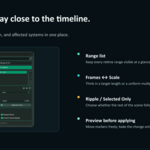
- Adjust the target duration using Frames or Scale.
- Choose between Ripple and Selected Only.
- Click Apply Retime.
Retime Modes
Ripple shifts everything after the retimed range so the rest of the animation keeps its timing relationship.
Selected Only limits the retime to selected objects. This is useful when retiming a camera, character, or specific element independently.
Drag To Retime
Enable Drag To Retime to interactively adjust a range directly from the timeline markers.
- Drag the end marker to change the duration.
- Move the range to reposition it.
- Review the new timing before applying.
- Changes are committed only after pressing Apply Retime.
Supported Animation Data
Scene Retimer can work with:
- Object and rig animation
- Pose and transform keyframes
- Shape keys
- Materials and node animations
- Particle settings
- Untagged timeline markers
- NLA strips
- Grease Pencil frames
- Scene range extension
Helpful Tools
The range menu includes tools for:
- Renaming ranges
- Snapping markers to keyframes
- Enabling or disabling all ranges
- Turning Ripple on or off globally
- Turning Selected Only on or off globally
- Previewing all ranges
- Resetting retime values
- Committing marker positions as new source ranges
- Deleting all tagged ranges
Compatibility and License
Scene Retimer supports Blender 4.2 and later, including Blender 5.x.
The addon is licensed under GPL-3.0-or-later.
Scene Retimer is free and available on GitHub. You can also purchase it on Superhive to support continued maintenance and development. ❤️
Have questions about this product?
Login to message
| Blender Extension Compatible | Yes |
| Published | about 2 months ago |
| Blender Version | 4.2 - 5.2 |
| Extension Type | Add-on |
| Render Engine Used | Cycles, Eevee |
| License | GPL |

Discover more products like this
Animation Workflow cameras dope sheet timeline Timeline Markers Motion design NLA Grease Pencil keyframes retiming rigging animation