 zemis
zemis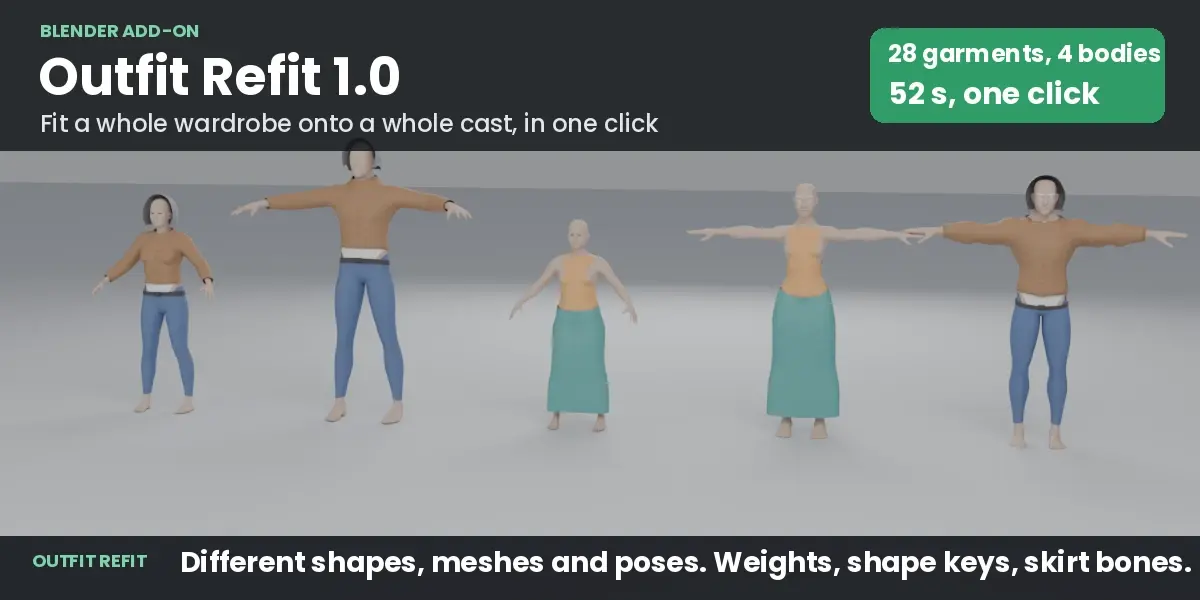
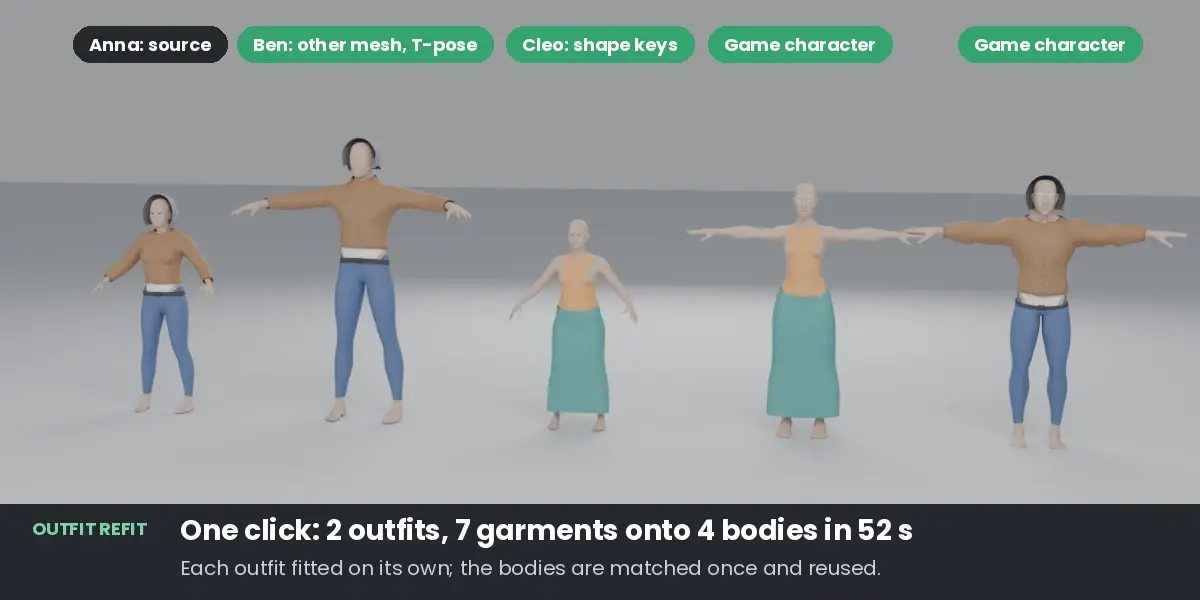
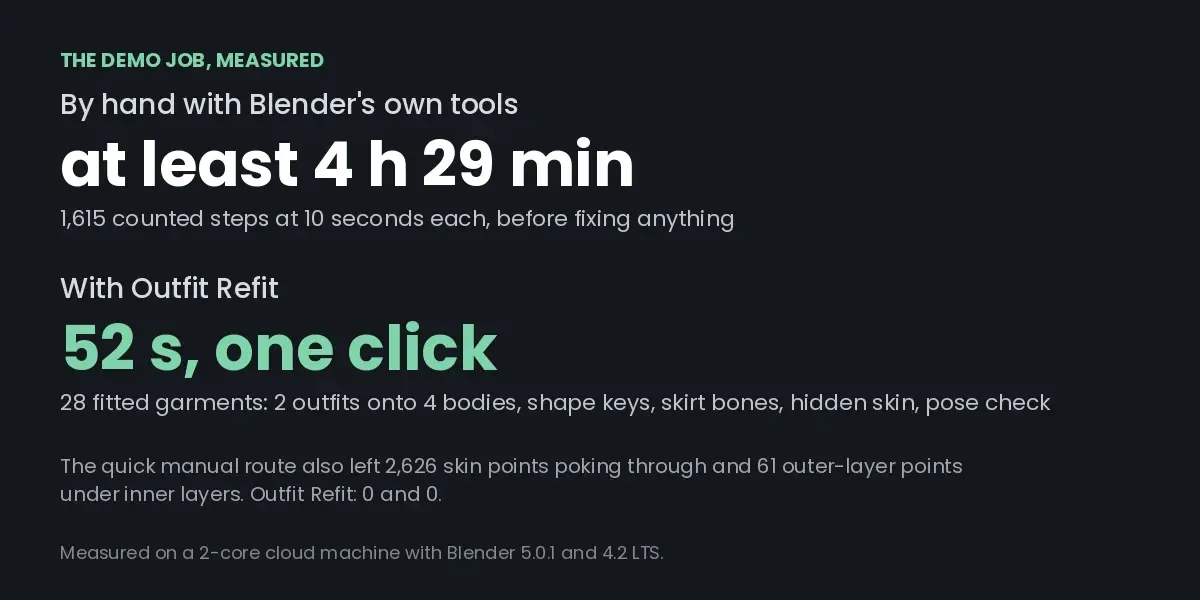
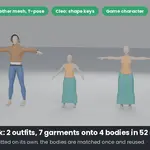
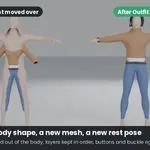
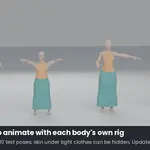
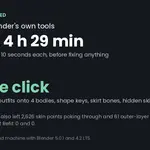
Outfit Refit fits clothes made for one character onto other characters. In one run it fits a whole wardrobe (several outfits) onto a whole cast (several bodies), and makes the copies ready to animate:
- Different bodies: slim or heavy, female or male, short or tall, realistic or game-stylised.
- Different meshes: the bodies do not need the same vertices or topology.
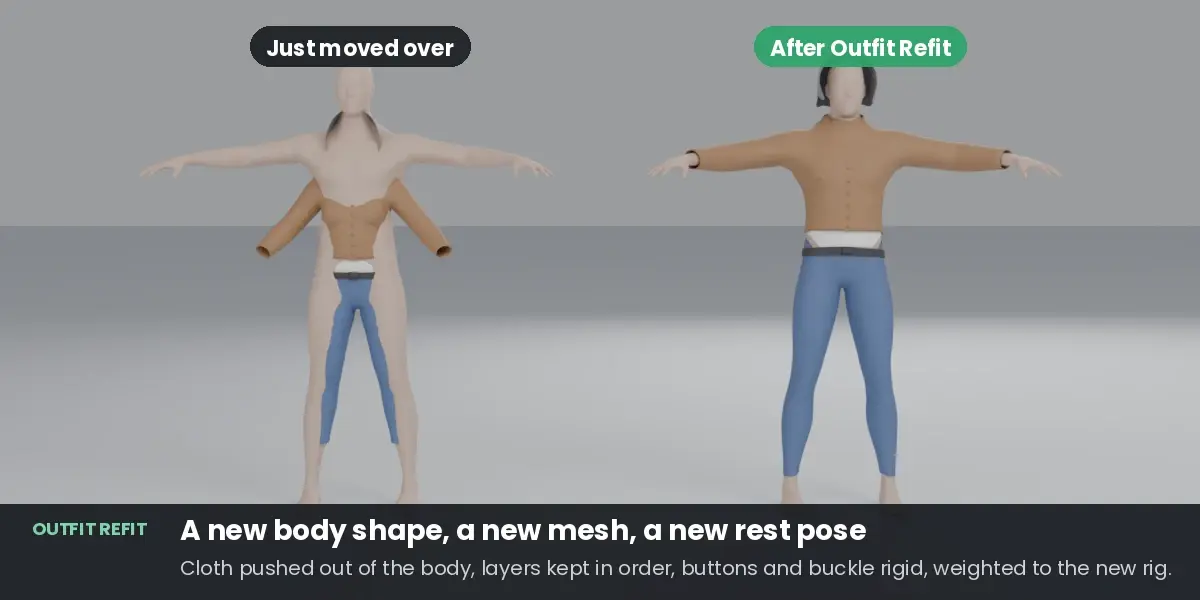
- Different rest poses: an A-pose outfit goes onto a T-pose character.
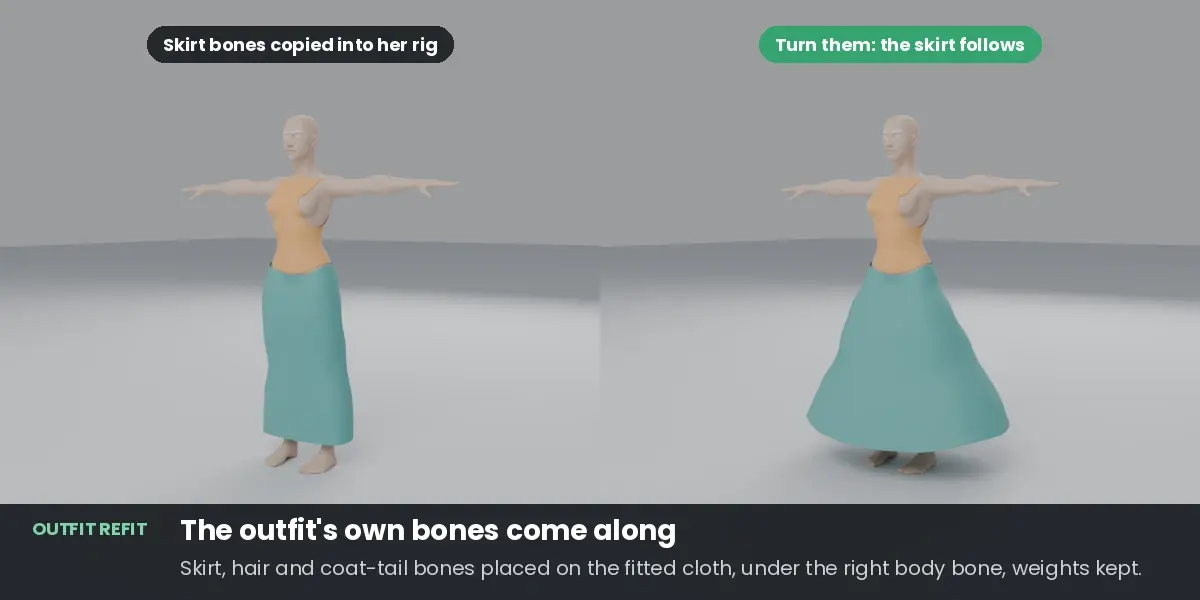
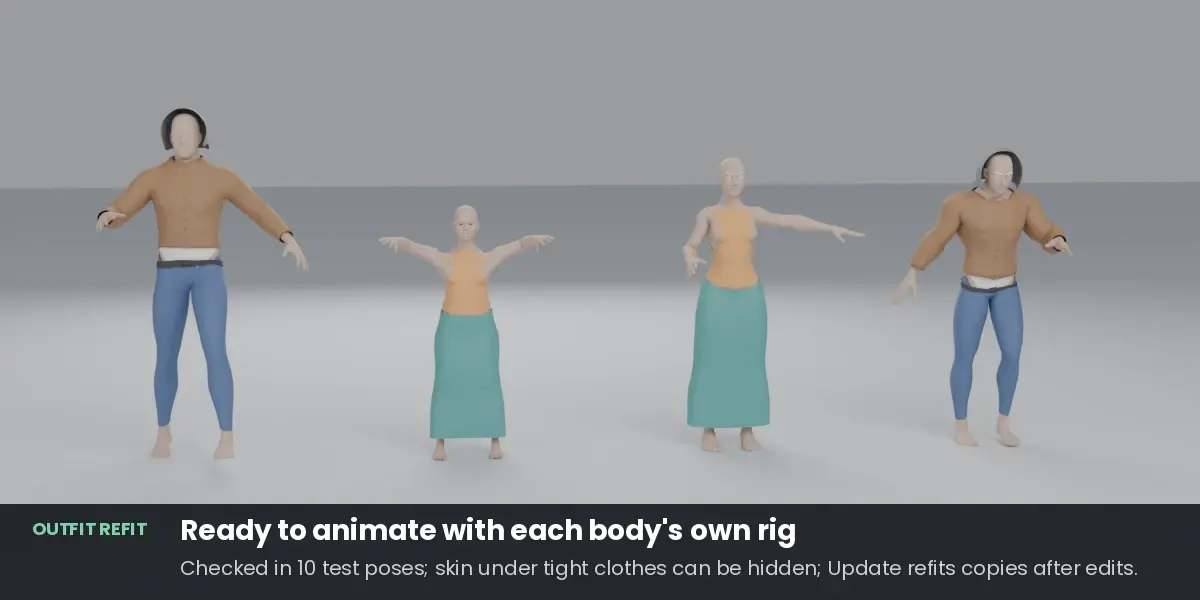
- Ready to animate: weights for the target's rig, garment shape keys that follow the body's shape keys, the outfit's own bones (skirt, hair, coat tails) copied into the target's rig, and a check in test poses.
- Non-destructive: your original garments are never changed. Every copy remembers where it came from, so after you edit an original, one click updates every copy on every body.
Install
- Edit > Preferences > Get Extensions.
- Open the drop-down menu (top right), choose Install from Disk…, and pick
outfit_refit-1.0.0.zip. Then make sure Outfit Refit is ticked in Edit > Preferences > Add-ons. - The Refit tab appears in the 3D Viewport sidebar (press N).
It needs Blender 4.2 or newer and runs on stock Blender. There is nothing extra to install.
Fit one outfit onto one body
- In the Refit tab, set Source: the body the clothes were made for. Set Target: the body to dress. The eyedropper next to each field takes the active object.
- Leave Selected on and select the garments in the viewport. Any number works, including layered pieces (a shirt under a jacket, a belt, buttons, a hood).
- Press Fit.
The copies go into a collection called "Refit to target body name". Each copy is named after its original plus .fit_ and the target body's name.
Fit a wardrobe onto a cast
- Put each outfit in its own collection, and those collections into one collection, for example:
Anna's wardrobe>Casual(shirt, trousers, jacket…) andSummer(top, skirt). - In the Refit tab, switch Selected to Wardrobe and pick the outer collection.
- Set Target, then add more bodies to More targets: select them in the viewport and press +. Untick a body in the list to skip it in the next run.
- Press Fit N Garments to M Bodies.
Each outfit is fitted on its own: a dress is never layered over trousers. On each body the copies go into "Refit to body", with one collection per outfit inside. The bodies are matched to the source once per run, so many outfits cost little more than one.
Ready to Animate options
| Option | Default | What it does |
|---|---|---|
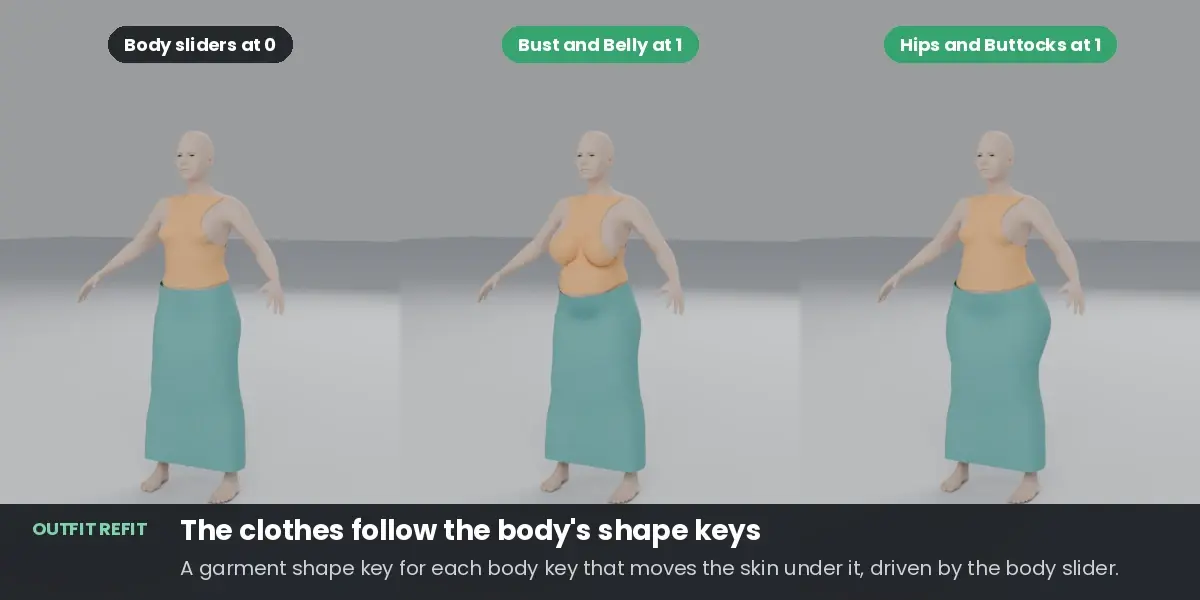
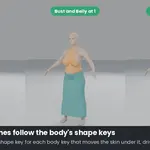
| Follow Body Shape Keys | on | For every shape key of the target body that moves the skin under a garment (by more than 1 mm), the copy gets a shape key of the same name, fitted with the same collision rules. Keys that do not touch the clothes (face, hands) are skipped. If the garment already has a key of that name, yours is kept. |
| Drive From Body | on | Each of those garment keys follows the body's key of the same name (a driver), so moving the body slider moves the clothes. For game engines the key names match the body's, so you can drive them the same way there. |
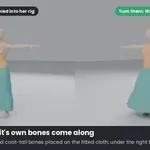
| Copy Outfit Bones | on | Bones that deform the outfit but not the body (skirt, hair, coat-tail or ribbon bones) are copied into the target's rig, under the matching body bone (for example the hips), placed on the fitted cloth, in a bone collection called "Outfit bones". The copies keep their weights on them. Fitting again moves those bones; it does not duplicate them. |
| Check Poses | on | After fitting, the target is put through 10 test poses built from its own skeleton (elbows bent, arms up, down and forward, hips bent, knees bent, sitting, walking, legs apart, leaning forward), or through its animation (choose Animation). The report then lists how much cloth dips into the body and how much skin shows through. Nothing is changed. |
| Hide Skin Under Clothes | on | Skin covered by tight clothes, and at least 3 cm away from any bare skin, is put into a vertex group ("Refit hide: outfit") and hidden by a Mask modifier on the body ("Refit hide skin"). The body mesh itself is not changed: switch the modifier off to see the skin again, or untick this option before fitting. This is the usual game-character fix for skin showing through clothes in strong poses. With one outfit on a body it removes 95 to 96 percent of the skin showing through in the test poses of the demo characters. With several outfits on one body, the modifier hides only the skin that all of them cover (vertex group "Refit hide (all outfits)"), so whichever outfit you show, no bare skin is missing; each outfit's own group is kept, so when you show only one outfit you can pick its group in the modifier. Removing an outfit's copies gives its skin back. |
Skin folds. In strong poses two parts of the body can touch (the armpit with the arms down, the groin when sitting). Cloth between them has no room, so every skinned outfit dips in there. The pose check reports those dips separately ("in skin folds") from dips on open skin, which are the ones to watch.
Fit Options
| Option | Default | What it does |
|---|---|---|
| Match Pose | on | Turns the source's limbs to the target's pose first. It needs a rigged source body. |
| Weights From Target | on | Weights the copies to the target armature. When off, the copies are only reshaped. |
| Bones per Vertex | 4 | Limit for game engines. 0 means no limit. Outfit bones count too. |
| Keep Small Parts Rigid | on | Buttons, buckles and similar small separate pieces keep their shape. |
| Avoid Other Target Meshes | on | Also looks at the target character's other meshes that move with its armature: hair, a separate head, accessories, clothes it already wears. See the rules below. |
| Replace Earlier Copies | on | Fitting a garment onto a body that already has a copy of it updates that copy in place instead of making a second one. |
| Minimum Gap | 1 mm | The smallest distance kept between cloth and skin. |
| Loose Parts From | 15 mm | Cloth further than this from the skin follows the body smoothly instead of sticking to one spot. |
| Ignore target parts | empty | Material or vertex group names of the target body to leave out, comma separated, for example the built-in shirt of a VRoid body (Tops_01_CLOTH). Ignored parts take no part in matching the bodies or in weights, and clothes do not collide with them. |
How Avoid Other Target Meshes decides over or under:
- On the head and neck, clothes always go over those meshes, so a hood or hat covers hair.
- Elsewhere, a garment goes over a mesh when it sits further from the skin than that mesh (a jacket over a shirt), and stays under it otherwise (a shirt under long hair).
- Copies of another outfit of the same wardrobe are left out: outfits are worn instead of each other.
Units. Distances are given for a 1.7 m tall body. They scale with the target body's height, so a character modelled in centimetres behaves the same.
More room in one place: the "Refit Gap" vertex group
Paint a vertex group called Refit Gap on an original garment (Weight Paint mode). Where its weight is 1, the cloth keeps 10 mm more distance from the skin on every body; where it is 0.5, 5 mm more. Use it for a looser fit in one area, or for thick material.
Fitted Copies
- Update Fitted Copies: fits the selected copies again from their originals, in place. Select an original garment instead to update all its copies on every body; with nothing selected, every copy in the file is updated. Use it after you change an original garment. The copy keeps its name, its collection, its materials set on the object, and any modifier you added to it. The whole outfit on that body is refitted, because layers depend on each other.
- Check Poses: runs the pose check on the selected copies and writes the result to the report. Nothing is changed.
- Remove Fitted Copies: deletes the selected copies, or all copies of a selected original garment (every copy in the file when none is selected). It asks first and says how many copies it will delete. Originals, bodies and rigs are not touched. Outfit bones stay in the rigs; delete them from the "Outfit bones" bone collection if you no longer need them.
The report
After every run the Last Run panel shows one line per body and outfit, and Open Report opens the full report ("Outfit Refit Report" in the Text Editor). It lists, for every garment on every body:
- how much of it sat inside the body before fitting, and after (the goal is 0.00%);
- how many skin points poke through it (goal 0);
- a distortion figure: the 95th percentile of how much a small patch of cloth changed compared with the patches around it;
- hard parts kept rigid, extra room from a Refit Gap group, shape keys followed;
- per outfit: the pose check, outfit bones, hidden skin;
- and at the end, suggestions for the serious problems: cloth inside the body or skin poking through at rest, skin showing through in the test poses, a body shape key that makes cloth clip, or a setup problem (bodies matched poorly, no rig, no weights, outfit bones not added). Findings that are often fine as they are (uneven stretch, loose cloth, dips at strongly bent joints) stay in the numbers above without a suggestion.
What happens during a fit
- Skeletons. Both armatures are read. Bones are recognised by name: Mixamo; Unreal (UE4 and UE5 mannequin); Rigify (metarig and generated DEF bones, including MPFB's); VRM, VRoid and Unity humanoid; VRChat and Cats names; Auto-Rig Pro; MakeHuman and MPFB; Character Creator; Daz Genesis 8 and 9; 3ds Max Biped; CMU motion capture.
- Placement. The source is moved and turned to stand where each target stands. Object transforms do not matter, and a centimetre-versus-metre scale difference is corrected.
- Pose. If the arms or legs point more than 15 degrees differently, the source's limbs are first turned to the target's pose using the source's own skin weights.
- Body match. If the two bodies share one mesh, their vertices are matched directly. If not, the source body is bent onto the target's shape: joint positions and surface points found from the bones guide the overall shape, and a smooth closest-point fit does the rest. This happens once per target and is reused for every outfit.
- Garments, innermost first, one outfit at a time. Parts close to the skin stay glued to the same place on the body, at the same distance. Loose parts (hems, hoods, capes) follow the body's movement smoothly. Then any garment point inside the body is pushed out, any skin poking through is covered, outer layers are kept outside inner layers, and small separate pieces keep their exact shape.
- Outfit bones are moved with the cloth they carry and added to the target's rig.
- Weights. Each garment takes skin weights from the target body wherever it is close to the skin and faces the same way; loose parts get weights blended smoothly from there; outfit-bone weights are kept; everything is limited to the chosen number of bones per vertex.
- Shape keys, hidden skin, pose check, as chosen in Ready to Animate.
Limits
- The characters should be humanoid. Without armatures, both bodies must stand in the same pose: they are lined up by their bounding boxes only, and there are no weights, outfit bones or pose check.
- Each character's body must be one mesh object. If the body is split, join it or pick the main part.
- Clothed bodies. The target body should be the character's skin. Some exports build loose clothes into the body mesh (VRoid avatars). Put the names of those clothes' materials into Ignore target parts; the panel warns when two bodies match poorly.
- Fitting is done in the rest pose. Loose clothing follows the body smoothly but is not draped by physics.
- Outfit bones are placed, not simulated. In the test poses they stay where they are, so a long skirt hanging from its bones dips into a leg that steps forward. Give those bones physics (PhysBones, spring bones) in your engine, or use a cloth simulation in Blender.
- Skinned clothing at strongly bent joints. Tight clothes bend exactly like the skin under them; in skin folds and at strongly bent knees and hips a few millimetres of cloth can still dip in. Hide Skin Under Clothes (on by default) is the usual fix.
- Several body shape keys at full strength together. Each garment key is fitted for its own body key. With several body keys at 1 at the same time a little cloth can dip in: on the demo, about 1 percent of the top with all of Cleo's keys at 1. Raise Minimum Gap a little if you use strong combinations.
- Gloves, shoes and very stylised bodies (chibi to realistic) are not tested yet.
If something looks wrong
- The report shows cloth inside the body, or skin poking through. Raise Minimum Gap a little and fit again. For Solidify, lower the thickness or set its Offset to push outward.
- Sleeves are twisted or arms are off. Check that both rigs are recognised (arms and legs need recognisable names) and that Match Pose is on.
- The button is greyed out. Set the source body and a target body, and select at least one garment (not a body), or pick a wardrobe collection.
- A copy should not have changed when you pressed Fit. Fit updates earlier copies of the same garments on the same body (Replace Earlier Copies). Untick it to make new copies instead. Ctrl+Z undoes a run.
 Included
Includes 12 months of
- Support from zemis
- Product updates
Extend this product’s Support Period +12 months: 50% of product price
Have questions before purchasing?
Login to message
| Blender Extension Compatible | Yes |
| Published | 1 day ago |
| Blender Version | 4.2 - 5.2 |
| Extension Type | Add-on |
| License | GPL |
