Overgrowth - Procedural Ivy, Moss & Wild Ground
 one99addons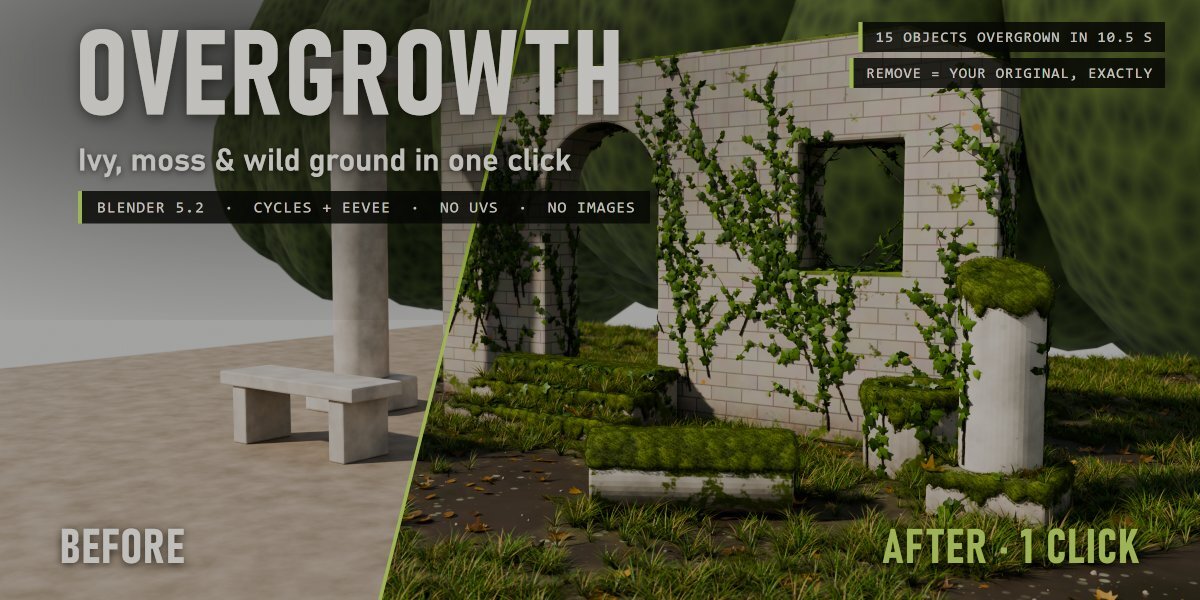


Does it work with EEVEE?
Yes, Cycles and EEVEE. Very dense scenes (hundreds of thousands of grass tufts and leaves) render faster in Cycles.
My viewport got slow, what can I do?
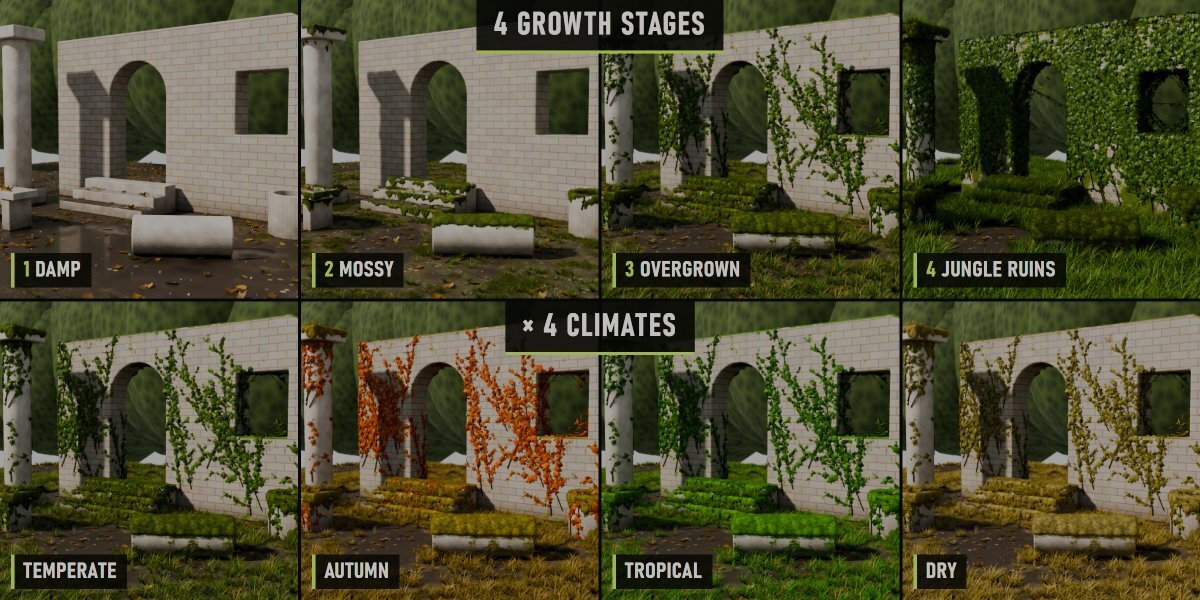
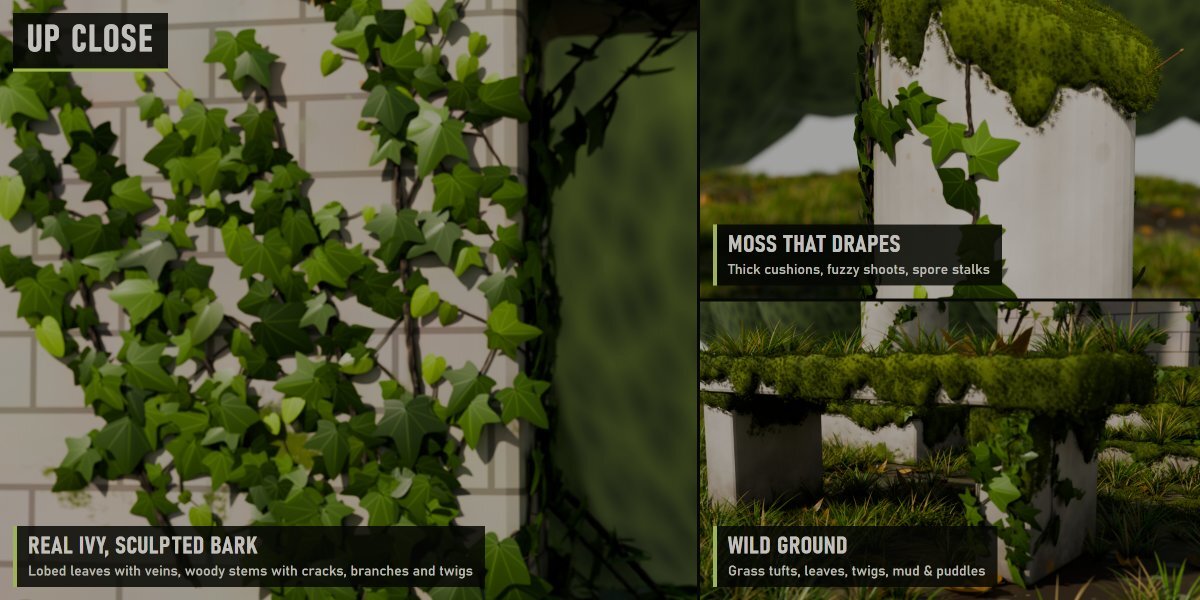
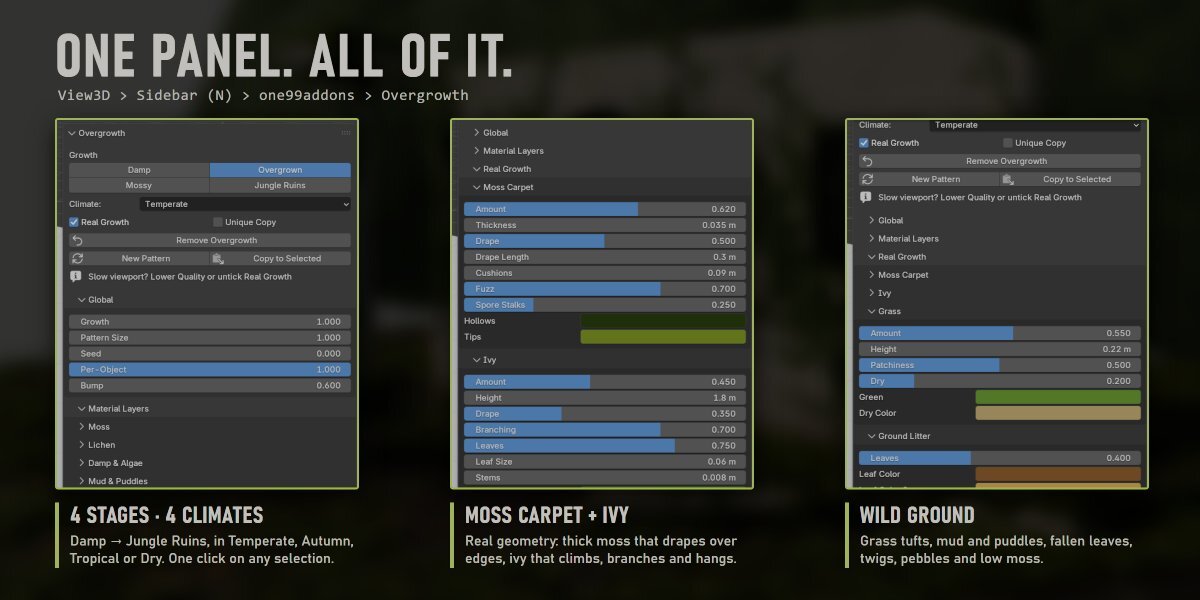
Real ivy, moss and grass are a lot of geometry. Lower Quality in "Seed & Quality", or untick "Real Growth" while you work and tick it again before rendering.
Does it change or replace my materials?
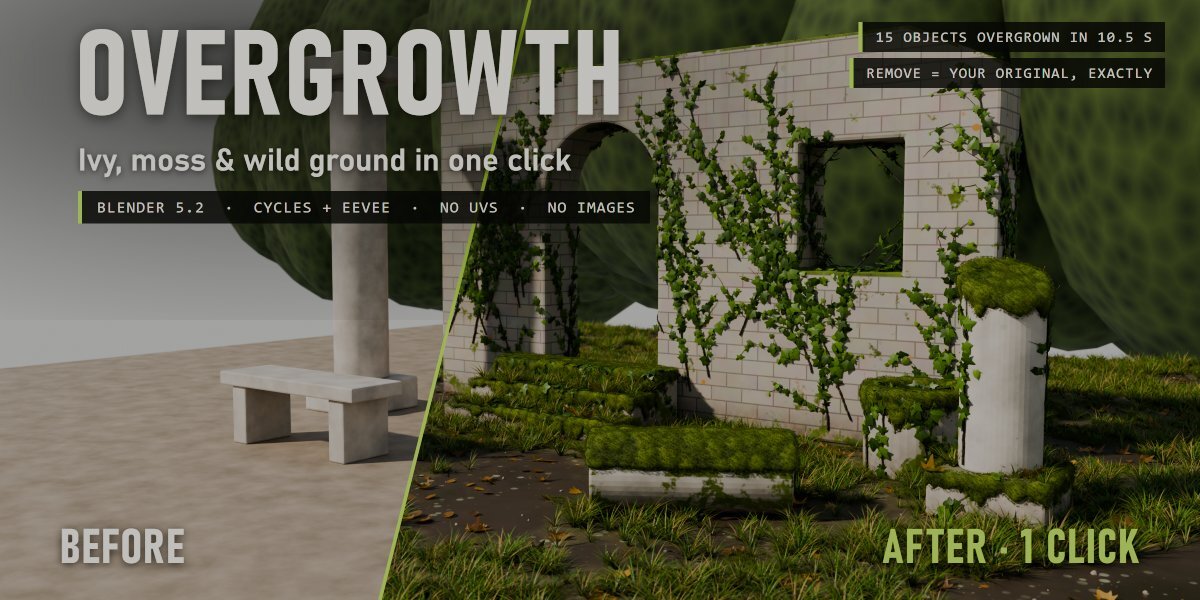
No. Overgrowth is mixed on top of your shader, and Remove Overgrowth puts every link, node, slot and modifier back exactly as it was.
How do I install it?
Download overgrowth_v1.0.0.zip, then in Blender go to Edit > Preferences > Add-ons > drop-down arrow > Install from Disk... and pick the zip (do not unzip it). Tick "Overgrowth". The panel is in the 3D View sidebar (N) > one99addons tab.
Have questions about this product?
Login to message
| Published | 2 days ago |
| Blender Version | 5.2 |
| Extension Type | N/A |
| Render Engine Used | Cycles, Eevee |
| License | GPL |
Discover more products like this
#nature overgrown geometry nodes moss ruins ivy environment abandoned vegetation procedural